> ## Documentation Index
> Fetch the complete documentation index at: https://docs.truu.ai/llms.txt
> Use this file to discover all available pages before exploring further.
# Add CA Adapter to TruU Admin Console
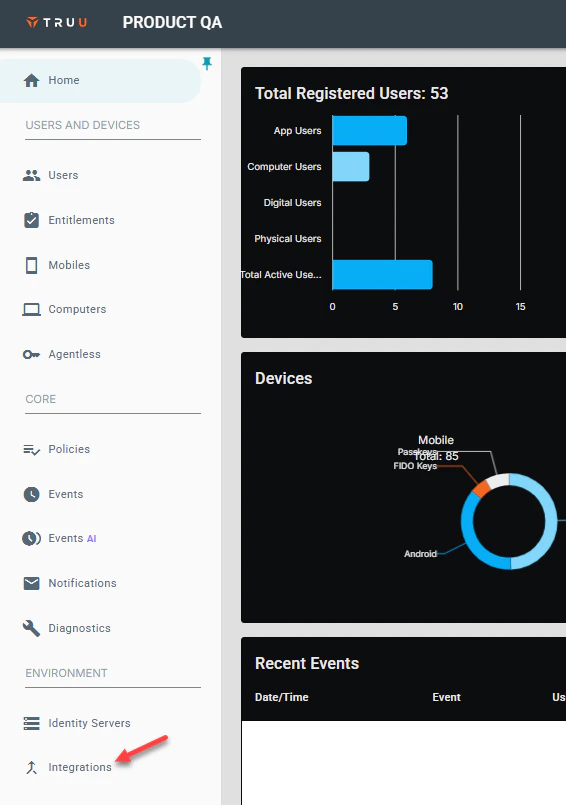
1. Log into your TruU Admin Console and navigate to the **Integrations** tab.
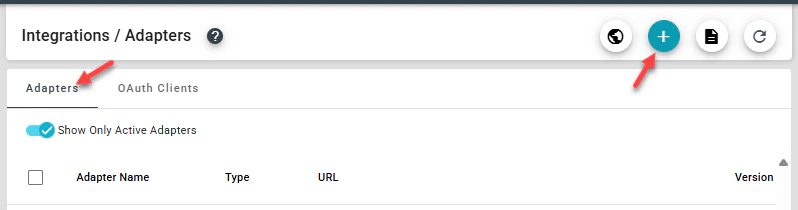
 2. Next, navigate to the **Adapters** tab, then click **(+)** to create a new TruU adapter.
 3. Select **Active Directory CA** adapter type, then provide a name for the adapter. Add the **Identity Server URL, CA Path**, **Smartcard Template Name**, **Signing Certificate Template Name** and the **Global Attribute Name**, then click **Create** to add the adapter
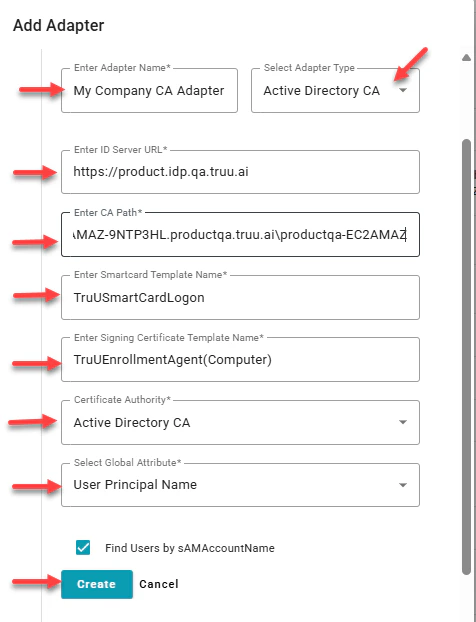 **Note**: Find Users by saMAccountName can be left unchecked if not required.
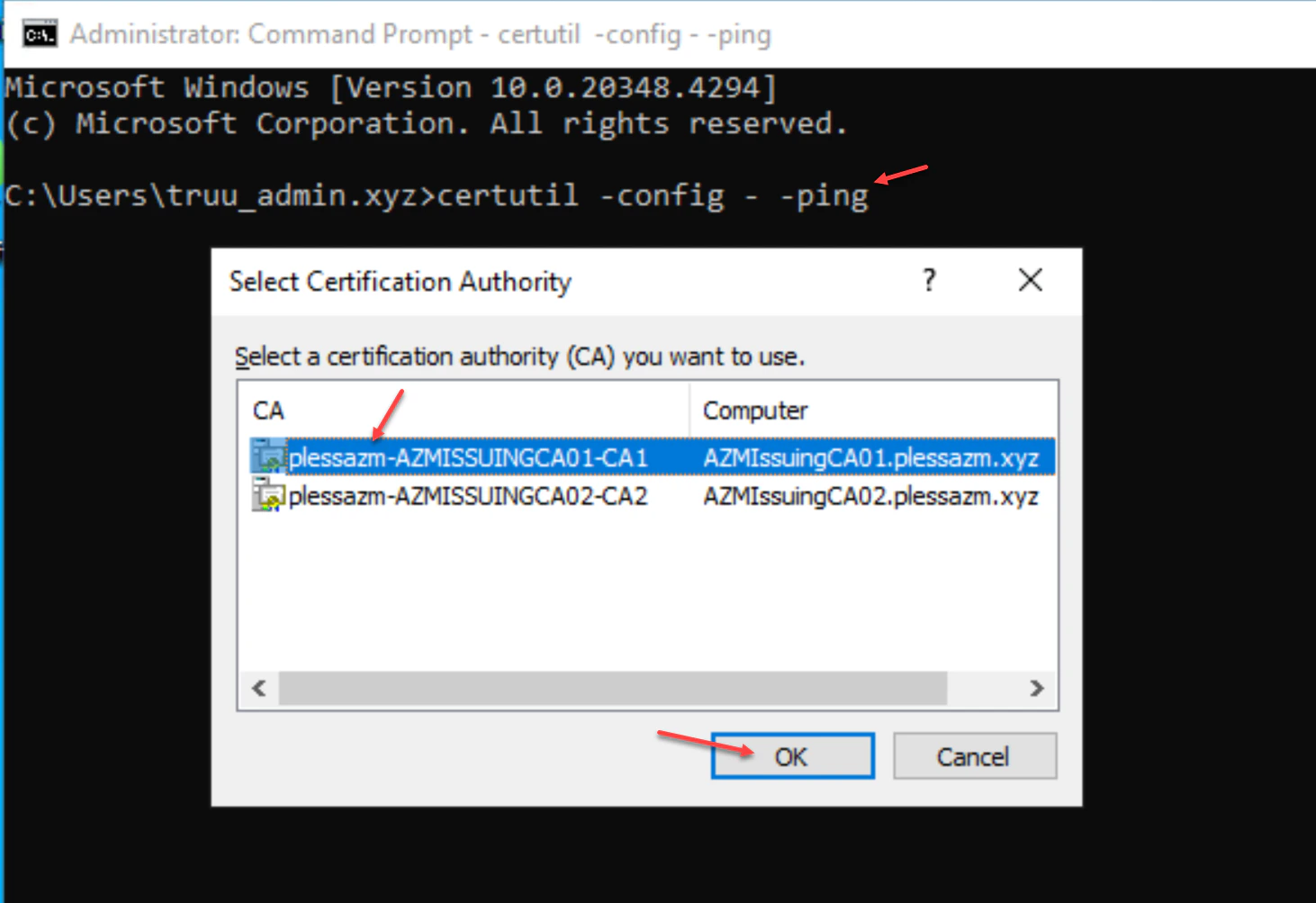
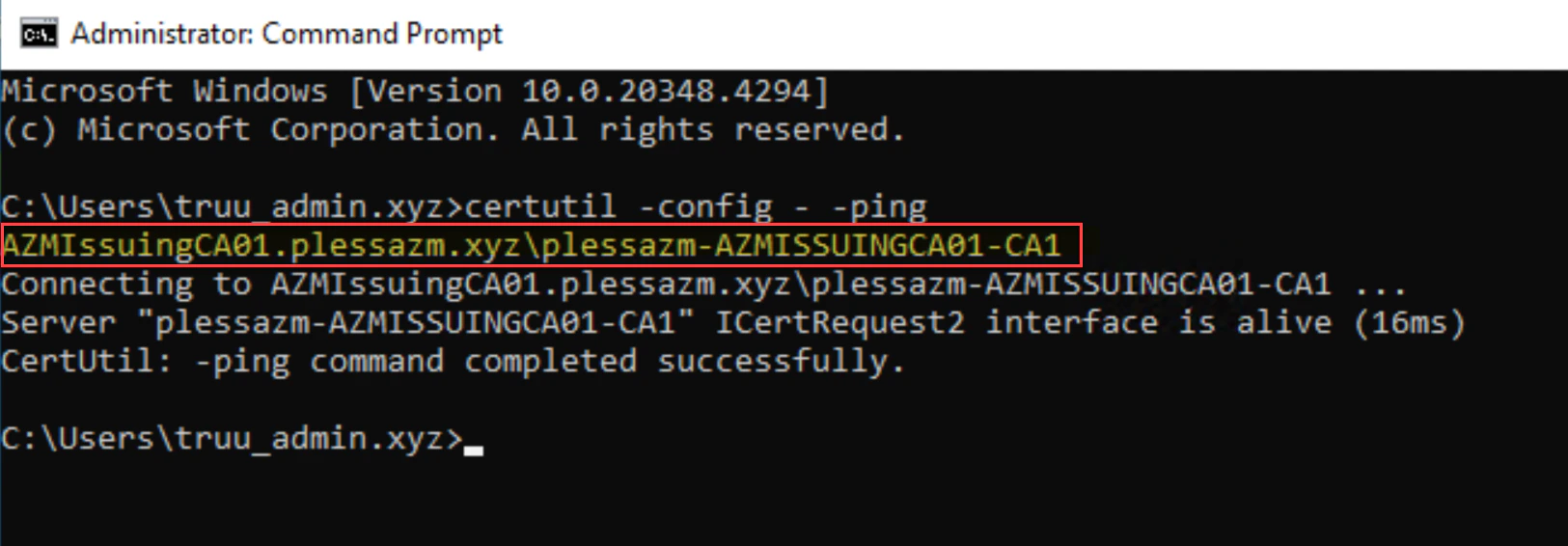
**Note**: To identify the path for filling out the **'Enter CA Path'** field above, launch command prompt on a domain joined Windows server, and run the following command: **certutil -config - -ping**. When prompted, select the CA in use from the list, then copy the path to your certificate authority. Once complete, click **Ok**. Copy the line that is highlighted from the response in your command prompt to the Adapter configuration Once complete, click **Ok**.
**Note**: Find Users by saMAccountName can be left unchecked if not required.
**Note**: To identify the path for filling out the **'Enter CA Path'** field above, launch command prompt on a domain joined Windows server, and run the following command: **certutil -config - -ping**. When prompted, select the CA in use from the list, then copy the path to your certificate authority. Once complete, click **Ok**. Copy the line that is highlighted from the response in your command prompt to the Adapter configuration Once complete, click **Ok**.
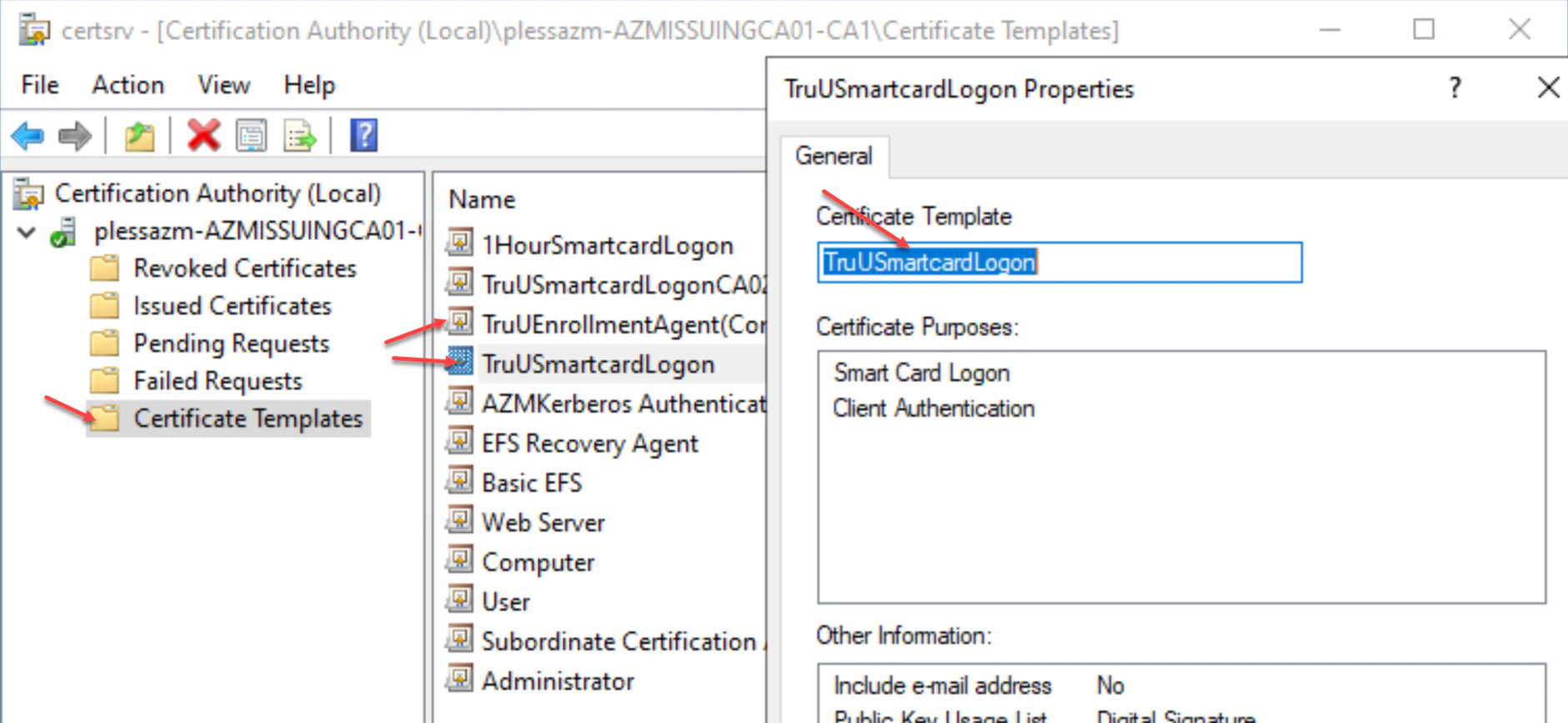
 **Note:** To copy the name of a template for the above form, simply open the CA and go to Certificate Templates and double-click the template and copy the name from the field.
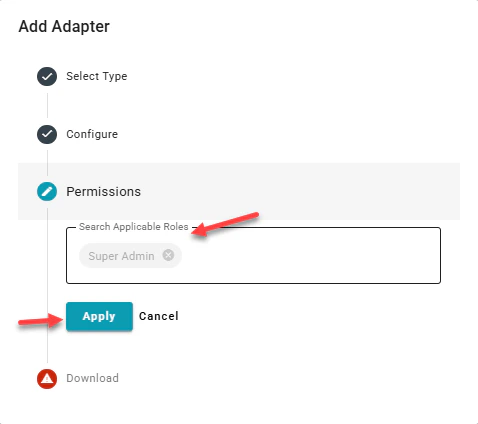
 4. This next field allows you to confirm type of admin you'd like on the adapter, you may add **Super** or \*\*Digital \*\*admin here, then click **Apply**. Adding both just gives the permissions to that group.
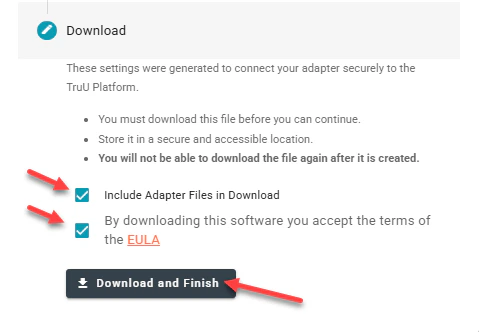
 5. To download the TruU CA Adapter files, check the **Download Adapter Files** and **By downloading this software you accept the terms of the EULA** buttons. Click **Download and Finish** to download the installation files to your system.
 ***
[Granting Service Account Permissions](/docs/granting-service-account-permissions)
[Template Cofiguration for Shared Workstation](/docs/template-configuration-for-shared-workstation)
***
[Granting Service Account Permissions](/docs/granting-service-account-permissions)
[Template Cofiguration for Shared Workstation](/docs/template-configuration-for-shared-workstation)