> ## Documentation Index
> Fetch the complete documentation index at: https://docs.truu.ai/llms.txt
> Use this file to discover all available pages before exploring further.
# Webhook Event Logging Adapter Setup Guide
> This guide provides a detailed walkthrough on how to configure the TruU Webhook Event Logging Adapter.
## Creating a TruU Webhook Event Logging Adapter
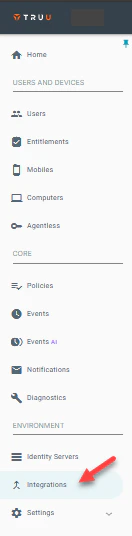
**Step 1:** Log into the TruU Admin Console and navigate to the "Integrations" tab.
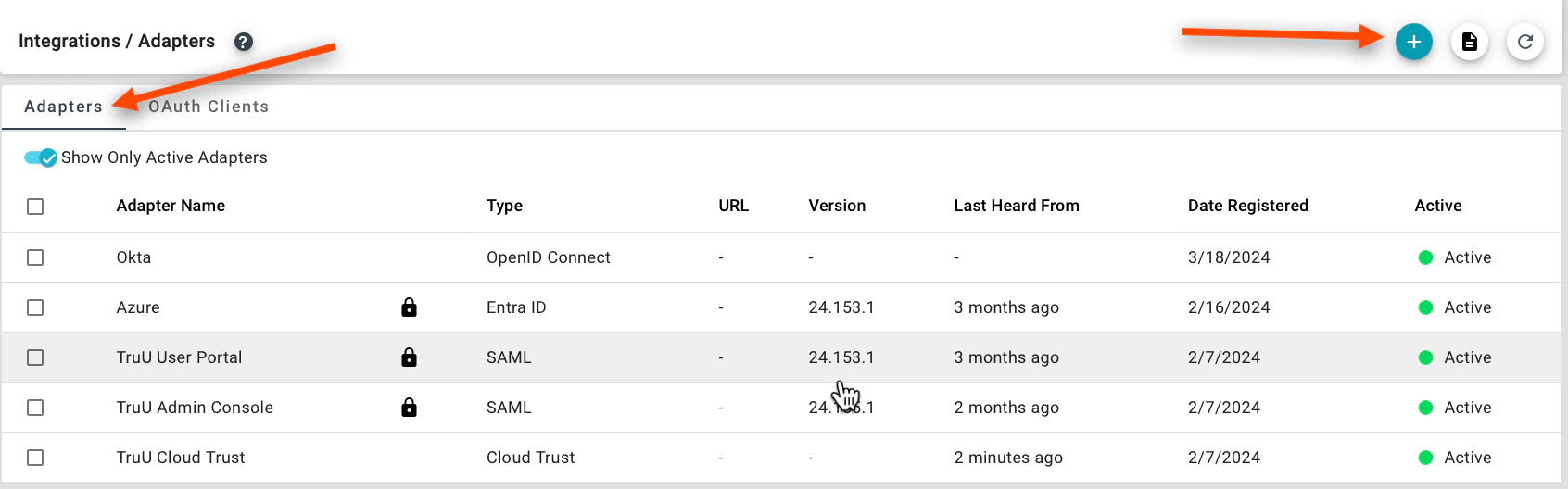
 **Step 2:** Navigate to the **Adapters** tab and click **(+)** to create a new TruU adapter.
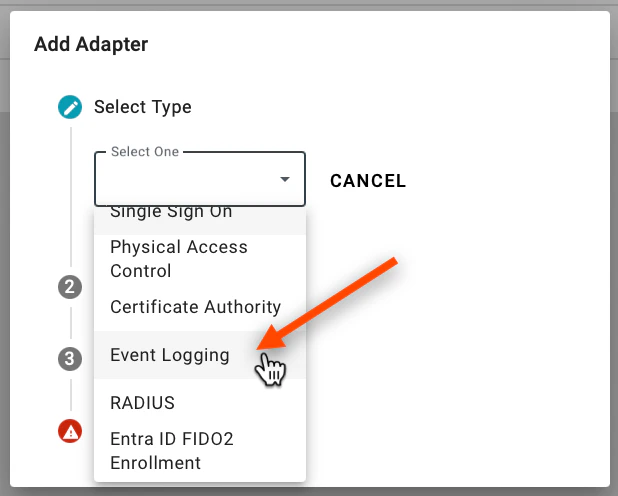
 **Step 3:** Select the **Event Logging** adapter and choose the **Event Logging** adapter type from the dropdown menu.
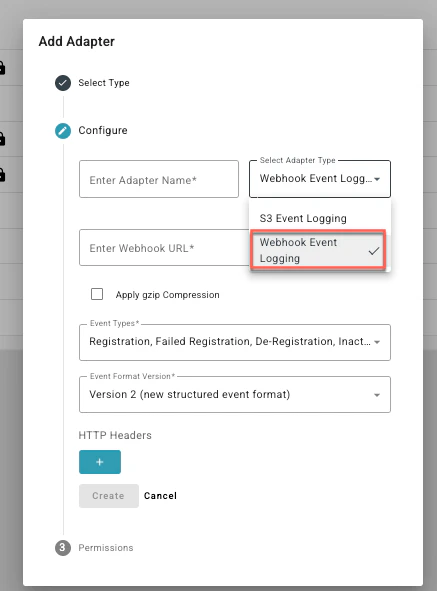
 **Step 4:** Select Webhook event from the Select Adapter Type Drop down.
**Step 5:** Enter the following information to the adapter:
**Adapter Name**: Provide a name for your adapter. **Webhook URL**: Provide the URL where you would like to publish the Webhook event data. **Apply gzip Compression**: Check the box if you would like to compress the data. **Event Types**: The types of TruU events that can be exported via Webhook. You can choose to export all or a subset of TruU events via Webhook. **HTTP Headers**: You can optionally choose to add HTTP headers (e.g., if you need to include an API key for integration with a SIEM).
**Step 4:** Select Webhook event from the Select Adapter Type Drop down.
**Step 5:** Enter the following information to the adapter:
**Adapter Name**: Provide a name for your adapter. **Webhook URL**: Provide the URL where you would like to publish the Webhook event data. **Apply gzip Compression**: Check the box if you would like to compress the data. **Event Types**: The types of TruU events that can be exported via Webhook. You can choose to export all or a subset of TruU events via Webhook. **HTTP Headers**: You can optionally choose to add HTTP headers (e.g., if you need to include an API key for integration with a SIEM).
 Please note:
* TruU exports events every 15 minutes. If an error occurs during an export, a notification message is displayed in the TruU management console. An error message will also be displayed if there is no event data for TruU to export.
* When the adapter is initially deployed, TruU will export events from the previous 7 days from which the adapter was first deployed.
***
[S3 Event Logging Adapter Setup Guide](/docs/s3-event-logging-adapter-setup-guide)
[RADIUS](/docs/radius)
Please note:
* TruU exports events every 15 minutes. If an error occurs during an export, a notification message is displayed in the TruU management console. An error message will also be displayed if there is no event data for TruU to export.
* When the adapter is initially deployed, TruU will export events from the previous 7 days from which the adapter was first deployed.
***
[S3 Event Logging Adapter Setup Guide](/docs/s3-event-logging-adapter-setup-guide)
[RADIUS](/docs/radius)