> ## Documentation Index
> Fetch the complete documentation index at: https://docs.truu.ai/llms.txt
> Use this file to discover all available pages before exploring further.
# Enroll your Entra Joined Windows
> This guide provides a step-by-step tutorial on how to Enroll your Entra ID joined Windows device to TruU.
### Enrolling The Windows Authenticator
**Step 1:** Click **Get Started!** to start the wizard
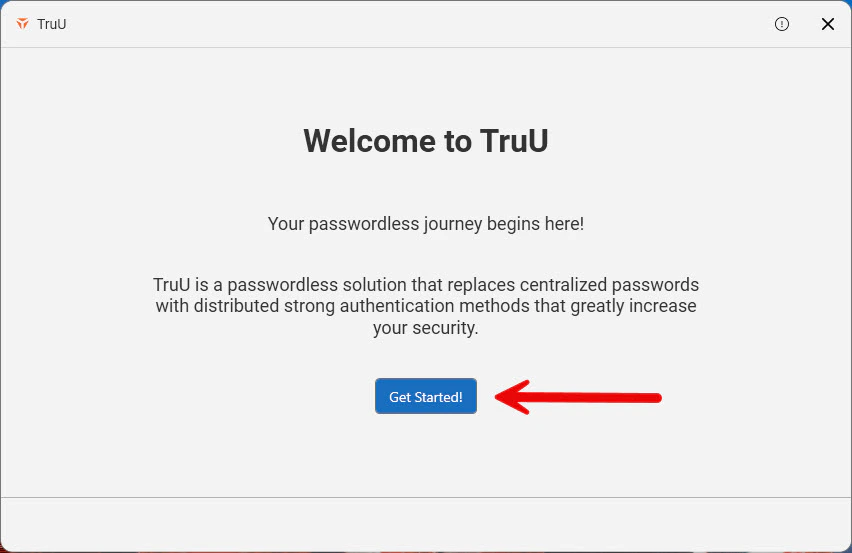 **Step 2:** Enter the primary user identifier as configured in your tenant (shown below as email)
 **Step 3:** Select either **your email** or **your phone number** to receive your enrollment code, then click **Send Enrollment Code**
 **Step 4:** Enter the *enrollment code* sent to your email/text
 **Step 5:** Create and Confirm your TruU PIN and Click the **Blue arrow** to continue
 **Step 6:** You will then be directed to the following "Setting up your account" screen
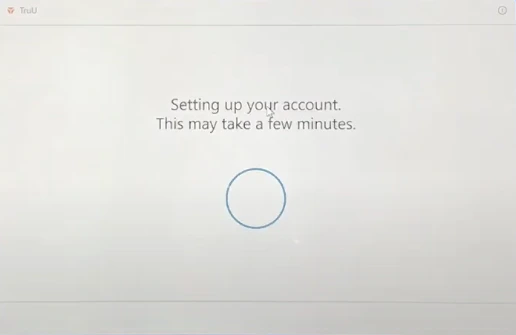 **Step 7**: Click **Login Using TruU** to log into your device
 **Step 7**: As the desktop loads, you may see a TruU pop-up appear on the screen. Here, you are able to setup your face or fingerprint for biometric basic login. Click **Setup Later** or [**Enable Biometrics**](https://docs.truu.ai/docs/enroll-biometrics) to enable the use of biometrics upon login
 ***
[Enroll your AD Joined Windows](/docs/enroll-your-windows)
[Windows Login](/docs/windows-login)
***
[Enroll your AD Joined Windows](/docs/enroll-your-windows)
[Windows Login](/docs/windows-login)