> ## Documentation Index
> Fetch the complete documentation index at: https://docs.truu.ai/llms.txt
> Use this file to discover all available pages before exploring further.
# How to Determine Whether Agent is using FIDO2 or Cert based login
> Here is an informational article detailing how support staff is able to determine whether an agent is using FIDO2 based login or Certificate based login.
There are 2 ways to identify if the users are using FIDO2-based or certificate-based login on a Windows machine
**1: Determining the Login Method via Windows Log Files**
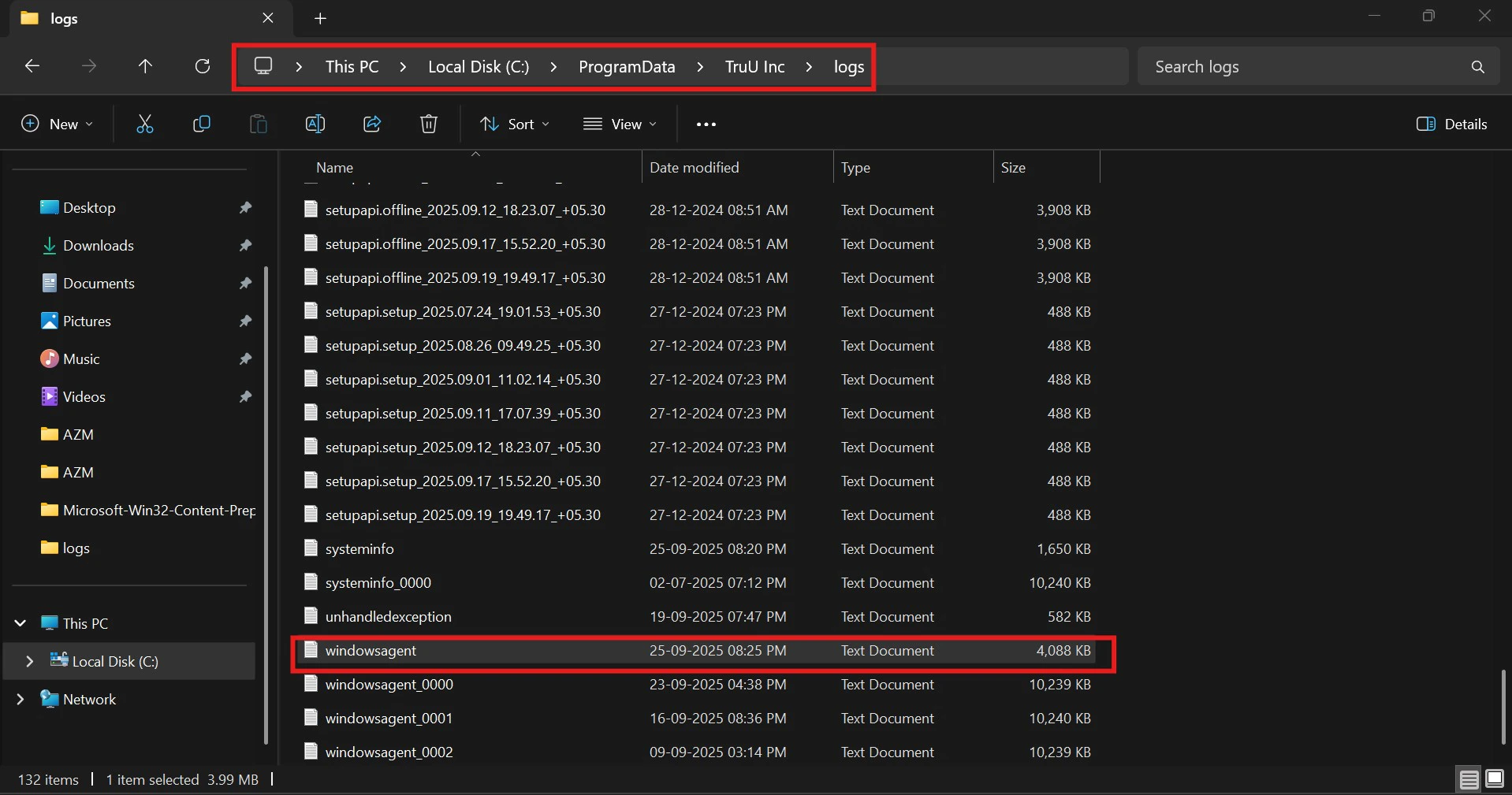
* Follow the path to access TruU logs on the machine “C:\ProgramData\TruU Inc\logs” and open the latest Windows agent logs
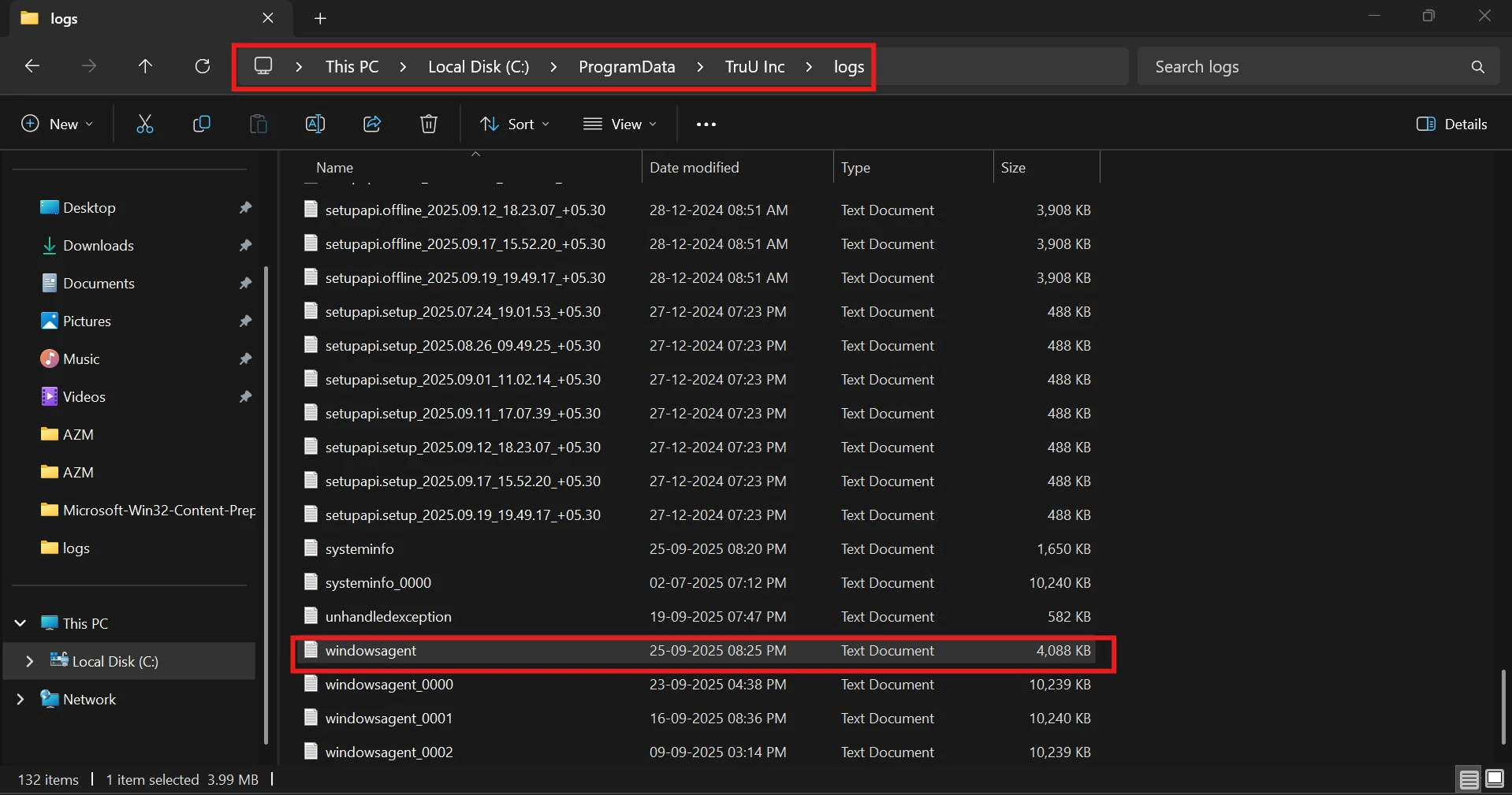 **Note**: If you’re unable to see the **ProgramData** folder on the **C: drive**, go to the **View tab** and enable **Hidden items**.
 * Find the last credential provider used by looking up '**credentialProvider**'.
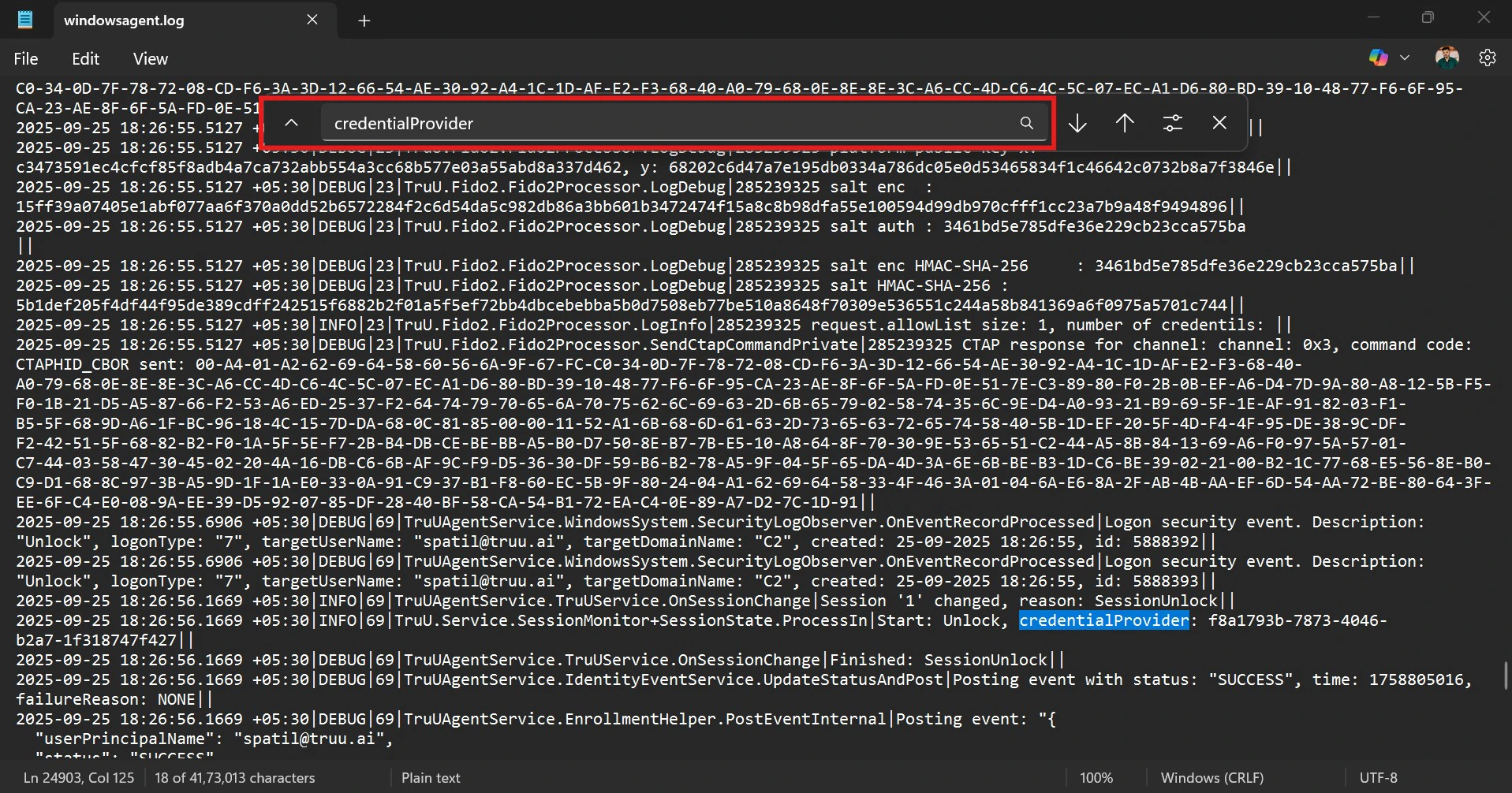 * Look for the GUID to tell which login method was used: • If it's FIDO2, the GUID will be: credentialProvider: **f8a1793b-7873-4046-b2a7-1f318747f427** • If it's a smart card, the GUID will be: credentialProvider: **5fd3d285-0dd9-4362-8855-e0abaacd4af6**
**2. How to Manually Identify Whether an Agent Is Using FIDO2 or Certificate-Based Login**
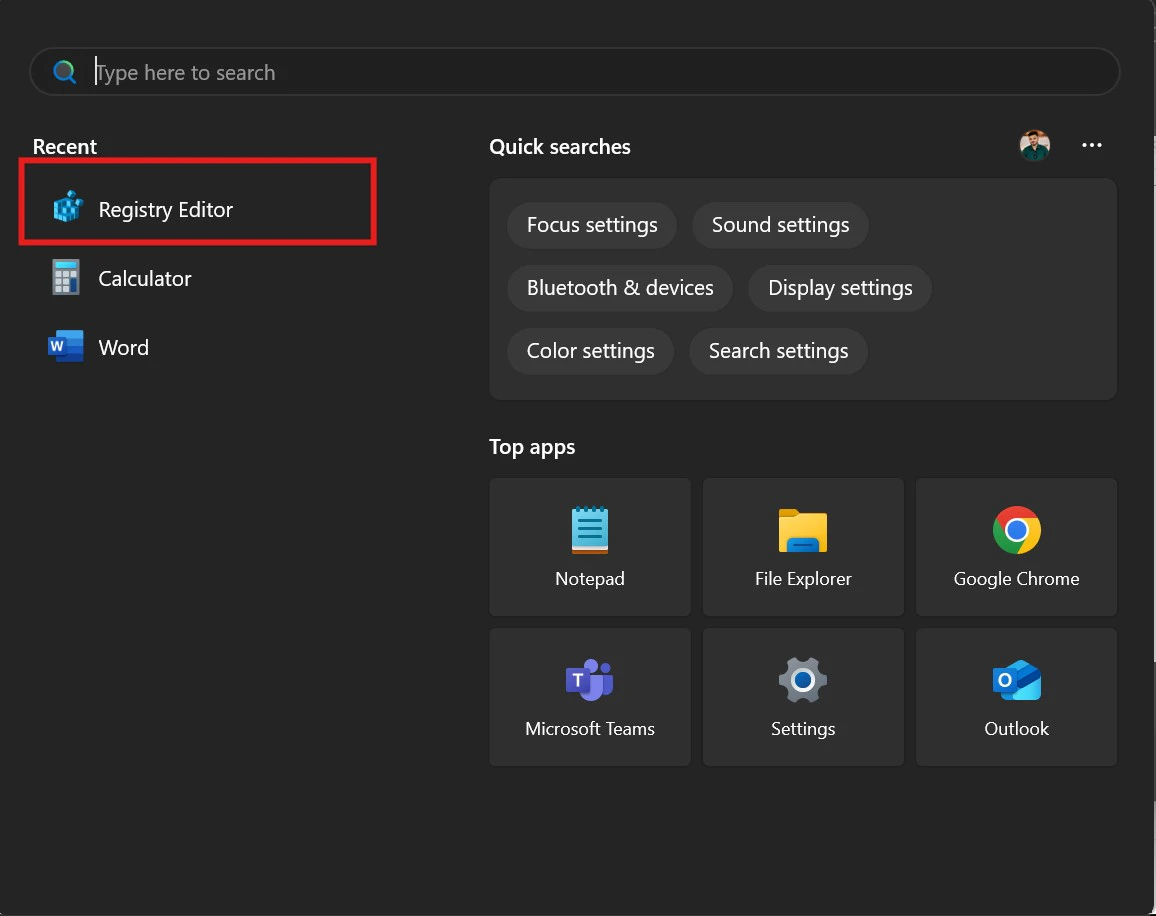
* Launch the **Registry Editor** on your system
* Look for the GUID to tell which login method was used: • If it's FIDO2, the GUID will be: credentialProvider: **f8a1793b-7873-4046-b2a7-1f318747f427** • If it's a smart card, the GUID will be: credentialProvider: **5fd3d285-0dd9-4362-8855-e0abaacd4af6**
**2. How to Manually Identify Whether an Agent Is Using FIDO2 or Certificate-Based Login**
* Launch the **Registry Editor** on your system
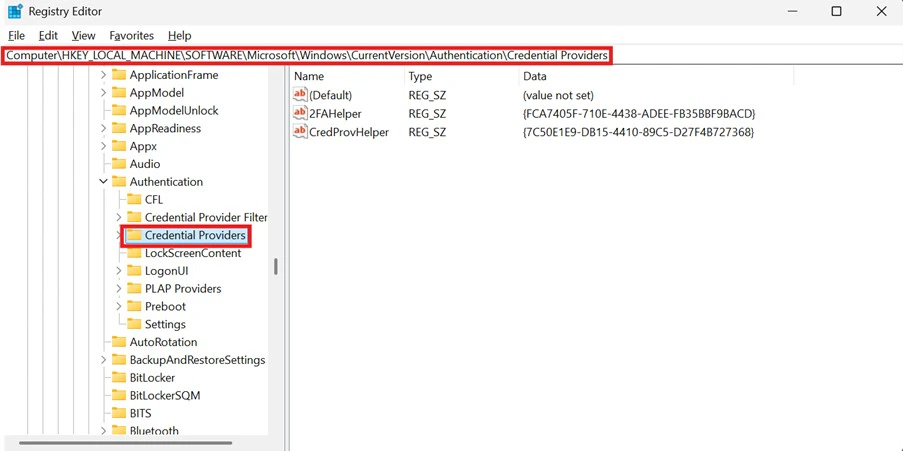
 * In the Registry Editor, go to the following path:
**HKEY\_LOCAL\_MACHINE\Software\Microsoft\Windows\CurrentVersion\Authentication\Credential Providers.**
* In the Registry Editor, go to the following path:
**HKEY\_LOCAL\_MACHINE\Software\Microsoft\Windows\CurrentVersion\Authentication\Credential Providers.**
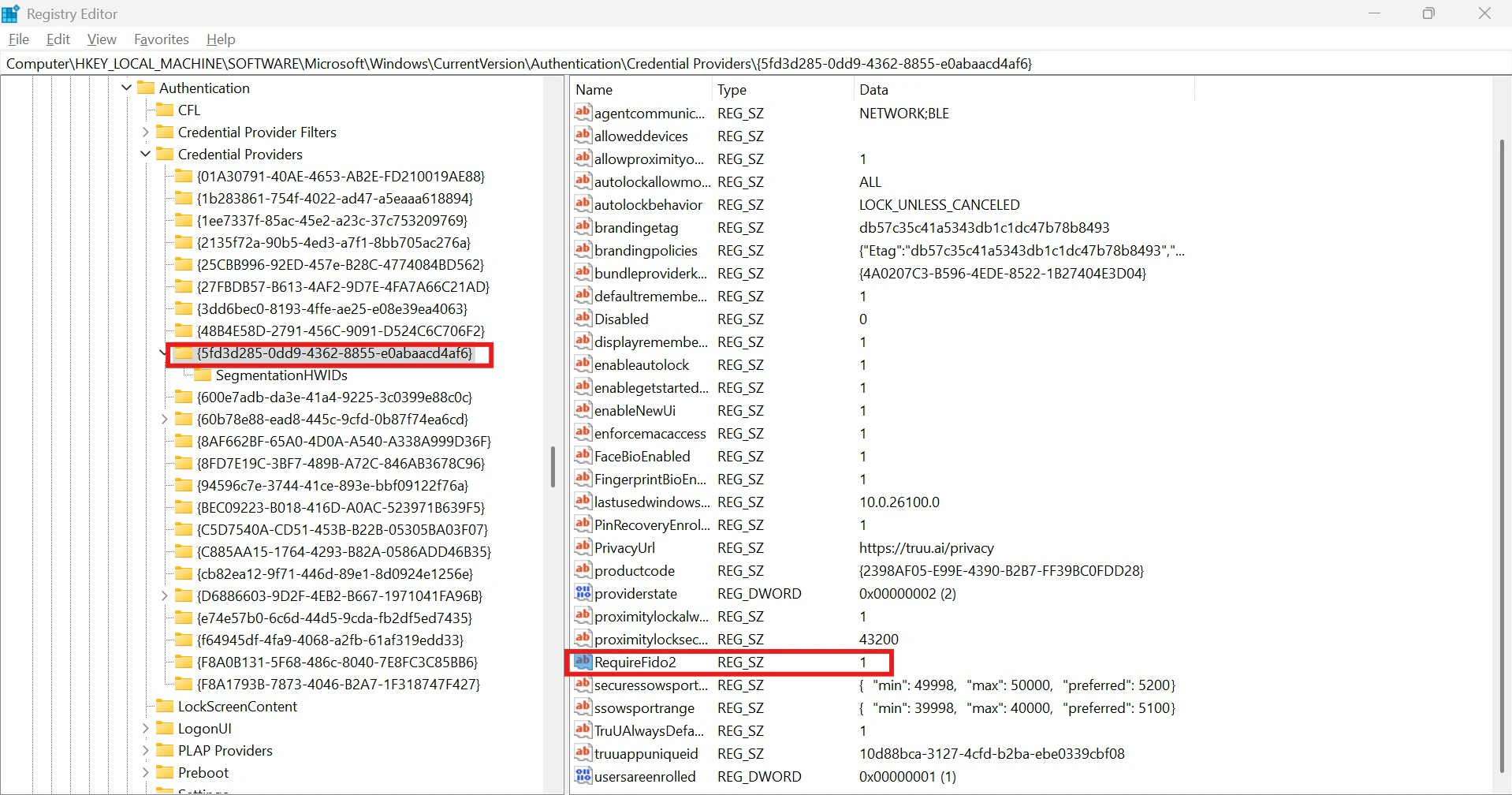
 * Select the TruU Credential Provider key. • If the **RequiredFido2 value is set to 1**, the user is logging in using **FIDO2.** • If the **RequiredFido2 value is set to 0**, the user is using **certificate-based authentication (smart card login)**.
 ***
[RDP from one laptop to another Use Cases](/docs/truu-rdp-use-cases)
[User Management API Guide](/docs/user-management-api-guide)
***
[RDP from one laptop to another Use Cases](/docs/truu-rdp-use-cases)
[User Management API Guide](/docs/user-management-api-guide)