> ## Documentation Index
> Fetch the complete documentation index at: https://docs.truu.ai/llms.txt
> Use this file to discover all available pages before exploring further.
# macOS: Known Locations Where Users Encounter Password Prompts vs. PIN
> Once a user enrolls with TruU, their "Password" becomes their "PIN". In most cases, the user will be prompted to enter their "PIN". In the following such instances, the user will be prompted to enter their "password"; however, the user should enter their "PIN" instead
**Password Prompted Cases**
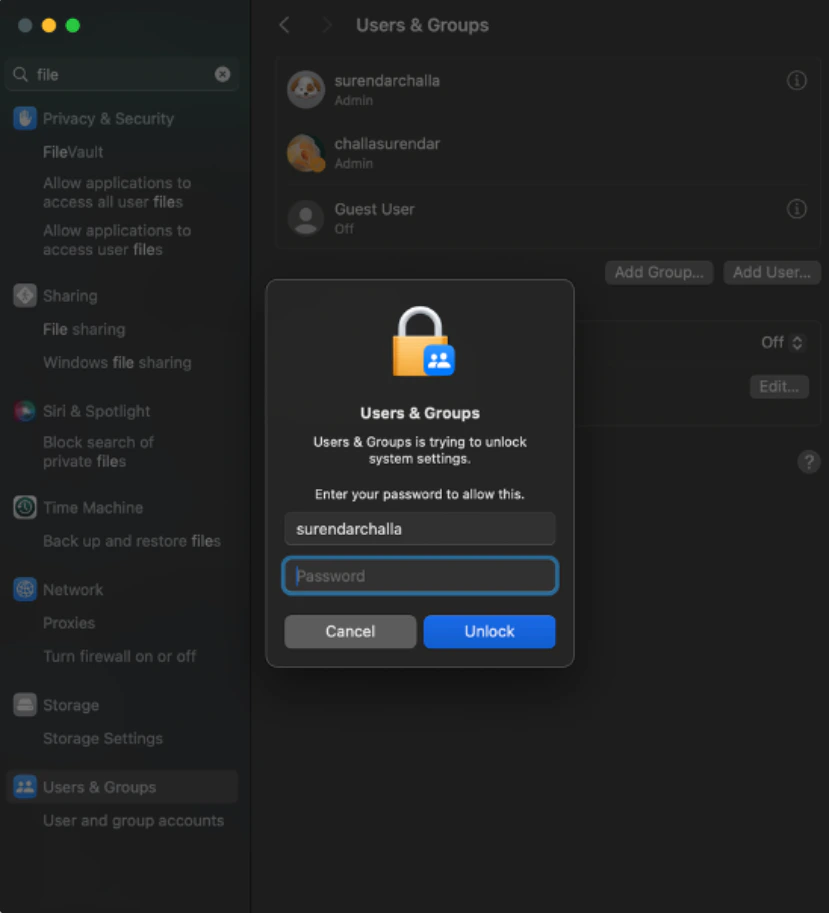
1. **Users & Groups** : When managing users or making account changes, macOS may prompt for a **Password** by default.
* The user should enter their **TruU PIN** here.
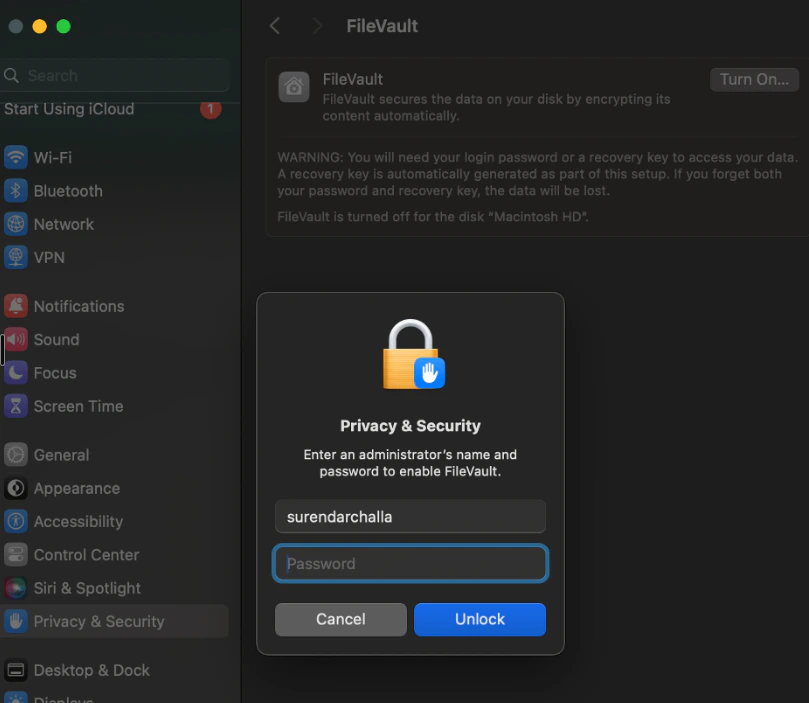
 2. **FileVault screen** : When unlocking or modifying FileVault settings, the prompt label says **Password**.
* The user should enter their **TruU PIN.**
2. **FileVault screen** : When unlocking or modifying FileVault settings, the prompt label says **Password**.
* The user should enter their **TruU PIN.**
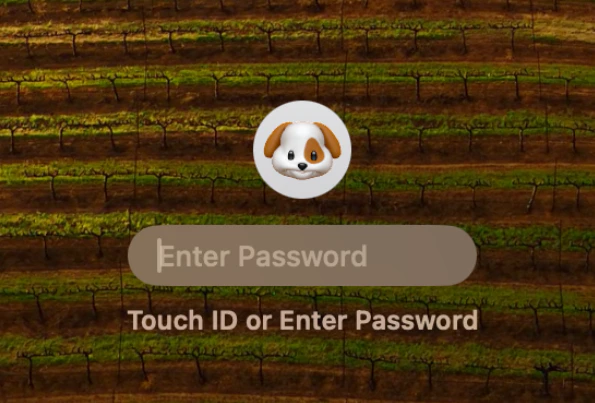
 3. **Restart/Shutdown System**: After a restart or shutdown, at the macOS login screen, the label will show **Password**.
* The user should still enter their **TruU PIN** at this stage.
3. **Restart/Shutdown System**: After a restart or shutdown, at the macOS login screen, the label will show **Password**.
* The user should still enter their **TruU PIN** at this stage.
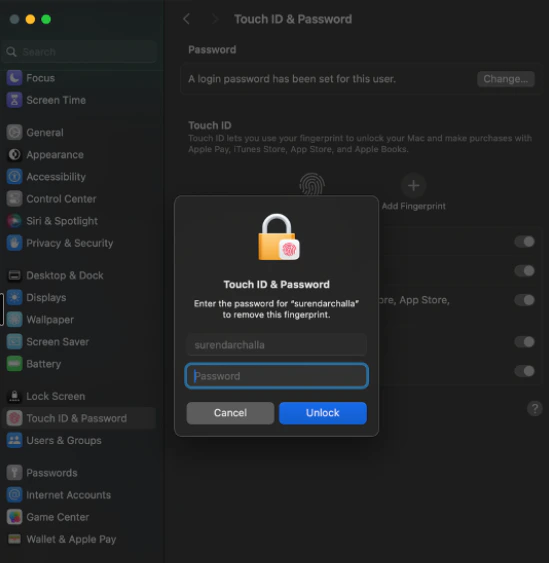
 4. **Touch ID & Password**: When accessing System Settings → Touch ID & Password, macOS displays a **password** prompt.
* Enter the **TruU PIN** instead.
4. **Touch ID & Password**: When accessing System Settings → Touch ID & Password, macOS displays a **password** prompt.
* Enter the **TruU PIN** instead.
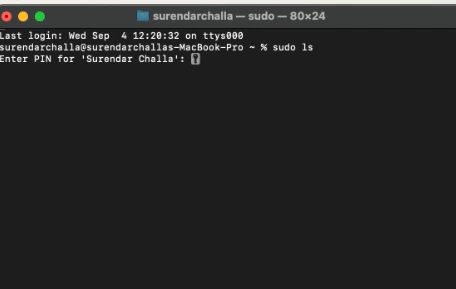
 5. **Terminal** : When performing administrative tasks in Terminal, users may see a **password** prompt.
* Enter the **TruU PIN** instead of the password.
5. **Terminal** : When performing administrative tasks in Terminal, users may see a **password** prompt.
* Enter the **TruU PIN** instead of the password.
 **NOTE:** These are expected macOS behaviors. Even though the system label says “Password,” TruU replaces that credential with your PIN, which serves the same function for authentication.
***
[SoloInsight (CloudGate) Adapter](/docs/soloinsight-cloudgate-adapter)
[Enable TruU FIDO2 Login for Windows](/docs/enable-truu-fido2-login-using-windows)
**NOTE:** These are expected macOS behaviors. Even though the system label says “Password,” TruU replaces that credential with your PIN, which serves the same function for authentication.
***
[SoloInsight (CloudGate) Adapter](/docs/soloinsight-cloudgate-adapter)
[Enable TruU FIDO2 Login for Windows](/docs/enable-truu-fido2-login-using-windows)