> ## Documentation Index
> Fetch the complete documentation index at: https://docs.truu.ai/llms.txt
> Use this file to discover all available pages before exploring further.

# Importing TruU Packages for JAMF Setup

> This is a step-by-step guide as to how one imports the necessary TruU packages for JAMF installation.

1. Download the TruU Authenticator .dmg package from the TruU Admin Console

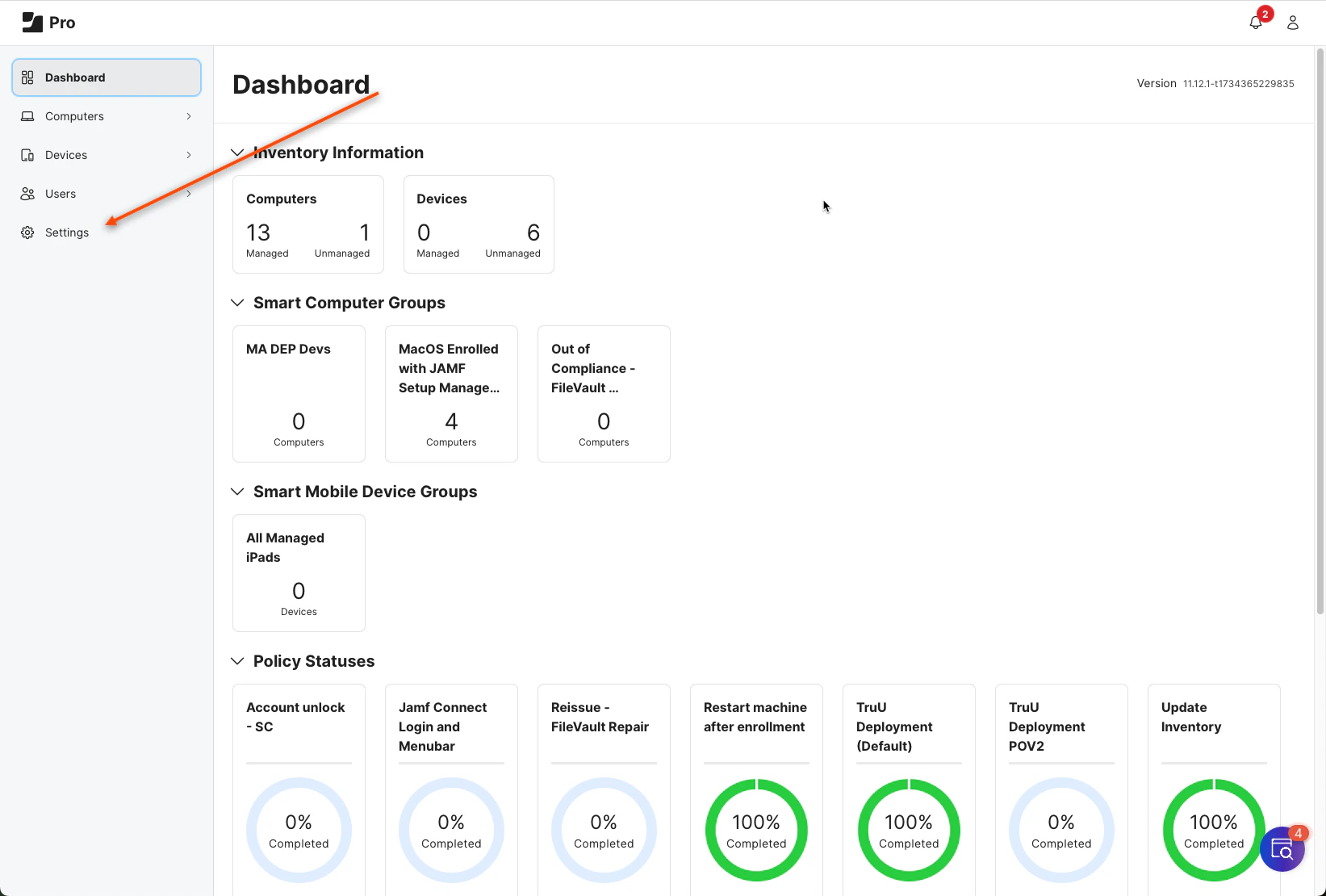
2. Open your JAMF Pro Admin Dashboard and click **Settings**
   <img src="https://mintcdn.com/truu-2/rjjBxA7Z_Wk_-34G/images/docs/e8a8c4bd2a7e33d4091156b3c2851249b8be8e905d6e8e498eb3cf7244099ab3-image.png?fit=max&auto=format&n=rjjBxA7Z_Wk_-34G&q=85&s=4b4147aa75bd399abc6ae3fb9cb9e217" alt="" width="1643" height="1110" data-path="images/docs/e8a8c4bd2a7e33d4091156b3c2851249b8be8e905d6e8e498eb3cf7244099ab3-image.png" />

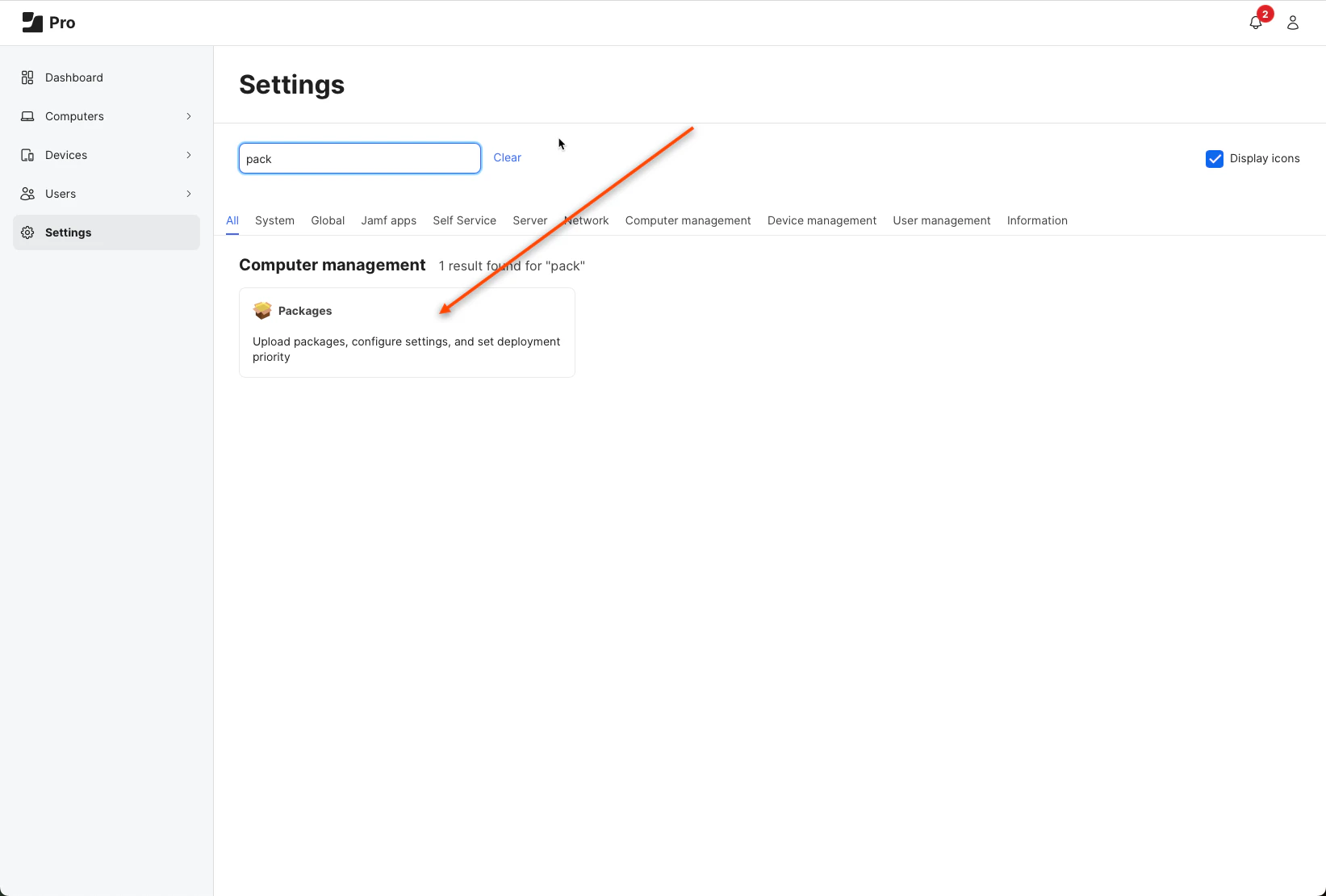
3. Search for *packages* and click the **button** presented in your window
   <img src="https://mintcdn.com/truu-2/m22YLP0oXSNG0U3O/images/docs/831af373c76afe9dcca74636c9226343aadf9467668760506d31e294162cb1af-image.png?fit=max&auto=format&n=m22YLP0oXSNG0U3O&q=85&s=db7c19fe0b6e9d69ecc1acd98572ff7b" alt="" width="1643" height="1110" data-path="images/docs/831af373c76afe9dcca74636c9226343aadf9467668760506d31e294162cb1af-image.png" />

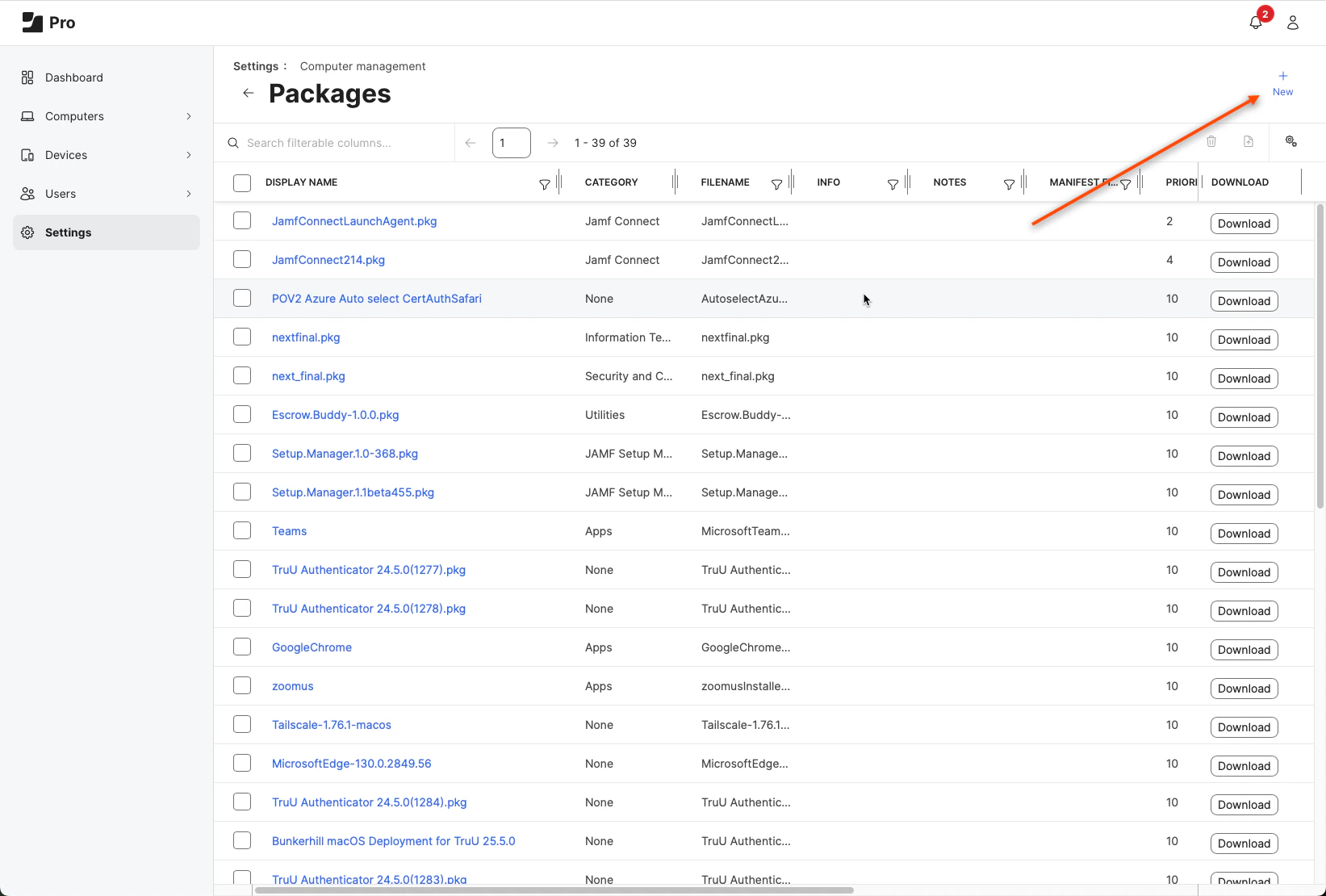
4. Click **New**

   <img src="https://mintcdn.com/truu-2/qCK1oWL4jNpZKJ8A/images/docs/9bdb61657c0f7ac3afb9fc5218fd57ee766045659c4bccee7926bc211e24783f-image.png?fit=max&auto=format&n=qCK1oWL4jNpZKJ8A&q=85&s=655ea21158b1b90874880c1c892df5a7" alt="" width="1643" height="1110" data-path="images/docs/9bdb61657c0f7ac3afb9fc5218fd57ee766045659c4bccee7926bc211e24783f-image.png" />

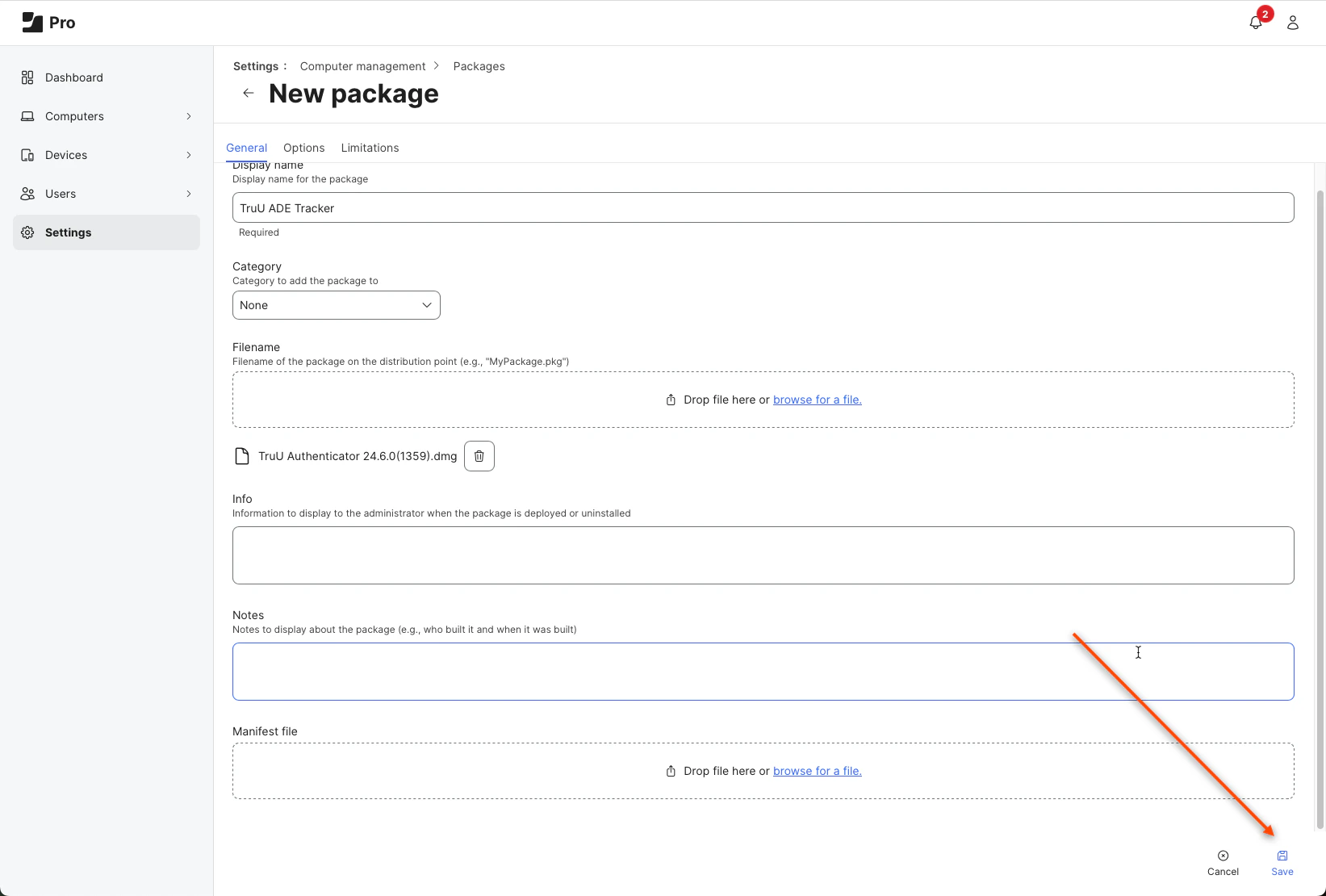
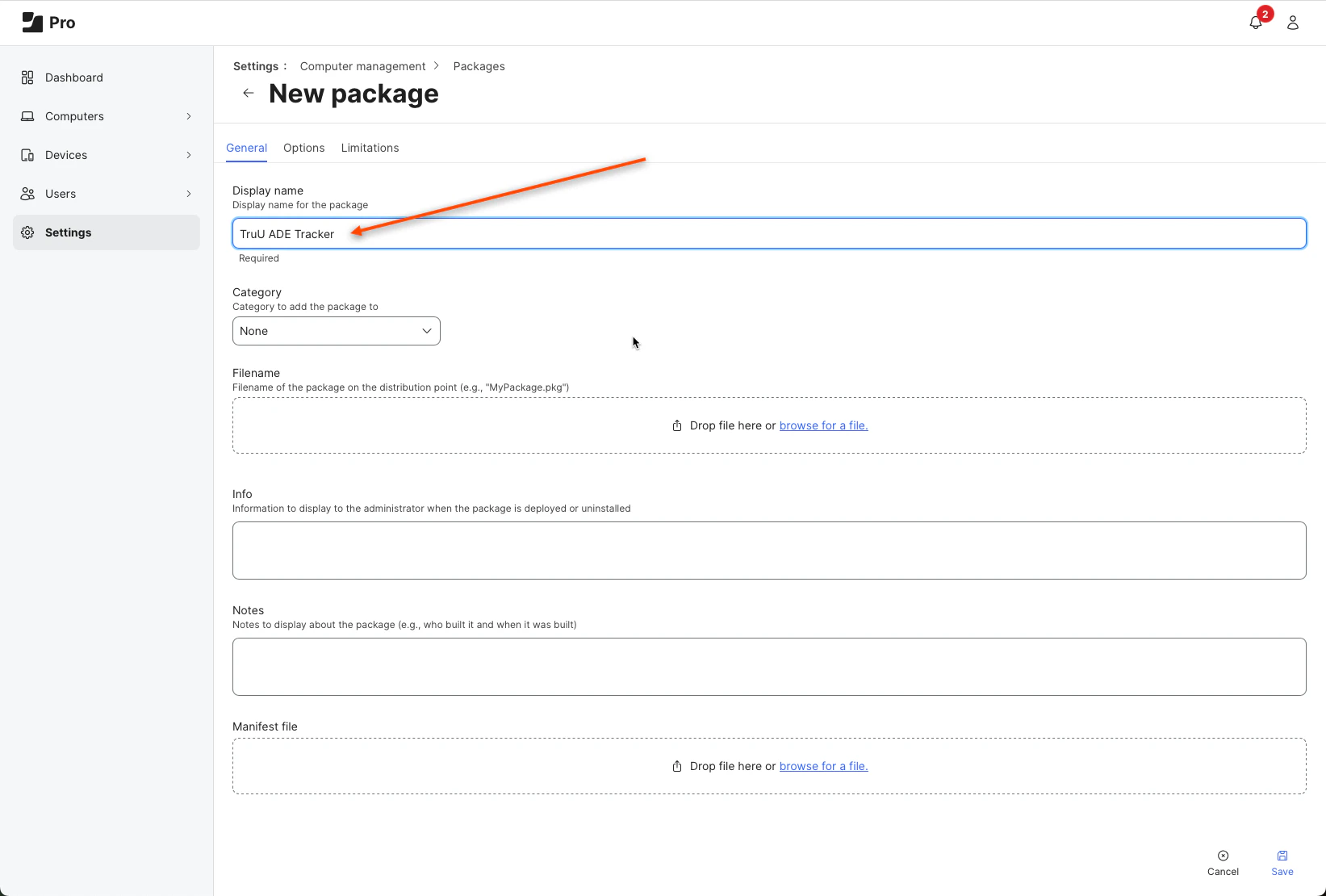
5. Name this package *TruU ADE Tracker*
   <img src="https://mintcdn.com/truu-2/rjjBxA7Z_Wk_-34G/images/docs/e3558e47f9cf69caedff90f02c6cc8029104d2c3017f0f215dc5d15aef3d035b-image.png?fit=max&auto=format&n=rjjBxA7Z_Wk_-34G&q=85&s=2c3e28f4d2ee5cf1d907d222f9696897" alt="" width="1643" height="1110" data-path="images/docs/e3558e47f9cf69caedff90f02c6cc8029104d2c3017f0f215dc5d15aef3d035b-image.png" />

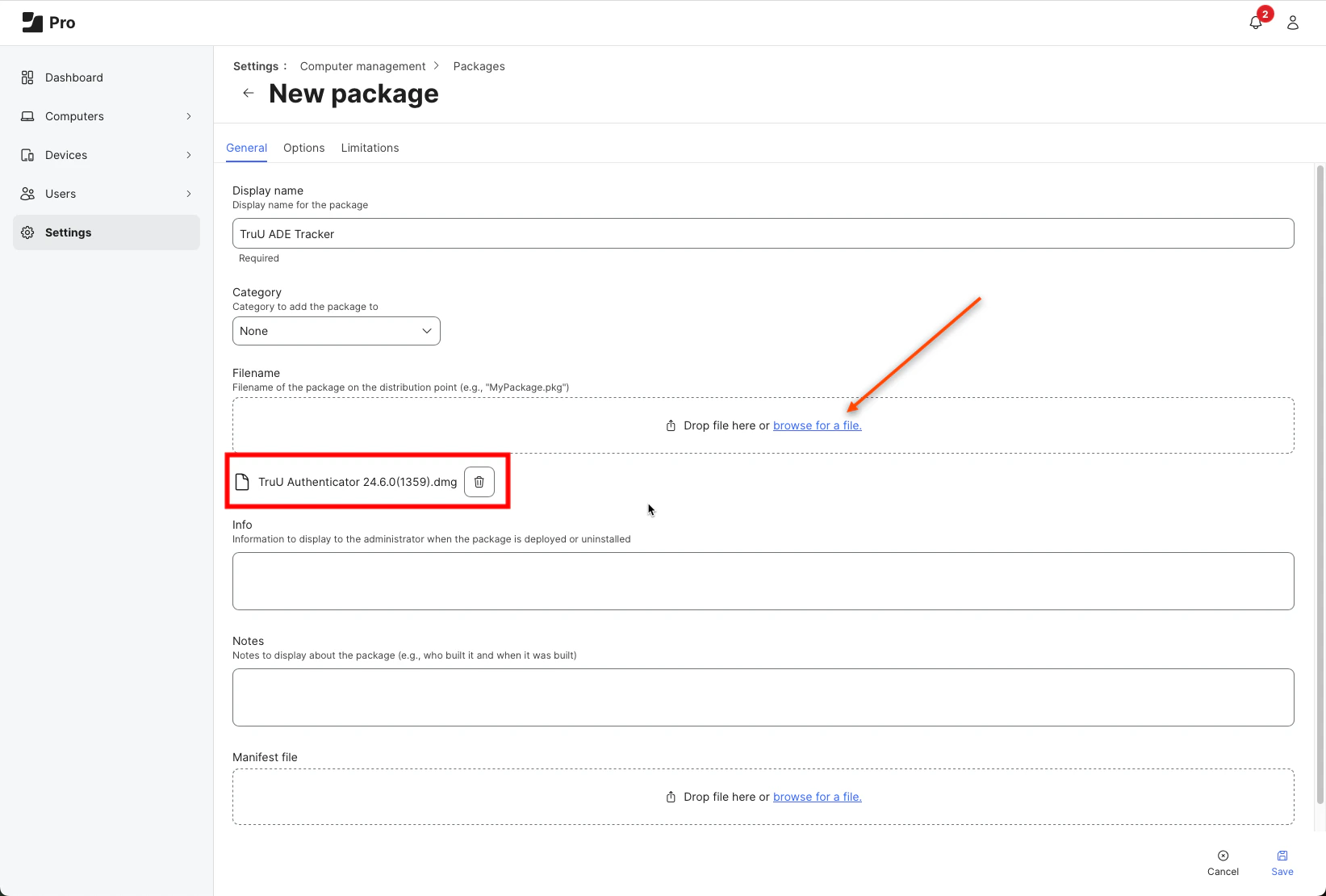
6. Browse and select the downloaded .dmg file for the **FileName**
   <img src="https://mintcdn.com/truu-2/m22YLP0oXSNG0U3O/images/docs/72d1dec33f5ba79baf394f286f02a047158f31e8c76b326a7503f164e418a9ce-image.png?fit=max&auto=format&n=m22YLP0oXSNG0U3O&q=85&s=06296469b4a6f5ff6ed95ba07e1ebe39" alt="" width="1643" height="1110" data-path="images/docs/72d1dec33f5ba79baf394f286f02a047158f31e8c76b326a7503f164e418a9ce-image.png" />

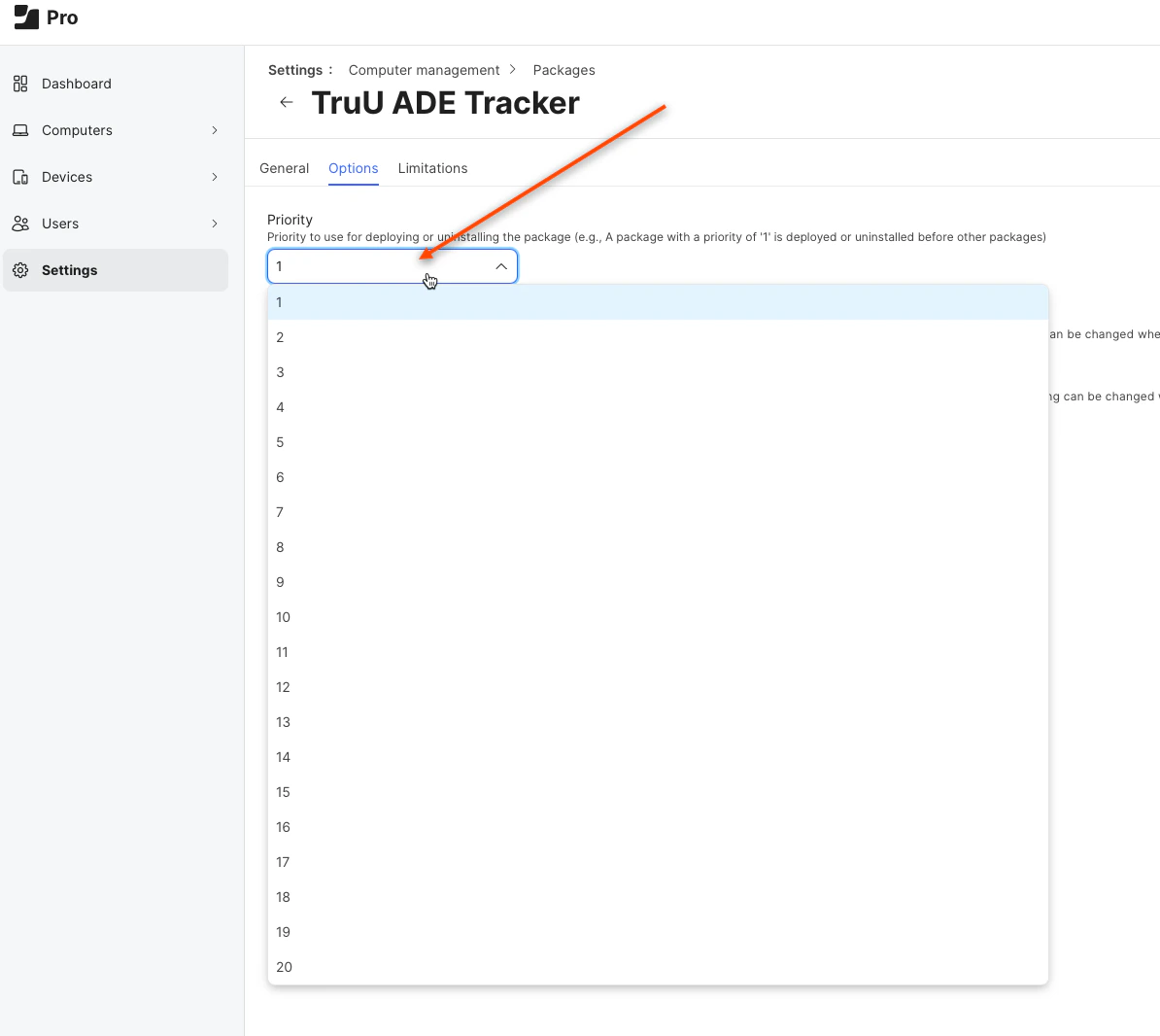
7. Click the **Options** tab at the top of the page and change the priority of the package to **1**. **NOTE**: You MUST make sure that the priority of the ADE Tracker is higher than the TruU Authenticator pkg. Always set it to 1.
   <img src="https://mintcdn.com/truu-2/rjjBxA7Z_Wk_-34G/images/docs/e2d6d9d4f8b536ae609024b4e8d00311db4b39a110492e940a78e162eae782e8-image.png?fit=max&auto=format&n=rjjBxA7Z_Wk_-34G&q=85&s=15a7594f2c9c159068d89eb827af2069" alt="" width="1194" height="1066" data-path="images/docs/e2d6d9d4f8b536ae609024b4e8d00311db4b39a110492e940a78e162eae782e8-image.png" />

8. Click **Save**

   <img src="https://mintcdn.com/truu-2/YlfY4z_3_-uDkBaP/images/docs/65686b37b8b567980e6bfa8238bf2875af5eb106ef988d9235b9a78cf9bde6fb-image.png?fit=max&auto=format&n=YlfY4z_3_-uDkBaP&q=85&s=dfeb0ce06d7e888c62b078ff9e014ee3" alt="" width="1643" height="1110" data-path="images/docs/65686b37b8b567980e6bfa8238bf2875af5eb106ef988d9235b9a78cf9bde6fb-image.png" />

***

[TruU JAMF Pre-Stage Deployment using JAMF Setup Manager](/docs/truu-jamf-pre-stage-deployment-using-jamf-setup-manager)

[ADE/DEP JAMF Setup](/docs/adedep-jamf-setup)