> ## Documentation Index
> Fetch the complete documentation index at: https://docs.truu.ai/llms.txt
> Use this file to discover all available pages before exploring further.
# Mandatory GPO Update for Microsoft Edge Version 147
Microsoft Edge now supports managed Local Network Access policies, so TruU should be explicitly allowlisted through Group Policy for consistent device access behavior. The required value is:
\[\*.][truu.ai](http://truu.ai)
### **1. Download the latest Microsoft Edge policy templates**
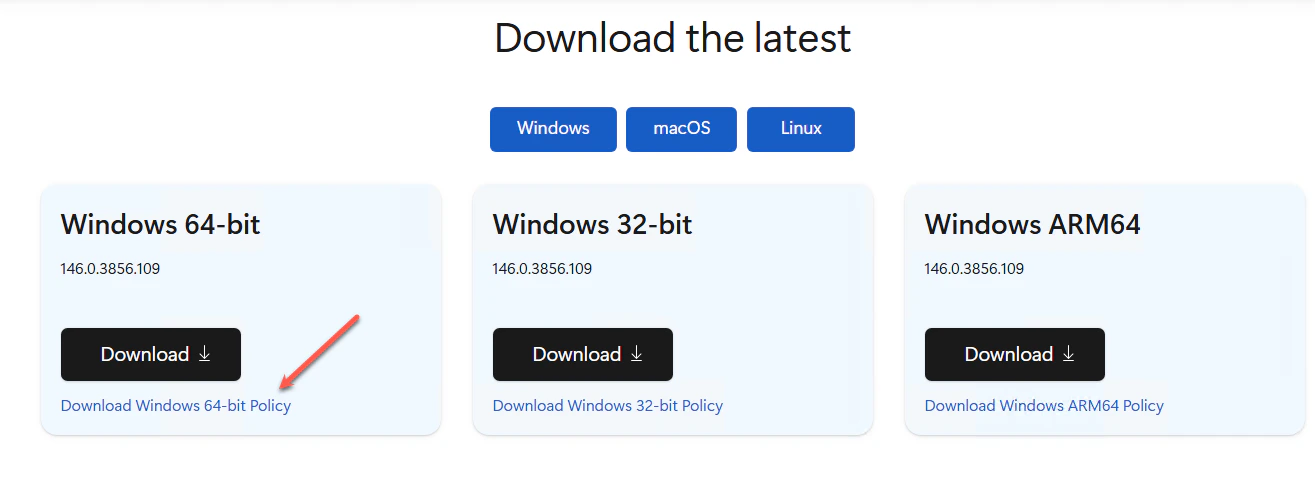
Go to the Microsoft Edge enterprise policy template download page and download the correct Windows Policy package for your environment. Microsoft’s Edge policies are deployed through the MSEdge.admx administrative template.
 ### **2. Import the Edge ADMX/ADML templates**
Extract the package and copy *MSEdge.admx* into your Group Policy Central Store or local PolicyDefinitions folder. Copy the matching ADML language files into the appropriate language subfolder. Microsoft’s documented Group Policy configuration for Edge relies on the Edge ADMX template.
### **3. Open the target GPO**
In the "Group Policy Management Editor", open the GPO that applies to the target Windows devices. This should be configured as a mandatory Edge policy.
### **4. Browse to the Edge network policy**
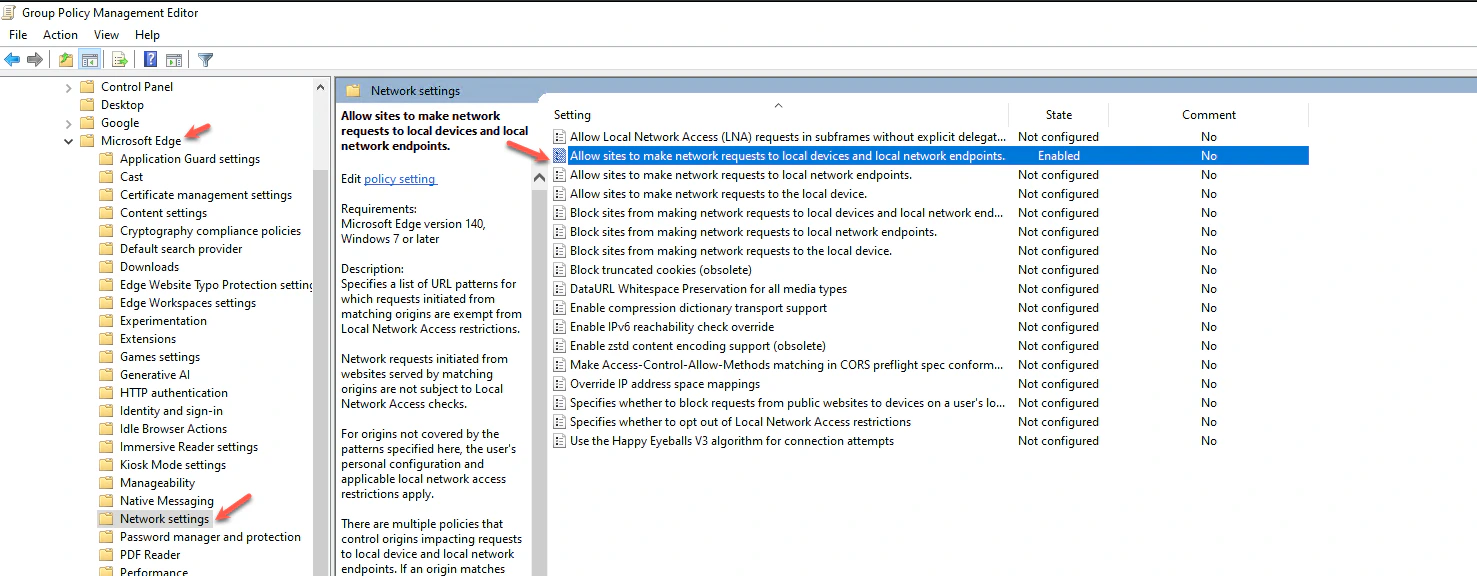
Navigate to the Computer Configuration → Policies → Administrative Templates → Microsoft Edge → Network settings. Then, open \*\*Allow sites to make network requests to local devices and local network endpoints. \*\*
### **2. Import the Edge ADMX/ADML templates**
Extract the package and copy *MSEdge.admx* into your Group Policy Central Store or local PolicyDefinitions folder. Copy the matching ADML language files into the appropriate language subfolder. Microsoft’s documented Group Policy configuration for Edge relies on the Edge ADMX template.
### **3. Open the target GPO**
In the "Group Policy Management Editor", open the GPO that applies to the target Windows devices. This should be configured as a mandatory Edge policy.
### **4. Browse to the Edge network policy**
Navigate to the Computer Configuration → Policies → Administrative Templates → Microsoft Edge → Network settings. Then, open \*\*Allow sites to make network requests to local devices and local network endpoints. \*\*
 ### **5. Enable the policy**
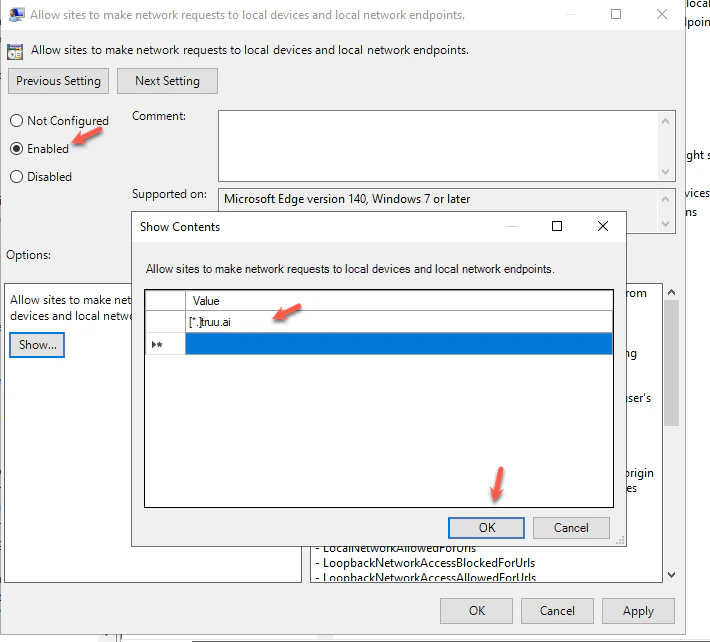
Set the policy to **Enabled**, then click **Show…** Microsoft documents this policy as a list of strings, so each allowed origin is added as a separate list entry.
### **6. Add the TruU allowlist entry**
Add this value:
\[\*.][truu.ai](http://truu.ai)
Click **OK**, then **Apply**. Microsoft’s example syntax for this policy includes wildcard URL patterns such as \[\*.][example.edu](http://example.edu), which matches the format shown in your screenshot.
### **5. Enable the policy**
Set the policy to **Enabled**, then click **Show…** Microsoft documents this policy as a list of strings, so each allowed origin is added as a separate list entry.
### **6. Add the TruU allowlist entry**
Add this value:
\[\*.][truu.ai](http://truu.ai)
Click **OK**, then **Apply**. Microsoft’s example syntax for this policy includes wildcard URL patterns such as \[\*.][example.edu](http://example.edu), which matches the format shown in your screenshot.
 ### **7. Deploy GPO to your device**
Deploy the updated GPO to the target endpoint so the device receives the new Edge policy. Microsoft notes that Edge supports dynamic policy refresh, but standard GPO deployment to the device is still the required administrative step.
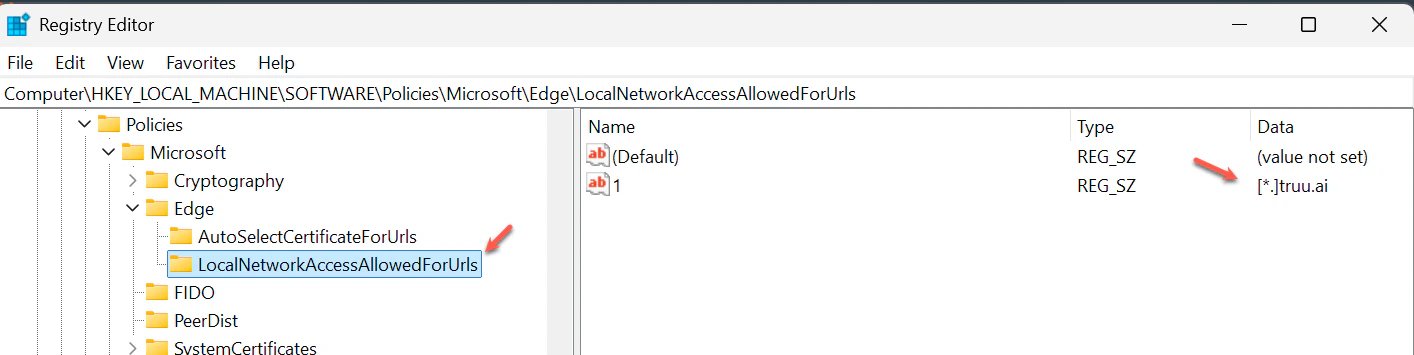
### **8. Verify the registry entry**
On the endpoint, confirm the policy was written to:
```text theme={null}
HKEY_LOCAL_MACHINE\SOFTWARE\Policies\Microsoft\Edge\LocalNetworkAccessAllowedForUrls
```
Expected value:
* 1 = \[\*.][truu.ai](http://truu.ai)
Microsoft documents this exact mandatory registry path and value structure for the policy.
### **7. Deploy GPO to your device**
Deploy the updated GPO to the target endpoint so the device receives the new Edge policy. Microsoft notes that Edge supports dynamic policy refresh, but standard GPO deployment to the device is still the required administrative step.
### **8. Verify the registry entry**
On the endpoint, confirm the policy was written to:
```text theme={null}
HKEY_LOCAL_MACHINE\SOFTWARE\Policies\Microsoft\Edge\LocalNetworkAccessAllowedForUrls
```
Expected value:
* 1 = \[\*.][truu.ai](http://truu.ai)
Microsoft documents this exact mandatory registry path and value structure for the policy.
 ### **9. Confirm in Edge settings**
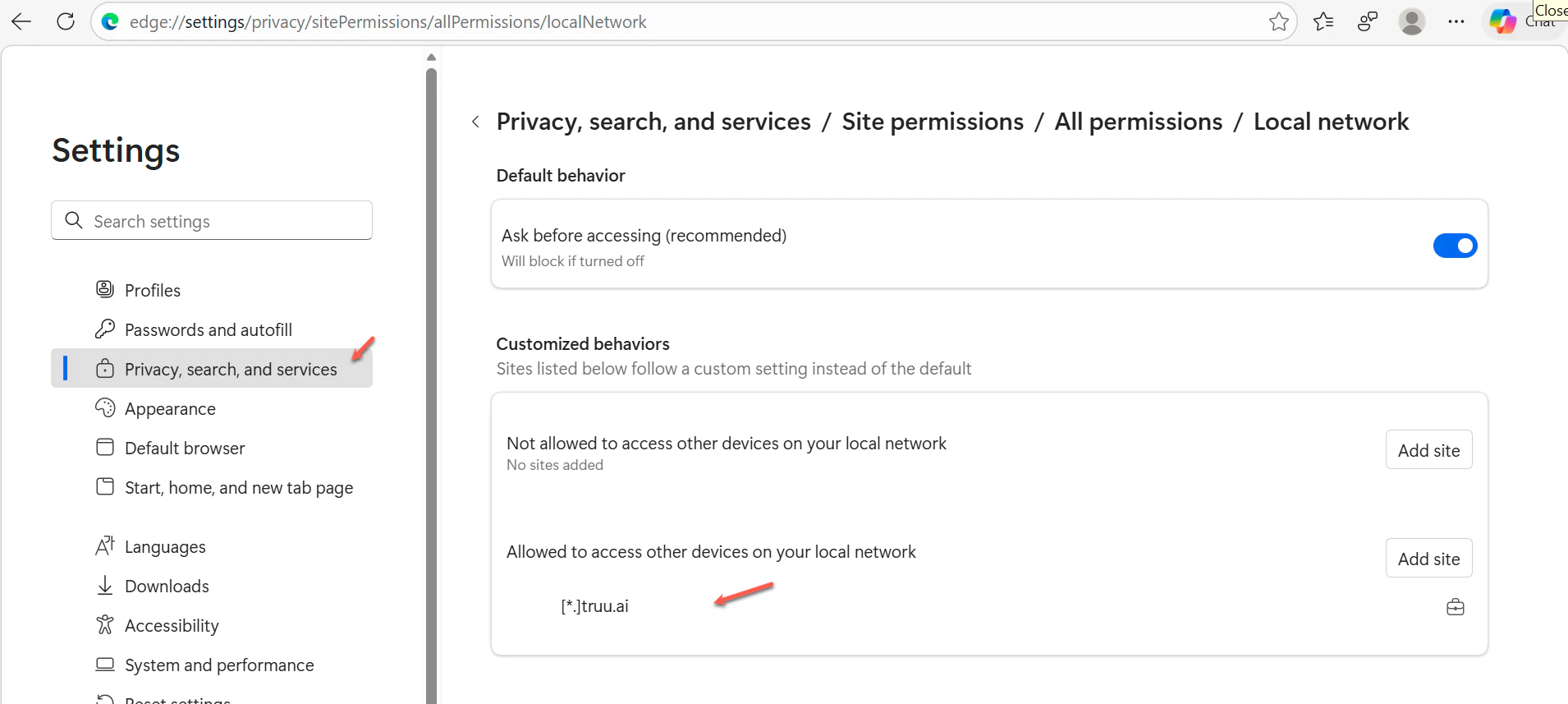
Open *edge://settings/privacy/sitePermissions/allPermissions/localNetwork* and verify \[\*.][truu.ai](http://truu.ai) appears under allowed sites for local network access. Microsoft’s end-user documentation shows "Local network access" under Privacy, search, and services → Site permissions → All permissions.
### **9. Confirm in Edge settings**
Open *edge://settings/privacy/sitePermissions/allPermissions/localNetwork* and verify \[\*.][truu.ai](http://truu.ai) appears under allowed sites for local network access. Microsoft’s end-user documentation shows "Local network access" under Privacy, search, and services → Site permissions → All permissions.
 ### **10. Validate the user prompt**
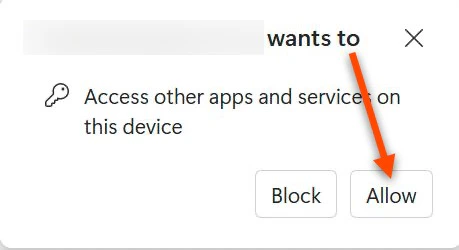
Test a TruU page and confirm the expected Edge permission prompt behavior for local device access. Microsoft documents Local Network Access as a managed permission area in Edge, with enterprise control available through policy.
### **10. Validate the user prompt**
Test a TruU page and confirm the expected Edge permission prompt behavior for local device access. Microsoft documents Local Network Access as a managed permission area in Edge, with enterprise control available through policy.