> ## Documentation Index
> Fetch the complete documentation index at: https://docs.truu.ai/llms.txt
> Use this file to discover all available pages before exploring further.

# Onboarding Administrators

> This is a step-by-step guide as to how to onboard/add Administrators to the TruU Admin Console.

**Onboarding Administrators**

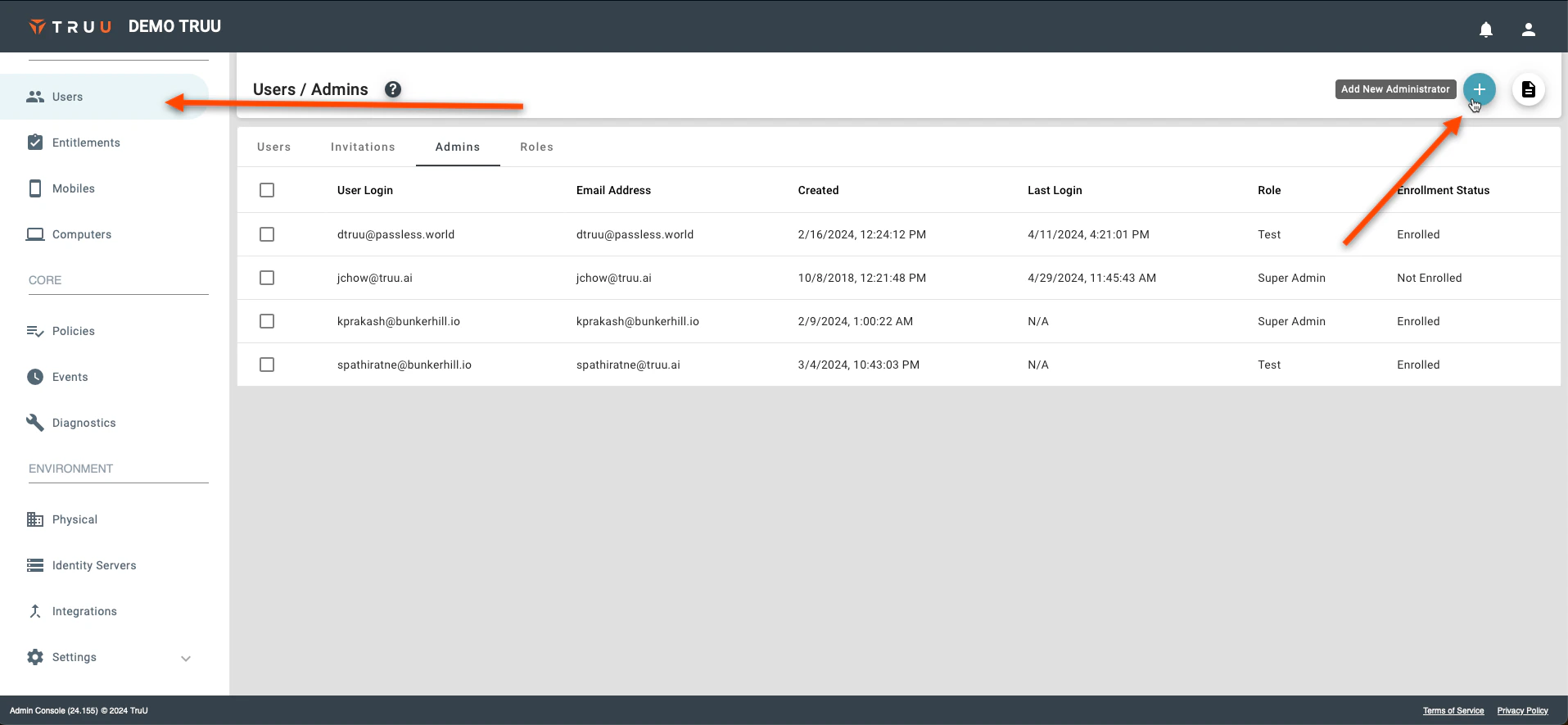
1. To add an additional admin user, go to the "Users" page on the TruU Admin console and click **Add New Administrator**
<img src="https://mintcdn.com/truu-2/jJ0QGEHfTe0CfrEY/images/docs/a8cfe83b-31f5-4a65-a045-f9a5073b0415/6845e6b1-959d-4873-9c0b-234a7b7d0f78/e360de11-444f-429f-92e6-174e400adcdc/images/3c5d7feb-a883-4ad3-bed8-5a9a2520a02e.png?fit=max&auto=format&n=jJ0QGEHfTe0CfrEY&q=85&s=2780a34ade62b5c538aa11fc21e98af8" alt="" width="1915" height="885" data-path="images/docs/a8cfe83b-31f5-4a65-a045-f9a5073b0415/6845e6b1-959d-4873-9c0b-234a7b7d0f78/e360de11-444f-429f-92e6-174e400adcdc/images/3c5d7feb-a883-4ad3-bed8-5a9a2520a02e.png" />

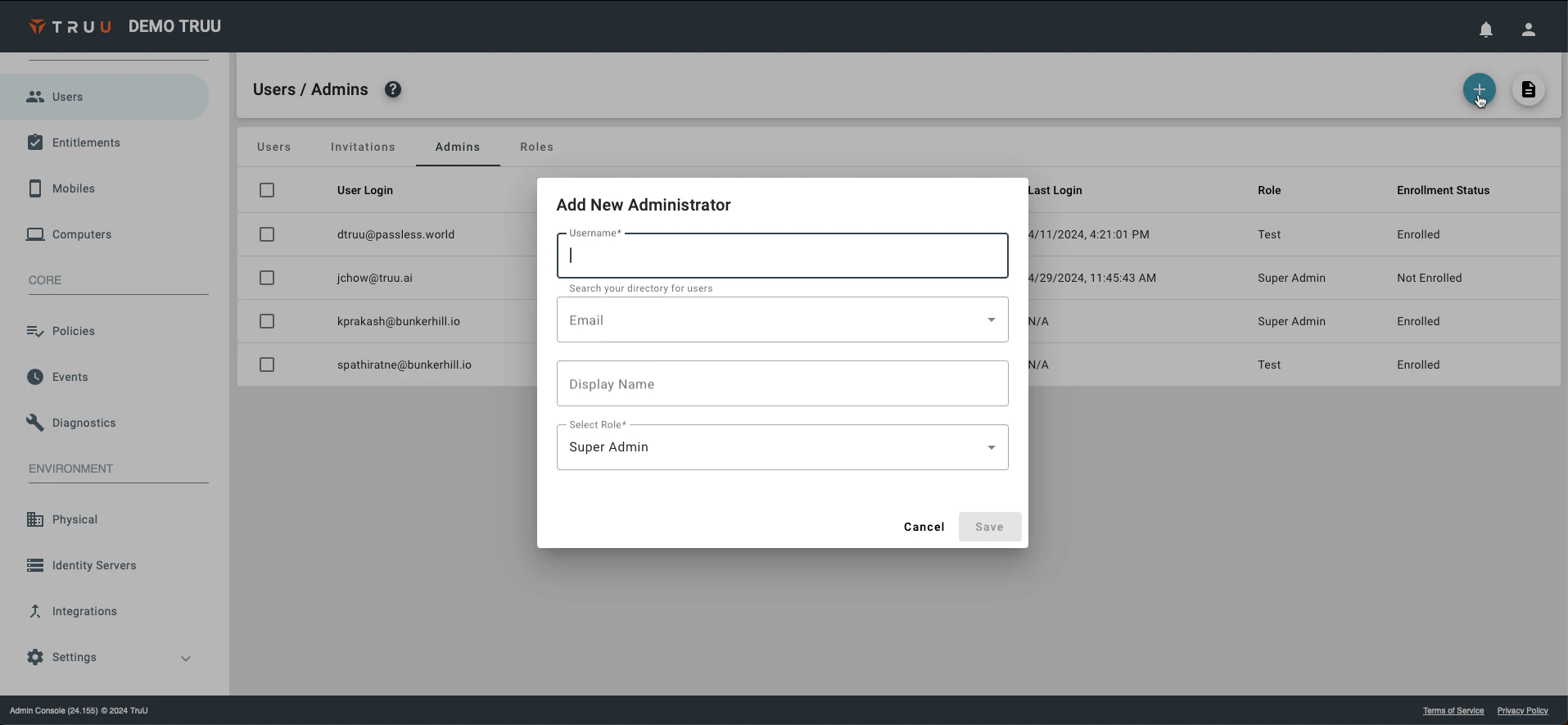
2. Fill out the required fields and click **Save**
<img src="https://mintcdn.com/truu-2/jJ0QGEHfTe0CfrEY/images/docs/a8cfe83b-31f5-4a65-a045-f9a5073b0415/6845e6b1-959d-4873-9c0b-234a7b7d0f78/e360de11-444f-429f-92e6-174e400adcdc/images/6bcdfffe-c1c4-4d21-882f-2faf7349a751.png?fit=max&auto=format&n=jJ0QGEHfTe0CfrEY&q=85&s=f99a6600dc77940ba76fcaed5b20fce1" alt="" width="1915" height="885" data-path="images/docs/a8cfe83b-31f5-4a65-a045-f9a5073b0415/6845e6b1-959d-4873-9c0b-234a7b7d0f78/e360de11-444f-429f-92e6-174e400adcdc/images/6bcdfffe-c1c4-4d21-882f-2faf7349a751.png" />

***

[Configuring Physical Policies](/docs/configuring-physical-policies)

[Assigning User/Admin Roles](/docs/assigning-useradmin-roles)
