> ## Documentation Index
> Fetch the complete documentation index at: https://docs.truu.ai/llms.txt
> Use this file to discover all available pages before exploring further.
# Passwordless Login to Apps - Mobile
> This guide provides a step-by-step tutorial on how to enable passwordless login to applications on your Mobile device enrolled with TruU.
# **Authentication using Mobile App**
1. Navigate to an application and enter your *Username* on the login screen
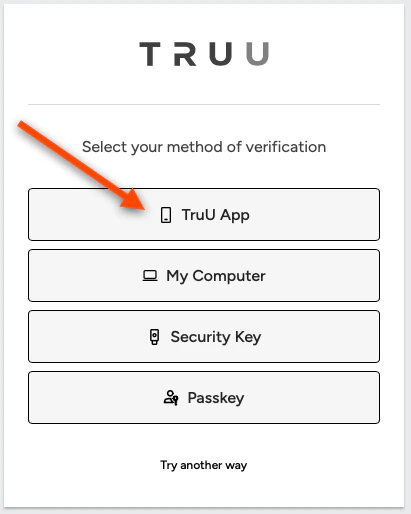
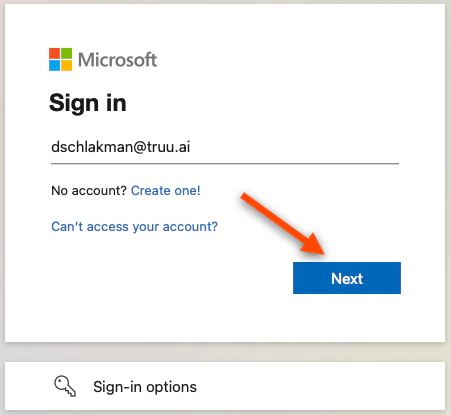 2. You will then be redirected to TruU. Select **My Phone** to authenticate with the TruU mobile app
 3. Scan the **QR code** using the TruU mobile app
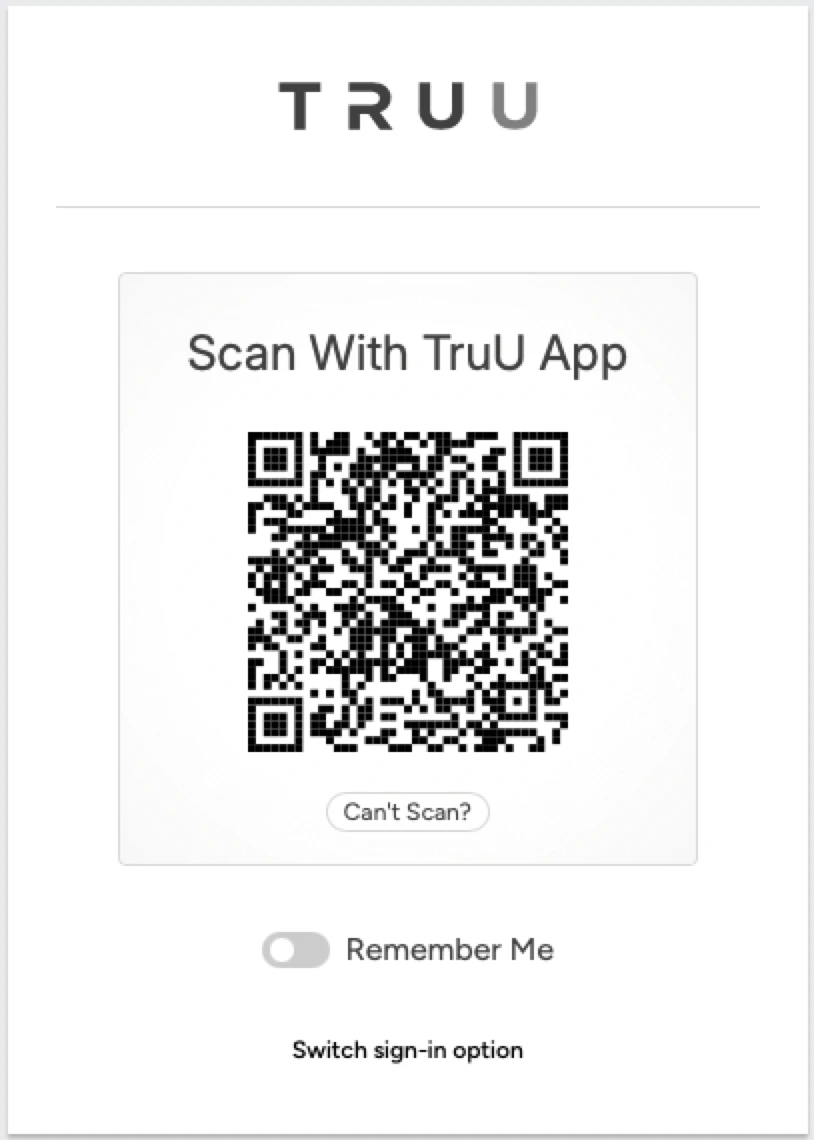 Note: If you click **Remember Me** on the above screen, in the future when you access an app, you will receive a push notification from the TruU mobile app. Click **Approve** on the action card
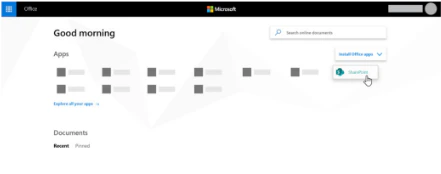
4. You will be logged into your app
Note: If you click **Remember Me** on the above screen, in the future when you access an app, you will receive a push notification from the TruU mobile app. Click **Approve** on the action card
4. You will be logged into your app
 ***
[Enroll Your Phone (Contractor)](/docs/enroll-your-phone-contractor)
[Submitting Logs - Mobile](/docs/submitting-logs-mobile)
***
[Enroll Your Phone (Contractor)](/docs/enroll-your-phone-contractor)
[Submitting Logs - Mobile](/docs/submitting-logs-mobile)