> ## Documentation Index
> Fetch the complete documentation index at: https://docs.truu.ai/llms.txt
> Use this file to discover all available pages before exploring further.
# Passwordless Login to Apps - Windows
> This guide provides a step-by-step tutorial on how to login to applications without a password using TruU on your Windows computer.
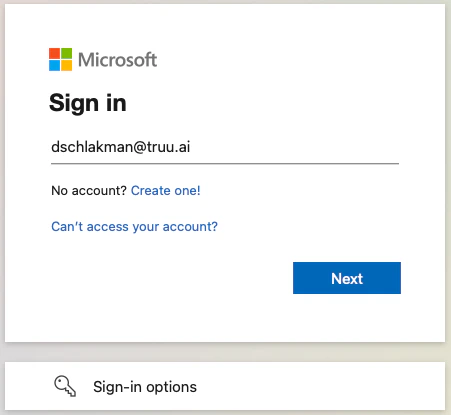
1. Navigate to an application and enter your *Username* on the login screen
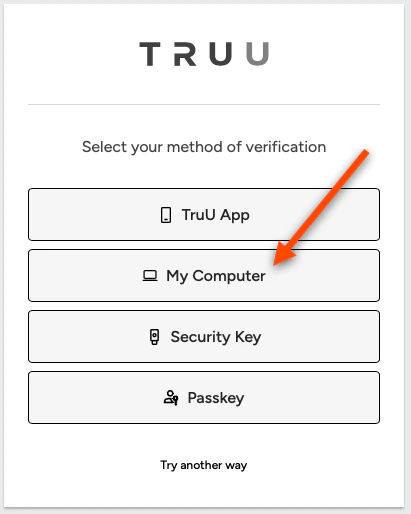
 2. You will then be redirected to TruU. Select **My Computer** to authenticate with your WA agent
 3. Sign in using either Biometrics or your TruU PIN
**NOTE**: If Policy for this app is set to *Seamless* , you will be logged in with no additional authentication prompt
4. You will be logged into your app
3. Sign in using either Biometrics or your TruU PIN
**NOTE**: If Policy for this app is set to *Seamless* , you will be logged in with no additional authentication prompt
4. You will be logged into your app
 ***
[Enroll Biometrics](/docs/enroll-biometrics)
[Forgot PIN - Windows](/docs/forgot-pin-windows)
***
[Enroll Biometrics](/docs/enroll-biometrics)
[Forgot PIN - Windows](/docs/forgot-pin-windows)