> ## Documentation Index
> Fetch the complete documentation index at: https://docs.truu.ai/llms.txt
> Use this file to discover all available pages before exploring further.
# PLAT 24.171 Release Notes
> We are pleased to announce the release of the 24.171 version of the TruU Platform. Please review this document for details about the release, including known issues.
Date: December 14, 2024
## Highlights
* We have improved the "Security Page" for better structure and organization abilities to the user, providing spliced tabs separating General security settings and Sign-In security settings
## Enhancements
### Improved Security Page
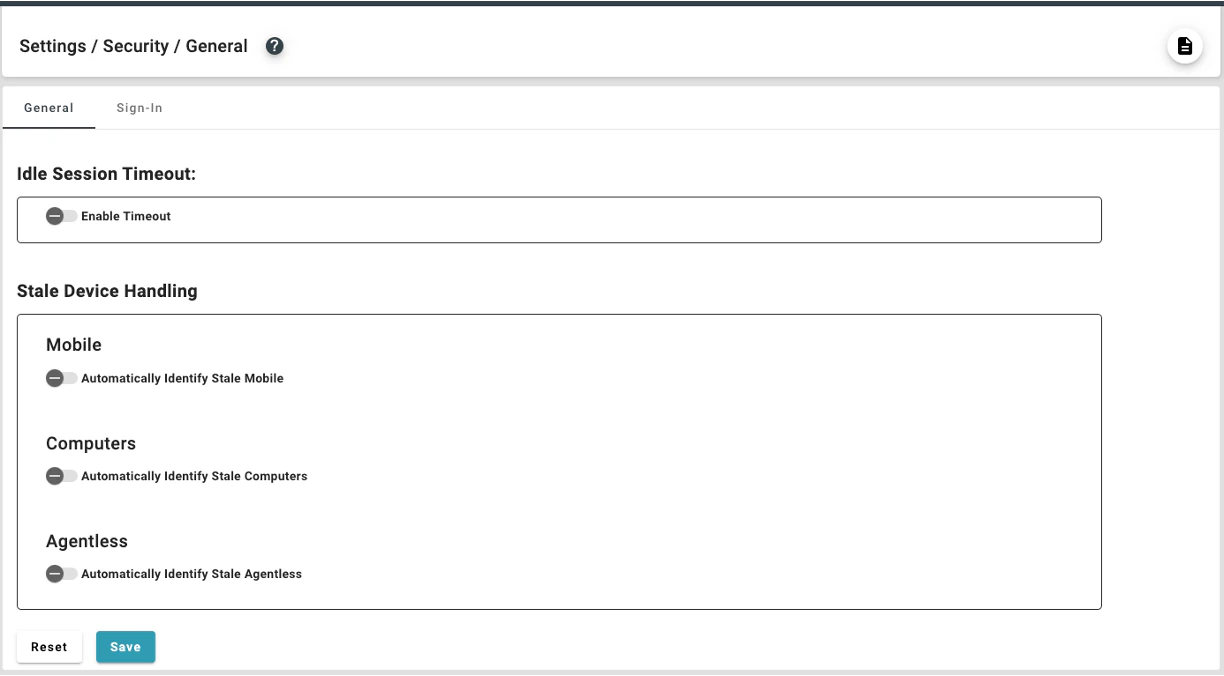
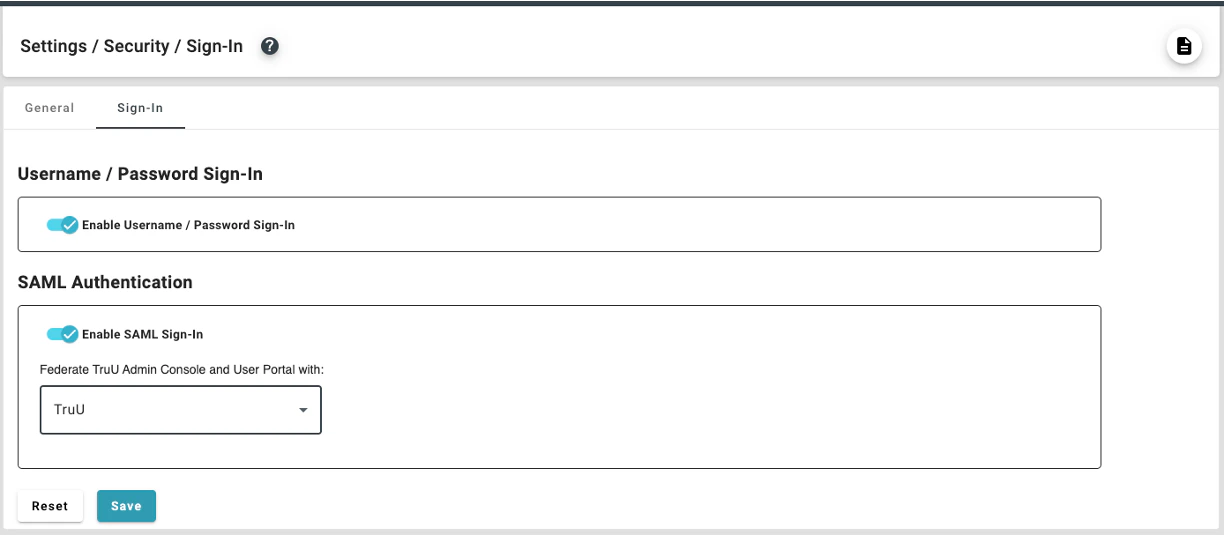
* The original Security Page (under the "Settings" tab) has been separated into two pages with tabs delineating the two sub-sections:
**General**: The general security settings page contains controls for the following: idle session timeout and stale device handling. Each control is "Enabled" or "Disabled" with a toggle switch; furthermore, configuration options for disabled settings are not displayed.
 **Sign-In**: The configuration options for **Username/Password Sign-in** and **SAML** are now in the new Sign-In sub-menu in the "Settings" tab under "Security". The page has also been updated with collapsable controls to expose, or hide, the IdP and SP metadata sections.
 ## Bug Fixes
* We have fixed an issue where users were not able to successfully authenticate after cancelling an authentication attempt using a magic link (e.g. prevents user from getting stuck in a failed authentication loop).
* We have removed unnecessary screens presented during SSO login to create a more streamlined sign-in experience.
* We have fixed an issue where help text (e.g. showing "[\[email protected\]](/cdn-cgi/l/email-protection#255056405765464a57550b464a48)" inside a text entry box) would not go away when the user types in their response.
## Known Issues
| Ticket Number | Component | Summary |
| ------------- | ------------- | ---------------------------------------------------------------------------------------------------------------------------------------------------------------------------------------------------------------------------------------------------------------------------------------------------------------------------------------------- |
| PLAT-11042 | Event Logging | No event is generated in the Admin Console when a user cancels enrollment. |
| PLAT-9359 | Admin Console | The view of devices does not get updated immediately when dormant settings are modified. If the Admin changes the “Stale Device Handling” configuration under “Settings>Security”, the status for devices (Active/Dormant) may not be accurate for up to 15 minutes, as the status is cached and updated every 15 minutes. |
| PLAT-9302 | Admin Console | In rare instances, Admin Console may fail to load. If this happens refresh the page. |
| PLAT-9891 | Policies | If a PIN profile is updated from "Not Requiring PIN Rotation" to "Require PIN Rotation", already enrolled devices will not honor that policy. **Workaround:** manually set the enrolled device(s) to require a PIN change. This will force the user to change their PIN on next check-in, and updated PIN profile will be used moving forward. |
***
[PLAT 25.174 Release Notes](/docs/plat-25174-release-notes)
[PLAT 24.170 Release Notes](/docs/plat-24170-release-notes)
## Bug Fixes
* We have fixed an issue where users were not able to successfully authenticate after cancelling an authentication attempt using a magic link (e.g. prevents user from getting stuck in a failed authentication loop).
* We have removed unnecessary screens presented during SSO login to create a more streamlined sign-in experience.
* We have fixed an issue where help text (e.g. showing "[\[email protected\]](/cdn-cgi/l/email-protection#255056405765464a57550b464a48)" inside a text entry box) would not go away when the user types in their response.
## Known Issues
| Ticket Number | Component | Summary |
| ------------- | ------------- | ---------------------------------------------------------------------------------------------------------------------------------------------------------------------------------------------------------------------------------------------------------------------------------------------------------------------------------------------- |
| PLAT-11042 | Event Logging | No event is generated in the Admin Console when a user cancels enrollment. |
| PLAT-9359 | Admin Console | The view of devices does not get updated immediately when dormant settings are modified. If the Admin changes the “Stale Device Handling” configuration under “Settings>Security”, the status for devices (Active/Dormant) may not be accurate for up to 15 minutes, as the status is cached and updated every 15 minutes. |
| PLAT-9302 | Admin Console | In rare instances, Admin Console may fail to load. If this happens refresh the page. |
| PLAT-9891 | Policies | If a PIN profile is updated from "Not Requiring PIN Rotation" to "Require PIN Rotation", already enrolled devices will not honor that policy. **Workaround:** manually set the enrolled device(s) to require a PIN change. This will force the user to change their PIN on next check-in, and updated PIN profile will be used moving forward. |
***
[PLAT 25.174 Release Notes](/docs/plat-25174-release-notes)
[PLAT 24.170 Release Notes](/docs/plat-24170-release-notes)