> ## Documentation Index
> Fetch the complete documentation index at: https://docs.truu.ai/llms.txt
> Use this file to discover all available pages before exploring further.

# Switching Accounts on Mobile

> Some users need to switch between their personal and admin accounts. This guide explains how to switch between your admin account and personal account on your TruU mobile app.

# Option 1: Switch through the Access Code & QR Camera Tab

1. Launch the TruU Mobile App
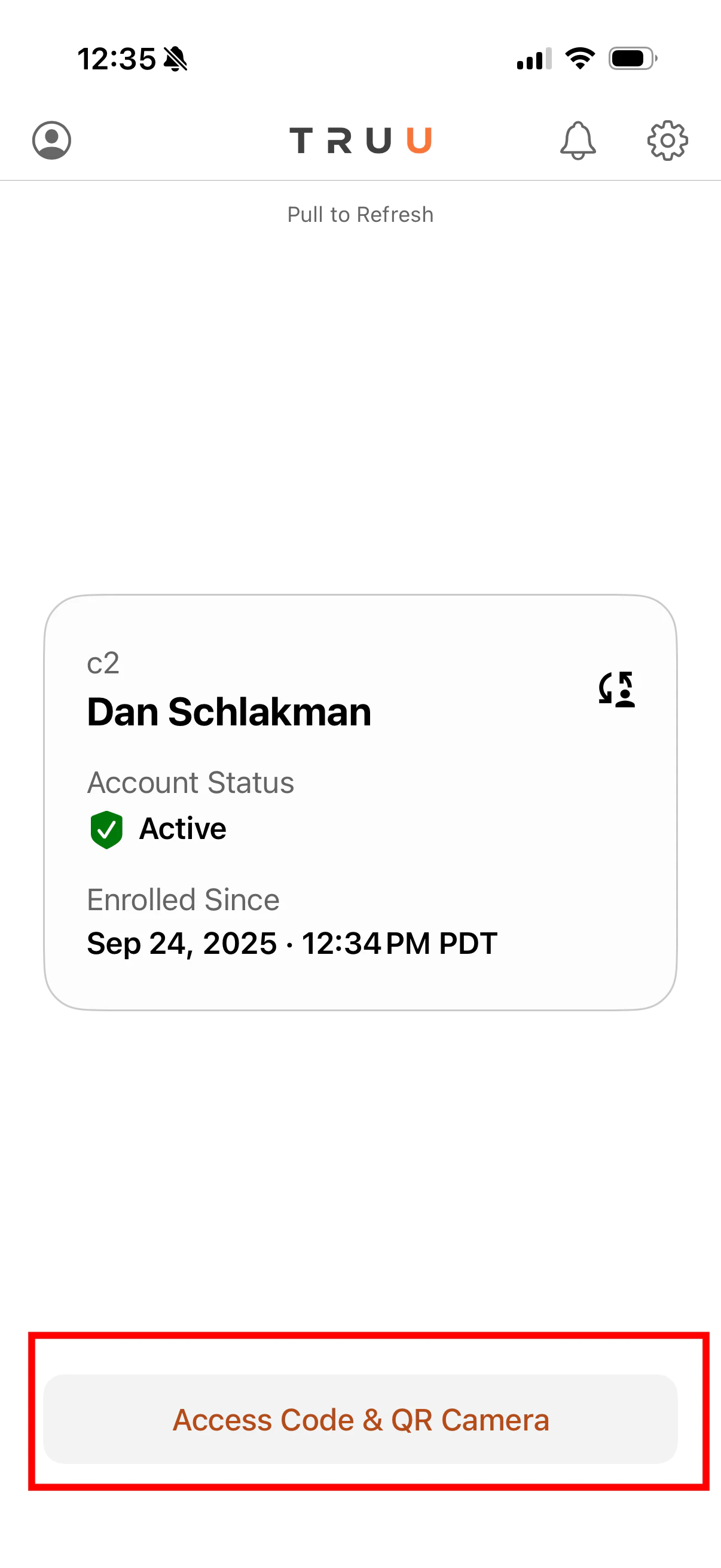
2. Click **Access Code & QR Camera**
<img src="https://mintcdn.com/truu-2/qCK1oWL4jNpZKJ8A/images/docs/9e679423ebf5c233946baeeeaa1f3958acf75abaeb89bcac979ac6315db350d5-image.png?fit=max&auto=format&n=qCK1oWL4jNpZKJ8A&q=85&s=ca45f56cafb7dfe024f9ca0375e62da3" alt="" width="1206" height="2622" data-path="images/docs/9e679423ebf5c233946baeeeaa1f3958acf75abaeb89bcac979ac6315db350d5-image.png" />

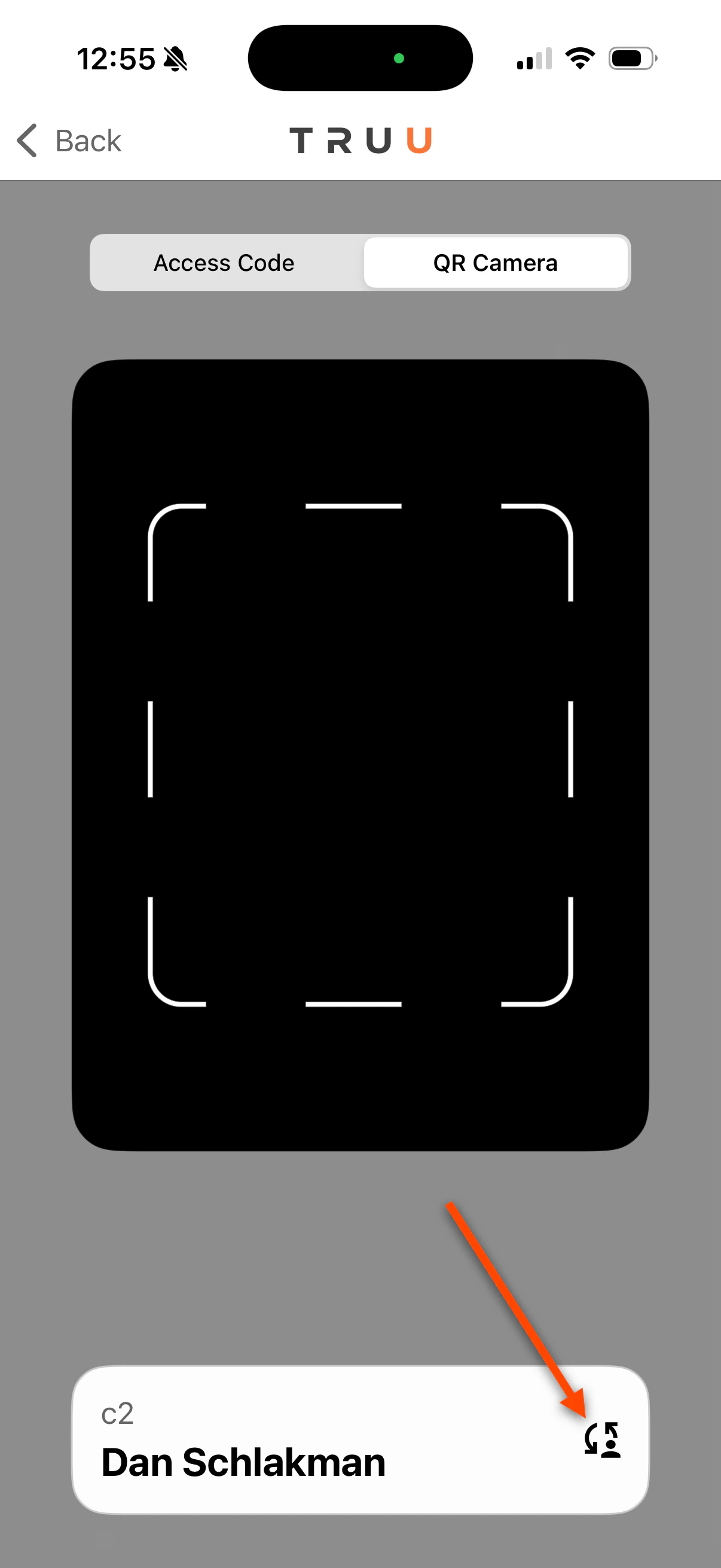
3. Click the **Switch** button

<img src="https://mintcdn.com/truu-2/YlfY4z_3_-uDkBaP/images/docs/6332cfba9a1e96e95bf0a60a1e9d9895f4cf36c93fc67ba9e4b2c41126a4abd3-image.png?fit=max&auto=format&n=YlfY4z_3_-uDkBaP&q=85&s=f89e88c2bf268bc4d0090b39a05a5172" alt="" width="1206" height="2622" data-path="images/docs/6332cfba9a1e96e95bf0a60a1e9d9895f4cf36c93fc67ba9e4b2c41126a4abd3-image.png" />

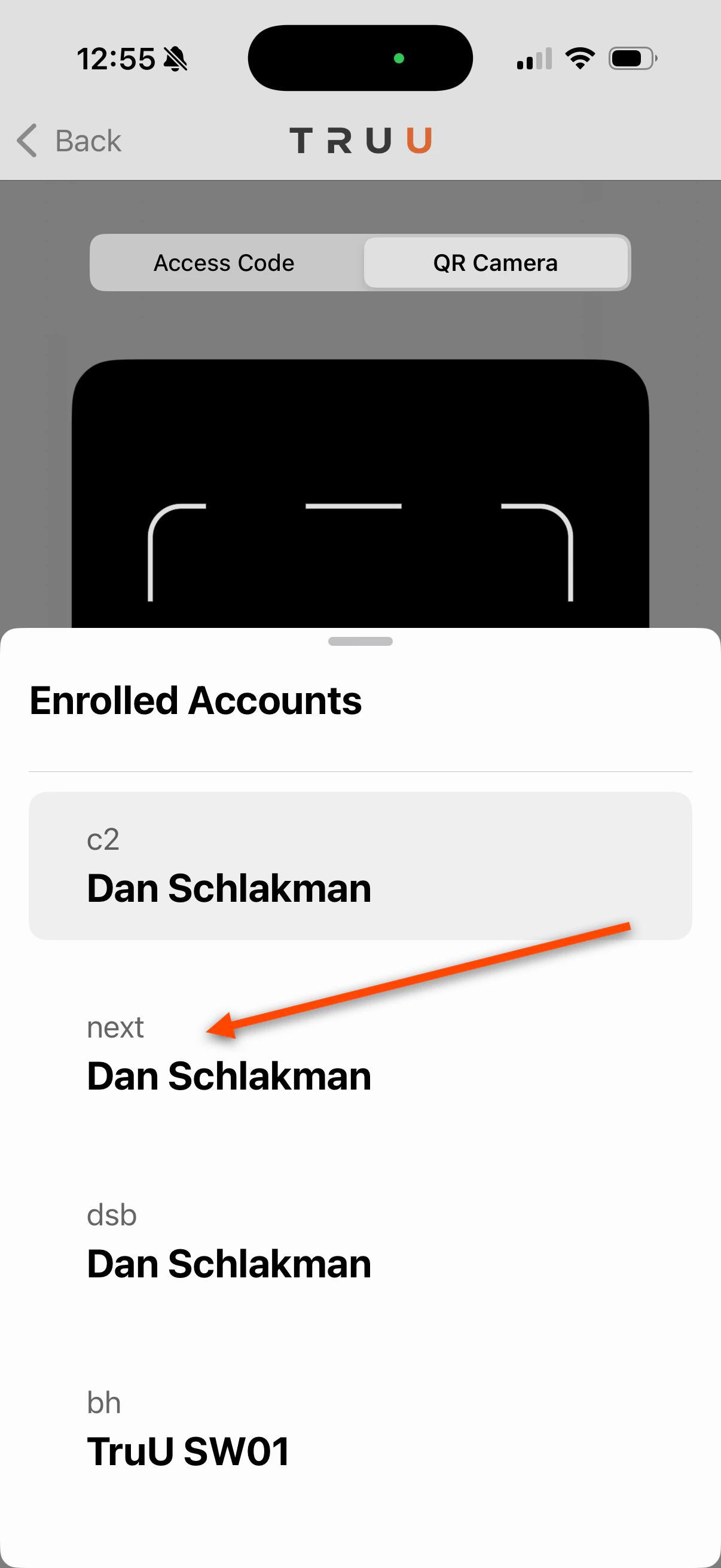
4. Choose the account you are trying to sign in with
<img src="https://mintcdn.com/truu-2/L38yxuvvUa8uAW5I/images/docs/053bff47bbc4d2f1a505a73f3ed9fa3a62bd781e1c46a4f715c66286591345e8-image.png?fit=max&auto=format&n=L38yxuvvUa8uAW5I&q=85&s=cdbe8fab62c3558d0e39aee22dc9a562" alt="" width="1206" height="2622" data-path="images/docs/053bff47bbc4d2f1a505a73f3ed9fa3a62bd781e1c46a4f715c66286591345e8-image.png" />

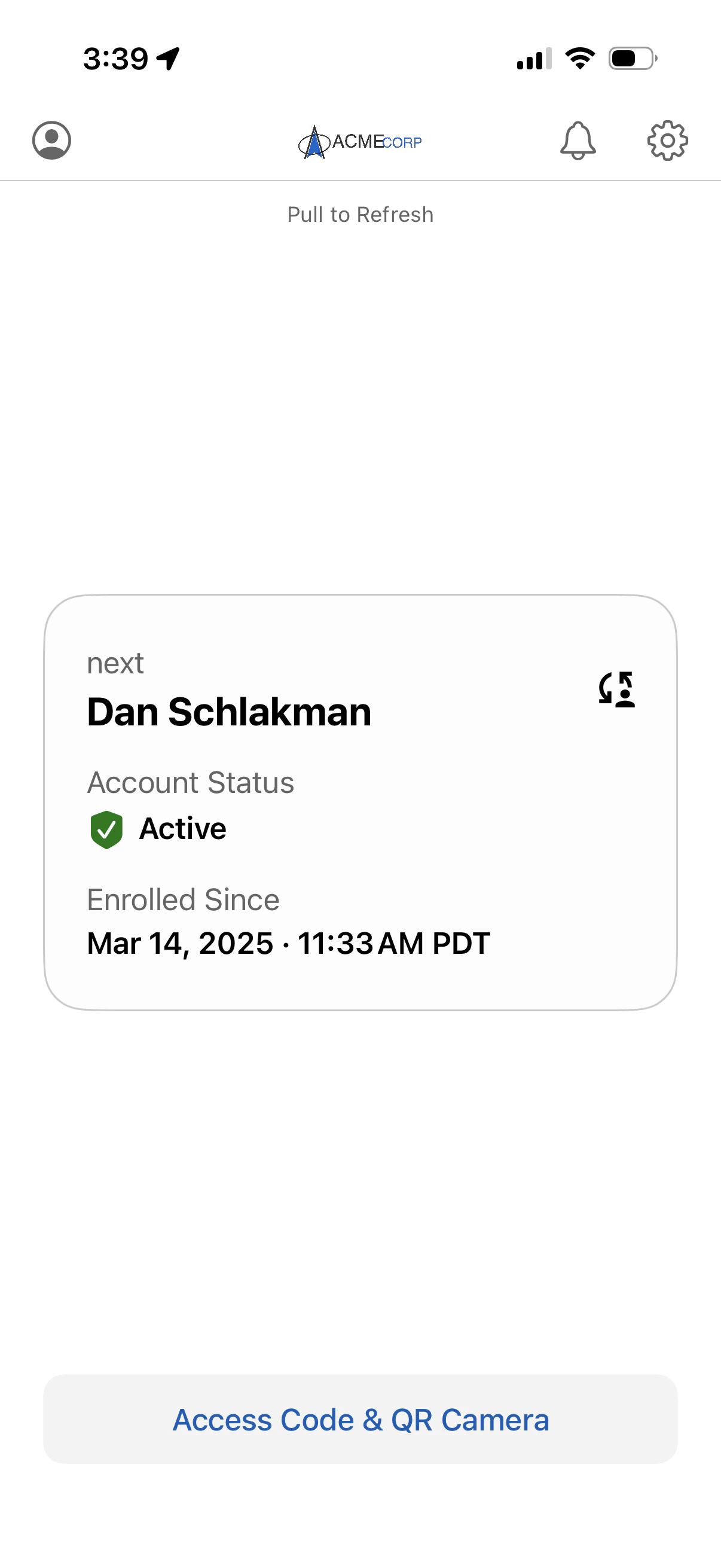
5. You will be logged in to your next account
   <img src="https://mintcdn.com/truu-2/jMF4bYA9yOA_2TKv/images/docs/34993ba04dd40ac3a819af3856c7ceee5a61dbd876b381ca45175a646693adc9-image.png?fit=max&auto=format&n=jMF4bYA9yOA_2TKv&q=85&s=7e8400b289774073d47bac22b01fba48" alt="" width="1206" height="2622" data-path="images/docs/34993ba04dd40ac3a819af3856c7ceee5a61dbd876b381ca45175a646693adc9-image.png" />

# Option 2: Switch through Profile Card

1. Launch the TruU Mobile App

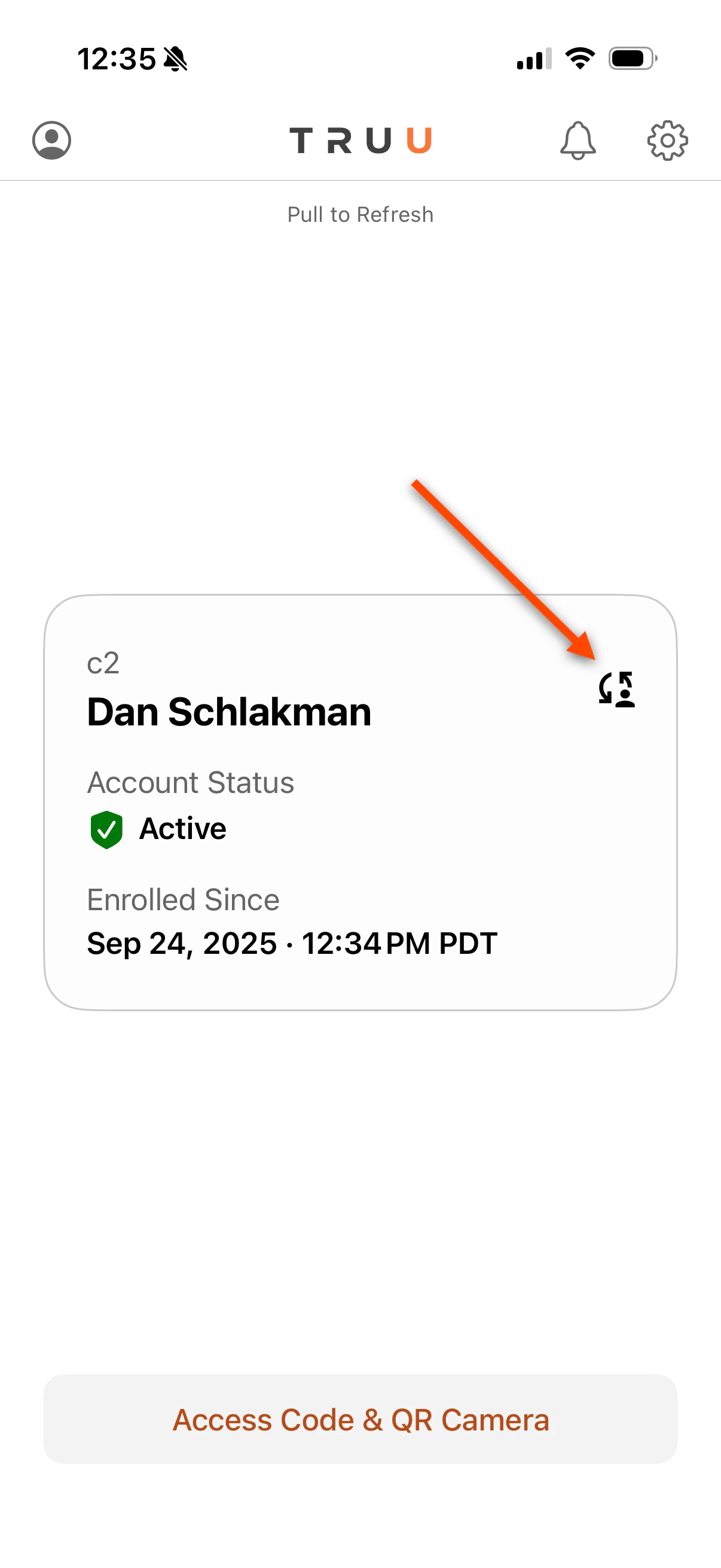
2. Click the **Switch** button
   <img src="https://mintcdn.com/truu-2/0zTsJHKKI2cGP3Gv/images/docs/fd984c48a20ffc97c3f7e50aa04e3ee54281eb19204d2ac60ebb1d0c2fe447a4-image.png?fit=max&auto=format&n=0zTsJHKKI2cGP3Gv&q=85&s=8d285872b8455560b48a914651bf8950" alt="" width="1206" height="2622" data-path="images/docs/fd984c48a20ffc97c3f7e50aa04e3ee54281eb19204d2ac60ebb1d0c2fe447a4-image.png" />

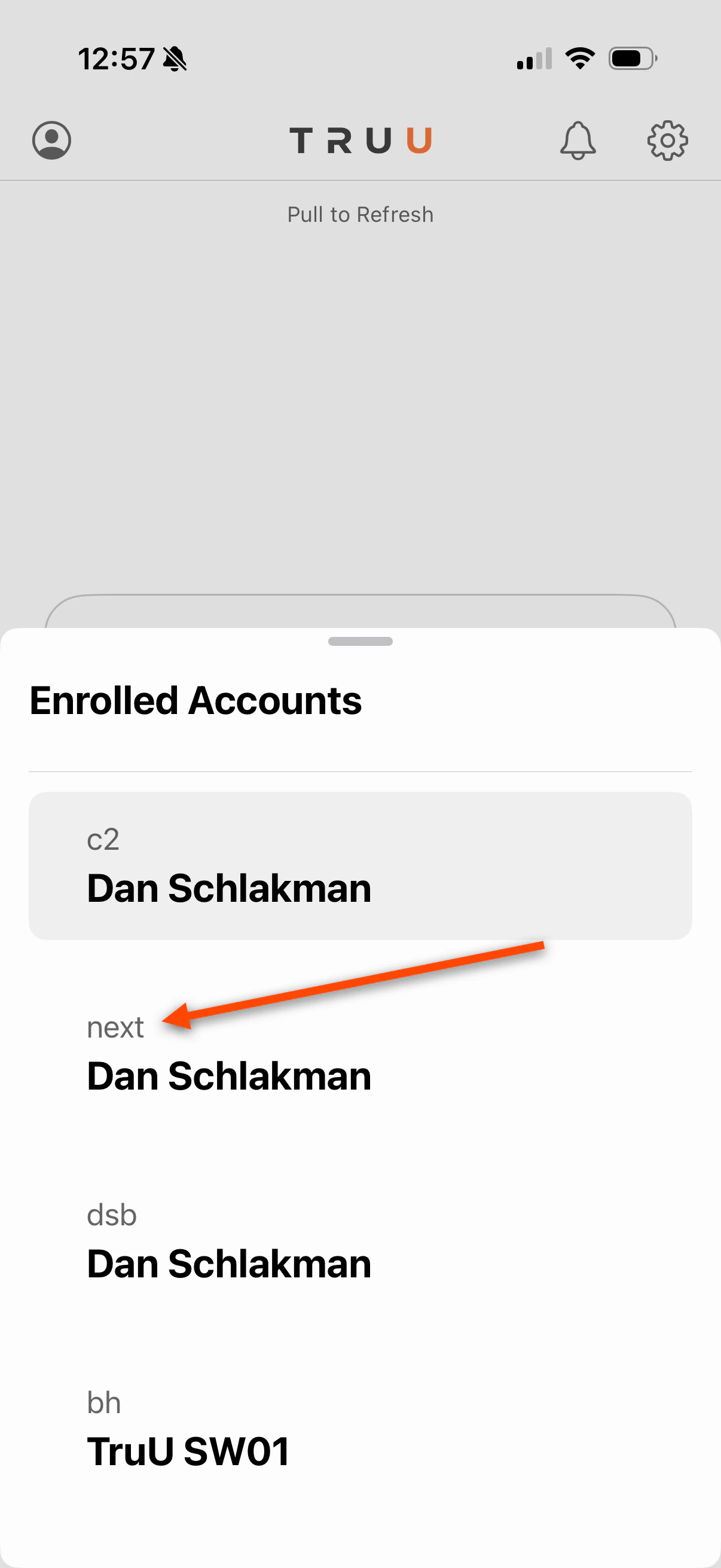
3. Choose the account you are trying to sign in with
<img src="https://mintcdn.com/truu-2/rjjBxA7Z_Wk_-34G/images/docs/f21dc8228505375fdd199c640768557411716ec9c454bfcdd787e0d9d5e4510f-image.png?fit=max&auto=format&n=rjjBxA7Z_Wk_-34G&q=85&s=54ada0417b9002e7f3f87a0084ac0346" alt="" width="1206" height="2622" data-path="images/docs/f21dc8228505375fdd199c640768557411716ec9c454bfcdd787e0d9d5e4510f-image.png" />

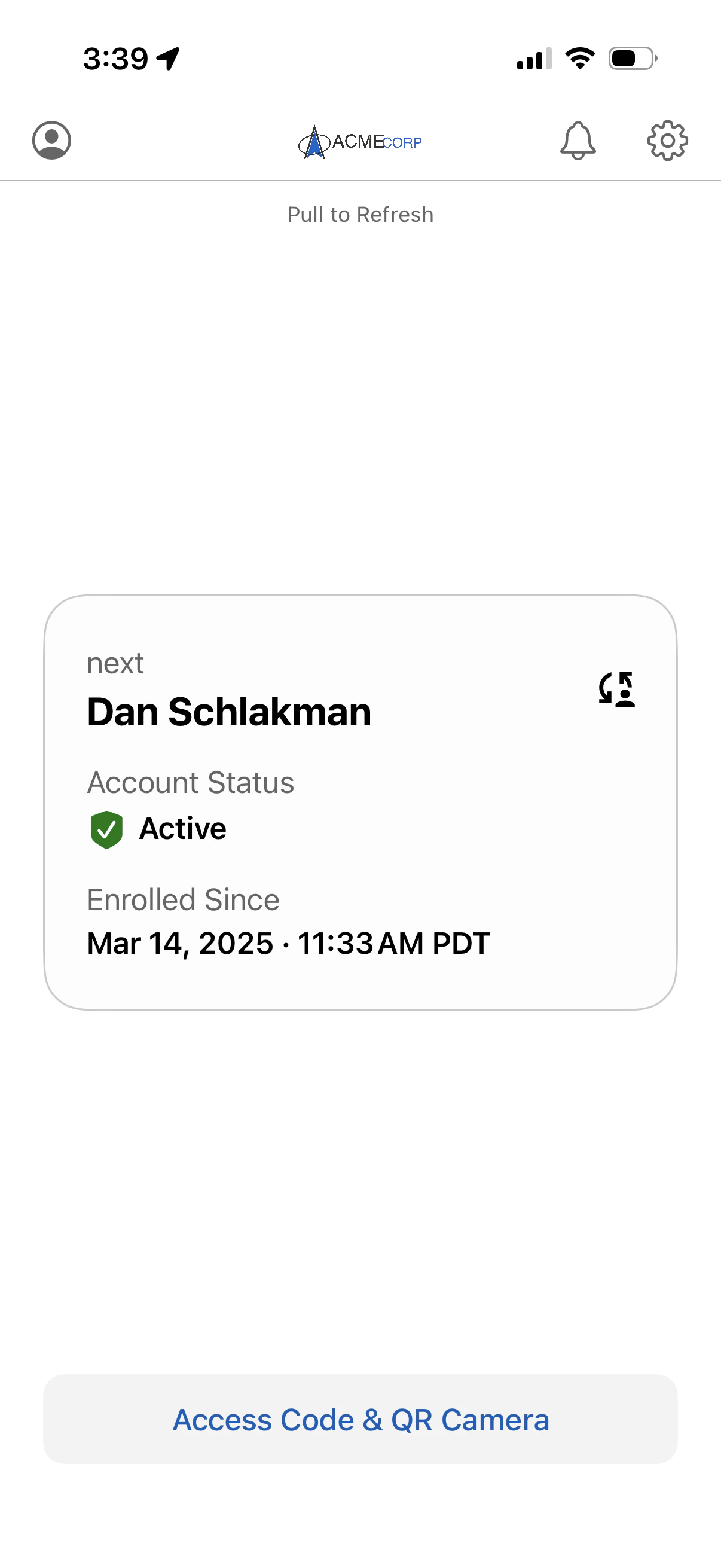
4. You will be logged in to your next account
   <img src="https://mintcdn.com/truu-2/ehCBQgFdl_pQd0MN/images/docs/ad8e7a2ed2c61a3cac4933cfce661ee56f5a7949887e64ff1dbb7b1d585e5c21-image.png?fit=max&auto=format&n=ehCBQgFdl_pQd0MN&q=85&s=584541bf495e91a7ab2902b6ed301f18" alt="" width="1206" height="2622" data-path="images/docs/ad8e7a2ed2c61a3cac4933cfce661ee56f5a7949887e64ff1dbb7b1d585e5c21-image.png" />

***

[TestFlight Installation Guide](/docs/testflight-installation-guide)

[Agentless](/docs/agentless)