> ## Documentation Index
> Fetch the complete documentation index at: https://docs.truu.ai/llms.txt
> Use this file to discover all available pages before exploring further.
# Timeline
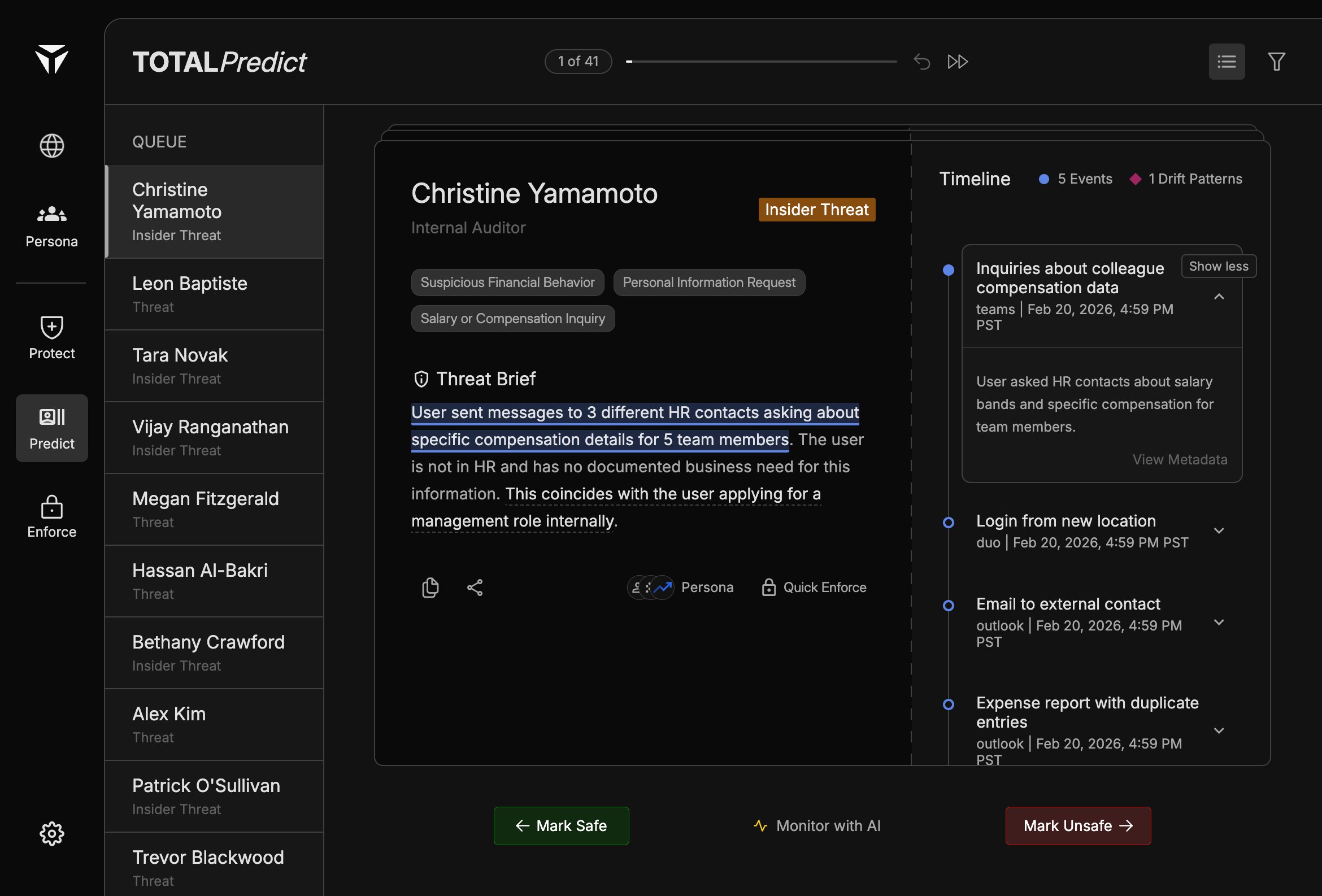
The timeline is the right-hand panel in Predict. It lists chronological activity and drift-style patterns for the person selected in the [Triage Queue](/triage-queue).
 ## Overview
The timeline complements the [Threat Brief](/threat-brief): the brief tells the story; the timeline shows what happened and when. Scroll to compare multiple items before you choose [Swiping Actions](/swiping-actions) or [Quick Enforce](/quick-enforce).
## Events and Drift Patterns
Rows use Blue dots for standard **Events** and red diamonds for **Drift Patterns**. Events are point-in-time observations; drift patterns reflect sustained or evolving deviation from expected behavior. Both types can support [Citations](/citations) in the brief.
## Expanding Events
Click a row to expand it. Expanded content includes a short description of the activity (for example what was asked or observed) and actions such as **View Metadata** for deeper fields.
## Event Details
Inside an expanded row, read the summary line first, then open metadata when you need identifiers, timestamps, or source system detail. Cross-check highlighted phrases in the [Threat Brief](/threat-brief) against the matching row before you **Mark Safe**, **Monitor with AI**, or **Mark Unsafe**.
Built with [Mintlify](https://mintlify.com).
## Overview
The timeline complements the [Threat Brief](/threat-brief): the brief tells the story; the timeline shows what happened and when. Scroll to compare multiple items before you choose [Swiping Actions](/swiping-actions) or [Quick Enforce](/quick-enforce).
## Events and Drift Patterns
Rows use Blue dots for standard **Events** and red diamonds for **Drift Patterns**. Events are point-in-time observations; drift patterns reflect sustained or evolving deviation from expected behavior. Both types can support [Citations](/citations) in the brief.
## Expanding Events
Click a row to expand it. Expanded content includes a short description of the activity (for example what was asked or observed) and actions such as **View Metadata** for deeper fields.
## Event Details
Inside an expanded row, read the summary line first, then open metadata when you need identifiers, timestamps, or source system detail. Cross-check highlighted phrases in the [Threat Brief](/threat-brief) against the matching row before you **Mark Safe**, **Monitor with AI**, or **Mark Unsafe**.
Built with [Mintlify](https://mintlify.com).