> ## Documentation Index
> Fetch the complete documentation index at: https://docs.truu.ai/llms.txt
> Use this file to discover all available pages before exploring further.
# Triage Queue
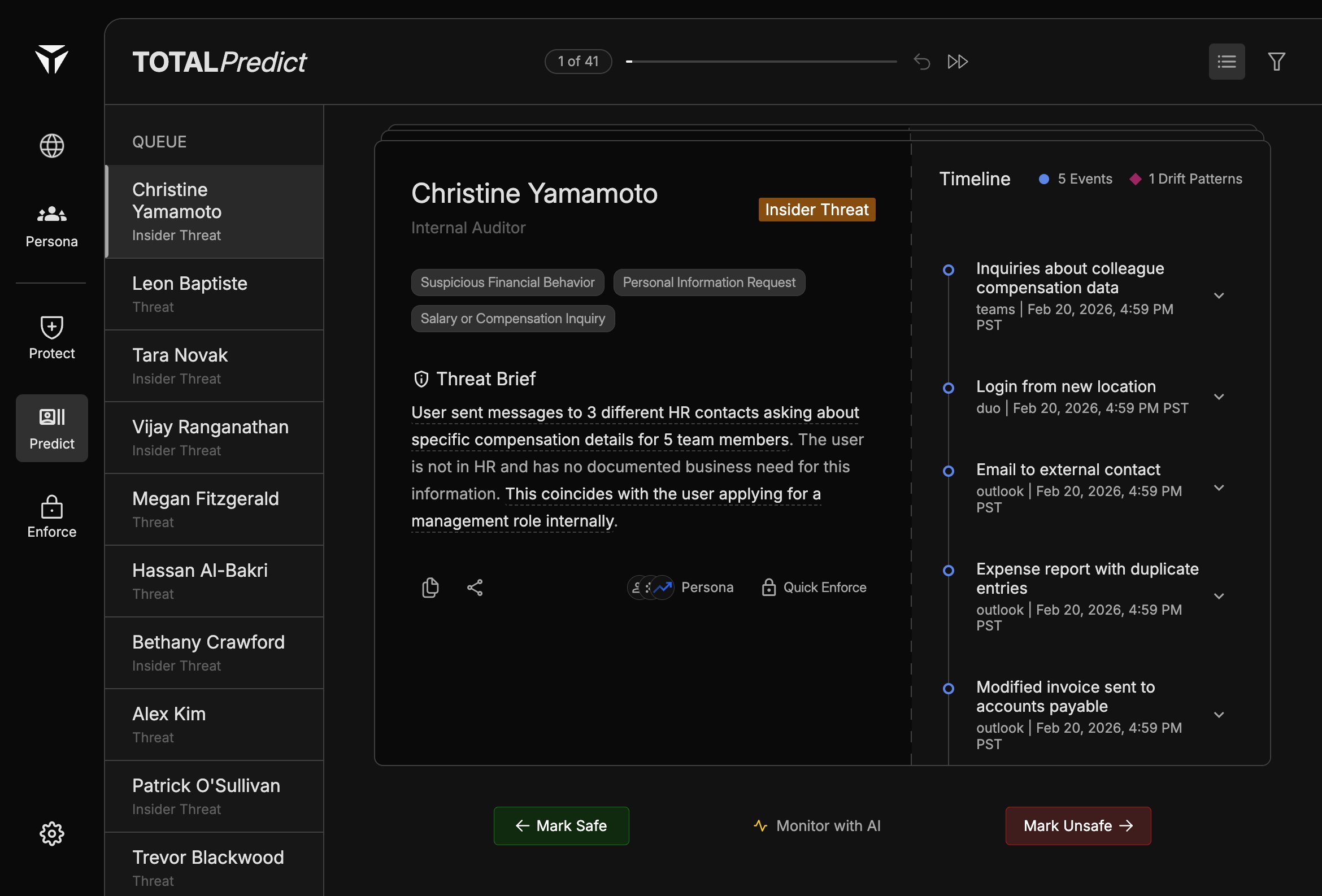
The triage queue is the left sidebar on Predict. It lists open threat cases—people with **Threat** or **Insider Threat** labels—so analysts can work through them in order without losing context.
 ## Overview
The queue is a **prioritized list of threat cases**, not a full directory of users. Selecting an item loads that person’s [Predict Card](/predict-card), [Threat Brief](/threat-brief), and [Timeline](/timeline) in the main workspace.
## Queue Items
Each row shows the **person’s name** and their **threat type** (for example “Insider Threat” or “Threat”). Names and labels mirror how cases are represented elsewhere in TOTAL so you can match queue entries to enforcement and Persona workflows.
## Navigation
The top bar shows your position in the queue (**1 of N**), a **slider** to jump roughly within the set, and **arrow** controls to move to the previous or next case. A **list view** toggle and **filter** help you change how the queue is presented or narrowed.
## Queue Ordering
Ordering reflects how Predict surfaces cases for review (priority and open-case state). Work through the queue with [Swiping Actions](/swiping-actions) when you are ready to dismiss, continue monitoring, or escalate.
## Overview
The queue is a **prioritized list of threat cases**, not a full directory of users. Selecting an item loads that person’s [Predict Card](/predict-card), [Threat Brief](/threat-brief), and [Timeline](/timeline) in the main workspace.
## Queue Items
Each row shows the **person’s name** and their **threat type** (for example “Insider Threat” or “Threat”). Names and labels mirror how cases are represented elsewhere in TOTAL so you can match queue entries to enforcement and Persona workflows.
## Navigation
The top bar shows your position in the queue (**1 of N**), a **slider** to jump roughly within the set, and **arrow** controls to move to the previous or next case. A **list view** toggle and **filter** help you change how the queue is presented or narrowed.
## Queue Ordering
Ordering reflects how Predict surfaces cases for review (priority and open-case state). Work through the queue with [Swiping Actions](/swiping-actions) when you are ready to dismiss, continue monitoring, or escalate.