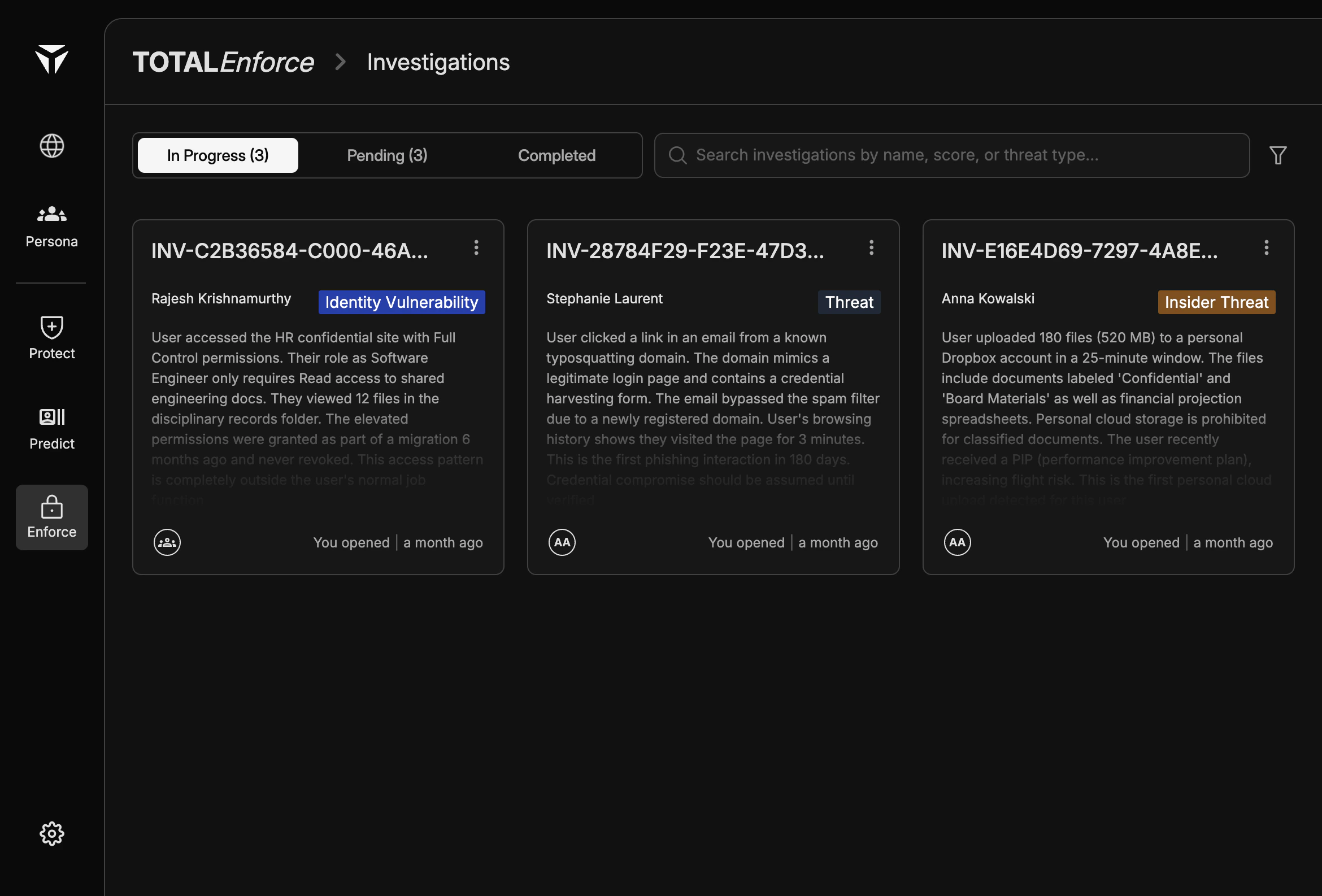
Investigations are tracked cases in Enforce that tie a subject user to a threat signal and the work your team does to assess and resolve it. The Investigations page groups them by workflow state so you can see what is active, what is waiting for assignment, and what is closed.
Investigations view may have a different look and interface if you’re not using TruU Passwordless. So kindly use this documentation as only a reference in that case.
Overview
An investigation represents a single enforcement case: who is involved, what kind of threat the platform surfaced, a short narrative summary (typically AI-generated), and who opened or is working it. Investigations are the operational record that connects risk assessment in Predict to resolution and enforcement actions.
Investigation Cards
Each card surfaces the investigation ID (for example INV-C2B36584-C000-46A…) for reference in tickets and audits. The subject is shown by name. A threat type badge summarizes the category at a glance. A description gives the investigation summary.
Avatars indicate who opened the case or is collaborating. The footer shows status and relative time (for example “You opened | a month ago”). Use the more menu (three dots) for actions specific to that investigation.
Investigation Statuses
The page uses three tabs:
In Progress
Cases your team is actively working. Counts reflect how many investigations are in this state (for example “In Progress (3)”).
Pending
Investigations that are open but not yet picked up. Use this tab to triage new work and assign ownership.
Completed
Closed investigations. For history and review patterns, see Past Investigations.
Threat Types
Badges map to high-level categories:
Identity Vulnerability
Displayed with a blue badge. Indicates identity- or credential-related risk signals that warrant verification or corrective steps.
Insider Threat
Displayed with an orange badge. Highlights elevated concern for insider-risk scenarios; workflow and enforcement choices often align with policy.
Unknown / Not Classified Yet
Displayed with a gray badge. General external or policy-relevant threat context surfaced for analyst review, and can be classified by the user.
Opening an Investigation
Investigations are created from assessment and triage workflows (for example when you escalate from Predict). Opening a case attaches you (or your team) as participants, sets the initial tab (often Pending or In Progress depending on configuration), and preserves the threat summary on the card. To finish a case, follow Closing an Investigation.