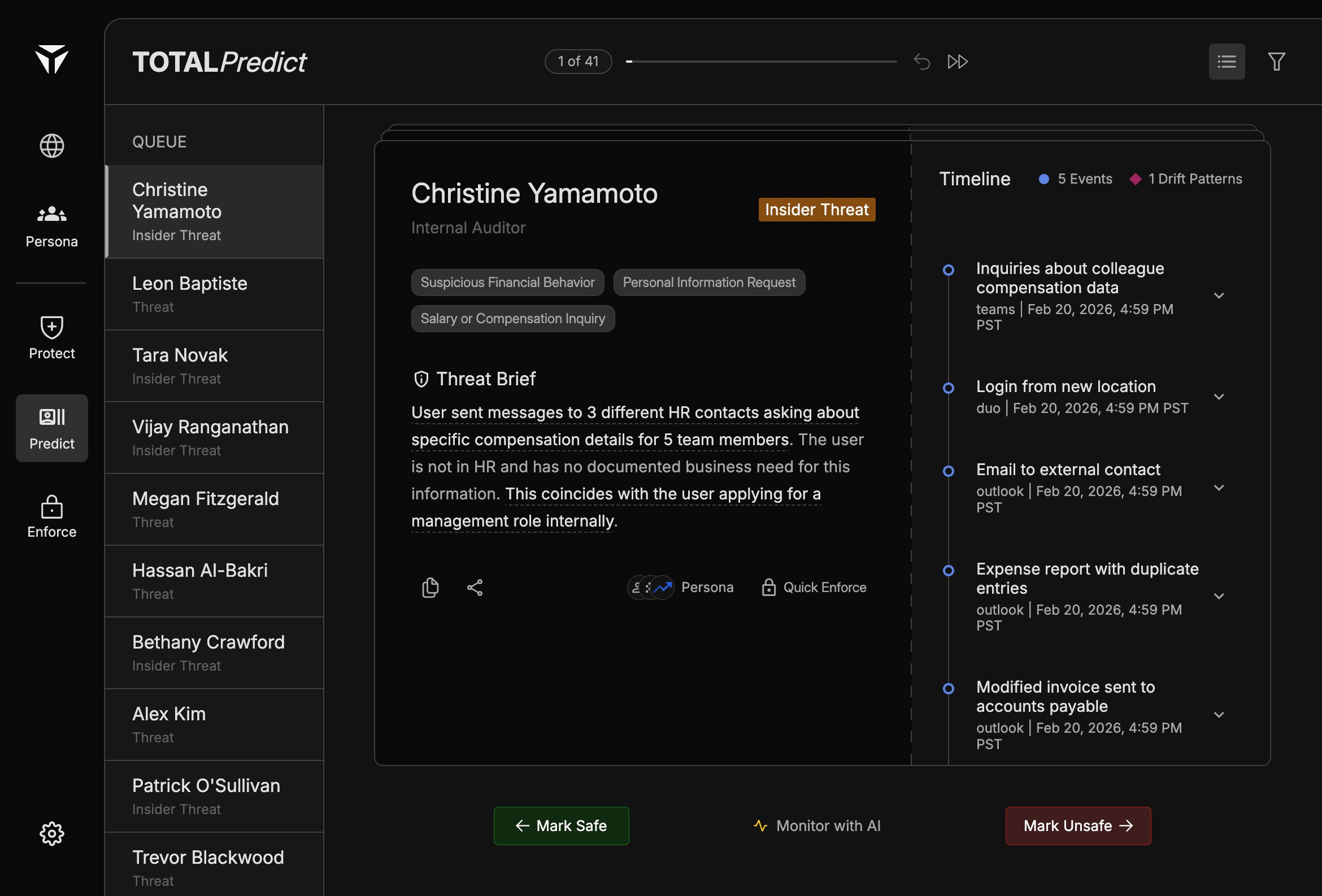
The Predict card is the main panel in Predict triage. It surfaces who is at risk, how they are classified, which categories apply, and an AI-written summary you can act on from one place.
The card sits between the Triage Queue and the Timeline. It is scoped to the case you have selected in the queue. Everything on the card updates when you move to another person.
The header shows the person’s name and title so you can confirm you are reviewing the right identity. A threat type badge indicates whether the case is labeled Threat or Insider Threat, matching how the person appears in the queue.
Tags summarize why the case surfaced—for example suspicious financial behavior, requests for personal information, or salary or compensation–related inquiries. Use them to skim severity and theme before you read the full Threat Brief.
The Threat Brief is an AI-generated narrative that ties signals into a short story of concern. Highlighted phrases in the brief act as Citations to specific timeline entries. See Threat Brief for how to read it end to end.