1.1 — Create the Enterprise Application
- Sign in to the Entra Portal
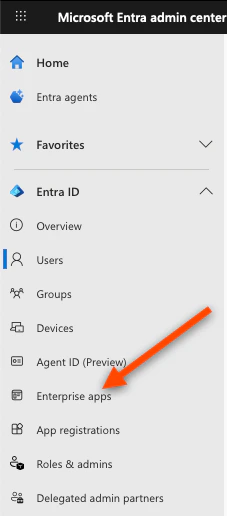
- In the left sidebar, click Enterprise applications
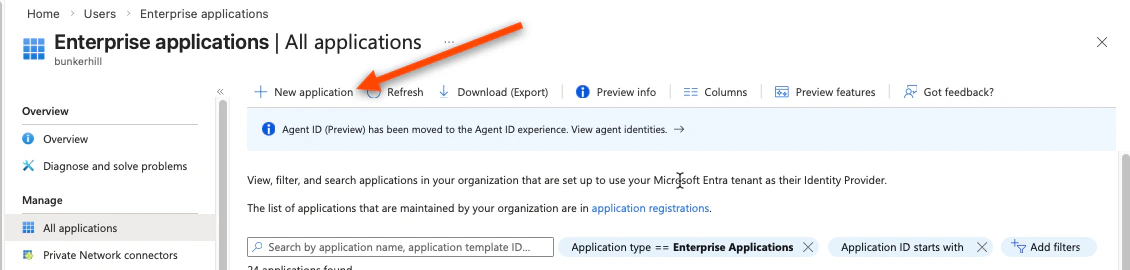
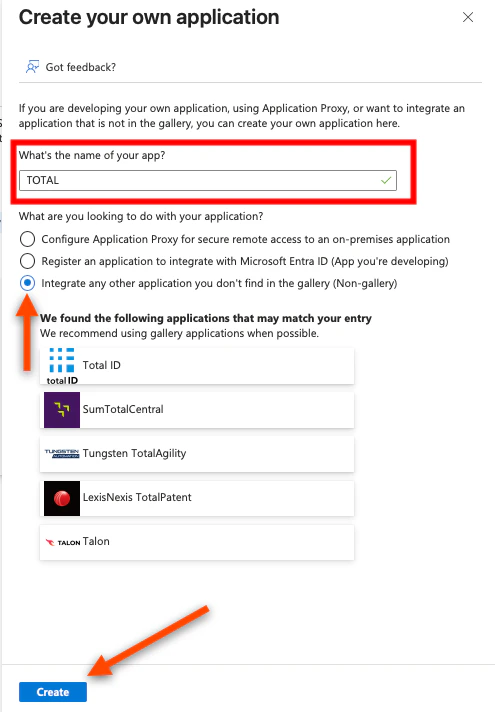
- Click New application (top left)
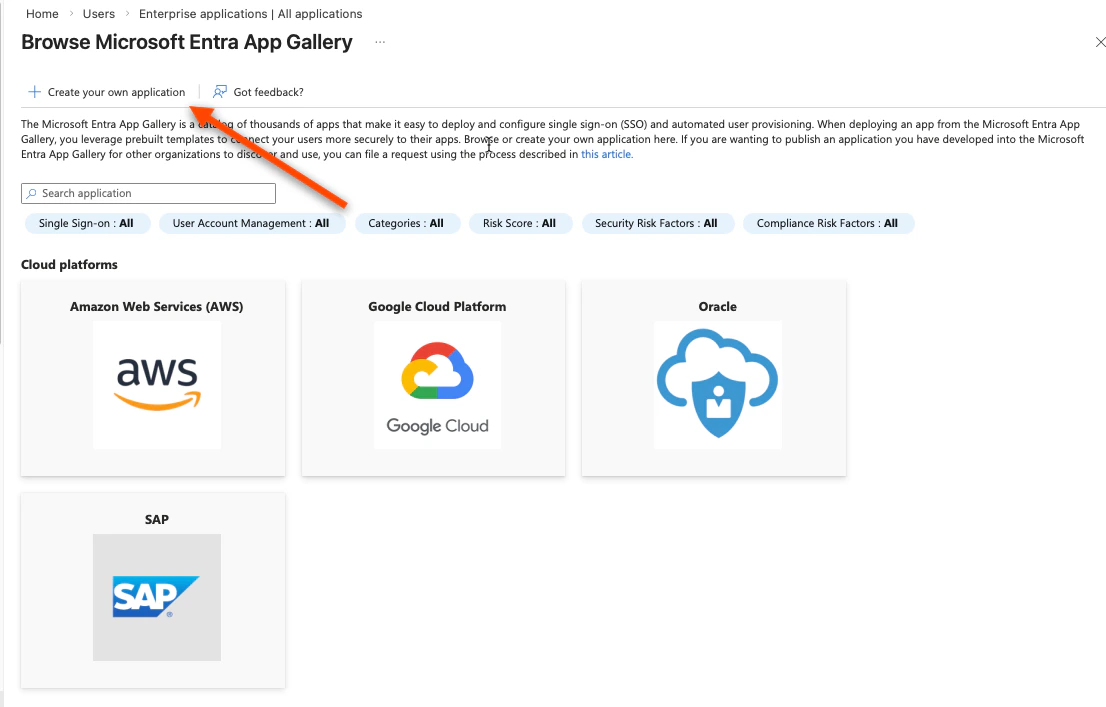
- Click Create your own application
- Give it a name — we recommend “TOTAL”
- Select “Integrate any other application you don’t find in the gallery”
- Click Create
1.2 — Register the Application to Get Credentials
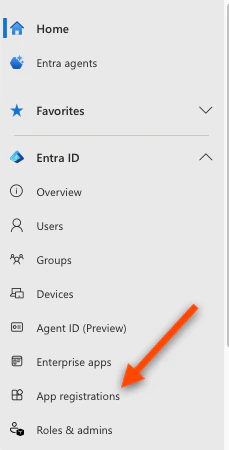
You now need to create an App Registration, which is where Azure issues the credentials TOTAL uses to verify sign-ins.- In the Azure search bar, search for App registrations and open it
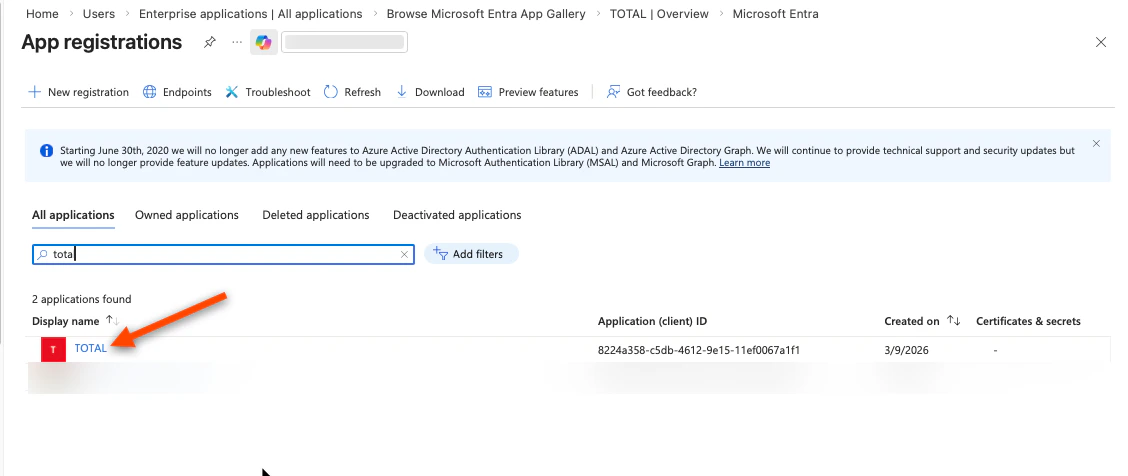
- Find the app you just created and click it (it should appear under “All applications”)
- You are now on the app registration page. From the left sidebar:
- Click Overview
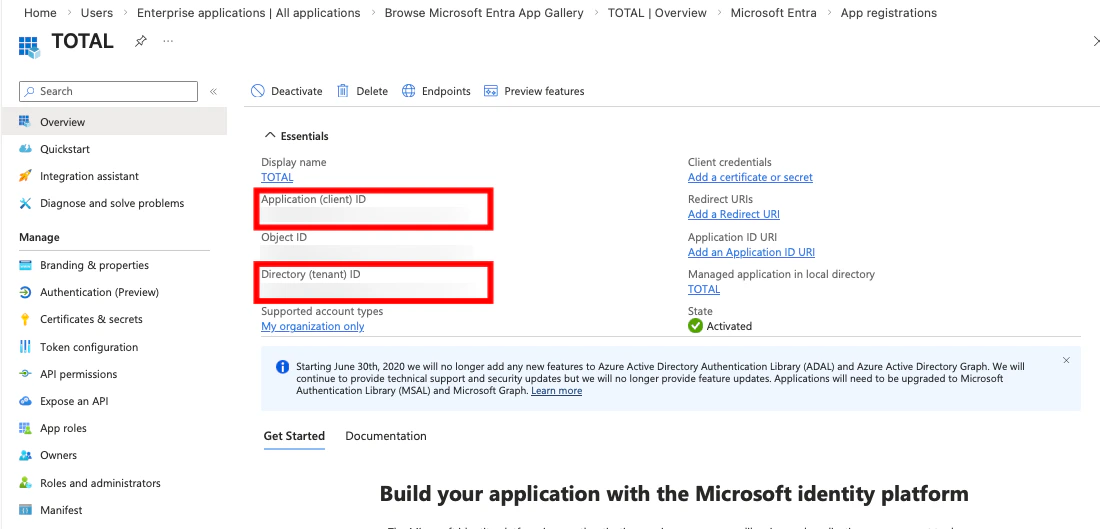
- Copy the Application (client) ID — enter into the TOTAL enrollment console
- Copy the Directory (tenant) ID — enter into the TOTAL enrollment console
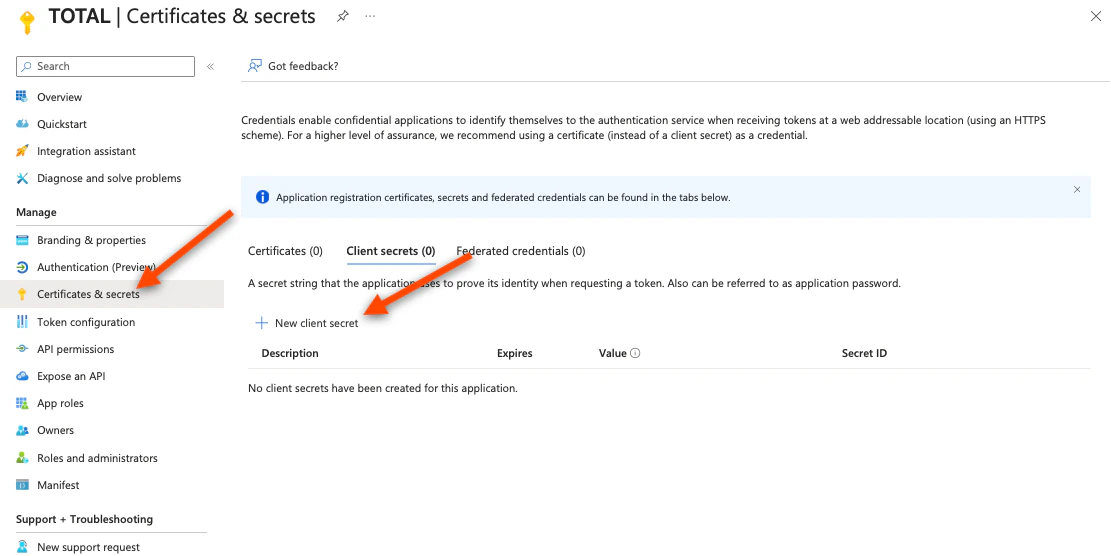
- Click Certificates & secrets in the left sidebar
- Click New client secret
- Enter a description (e.g. “TOTAL integration”) and choose an expiry (24 months recommended)
- Click Add
- Copy the secret Value immediately — it is only shown once. If you navigate away, you must create a new one.

- Save this value and enter it into the TOTAL enrollment console
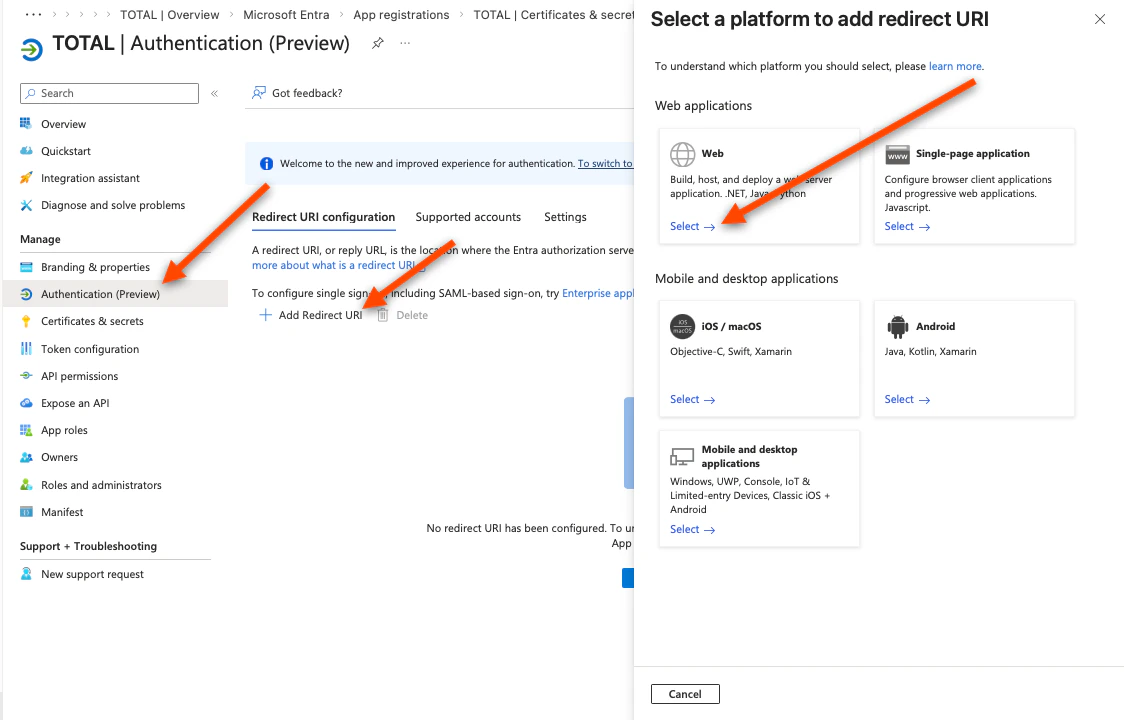
- Click Authentication in the left sidebar
- Click Add Redirect URI → select Web
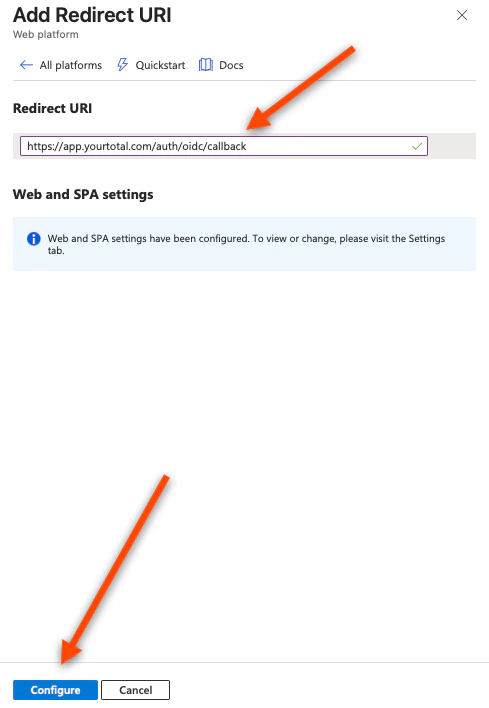
- In the Redirect URIs field, enter the value given in the TOTAL Enrollment console (it will look like
https://app.yourtotal.com/auth/oidc/callback). - Click Configure, then Save
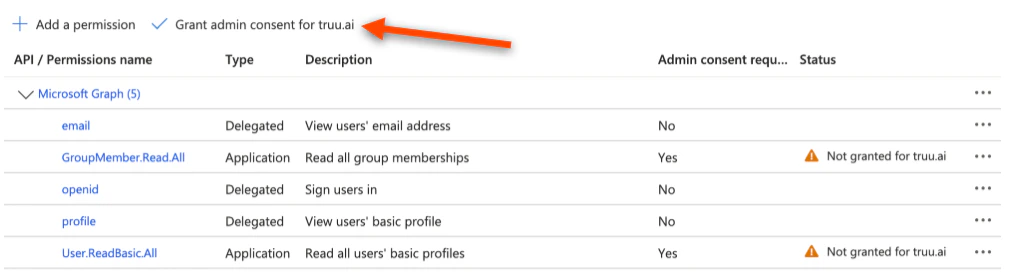
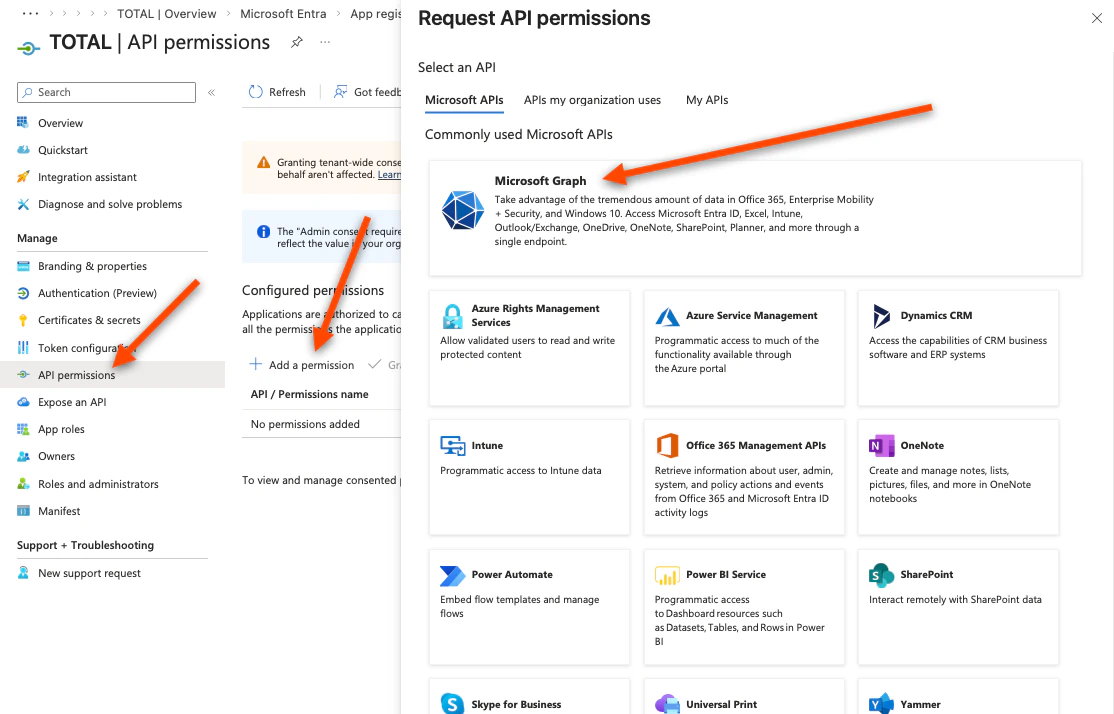
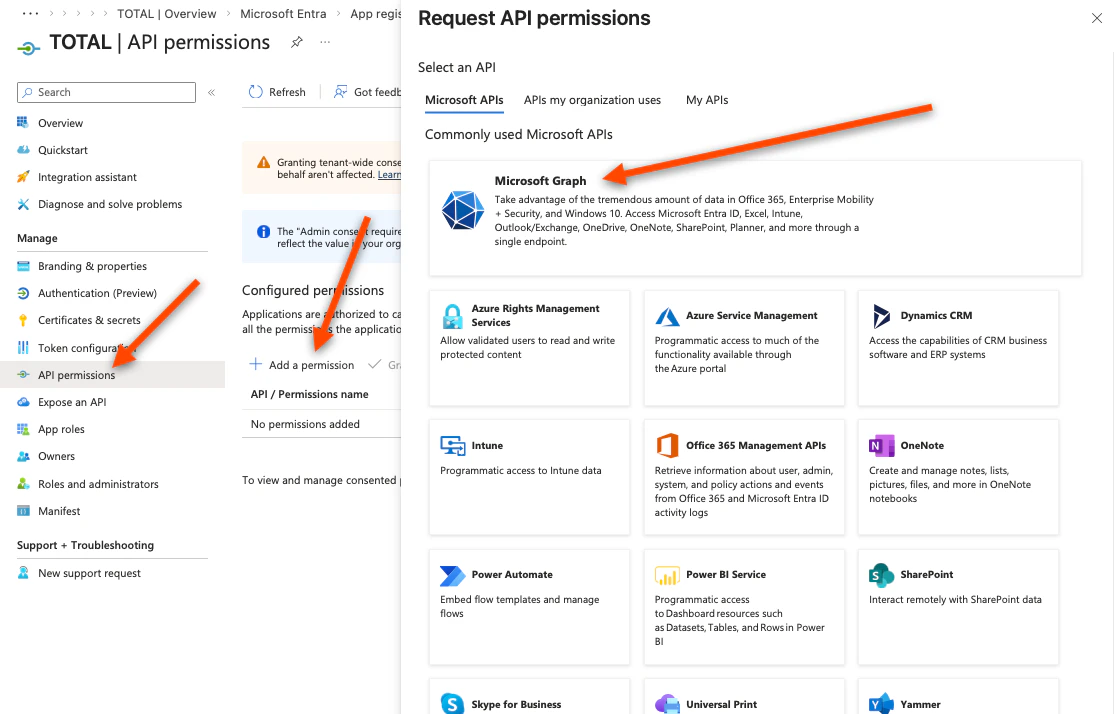
- Click API permissions in the left sidebar
- Click Add a permission → Microsoft Graph
- Click Delegated Permissions
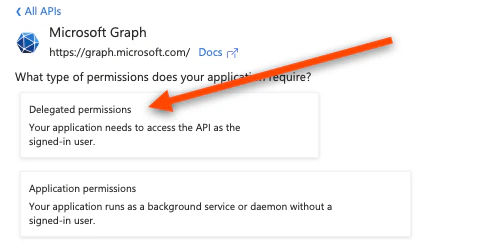
- Search for and add:
openid,profile,email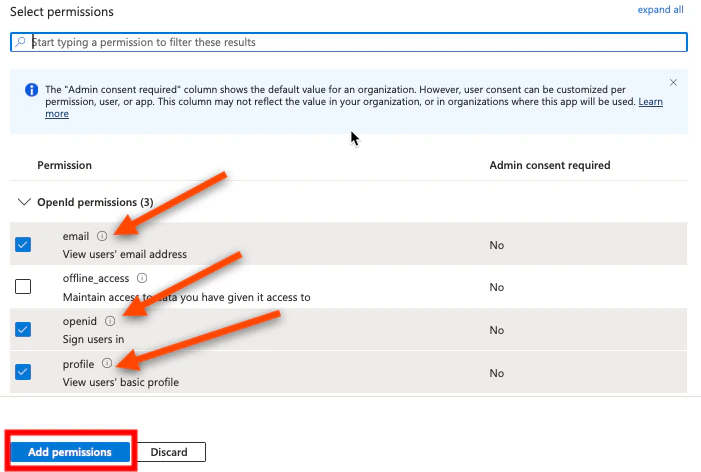
- Click Add permissions
- Navigate back to the “Overview” screen and, again, click Add a permission → Microsoft Graph
- Click Application Permissions
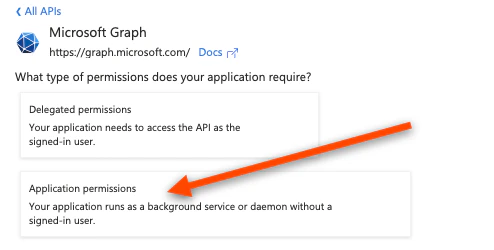
- Search for and add:
User.ReadBasic.All, GroupMember.Read.All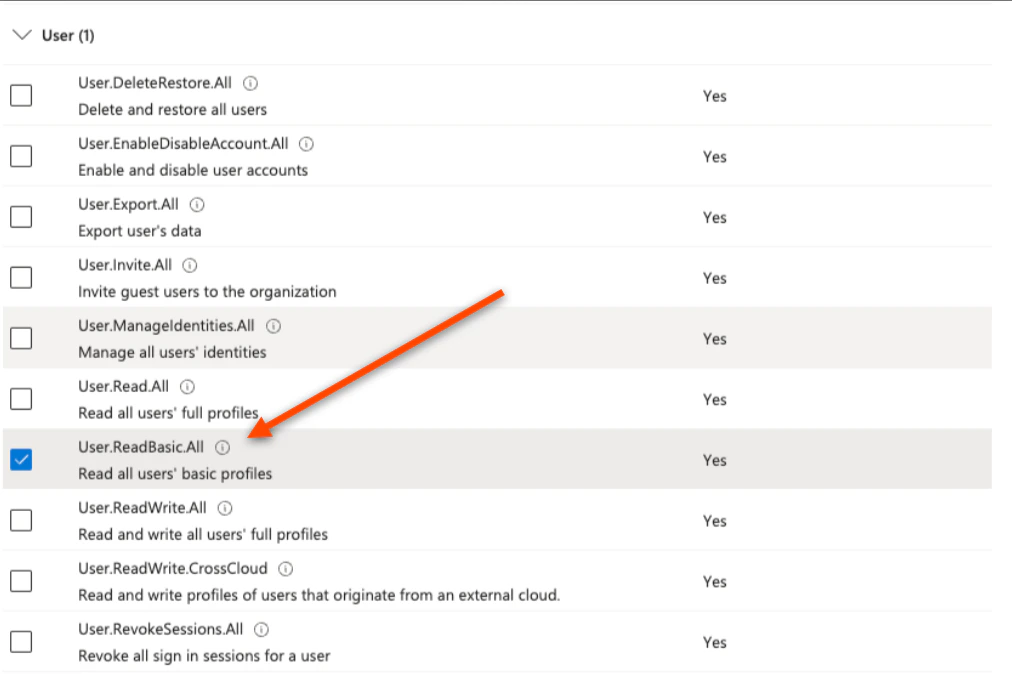

- Click Add permissions
These scopes are required.profiletells Azure to include the user’s Object ID (oid) in the sign-in token — which is how TOTAL identifies each user.
profile/openid— required for sign-in.profileincludes the user’s Object ID (oid), which is how TOTAL identifies each user.GroupMember.Read.All— required to let TOTAL query Microsoft and see whether a user belongs to certain groups when needed to confirm access immediately.User.ReadBasic.All— required so TOTAL can query Microsoft Graph for users’ basic directory profile (for example name and UPN) when it needs to resolve or show who someone is
- Click Grant Admin Consent to apply changes