

What You See on the Page
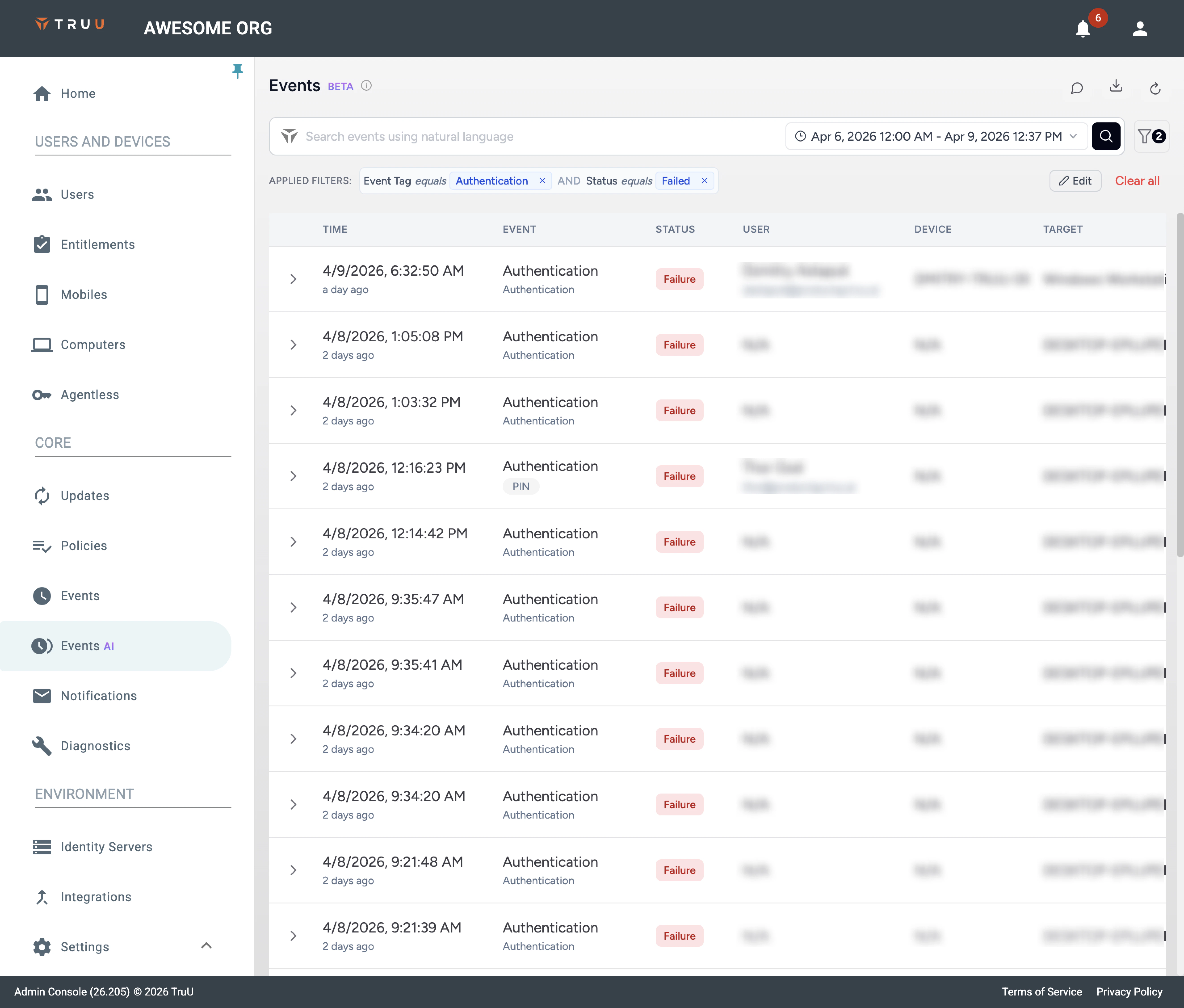
Search
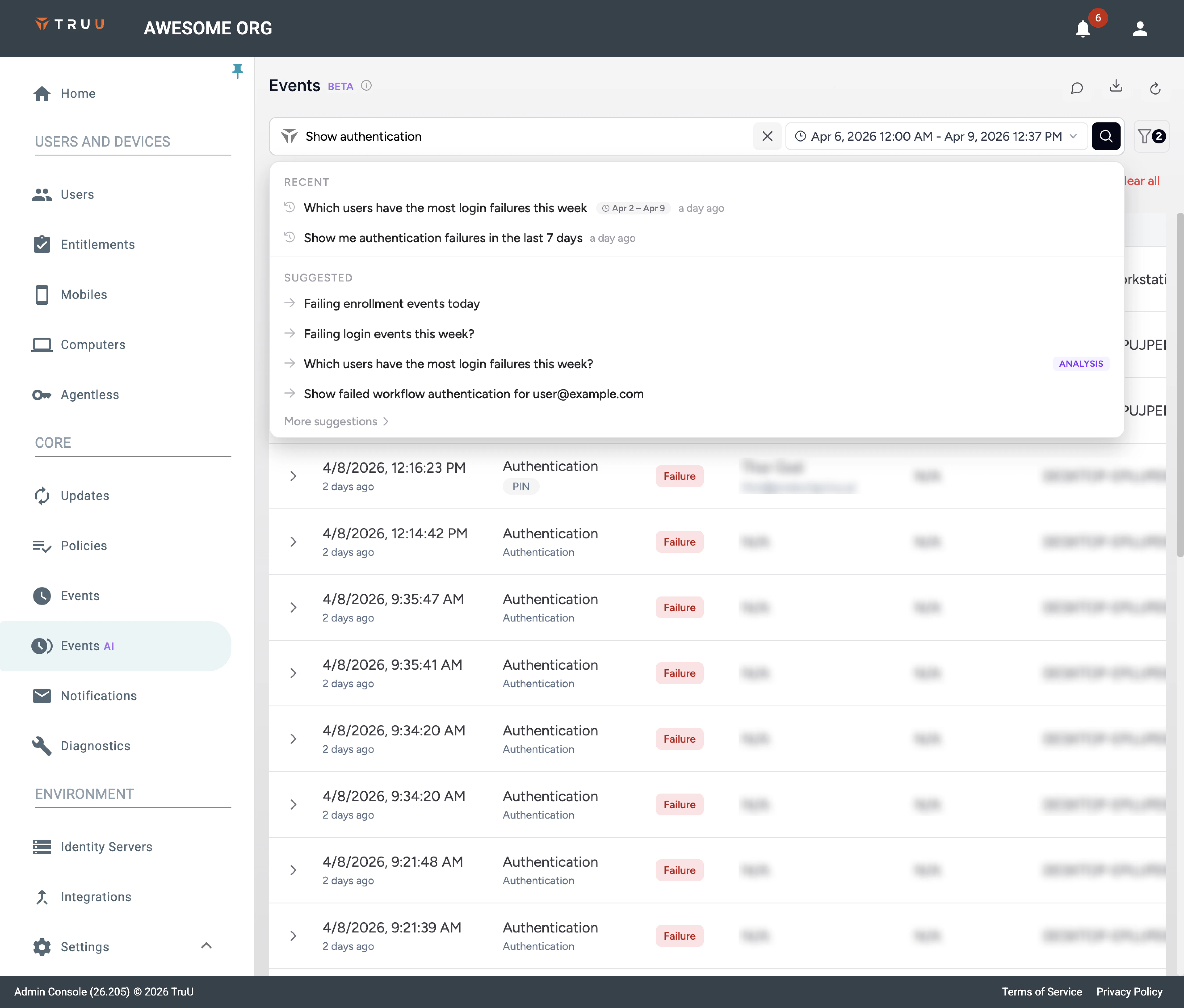
- Type, then press Enter or click search. While a run is in progress, search controls stay disabled so you don’t submit twice.
- X clears the field and resets toward the default view.
- Focusing the field may show recent searches and suggestions; choosing one runs it.
- After a run, read Applied filters to see how your wording was translated into structured rules.
Time Range
Pick a preset or a custom start and end (including time of day). Only events inside that window are evaluated. If results are large, start with a narrow window, then widen.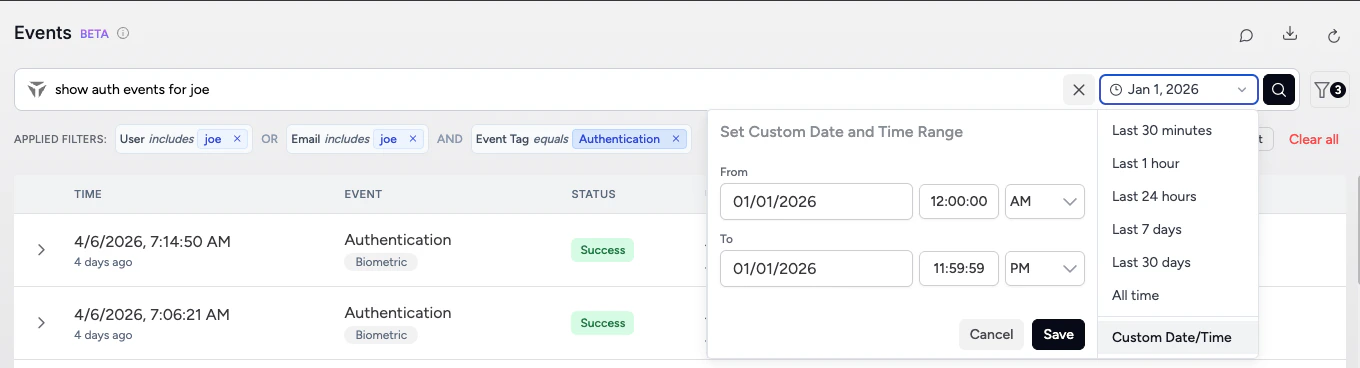
Filters
Open the panel from the filter icon or Edit on the chip strip. Each row is field → operator → value. Fields include: User, Email, Event tag (sometimes labeled Event category in places), Event type, Auth method, Status, Search text, Device and Target. Operators include: equals, not equals, and text match options such as contains / includes and does not contain / excludes—match the labels in your UI. Within one group, conditions connect with AND or OR (not mixed in the same group—use Add filter group for complex logic). Apply saves and refreshes; the search text is usually cleared so chips define the query. Clear all clears rows in the panel; Cancel discards edits. Rows with an empty value are not applied.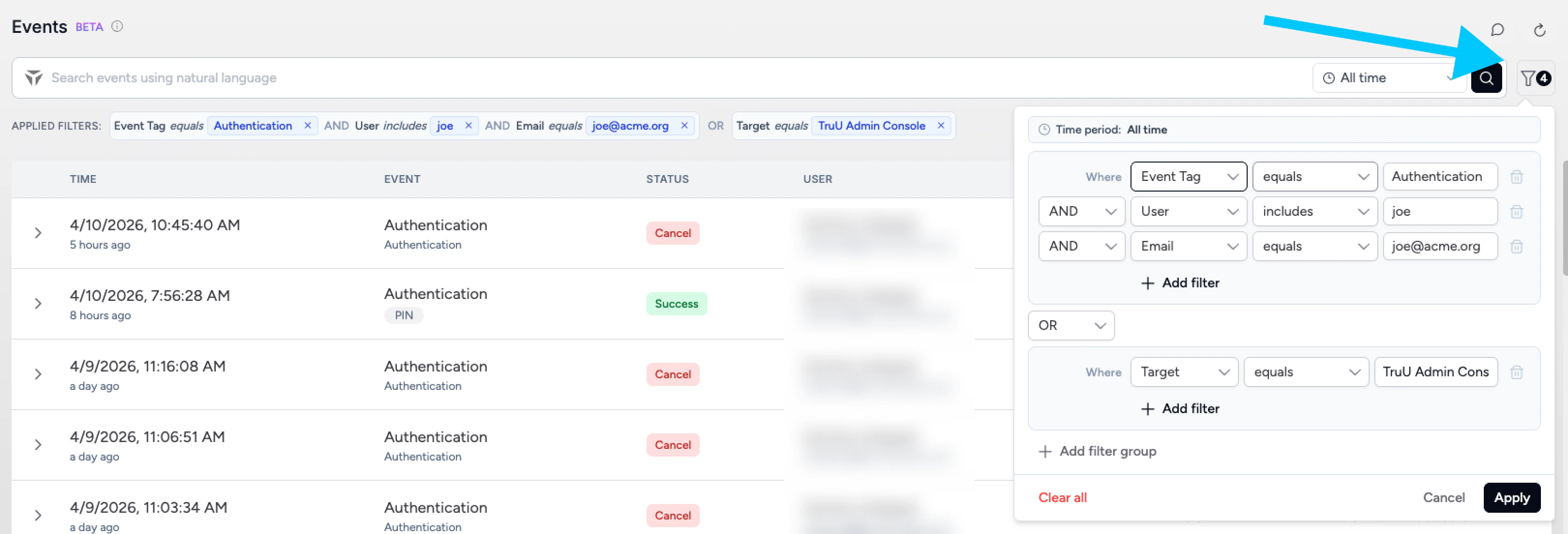
Applied Filters
Each chip shows field, operator, and value. Remove one chip with its x, or use Clear all to reset the strip and search field together.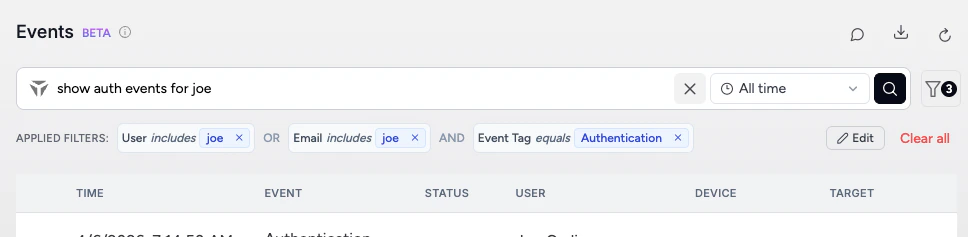
Results: List vs Aggregation
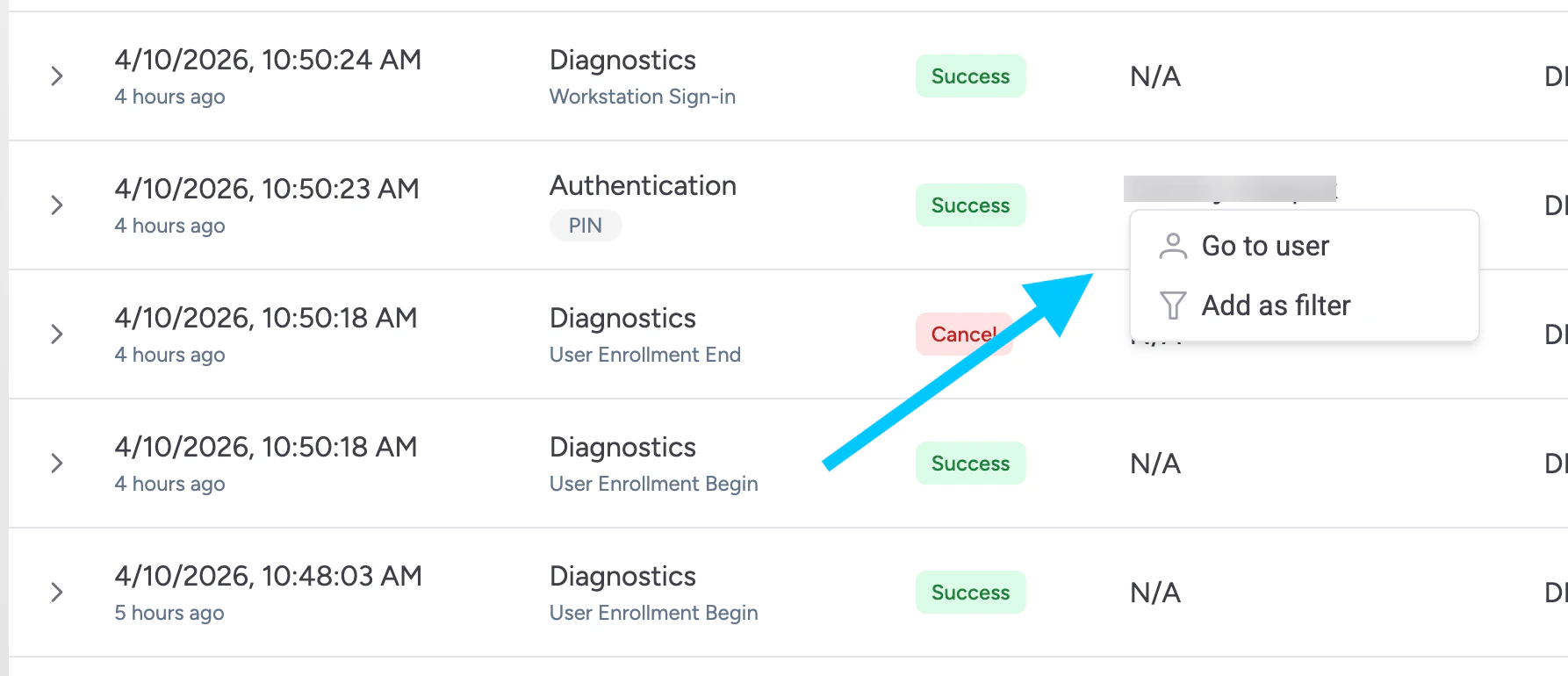
Event list — one row per event (time, category and tags, status, user, device, target, etc.). Aggregation — for questions about counts, “most”, or “distribution”, you may see a summary table (for example by user or auth method). Clicking a summary value often adds filters and moves you toward the underlying events.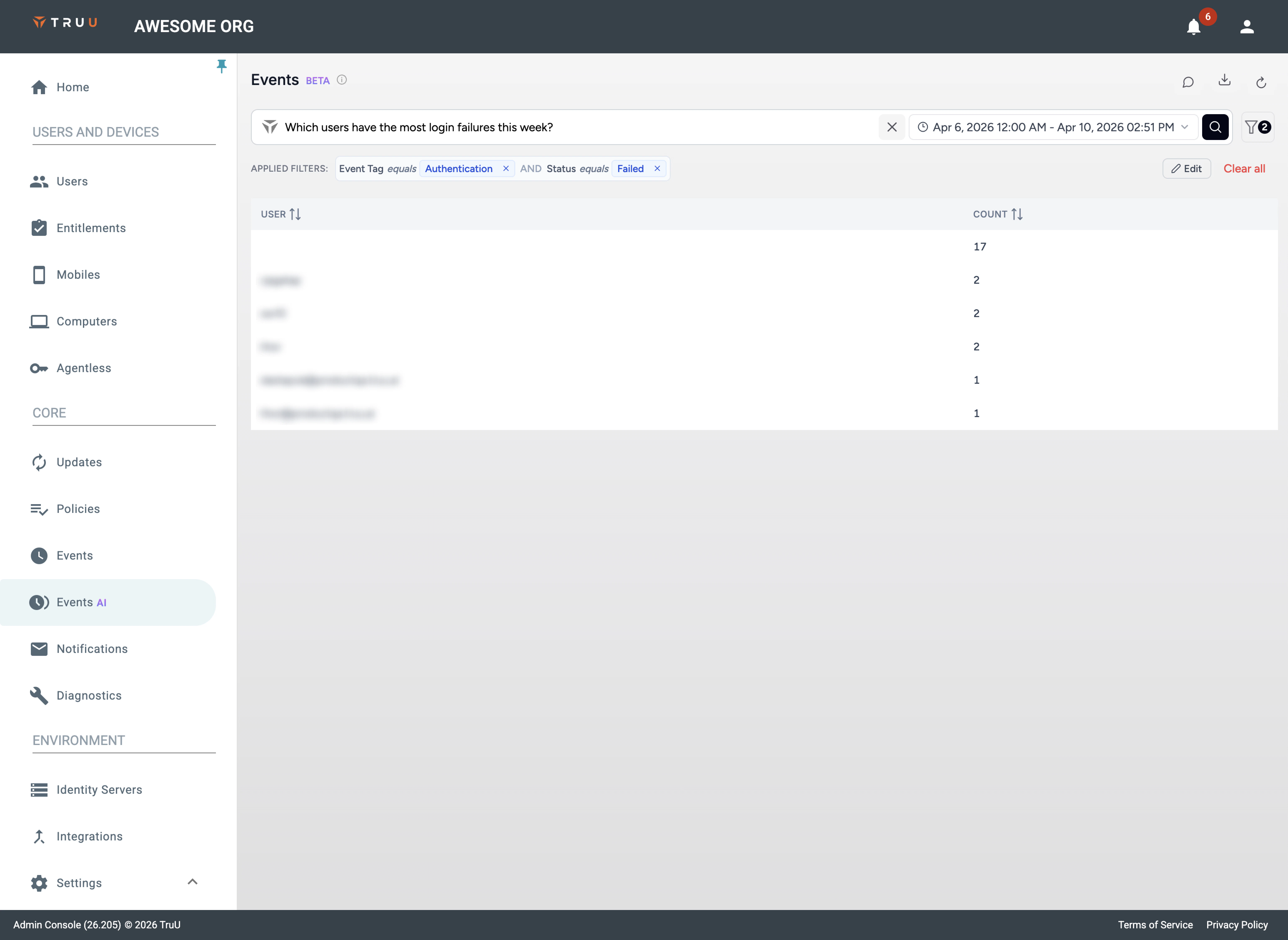
Row Details
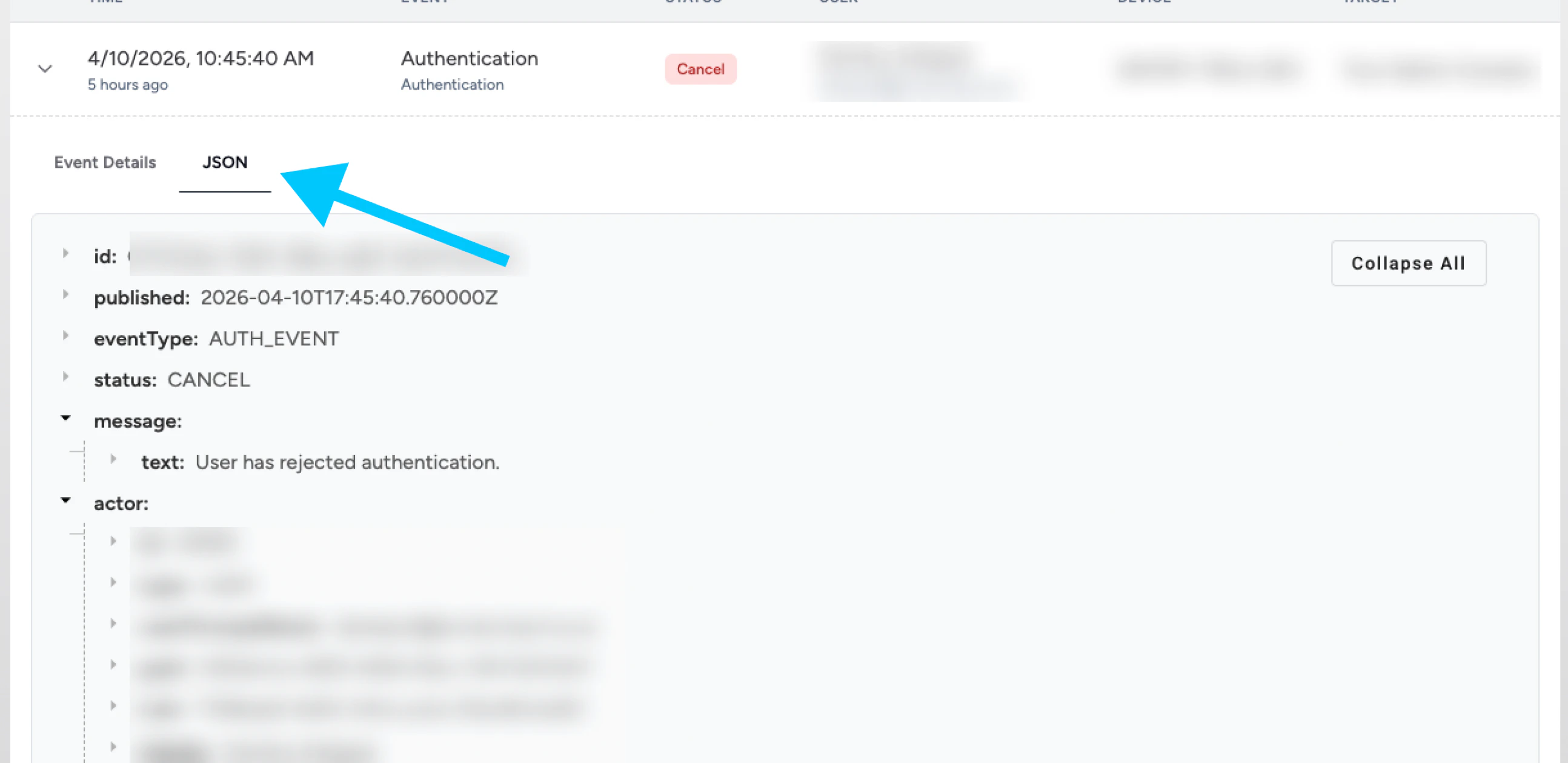
Expand a row for Event details (structured fields) and JSON (full payload). Labels for event type, auth method, and status should match the filter dropdowns.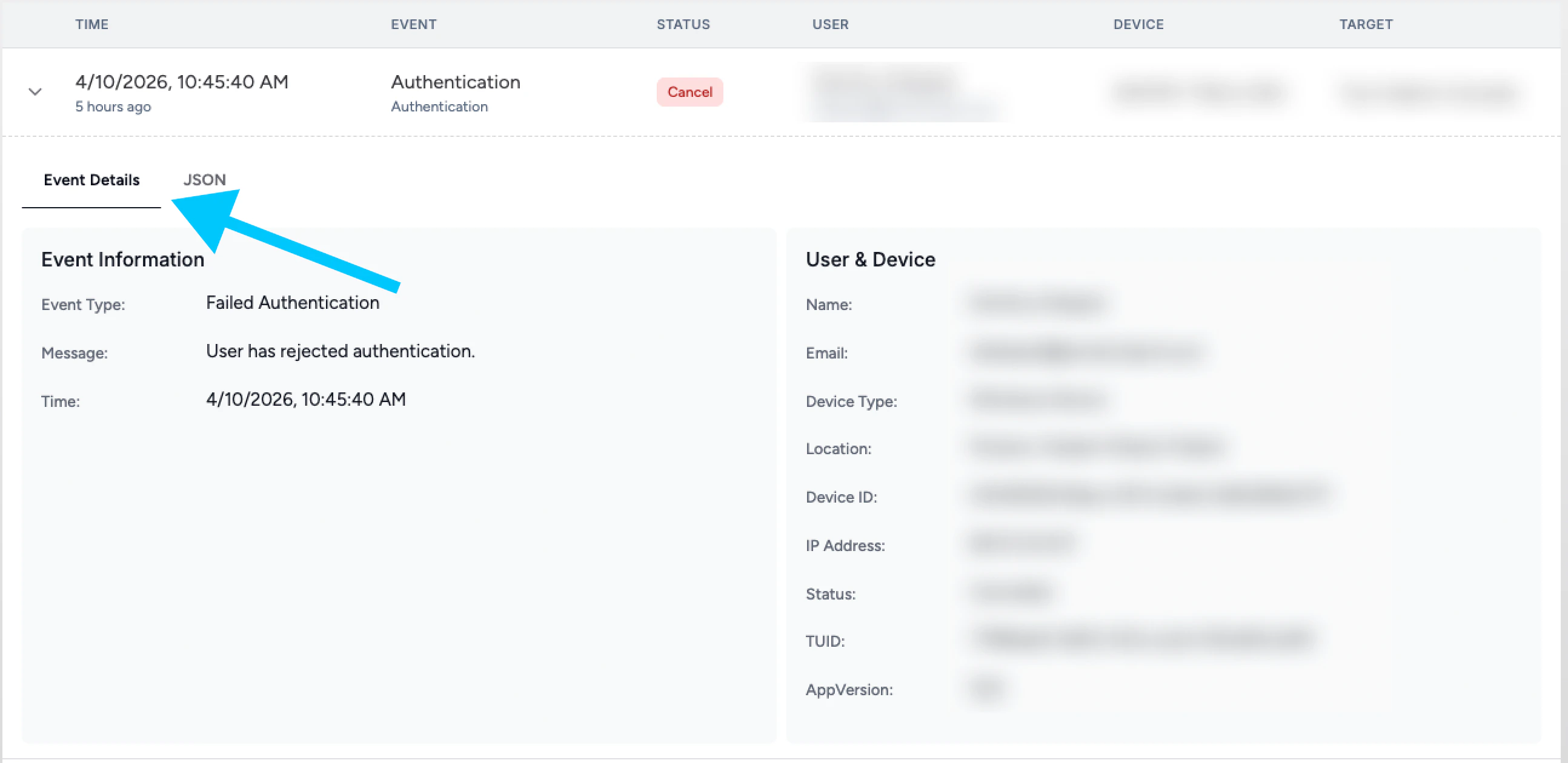
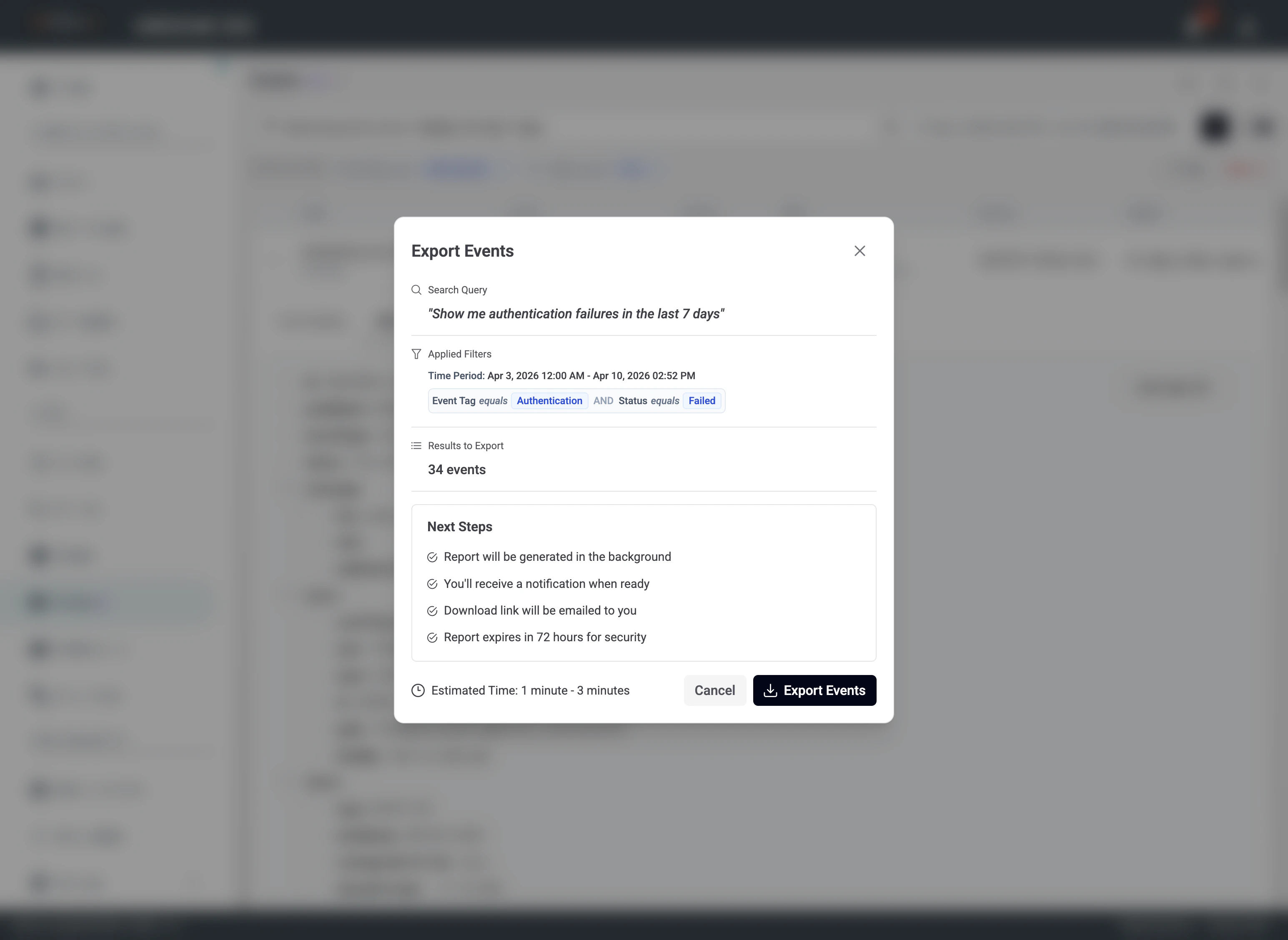
Export
The dialog summarizes your search query, time range, applied filters, and how many events will be included. Confirm those match what you intend (list results vs an aggregation you still have on screen). Processing is asynchronous; use the in-app notification and email link before it expires.
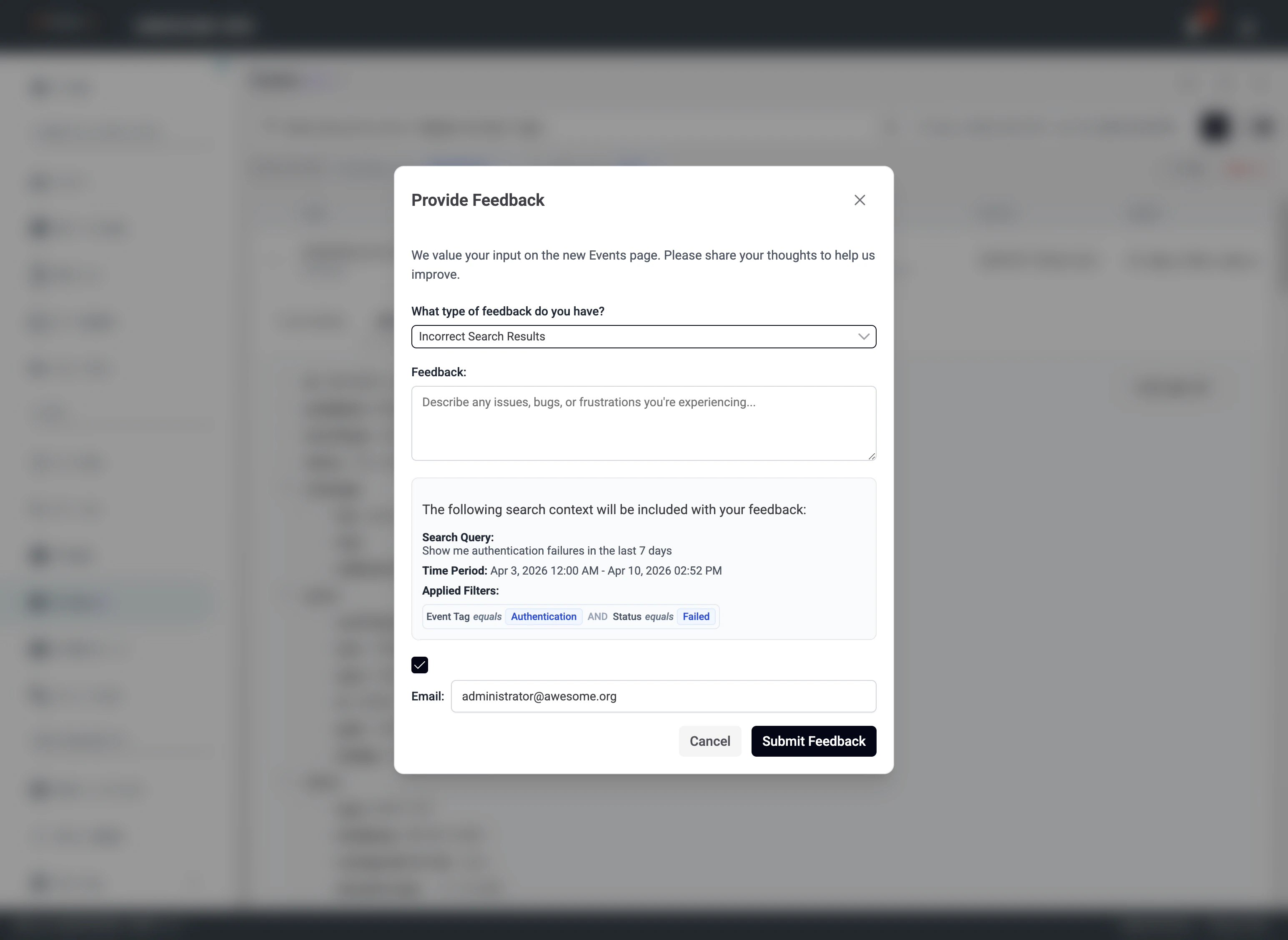
Feedback
Use Feedback when results are wrong or unclear. Choose a category, describe what you expected versus what you saw. TruU receives your query, time range, and applied filters with the message.
Privacy considerations
Natural language search is built so your security and privacy stay first.Your event data stays in TruU’s trust boundary
The AI does not learn from your event payloads. It is aware of data structure and field names only—it does not see, process, or store your actual event content for model training. Sensitive event data remains in TruU’s secure backends, under the same protections as the rest of the platform you use today.How it works
- The LLM is oriented around schemas and query patterns, not customer content.
- The model acts as a translation layer: your words become structured queries.
- Retrieval of events happens in TruU’s existing backend systems after that translation.
Enterprise-grade AI safeguards
- TruU uses an enterprise LLM with strict isolation and no retention policies appropriate for this use.
- Customer queries and data are not used to train or improve the model.
- AI processing follows the same encryption, access controls, and compliance standards as the core Admin Console.