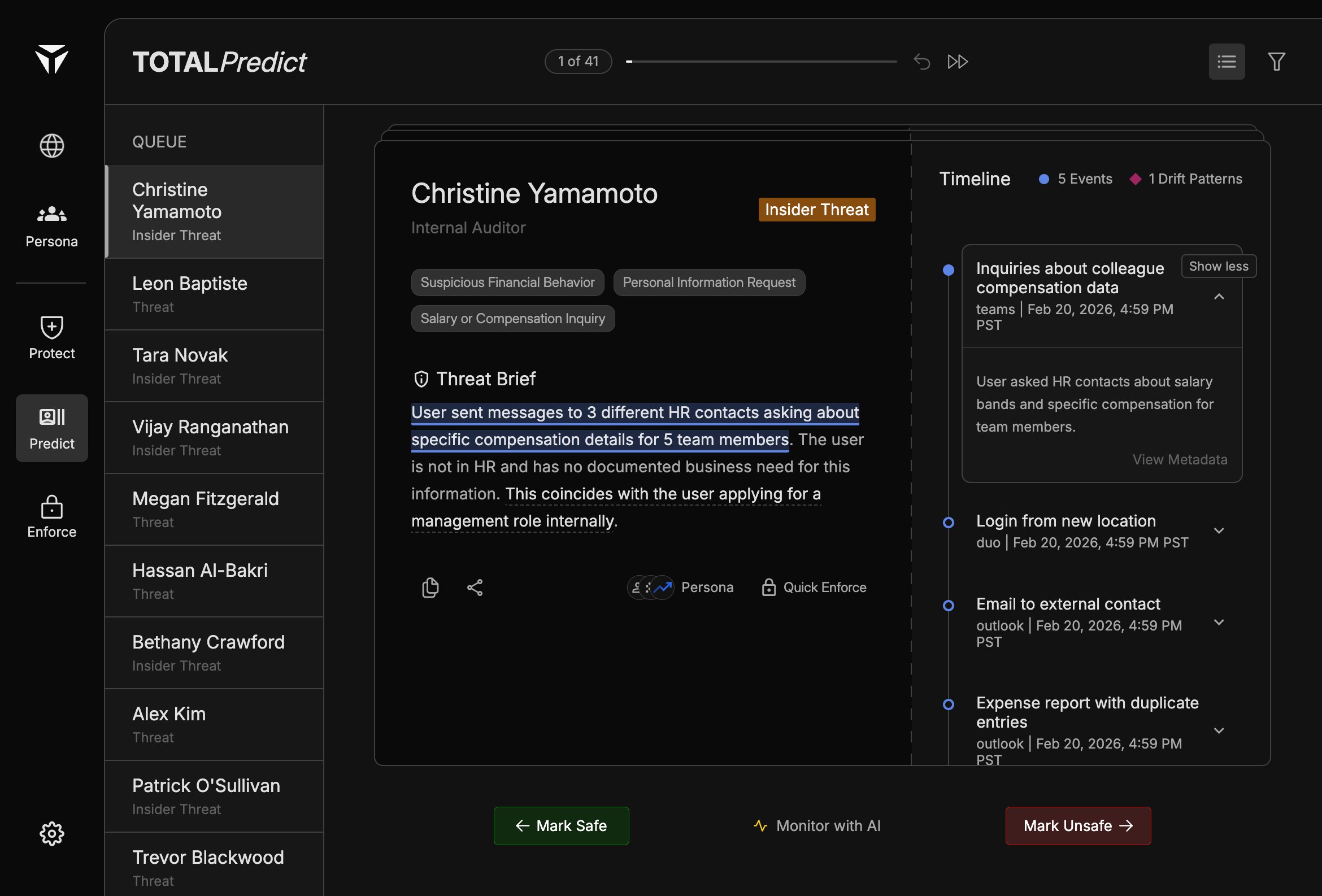
The timeline complements the Threat Brief: the brief tells the story; the timeline shows what happened and when. Scroll to compare multiple items before you choose Swiping Actions or Quick Enforce.
Rows use Blue dots for standard Events and red diamonds for Drift Patterns. Events are point-in-time observations; drift patterns reflect sustained or evolving deviation from expected behavior. Both types can support Citations in the brief.
Click a row to expand it. Expanded content includes a short description of the activity (for example what was asked or observed) and actions such as View Metadata for deeper fields.
Inside an expanded row, read the summary line first, then open metadata when you need identifiers, timestamps, or source system detail. Cross-check highlighted phrases in the Threat Brief against the matching row before you Mark Safe, Monitor with AI, or Mark Unsafe.
Was this page helpful?
Assistant
Responses are generated using AI and may contain mistakes.