

Overview
Selecting Monitor with AI records a continue monitoring outcome instead of clearing the case (Mark Safe) or flagging it for follow-up as unsafe (Mark Unsafe). The case stays open while TOTAL keeps evaluating the identity.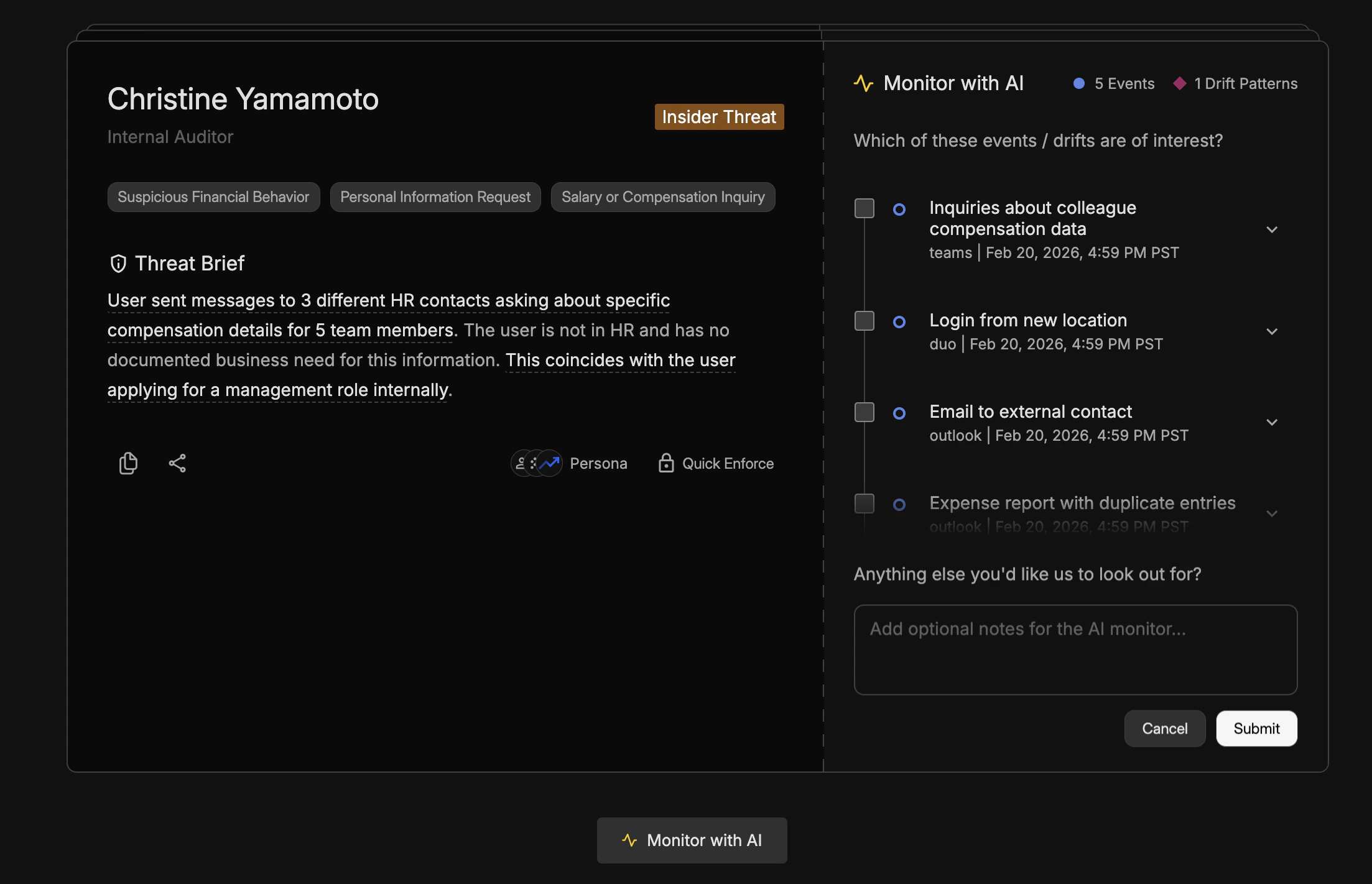
When to Use It
Use it when the Threat Brief or Timeline is inconclusive—for example early-stage insider patterns, one-off context that might be benign, or activity that needs more time or more events to judge. It is also appropriate when policy requires a waiting period before enforcement.How It Works
After you select Monitor with AI, TOTAL keeps monitoring without applying the outcomes tied to Mark Safe or Mark Unsafe. When you click Monitor with AI, the console asks you to mark any events or drift patterns that are of interest and optionally add an (optional) note of what you’d like Total AI to look out for, for this case. These cases will move out of the triage queue for now, but will reappear if Total AI senses something suspicious, given your feedback.You can return to the case later via the Triage Queue or related workflows if new suspicious activity for this case happens. For immediate response options, see Quick Enforce and Swiping Actions.