

Highlights
- Light and Dark Mode Support for Enrollment
- Autologon Configuration
Enhancements
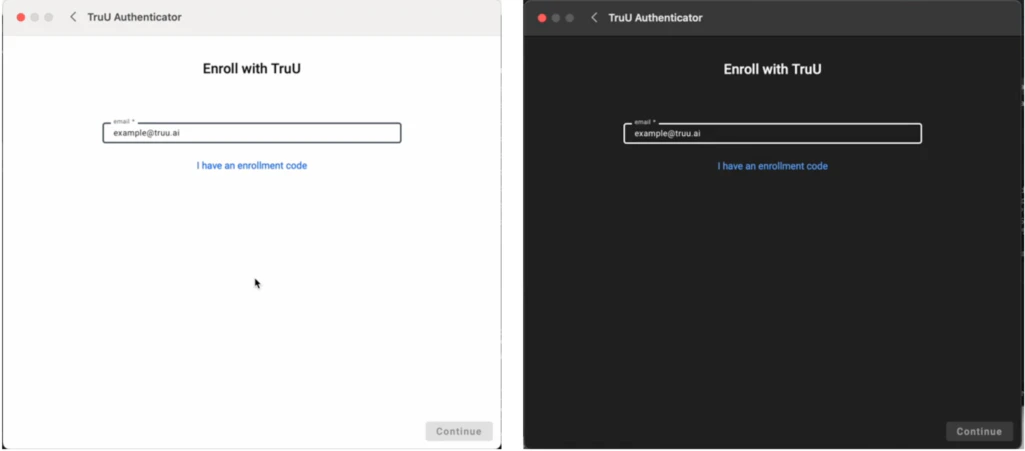
Light and Dark Mode Support for Enrollment
- When enrolling in TruU the Authenticator will now honor the Appearance setting in macOS for the Mac Authenticator for all screens including the enrollment screen that had previously only supported a dark appearance.
Autologon Configuration
- We now provide an option (through a Config File setting) to determine if FileVault Autologon is enabled or disabled. When Autologon is enabled, the TruU login screen is not presented to users after unlocking FileVault after cold boot. When Autologon is disabled, the user is presented with the TruU login screen after unlocking FileVault after cold boot.
Bug Fixes
- Fixed an issue which caused a smart card initialization error to appear after an OS upgrade.
- Fixed an issue where all user accounts on the Mac would ask users to enter their PIN on the login screen even if the user had not enrolled with TruU.
- Fixed an issue where messages indicating that the incorrect PIN was used would also contain extraneous letters.
- Fixed an issue that prevented the user account from being created when deploying TruU using Jamf Setup Manager.
Known Issues
MA 25.1.2 Release Notes MA 24.5.1 Release Notes