

Highlights
- Directory Group Membership Available Locally
- ADE Tracker
- Option to Delay Phase 2 Enrollment with ADE
- Removed Rockets and Astronauts
- Diagnostics View
- Bug Fixes
Enhancements
Director Group Membership Available Locally
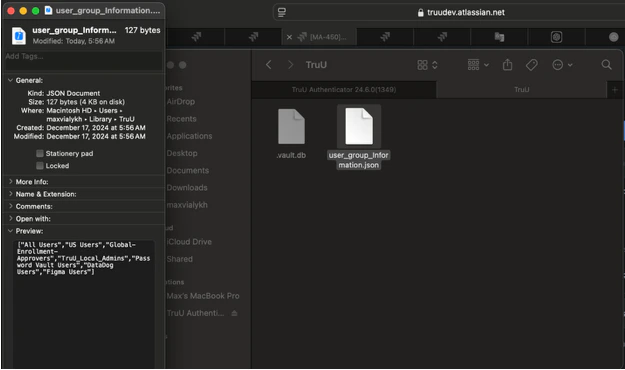
- TruU now stores a user’s directory group membership (from Entra ID, Active Directory or Okta Uninversal Directory) information in a file stored on the Mac so that they can apply local policies based on group membership. With this version (or higher) of the agent and the 171 (or higher) Identity Servers, we will make this file available on the machine (/Users/<username>/Library/TruU/user_group_Information.json).
ADE Tracker
-
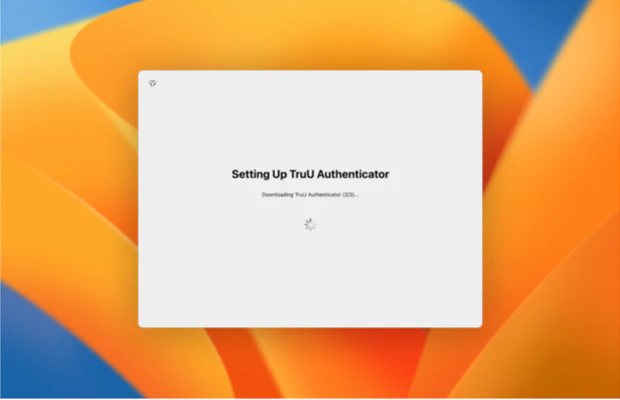
In order to better support deployment of the Mac Authenticator using ADE, we have created a small application that is installed during the ADE deployment that informs users what is happening with the TruU installation, and ensures that the Mac Authenticator is installed before proceeding (this addresses a problem some users had experienced when trying to install on a slow network).
- NOTE: Mac Authenticator download is now a dmg file consisting of two pkg files (one for the Mac Authenticator and one for the ADE Tracker).
- NOTE: The ADE tracker is incompatible with deployment via Intune, due to Intune’s lack of support for ordering packages
Option to Delay Phase 2 Enrollment with ADE
- We have also had requests to be able to configure when the phase 2 enrollment begins. Specifically, customers had asked to run the post enrollment after a reboot. This can now be controlled through the config file (by setting “runPostEnrollmentAfterReboot” to “true”).
Removed Rockets and Astronauts
- We have also removed the rocket circling the moon spinner that we used to show during enrollment and replaced that with a standard loading spinner (as seen in the ADE tracker above), and have removed the astronauts that appeared on our error screens.
Diagnostic View
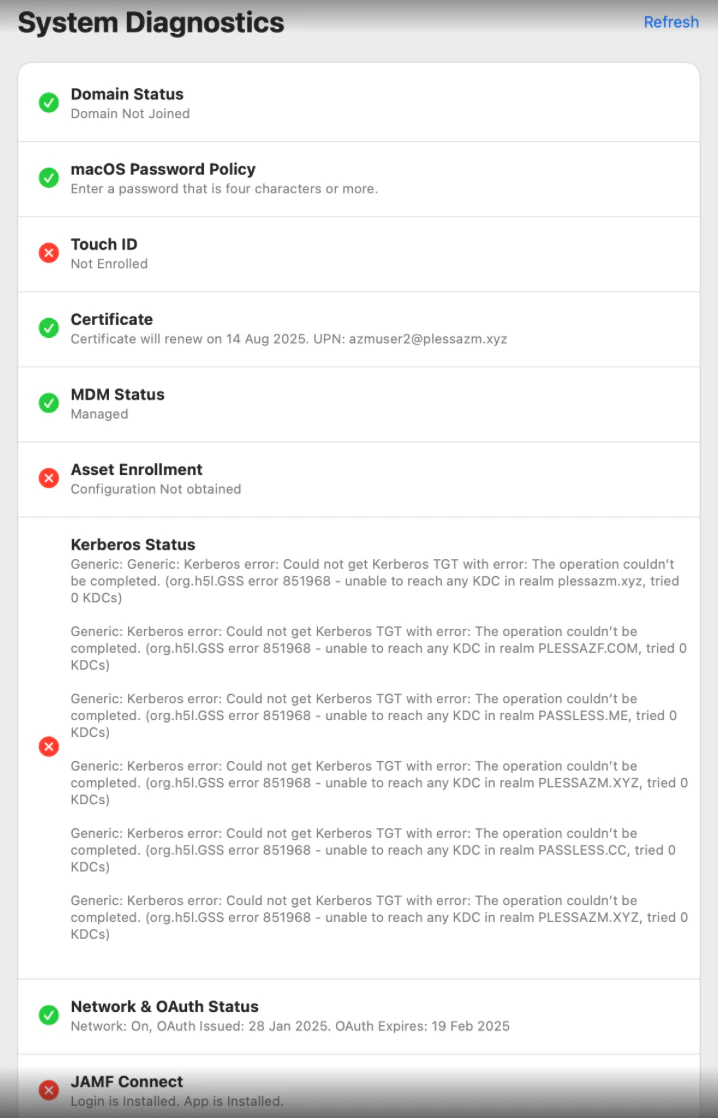
- We have introduced a view in our Mac Authenticator in which admins are able to quickly determine the state of a system, further allowing them to gather information regarding the system status of a user without needing to send logs or wait for the assessment of potential issues. When a user clicks the “Show Diagnostics” button in their profile menu icon, a new window is displayed with the following items seen in the images below:
Bug Fixes
- We have removed an extra prompt that would appear during enrollment for the keychain password for SmartCard pairing.
- We have fixed an issue that prevented some users from enrolling (enrollment would fail when trying to create a PIN).
- We have fixed an issue where an enrolled user would see a notification prompting user to enroll with TruU.
- We now inform an existing user that their account already exists and prevent them from continuing with enrollment if they try to register the same account from the lock screen.
- We have now provided more stability for Nitro SSO authentication.
- We have fixed an issue where, upon attempting to create a PIN while enrolling, the agent displayed the error message “Oops! Something went wrong”. Now, even after restarting the device, this error message will no longer appear.
- We have fixed an issue where, upon filtering events for application access only, TruU showed MacOS unlock events, thereby making it impossible to view the application access events only. This has now been resolved.
Known Issues
MA 25.2.3 Release Notes MA 25.1.1 Release Notes