

Highlights
- New Sign-in UI
- Branding Capabilities for New Sign-in UI
- Enrollment Events
- Improved Error Handling
- Improved Sign In Performance
- Validation of Config File
- TruU .NET version 8.0.14 Support Validation
- Bug Fixes
Enhancements
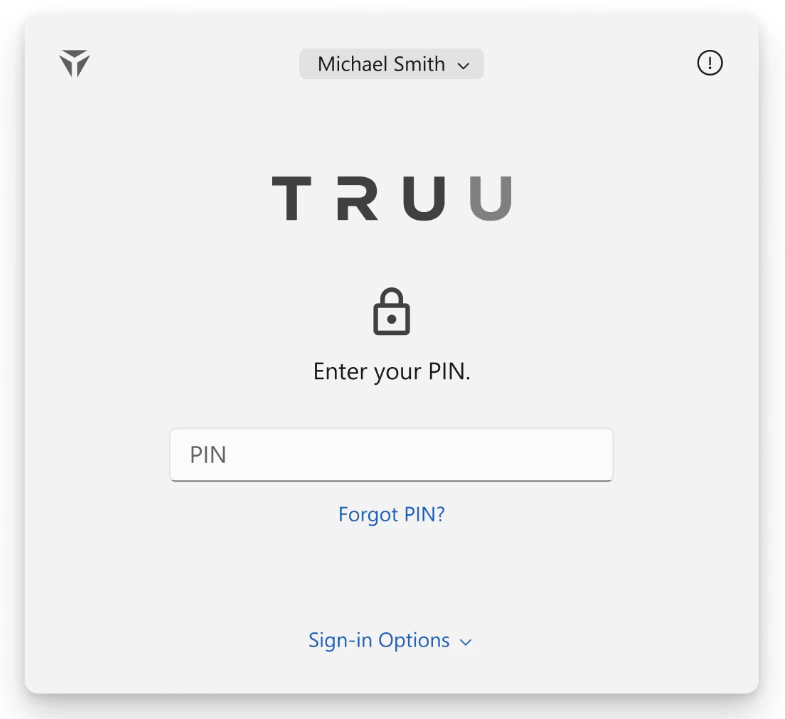
New Sign-in UI
- With our new and improved Sign-in UI, we have completely redesigned the sign-in experience. It now is both an intuitive and straightforward process, providing a seamless sign-in experience for each and every end user. This includes subtle animations to help users through the sign-in workflow, as well as updated native screen to present a more consistent experience.
Branding Capabilities for New Sign-in UI
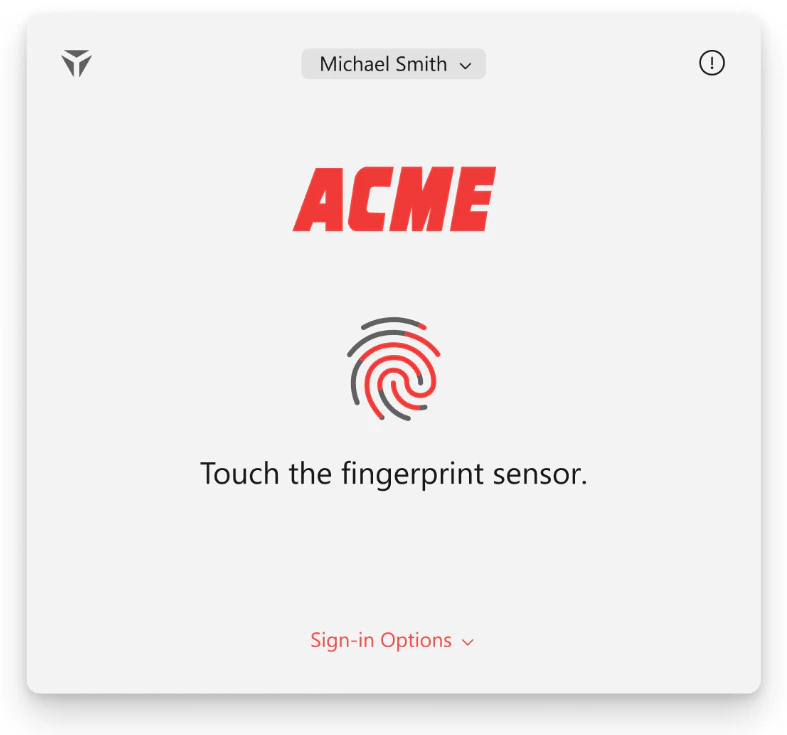
- To complement our redesigned sign-in experience. we also allow administrators the ability to add branding to their end users’ sign-in experience. Keeping one’s brand consistent throughout the process, we want to help your users feel confident that they are using the correct software, as they will otherwise see your company logo.
Enrollment Events
- The Windows Authenticator now sends events when enrollment begins and when enrollment ends or is cancelled. These events are visible in the Admin Console and include details about the client system, as well as information on any errors the user may have encountered while enrolling.
Improved Error Handling
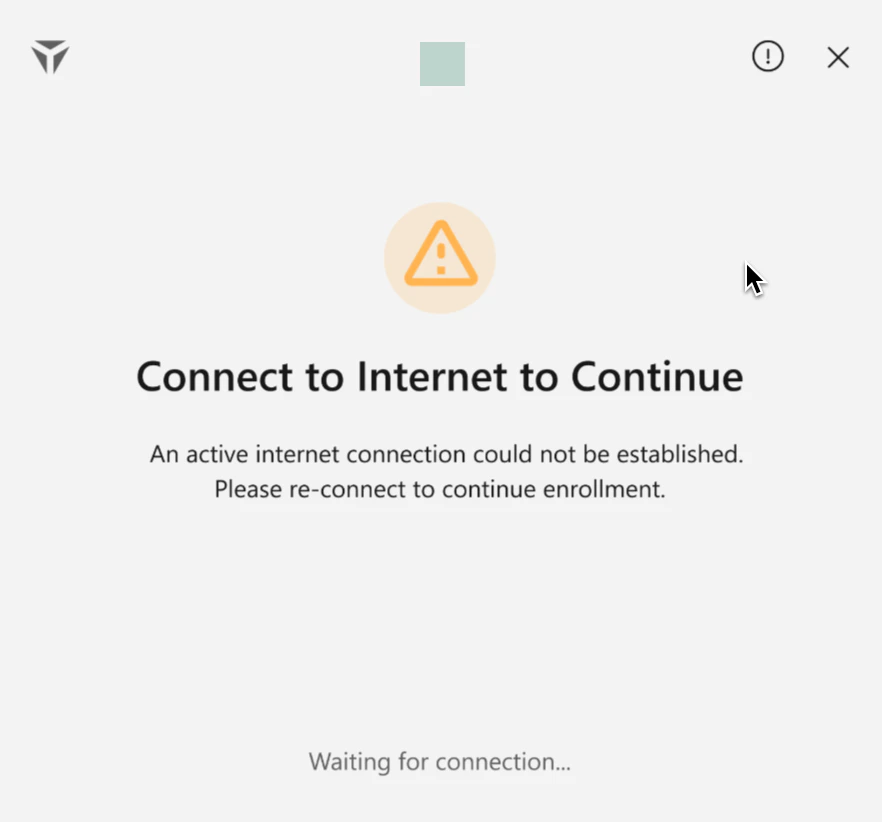
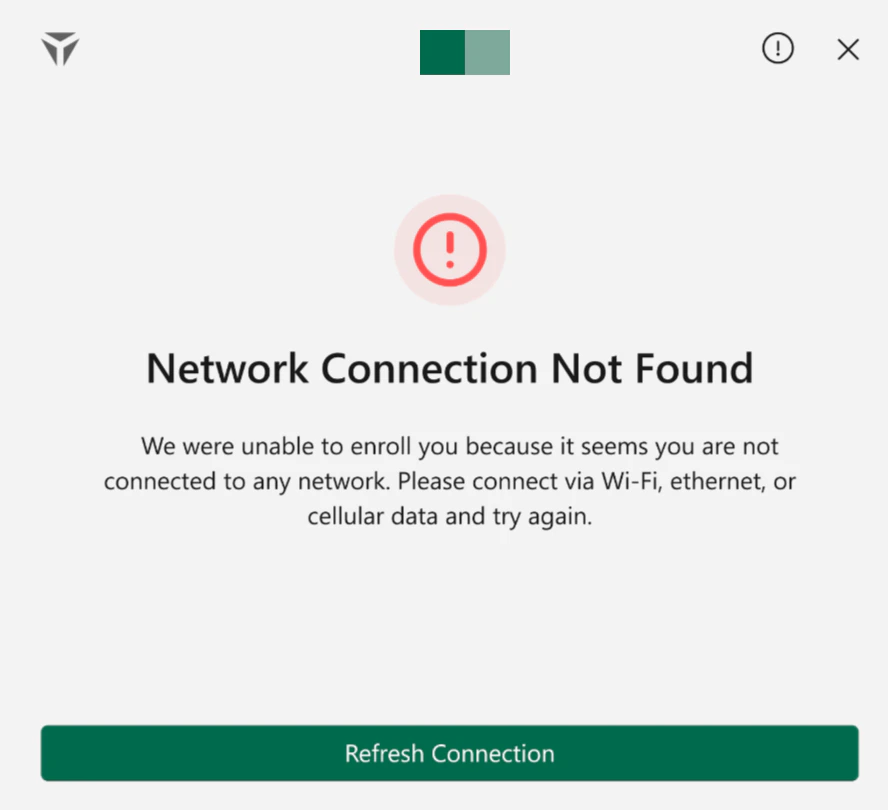
- In this release, we have implemented several different instances of more user friendly error failover events throughout workflows. For instance, the user will see more detailed errors during the enrollment process if there happens to be an issue creating a smart card. Users will also see more informative error screens with respect to diagnostics for login issues.
Improved Sign In Performance
- After a user enters their PIN or successfully authenticates using their biometrics, signing in to your workstation will proceed much faster. We have focused here on improving both the stability and functionality of the sign-in process, as addressed in this feature.
Validation of Config File
- With this release, our Windows Installer will now flag common errors surrounding corrupted or invalid config files, ensuring that users stay informed about the login/enrollment processes.
TruU .NET version 8.0.14 Support Validation
- Administrators now are free to upgrade their .NET version to 8.0.14 to support TruU functionality.
Bug Fixes
- We have fixed an issue where administrators would see duplicated login events in the admin console for the same device. Now, events are represented properly.
- We have fixed an issue where if a network API call failed, the user would see an “error” or “failure” message. Now, it will automatically retry the API call.
- We have fixed an issue where, if an administrator deletes a computer from the admin console, the user would be left in a zombie state, unable to enroll. Now, upon deletion, it will uninstall TruU entirely from the console.
- We have fixed an issue where users’ enrollments failed when creating a PIN. Users now can enroll properly without fail.
- We have fixed an issue where software from other vendors interfered with TruU, preventing the sign-in UI to be presented. Now, users can click a button to show the UI - if it is being blocked - so they may sign-in using TruU.
- We have improved the reliability of web SSO authentications.
- We have fixed an issue where the “Get Started” button is unresponsive on the Lock Screen. Now, users should be able to begin the enrollment process as designed.
- We have fixed an issue where users that have not used TruU for a significant amount of time (more than 3 months) would see a “Username or password is incorrect” error from Windows when trying to sign in. Now, user sign in should succeed.
- We have fixed an issue where if an Admin removes a user from the Admin Console - thus the user then is unenrolled - they would be unenrolled but not forced out of their system session. Now, users will be locked from the system session upon removal from the Admin Console.
- We have fixed an issue where if standard users run a command as an Admin - or have enabled authentication for UIC - the windows prompt appears in the background behind the TruU UI. Now, if you are a standard user who is trying to authenticate in such. manner, we no longer automatically show the TruU prompt screen.
Known Issues
WA 25.3.2 Release Notes WA 25.2.2 Release Notes