

Highlights
- Note: Recommended to install with a new configuration file
- Support for external biometric cameras
- Added Biometric Permissions
- Auto Submission of PIN
- Translations for Traditional Chinese and Malay
- Additional Pre-enrollment Checks
- Support for .Net (v 8.0.17)
- Proper Handling of ESS
- Guidance to user to re-add their fingerprint when experiencing repeated errors
- Configurable Credential Provider Filtering
- Configuration of Add Biometric Notifications
- Configuration of “Add User” on Login Screen
- Support for Custom Help Desk Information
- Configurable Self-Service Password Reset URL
- Configurable Custom Text on the Enrollment “Getting Started” view
- Improved Error Messaging for Sign-in errors
- Improved process to cache Windows credential for offline sign in
- Improved experience when adding a facial biometric
- Improved messaging when a compatible biometric camera is not present
- Feedback submitted before enrollment captures user identifier
- Support for sign-in events for other credential providers in TruU Admin Console
- Bug Fixes
Enhancements
Note: Recommended to install with a new configuration file
- This release includes some self-healing functionality, and it is recommended to install the update with a new config file to enable this functionality.
Support for external biometric cameras
- TruU now supports the use of both an internal laptop camera and an external camera for adding facial biometrics and for authentication. A camera must be IR capable to be used for facial biometrics.
Added Biometric Permissions
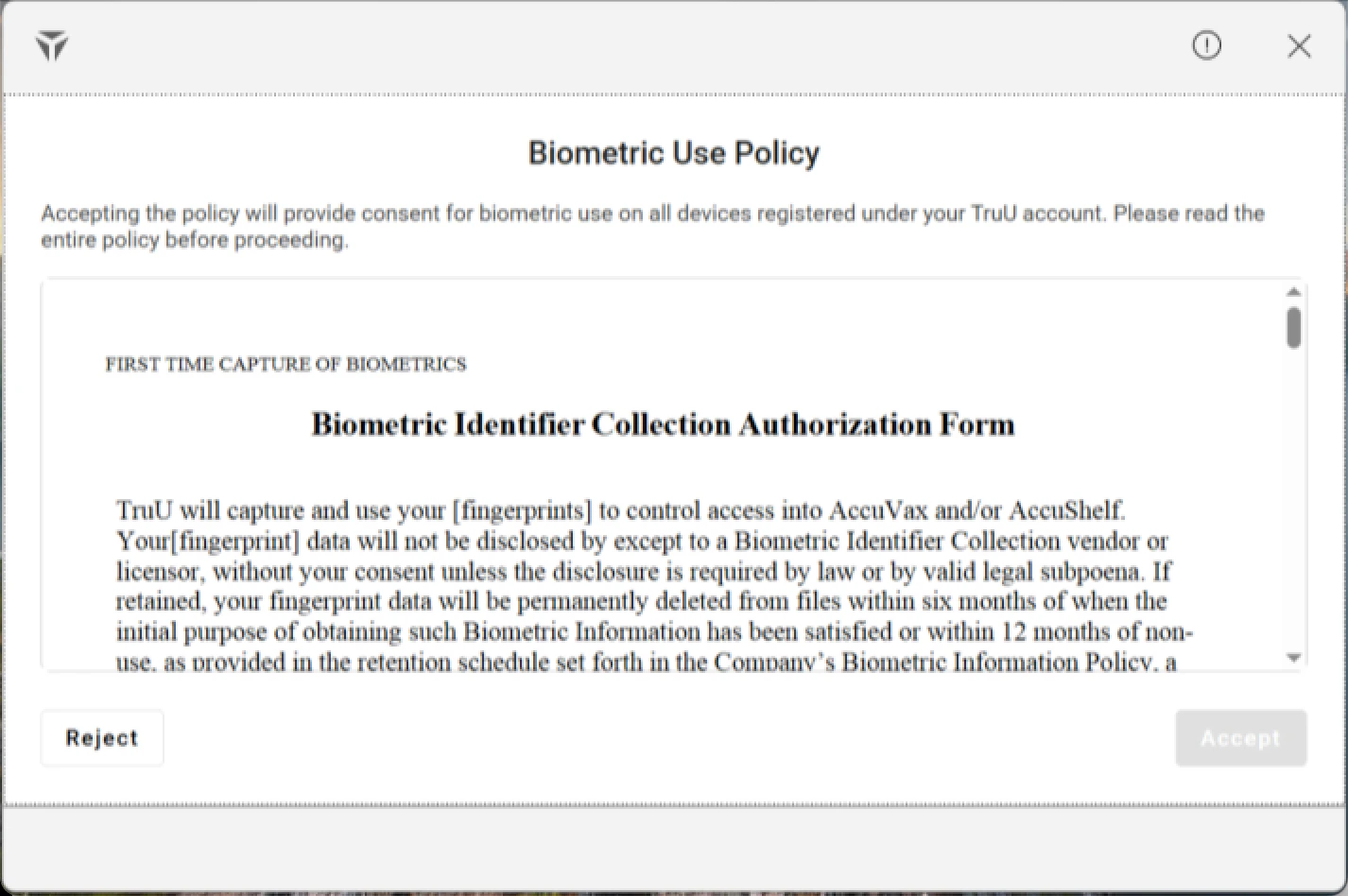
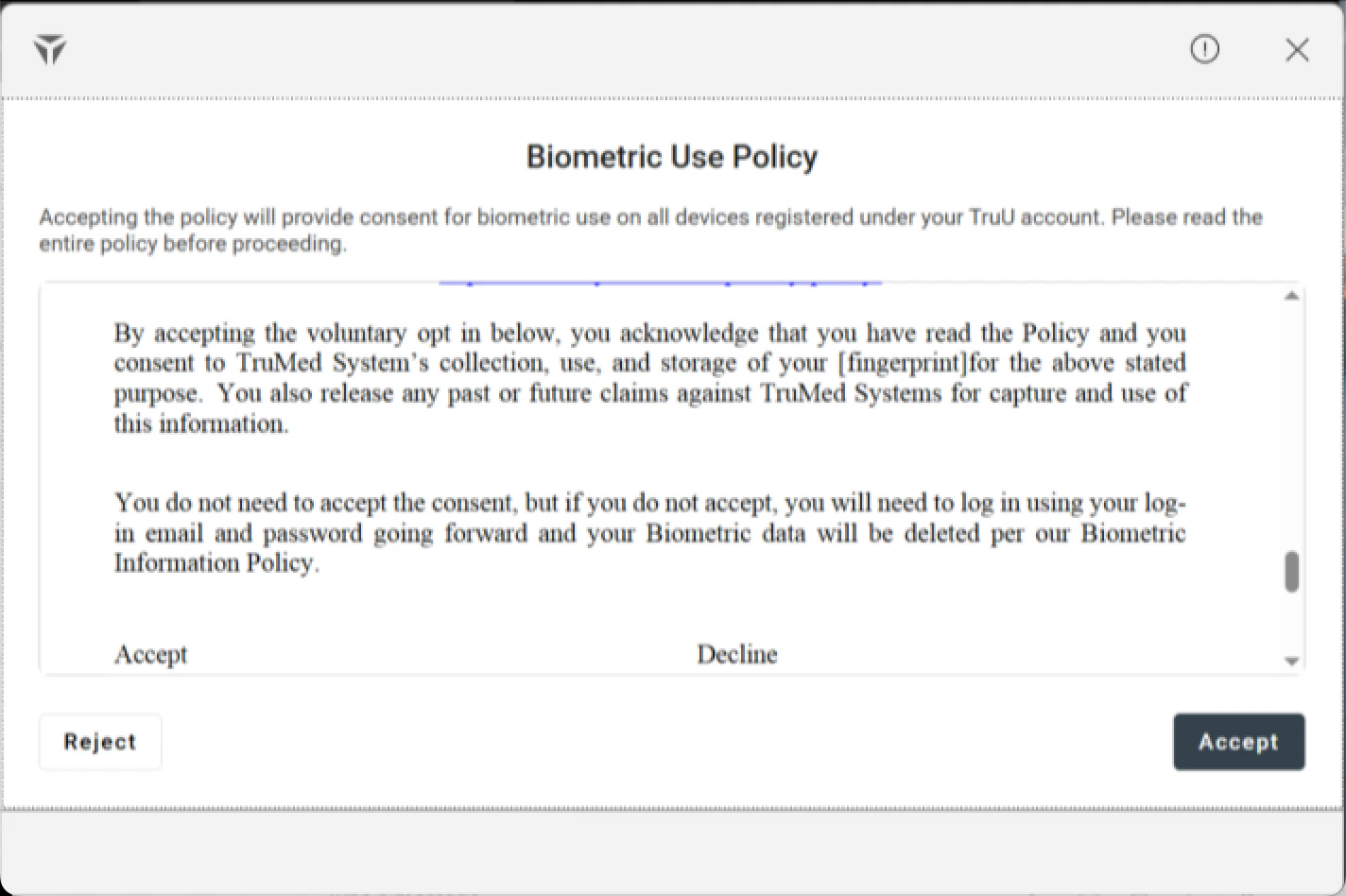
- In some cases, organizations necessitate that their users accept their corporate biometric policies before they authenticate into their workstations. Now, TruU enables organizations the ability to require biometric permissions from the end user before they can login using their fingerprint or facial biometrics.
Auto Submission of PIN
- In the past, users would have to click the “Enter” button after each individual PIN authentication attempt. Now, with this change, after the first PIN authentication attempt - where the user would indeed have to click the “Enter” button to submit - users would automatically login upon completion of their unique PIN.
Translations for Traditional Chinese and Malay
- Now, across our products, we support translations for both Traditional Chinese and Malay, along with the other languages supported for internationalization support (See Internationalization Support).
Additional Pre-Enrollment Checks
- With this release, we have added additional pre-enrollment checks to ensure/check the health and status of different subsystem services and drivers. This way, we can give more of an explanation to the user if they encounter some sort of error due to unhealthy/uninstalled system software.
Support for .Net (v 8.0.17)
- With the launch of the latest version of .Net 8, TruU now supports this updated version (8.0.17). If you choose to run our new installer, it will update your system to the newest version of the .Net 8. Either independently of our updated installer or with, users are now able to update confidently to the newest version of the .Net 8.0.17.
Proper Handling of ESS
- In this release, we now detect when ESS is enabled for fingerprint readers; furthermore, we properly handle it so users can have a smooth fingerprint enrollment and login process.
Guidance to user to re-add their fingerprint when experiencing repeated errors
-
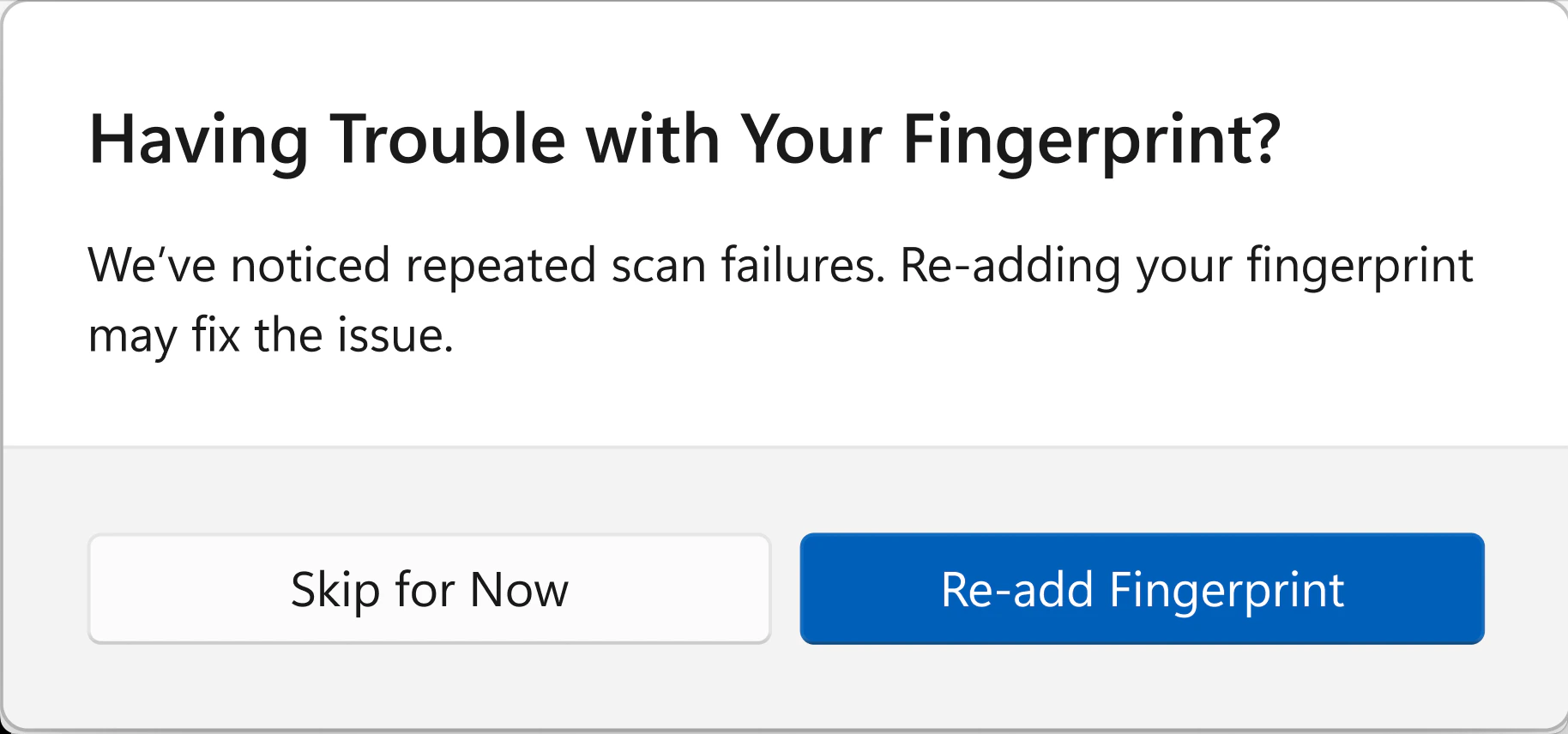
Users experiencing many repeated failures signing in using their fingerprint will now see a series of new prompts asking if they would like to try re-adding their fingerprint.
Configurable Credential Provider Filtering
- Administrators will now be able to configure which credential providers are available for sign in, RDP, and UAC. They will also be able to customize the available credential providers depending on if any user has enrolled with TruU or not.
- There are six registry settings that take a list of allowed credential provider GUIDs to allow. Three govern the allowed credential providers at all times. They control sign in, RDP, and UAC. Three additional settings only apply when a user has enrolled with TruU and again control the credential providers for sign in, RDP, and UAC.
- If the registry keys are not present, filtering is performed
- There are six registry settings that take a list of allowed credential provider GUIDs to allow. Three govern the allowed credential providers at all times. They control sign in, RDP, and UAC. Three additional settings only apply when a user has enrolled with TruU and again control the credential providers for sign in, RDP, and UAC.
Configuration of Add Biometric Notifications
- Some users do not wish to use biometrics and do not want to be repeatedly notified to add them. Notifications for adding biometrics can be suppressed by setting the
disableAddBioNotificationsconfiguration setting to a value of1.
Configuration of “Add User” on Login Screen
-
Administrators will now be able to configure how a user sees the “Add User” options.
- Setting the configuration value of
hideAddUserSigninto a value of1will remove the option to add another user to TruU on the sign-in interface. - Setting the configuration value of
hideAddAccountto a value of1will remove the option to add another user from the TruU system tray menu when the user is already enrolled.
- Setting the configuration value of
Support for Custom Help Desk Information
- Users will now see the custom values for contacting the help desk on most error screens. These can be configured in the admin console under “Settings” -> “Customization” -> “Labels”.
Configurable Self-Service Password Reset URL
- Administrators can add a URL directing users to their password reset tool by setting the URL in the
ssprUrlconfiguration settings. Users will be directed to use the URL when they experience a sign-in error such as an expired directory password or a locked out directory account.
Configurable Custom Text on the Enrollment “Getting Started” view
- Administrators can customize the message on the enrollment getting started view as well as provide a link for the user to learn more about the benefits of passwordless authentication. This is controlled by setting text in the
enrollmentLearnMoreParagraph, a URL inenrollmentLearnMoreUrl, and a label for the URL inenrollmentLearnMoreLabelconfiguration settings.
Improved Error Messaging for Sign-in errors
- This release enhances many of the common error messages users may encounter when sign in fails. This includes: password expired, account locked out, password change required, account UPN changed, no network connection to AD, and many others.
Improved process to cache Windows credential for offline sign in
- When users enroll while already signed in to their system, they will see a new prompt guiding them to lock their screen and then unlock using TruU. This ensures the Windows credential is properly cached to allow the user to sign in when offline.
Improved experience when adding a facial biometric
- The experience of adding a facial biometric has been improved with a new design, facial tracking, better feedback messages, increased error handling, and support for external cameras.
Improved messaging when a compatible biometric camera is not present
- Many users have cameras that do not include IR capability and have expressed confusiong when they were not able to add their facial biometrics. They will now see a message that an infrared capable camera is not present. In addition, laptop users will see messaging when their lid is closed in a docking station and they need to open it to add their facial biometric.
Feedback submitted before enrollment captures user identifier
- Users would start the enrollment process, encounter an error, and then submit an issue report. These reports did not contain any information about the user submitting the report, making it hard for support to identify the user in need of assistance. In this release, when a user enters their user identifier during enrollment, it will be used when submitting an issue report.
- NOTE: the minimum IDS requirement is 25.190 for this feature
Support for sign-in events for other credential providers in TruU Admin Console (coming in a future admin console release)
- In this release, successful sign-in events will be sent to the admin console whether the user has signed in with TruU or with a different credential provider. This should allow administrators to analyze if users are using TruU for sign in, or are using another method.
Bug Fixes
- We have fixed an issue where upon adding one’s facial biometrics, the preview window was not available. Now, users should see their previewed facial biometrics.
- We have fixed an issue where some users were unable to submit feedback.
- We have fixed an issue where when the camera was slow to load upon facial biometric scan. Now, even if the camera is slow to load, it will indeed scan your face before failing over to PIN authentication.
- We have fixed an issue where some users were unable to add their facial biometric because of a hanging screen.
- We have fixed an issue where the user would see an “Initializing” screen instead of sign in.
- We have fixed an issue where TruU would become unresponsive when trying to cancel adding a facial biometric.
- An incorrect message was shown to the user when they were in a directory group that was not permitted to enroll. Users will now see an error message that properly describes the situation with directory groups.
- Some users were experiencing enrollment failures when trying to enroll using a fallback workflow. This is fixed and should no longer fail.
- Systems that were connected to a docking station and had their lid closed would still prompt the user for their fingerprint when signing in. This has been changed and the sign-in interface will default to PIN when the laptop lid is closed and the fingerprint reader is not available.
- In instances where the user’s issued smart card certificate had expired, they were unable to authenticate with their PIN to modify their biometric settings. This has been changed, and that status of the smart card certificate will no longer prevent a user from modifying their biometrics.
- If users attempted to close the window while adding their facial biometric, the UI would become unresponsive and the user would be unable to proceed. This has been fixed, and users are able to cancel the process of adding their facial biometric by closing the window.
Known Issues
WA 26.1.1 Release Notes WA 25.2.1 Release Notes