

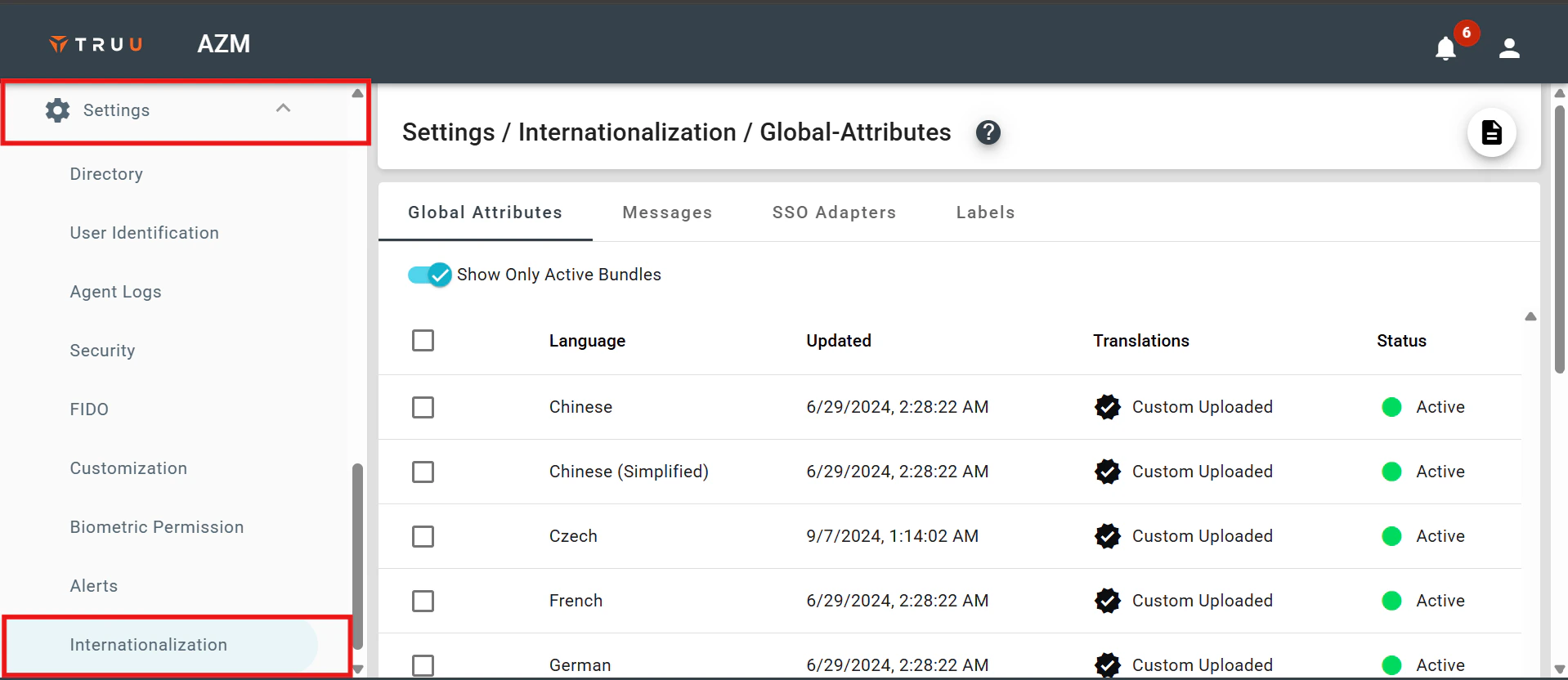
- To localize the language, log in to the TruU Admin console, open the settings dropdown, and select Internationalization.
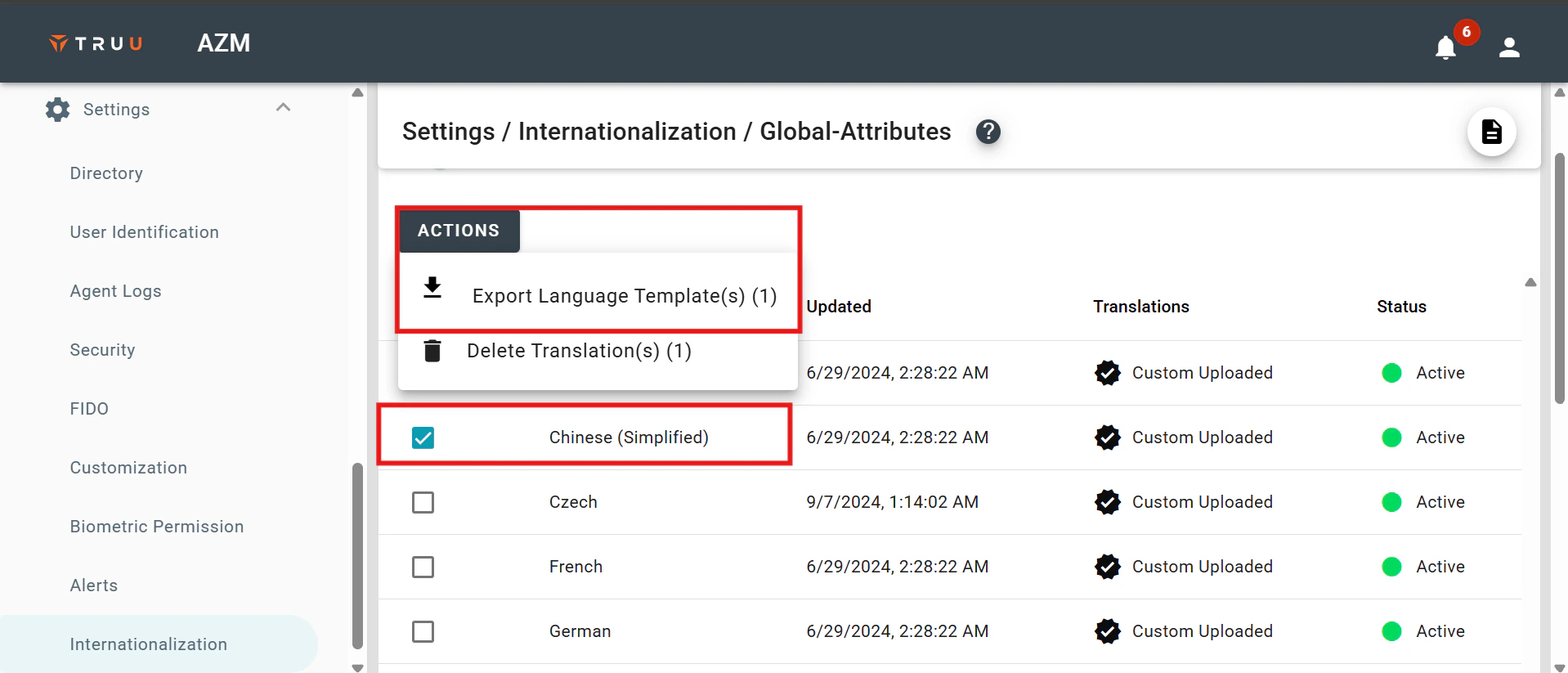
- Choose the desired language, click on Actions, and then select Download Language Template.
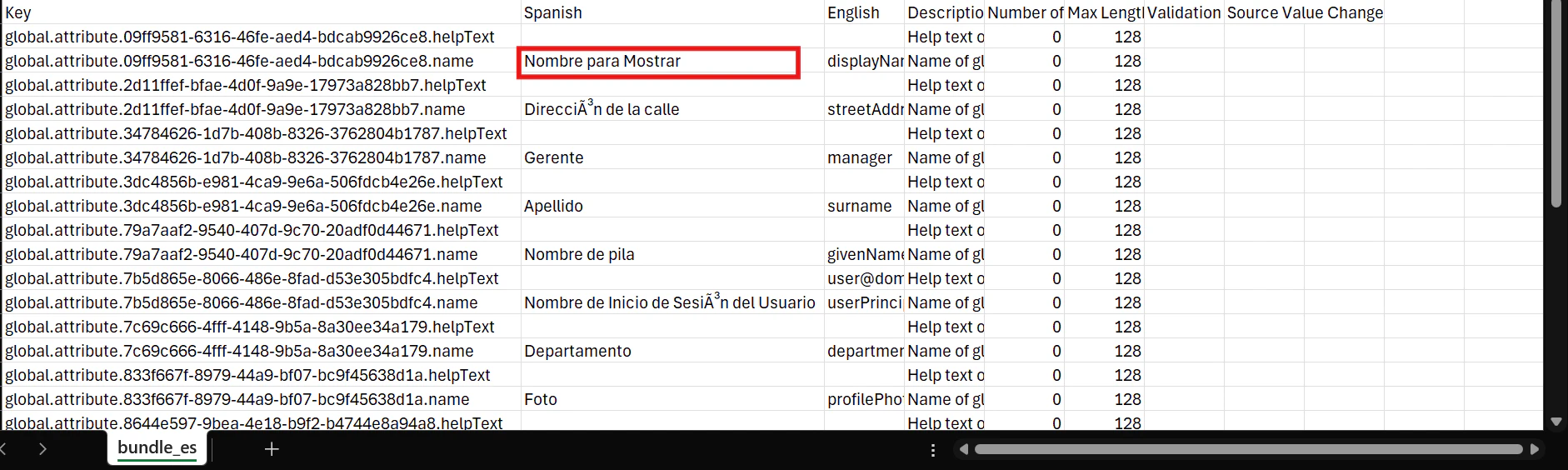
- You can modify the variables to your desired values in the file you downloaded.
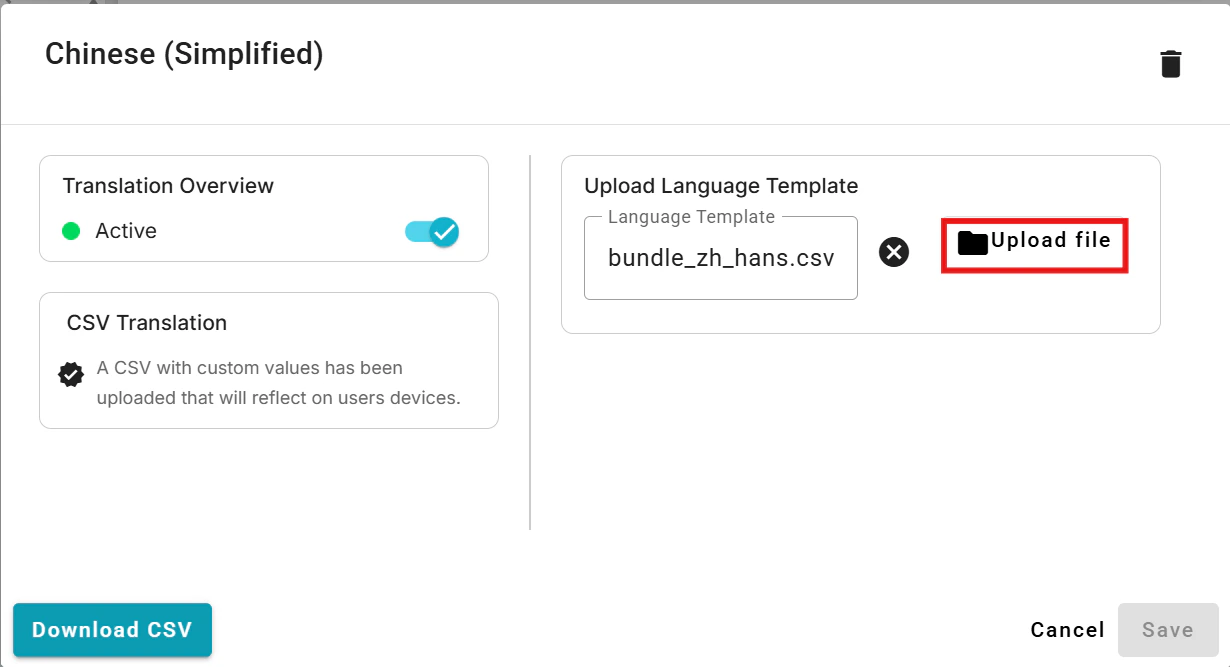
- Now, click on the row for the desired language (the one you exported the template for), and upload the corresponding CSV file.
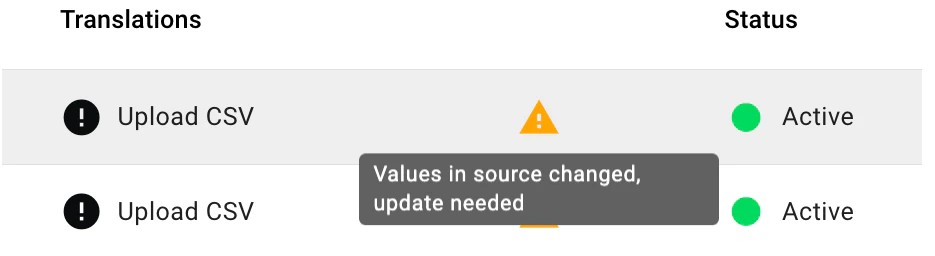
- If the source content is updated after translations have been provided, a warning indicator will appear in the table to notify you that the source content has been modified.
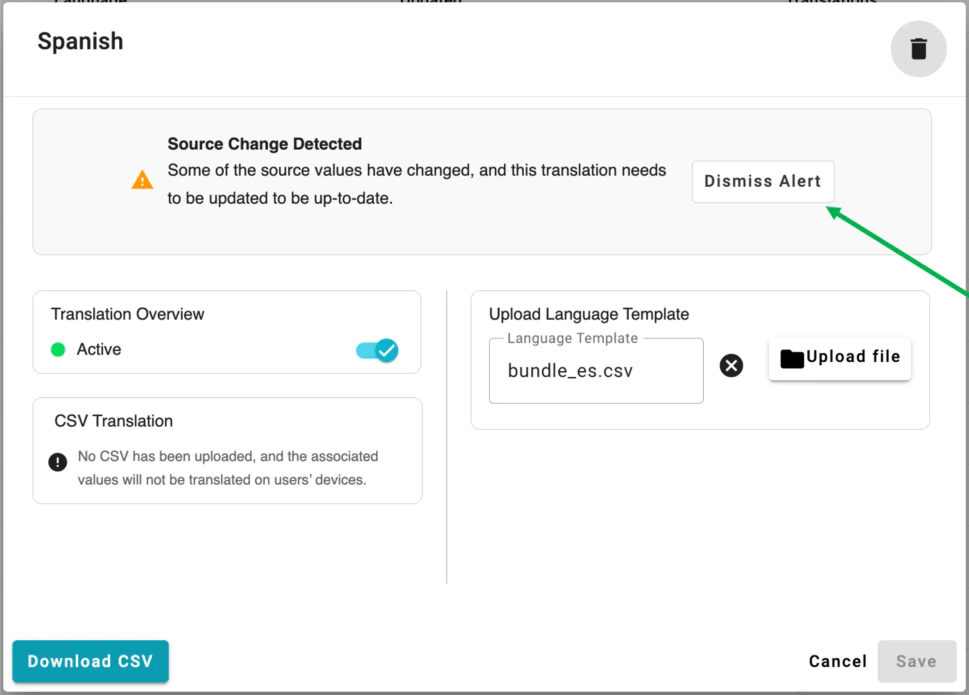
- Downloading the CSV, updating the text as needed, and re-uploading the CSV
- By clicking in the row and dismissing the alert
TruU for RDP and UAC Feature RDP from one laptop to another Use Cases