

- Login to your Windows Workstation
-
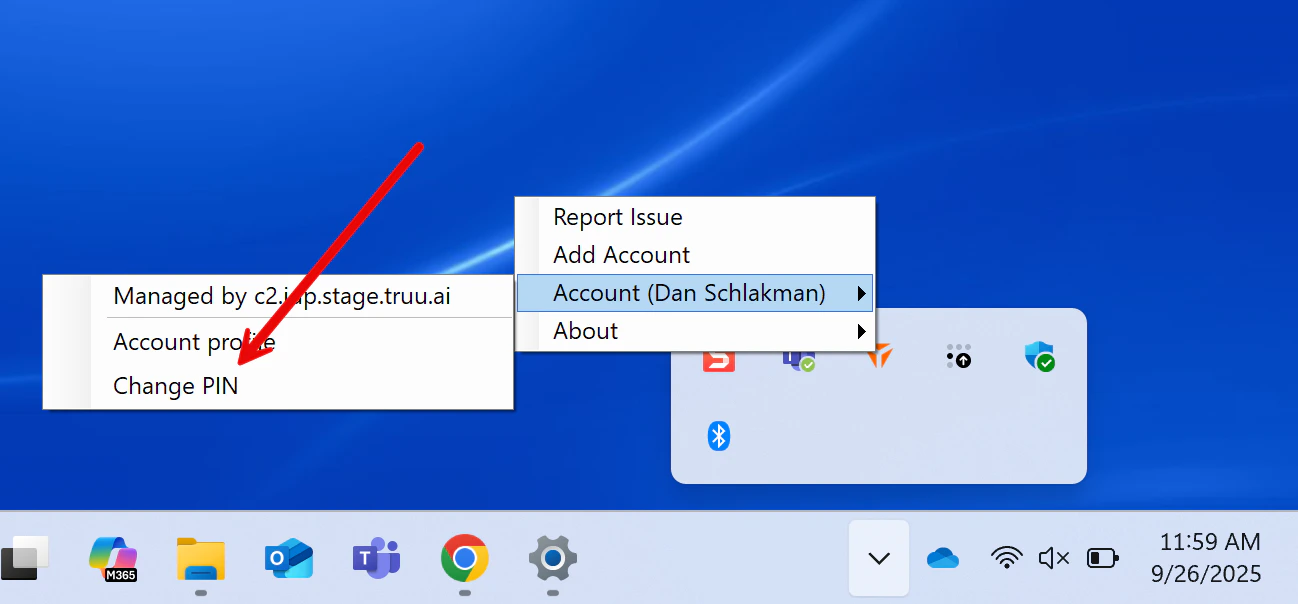
Click the carrot at the bottom of your screen. Right click on the TruU logo, hover over Account and navigate to “Change PIN”
-
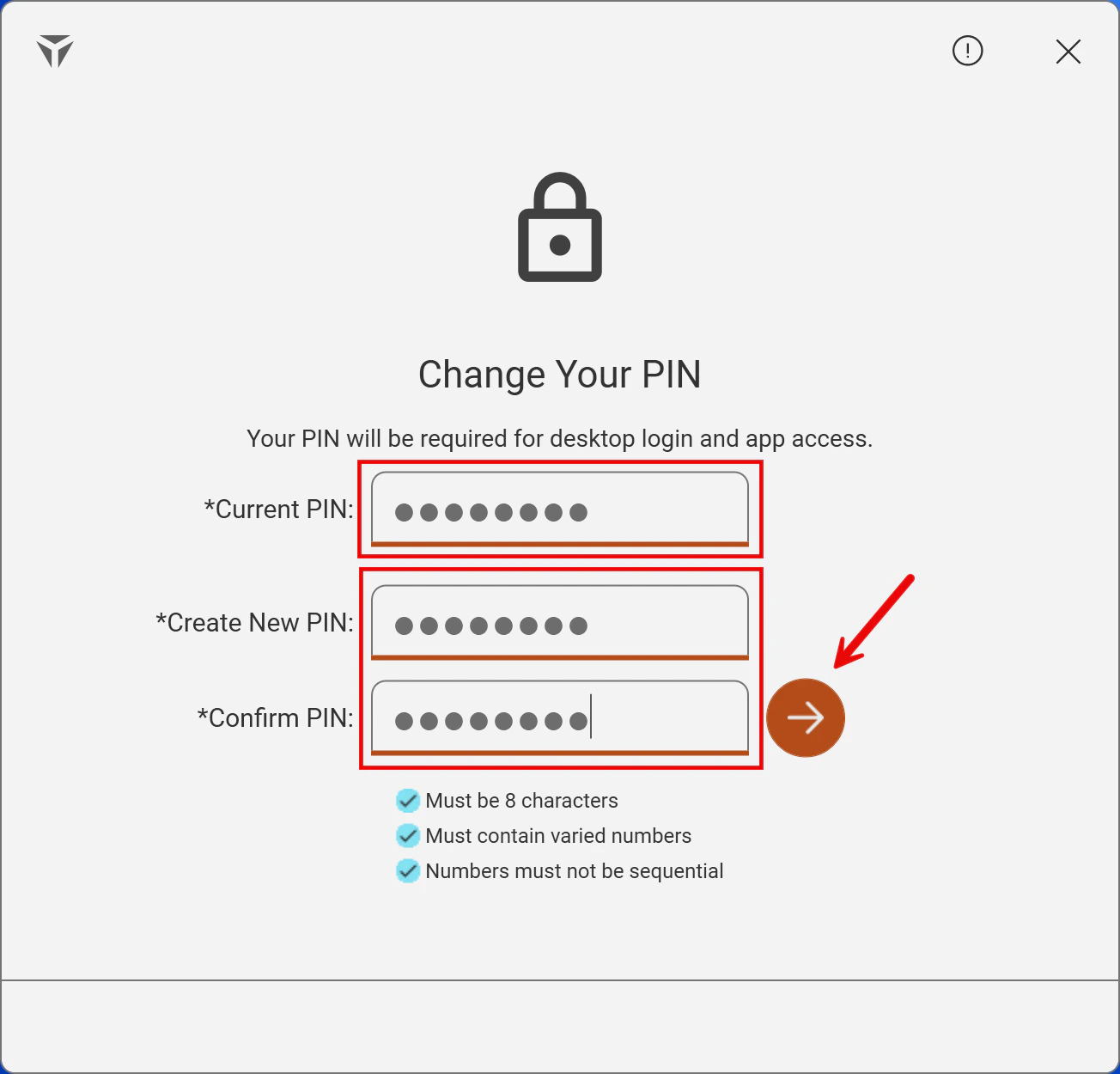
Next, enter your current PIN in the designated box. Then, create a New PIN satisfying the required security requirements. Once completed, click the arrow
-
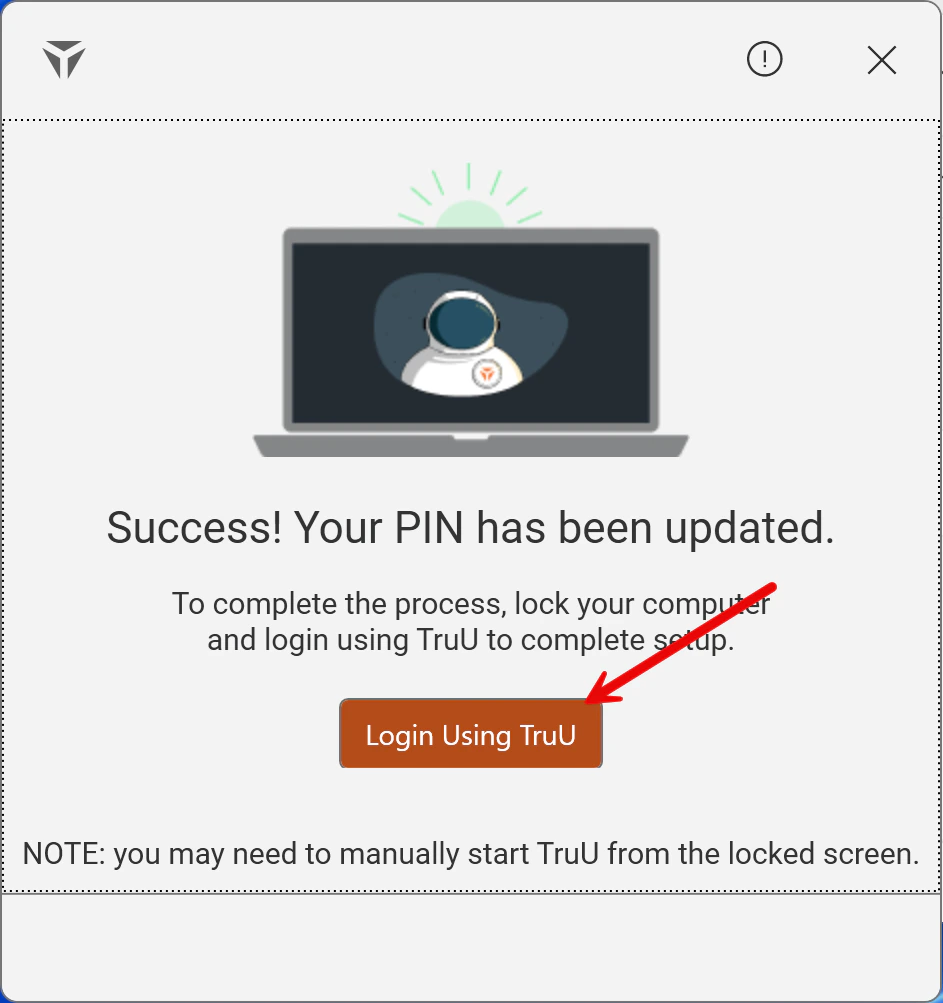
The following screen will populate, and click the Login Using TruU button to finalize your updated PIN
Submitting Logs - Windows Manually Reporting TruU Logs