

- Hybrid-joined devices — allows FIDO2 passwordless sign-in for devices that are both Active Directory domain-joined and Entra ID joined.
- Entra-only devices — allows users to access on-premises resources (file shares, printers, etc.) using TruU FIDO2 Authenticator, without a traditional domain join.
Validate First
Most organizations with a hybrid identity setup already have Cloud Kerberos Trust configured. Before proceeding with setup, verify whether it is already enabled.Check Active Directory
Sign on to a Domain Controller, navigate to the Domain Controllers OU, and confirm that an AzureADKerberos object is present.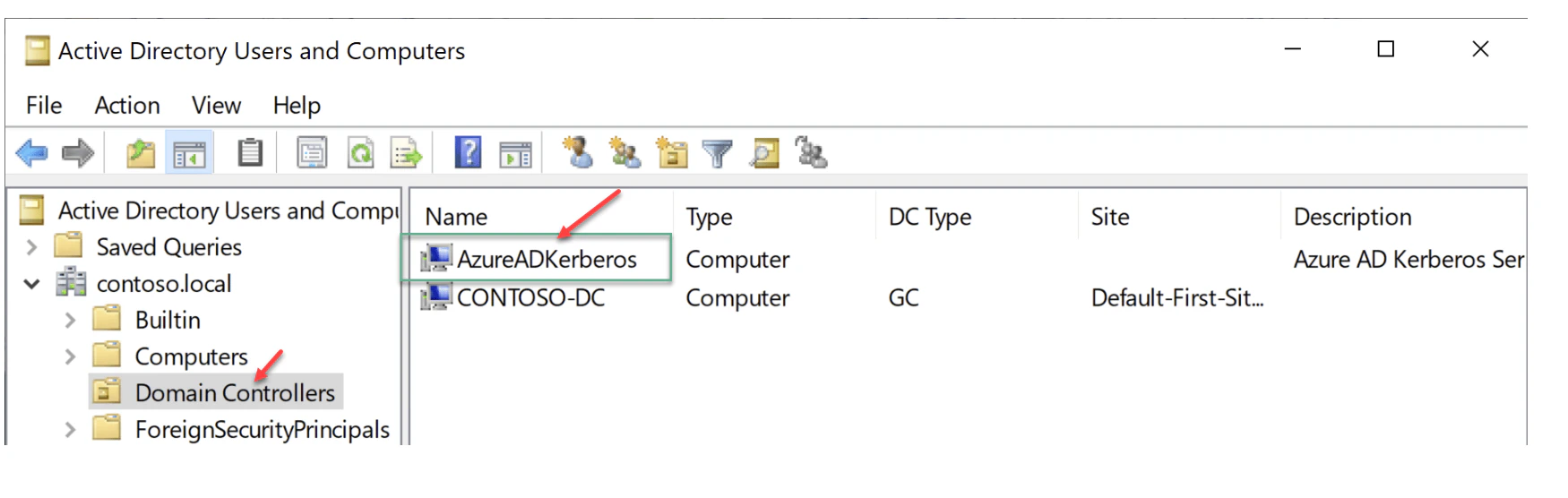
Check a Device
On a Windows device, open a command prompt and run:OnPremTgt: YesCloudTgt: Yes
How to Enable
If Cloud Kerberos Trust is not yet configured, follow the steps below.Prerequisites
- Devices must be running Windows 10 version 2004 or later (Windows 11 is also supported).
- Windows Server Domain Controllers must run Windows Server 2016 or later.
- AES256_HMAC_SHA1 must be enabled when the Network security: Configure encryption types allowed for Kerberos policy is configured on domain controllers.
- You must have:
- An Active Directory user who is a member of the Domain Admins group for a domain and the Enterprise Admins group for the forest. Referred to as
$domainCred. - A Microsoft Entra user with the Hybrid Identity Administrator role. Referred to as
$cloudCred. This must be a cloud-only Microsoft Entra account, not one with only local Global Admin rights.
- An Active Directory user who is a member of the Domain Admins group for a domain and the Enterprise Admins group for the forest. Referred to as
- Users must have the following Microsoft Entra attributes populated through Microsoft Entra Connect:
onPremisesSamAccountName(accountName in Microsoft Entra Connect)onPremisesDomainName(domainFQDN in Microsoft Entra Connect)onPremisesSecurityIdentifier(objectSID in Microsoft Entra Connect)
Steps
1
Install the AzureADHybridAuthenticationManagement Module
Open PowerShell as Administrator and run:
2
Create a Kerberos Server Object
Use the AzureADHybridAuthenticationManagement module to create a Microsoft Entra Kerberos Server object in your on-premises directory. Select the option that matches your environment:Option 1 — All credentials (Cloud + Domain)Option 2 — Cloud credentials onlyOption 3 — All credentials using modern authenticationOption 4 — All cloud credentials using modern authenticationFor Options 1–4, refer to the Microsoft documentation for the corresponding commands to create Create a Kerberos Server object.
Validate After Enabling
After completing setup, verify using the same checks described above if object is created in ADCS. Run the following PowerShell command on your Domain Controller to confirm the object was created:dsregcmd /status on a Windows device to verify:
OnPremTgt: YesCloudTgt: Yes