

Overview of Manager Approval Methods
Verification by Entitlement Group
Prerequisites- You must create an entitlement group in TruU before enabling manager approval workflow.
- Add all intended approvers (managers or delegated reviewers) to this group.
Create Entitlement Group
- In the TruU Admin Console, navigate to Entitlement Groups and Click Add User Entitlement.
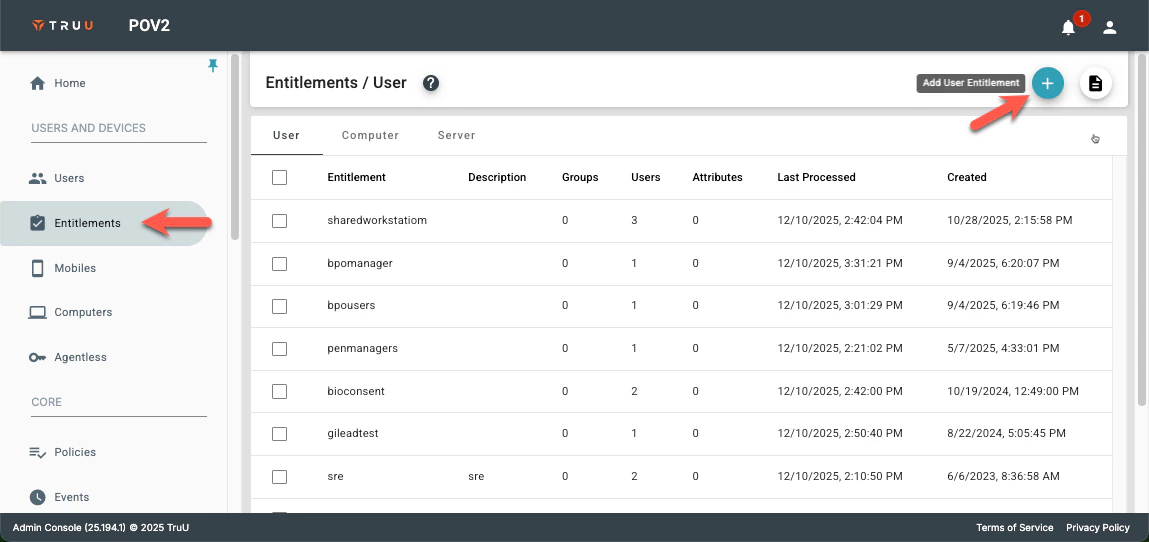
-
Under Add Entitlement Group,
- Provide a group name (e.g., “Device Approval Managers”).
- Entitlement Group Description
- Assign to certain directory groups our add directory users who will be responsible for approving device verification requests.
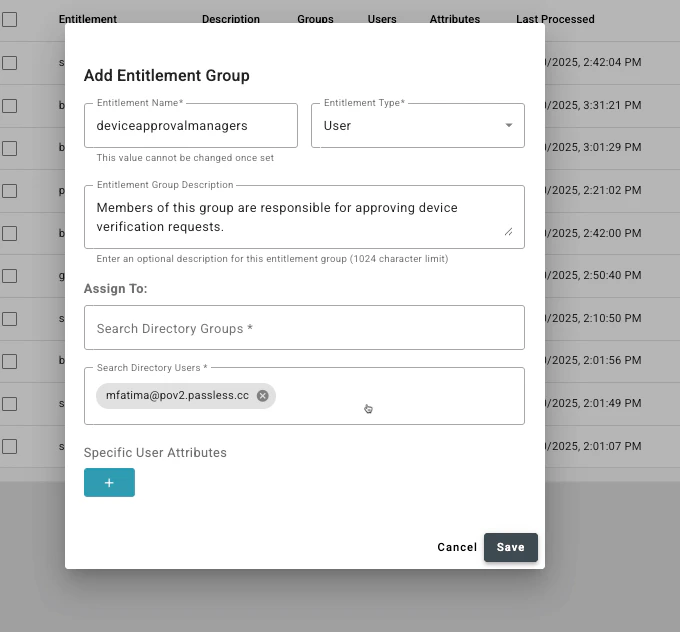
- Save the group.
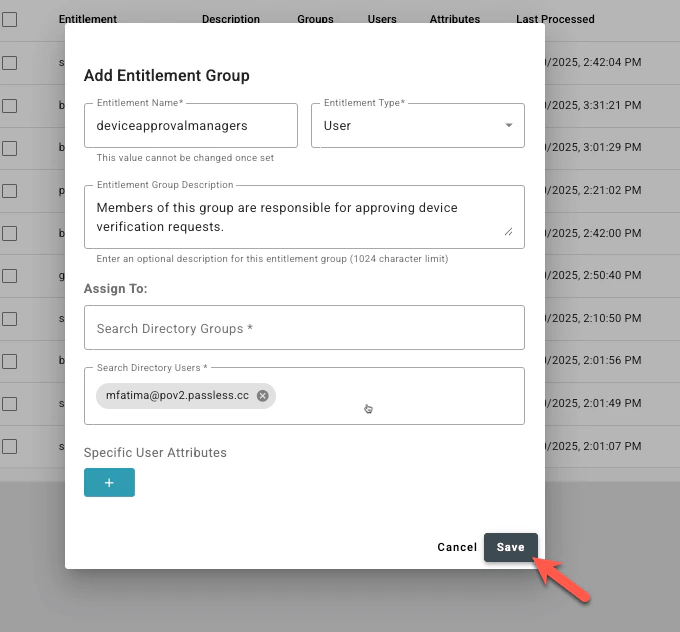
Set up Manager’s Approval Workflow
- Go to User Identification and Click Add Identity Verification Workflow on top right
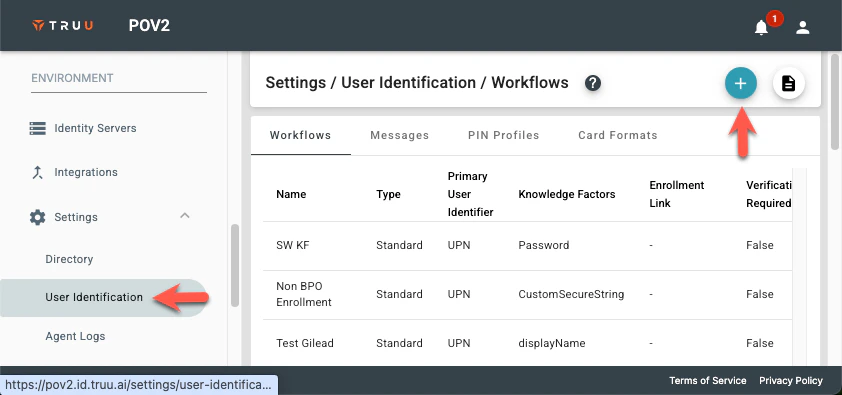
- Provide a workflow name and select the User Self-Service needed
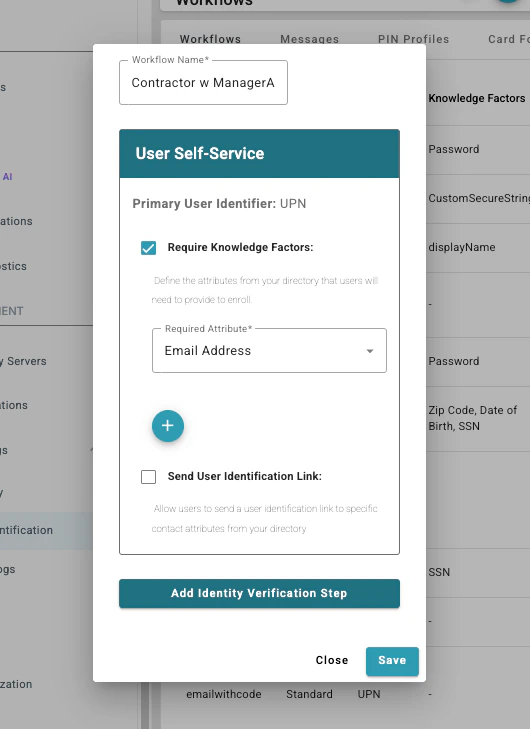
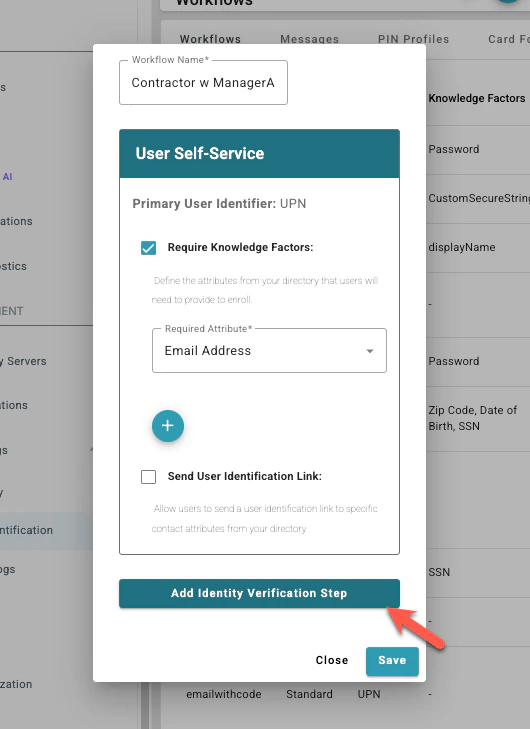
- Select Add Identity Verification Step
- Choose the approvers needed.
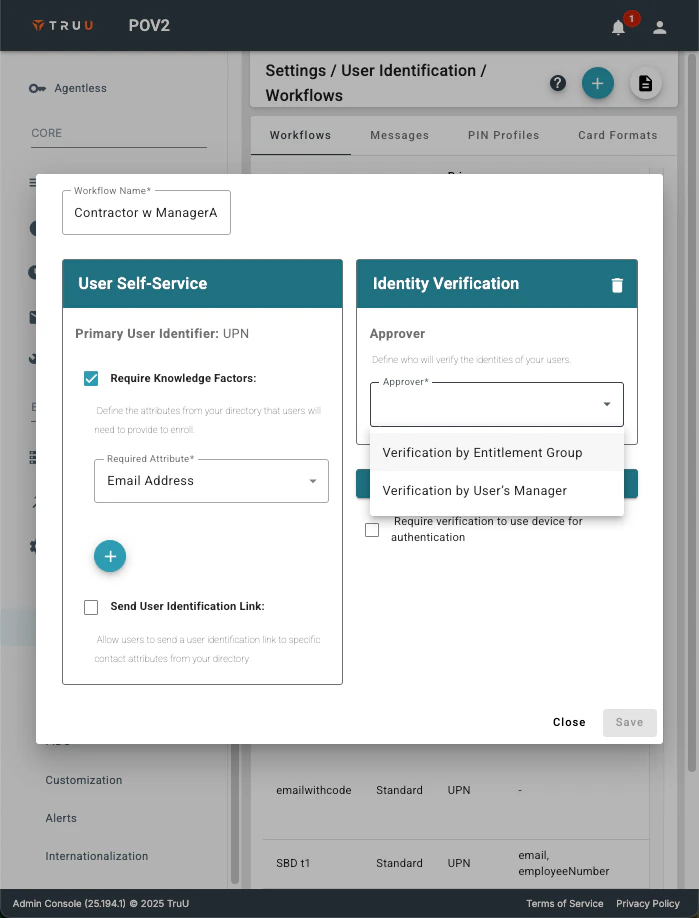
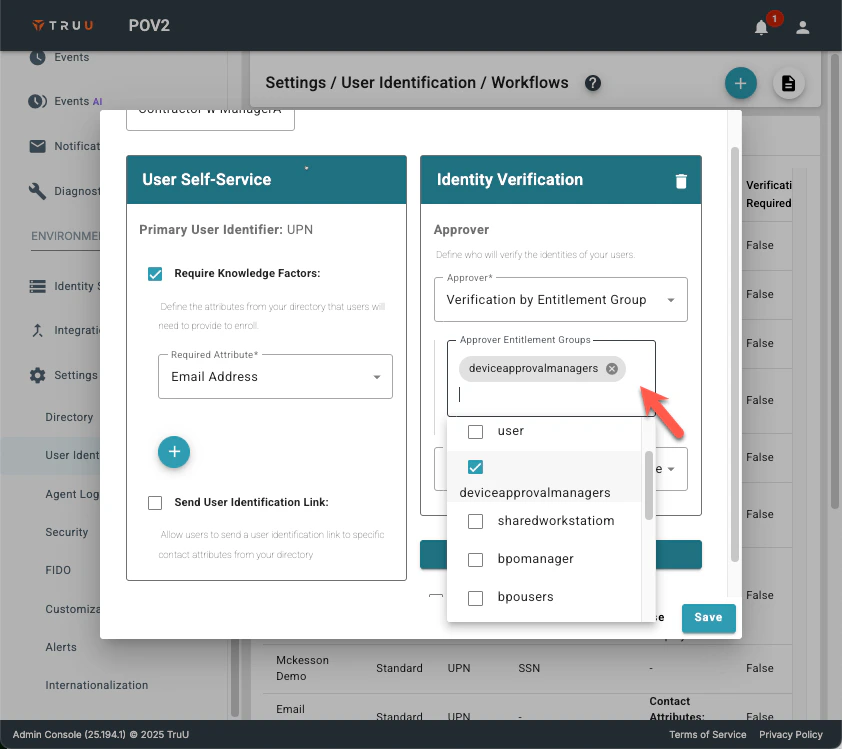
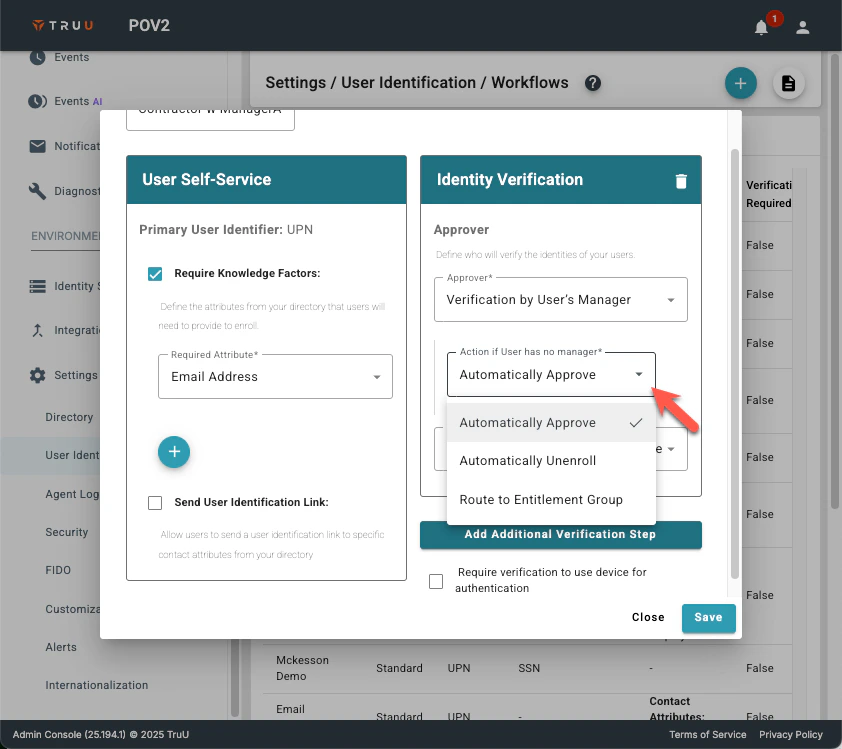
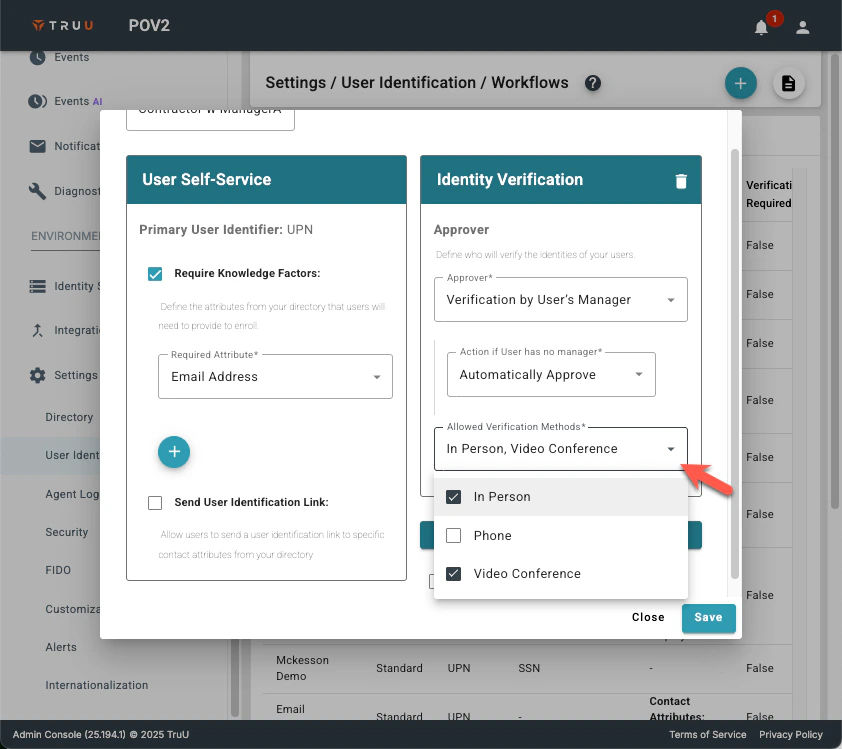
- Choose the Allowed Verification Methods for the managers.
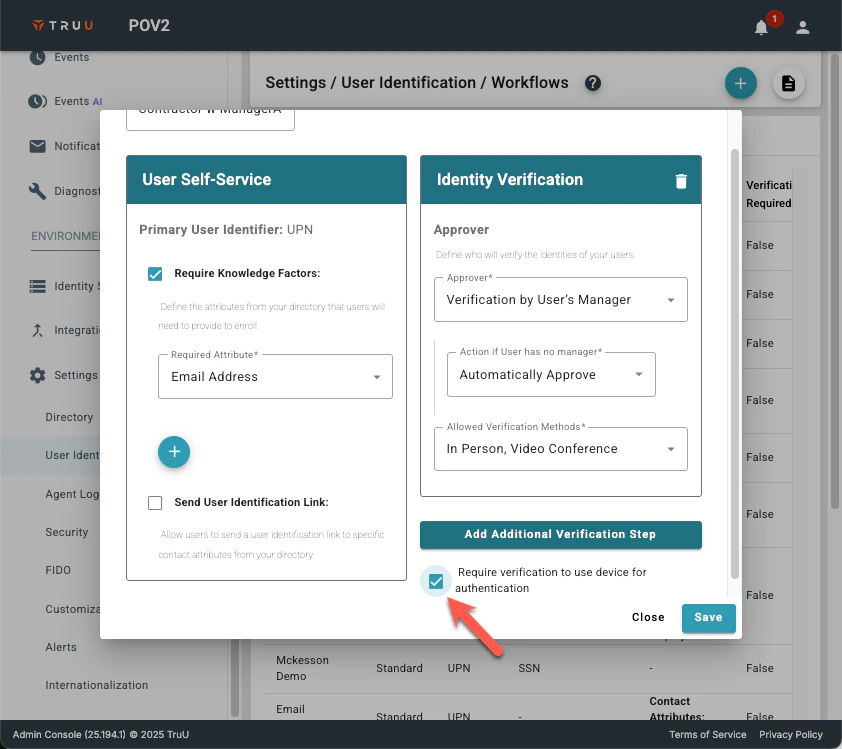
- Select Require verification to use device for authentication
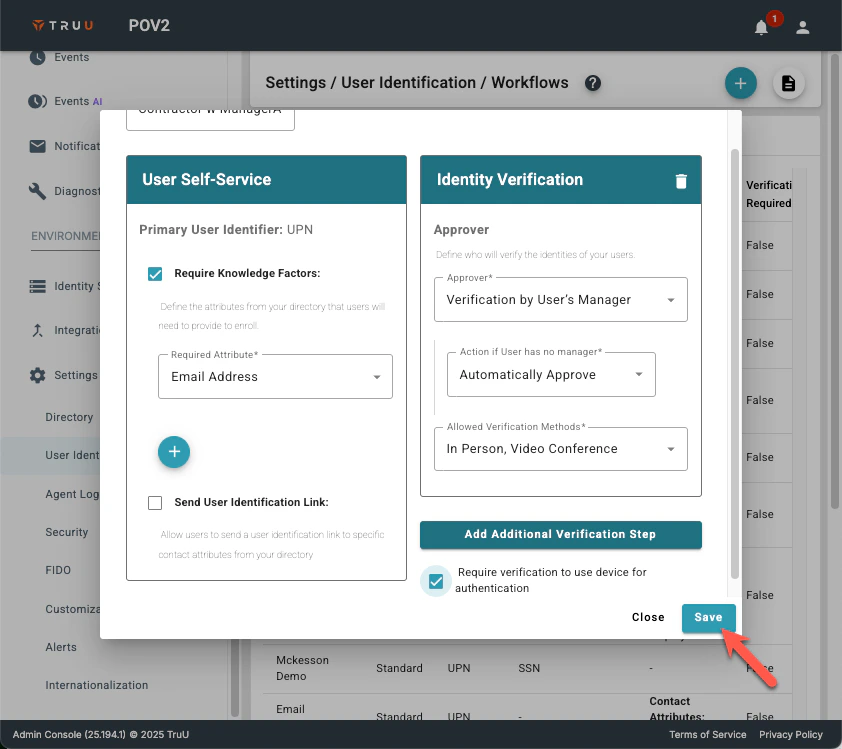
- Click Save to complete this workflow set up.
Settings: User Identification