

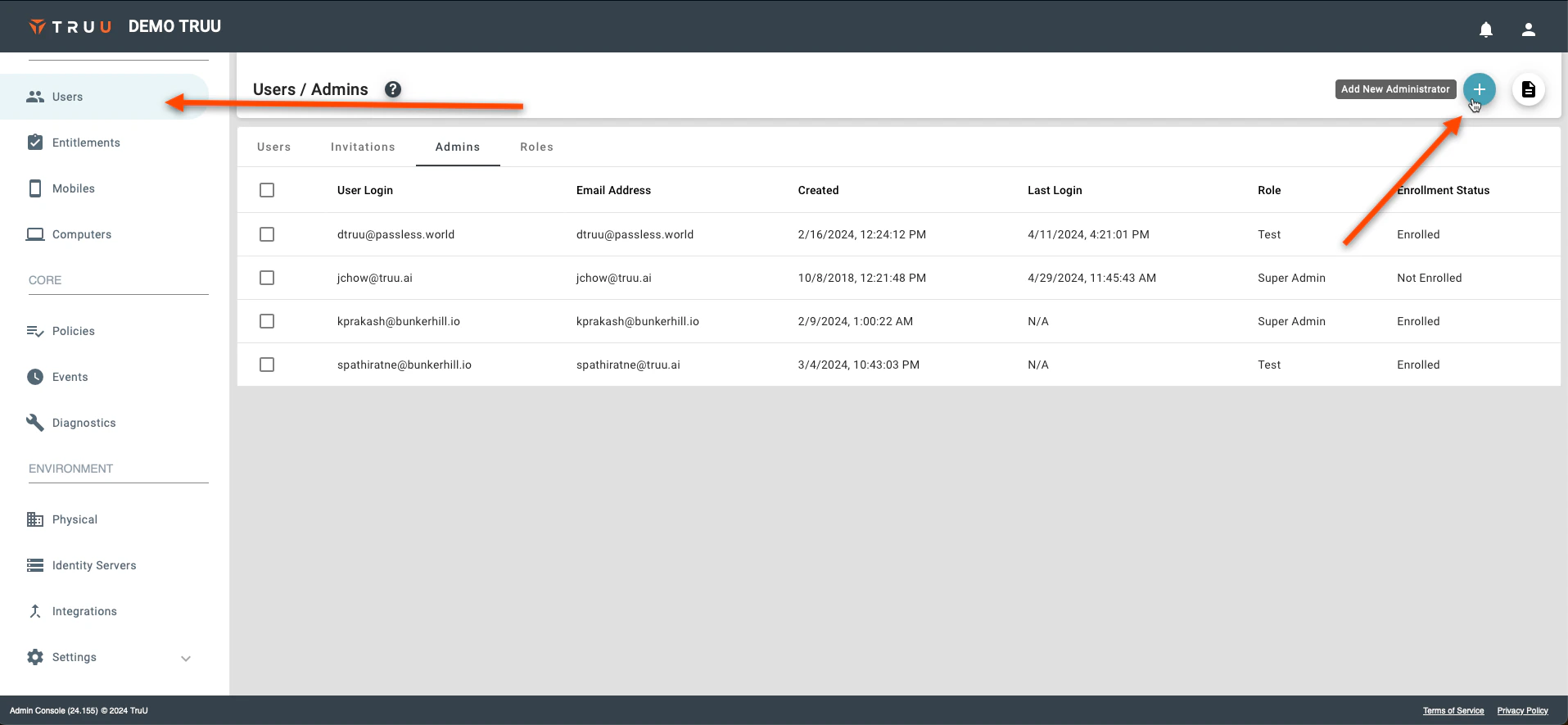
- To add an additional admin user, go to the “Users” page on the TruU Admin console and click Add New Administrator
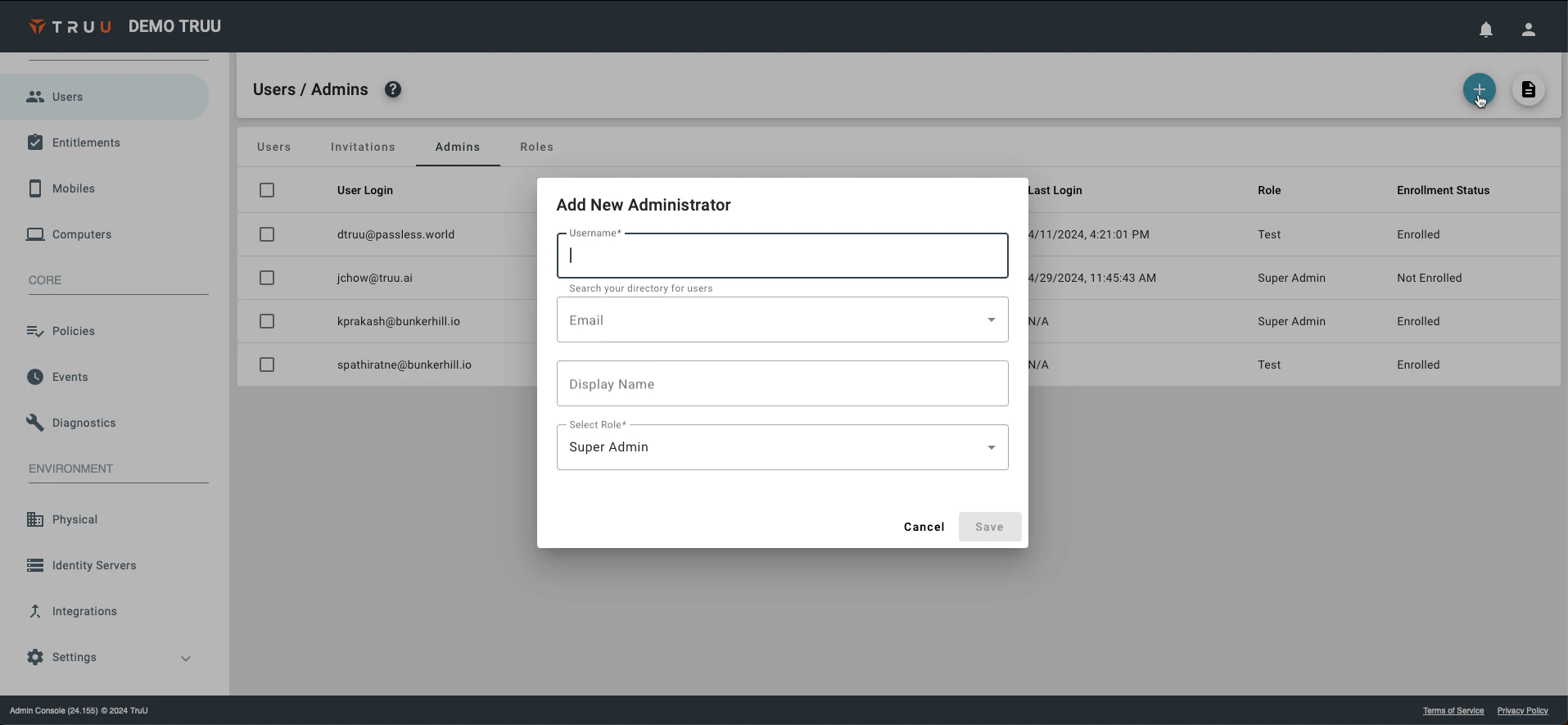
- Fill out the required fields and click Save
Configuring Physical Policies Assigning User/Admin Roles
This is a step-by-step guide as to how to onboard/add Administrators to the TruU Admin Console.