

What a flow is
A flow defines what someone must prove, in what order, and what happens when the preferred way isn’t available. It’s built from factors, and use cases decide who gets which flow. Because flows are configuration, different groups get different experiences from one engine: a strict flow for administrators, a phone-first flow for frontline staff, a lighter flow for a low-risk request.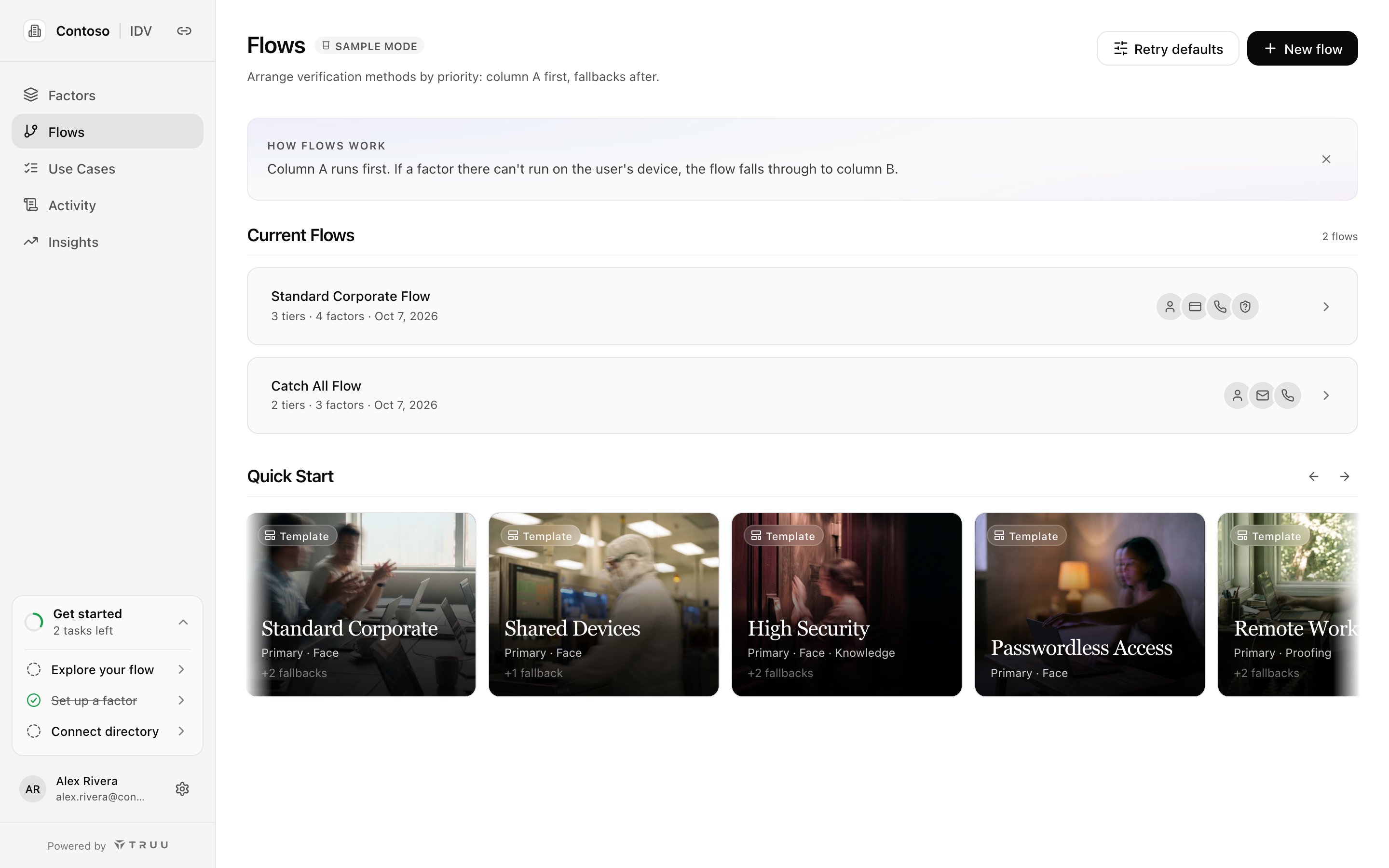
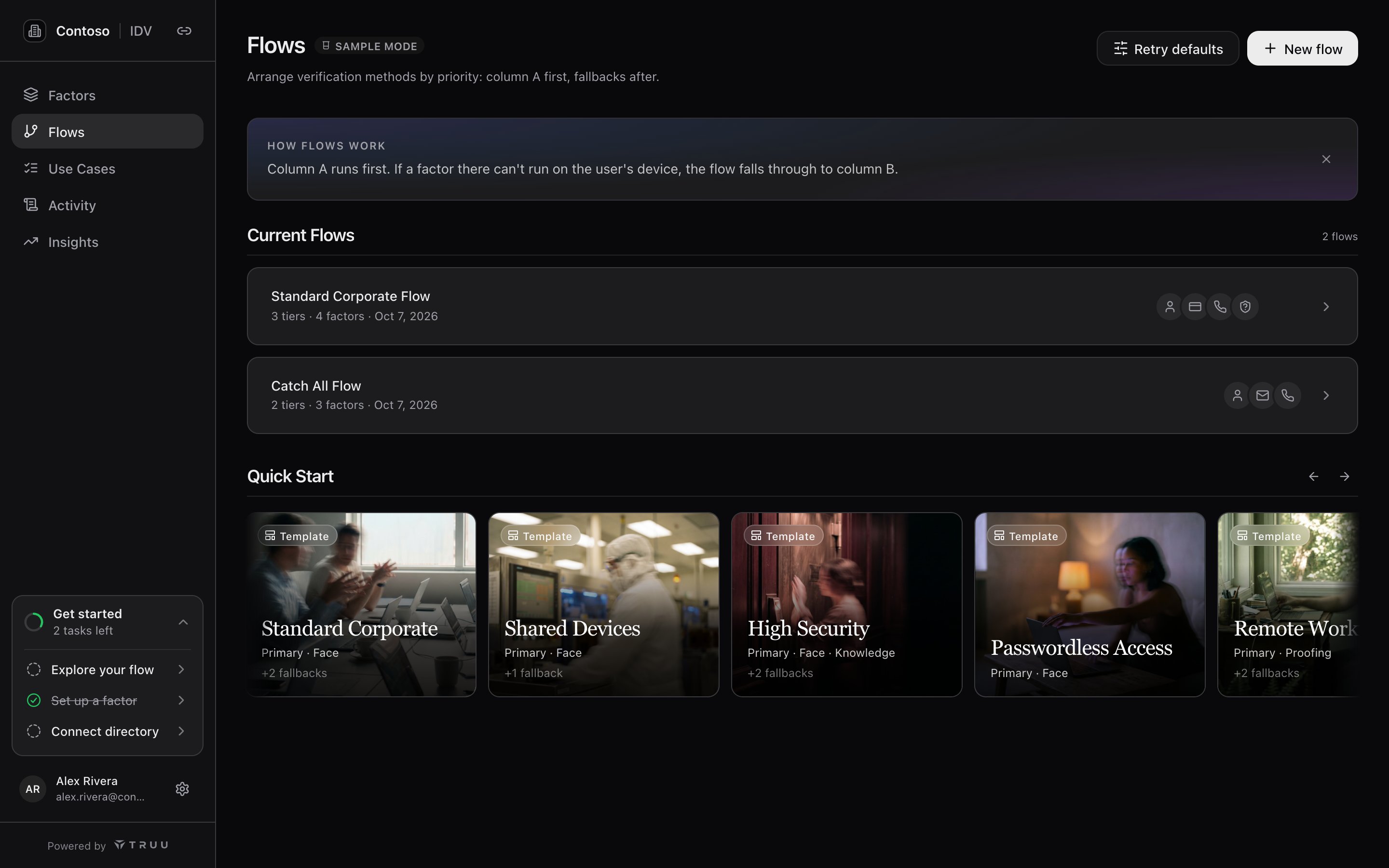
The Flows page lists your flows and the setup templates you can start from.
Columns are paths
A flow is a row of columns, labeled Primary, Fallback 1, Fallback 2 and so on. Each column is a complete way to pass.- Primary runs first. If a factor in it can’t run for this person or device, the flow falls through to the next column.
- Every factor in a column must pass (“All factors required together”). Factors run in the order shown, so Knowledge then SMS means the person answers a question, then enters a texted code.
- The flow passes when any one column passes. The verification records which column completed and which factors ran.
- The person can choose Try another way to move to the next column themselves.
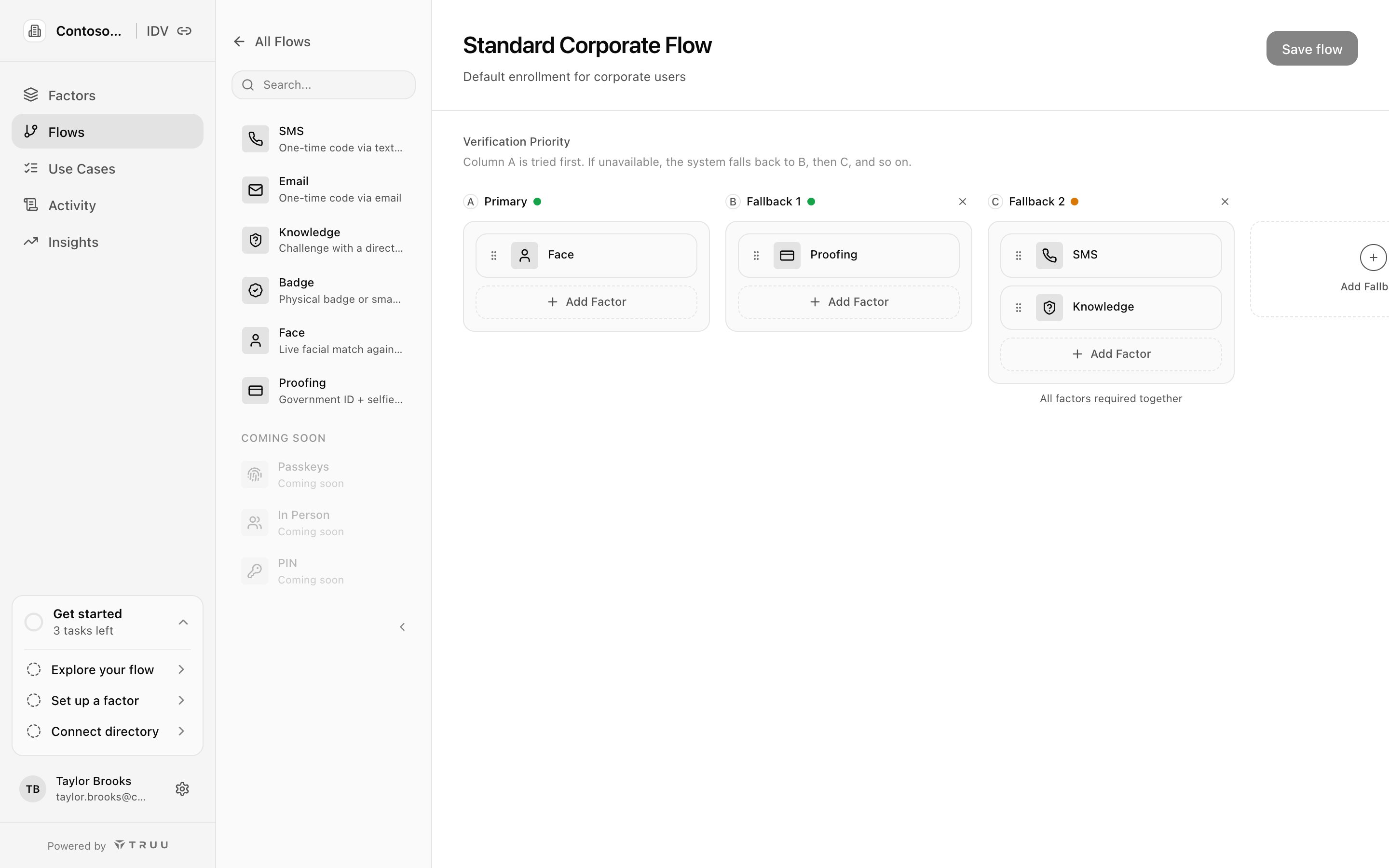
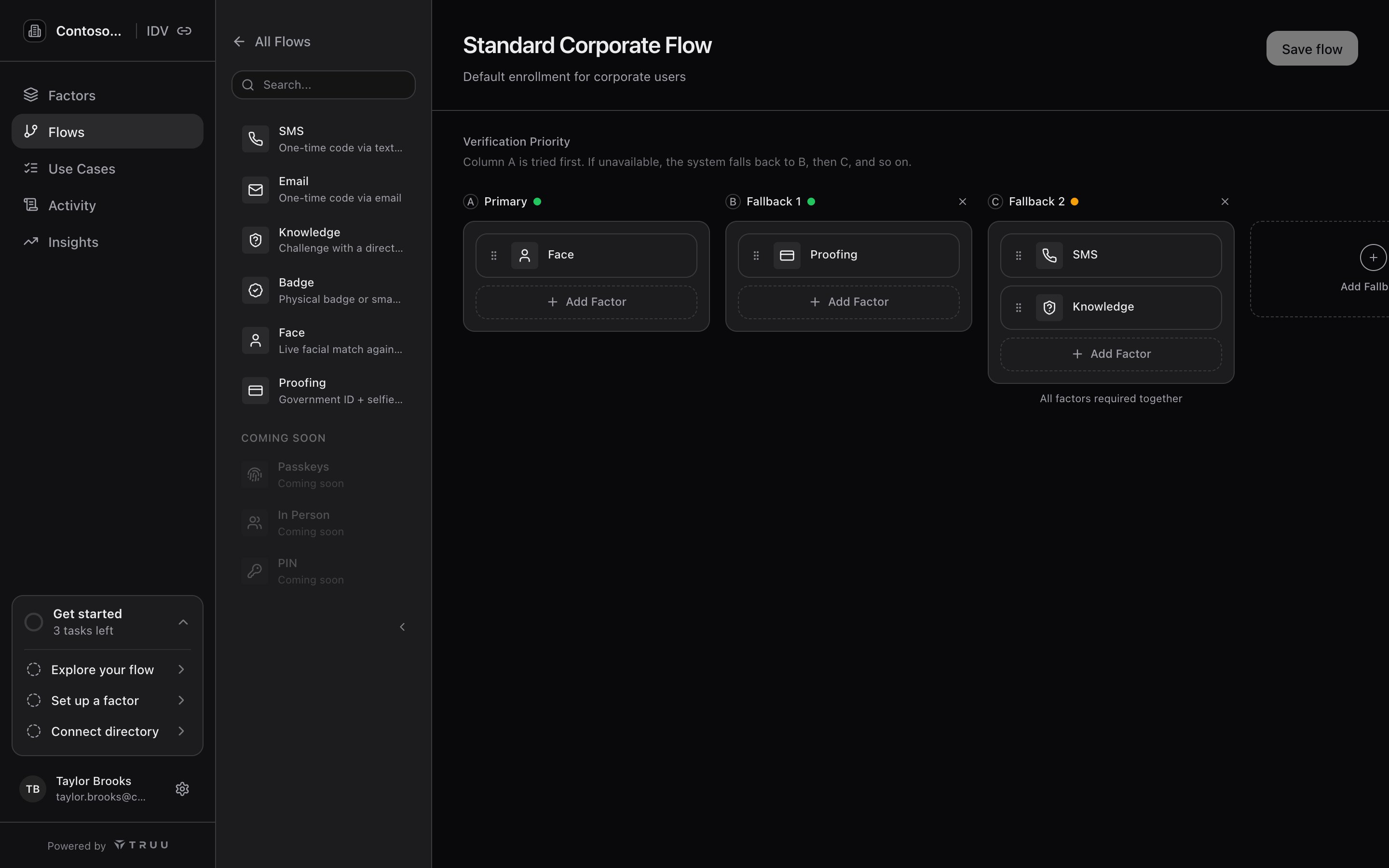
Standard Corporate: Face first; Proofing if there's no photo; SMS and Knowledge together as the last resort.
How a flow runs
- A request is created for a person and a use case.
- The use case’s rules pick the flow for that person’s directory groups.
- Columns whose factors this person can’t run are set aside: no camera, no phone number on file, no reference photo.
- The first remaining column is offered. If the person fails a factor and has tries left, they retry; if the column can’t be completed, the next one is offered.
- The result, the column that completed, each factor’s outcome, and which directory attribute served each factor are written to the verification request and the audit trail.
Column strength
Each column shows a colored dot next to its label: Strong (green), Fair (amber) or Weak (red). Hover it to see why, including warnings and which combinations earned extra credit. It updates as you edit.- Factor strength anchors the column. Face and Proofing rate highest; Badge, SMS and Email come next; Knowledge rates lowest.
- Combining kinds of evidence adds more. Knowledge plus a delivered code rates higher than either alone; two code factors add less.
- Adding a weak factor to a strong column doesn’t lower it; removing the strong factor does.
- Columns within a flow. The gap between Primary and the last fallback is what someone gets when they can’t use Primary. Decide deliberately whether that’s acceptable; if not, strengthen the fallback rather than deleting it.
- Flows across groups. Higher-risk groups should get flows whose weakest column rates at least as high as everyone else’s.
Retries
Two limits work together:- Attempts per run, set on each factor: how many times someone can try that factor before it fails. See each factor’s page.
- Verification runs per link, under Retry defaults on the Flows page: how many full runs (from Begin until the verification ends without success) one link allows. Factor tries reset at the start of each run. With Open a review case when runs are used up on, a link that runs out of runs goes to manual review instead of simply failing.
Templates
Start from a template under Quick Start on the Flows page, or from the first-run tour. Applying one turns on the factors it needs and creates the flow.
Every workspace also has a Catch All Flow, the starting flow for Everyone on the built-in use cases.
Best practices
- Lead with the strongest column your people can actually use. Check photo and attribute coverage first.
- Keep fallbacks meaningful. A fallback that drops to a single weak factor undermines the flow. Pair Knowledge with a delivered code at minimum.
- Cover how your people really verify: on phones, at shared machines without cameras, and new hires with nothing on file.
- Test as an employee, including the fallbacks, by sending yourself a verification from the help desk app.