

What a use case controls
Open Use Cases in the console. Each use case sets three things: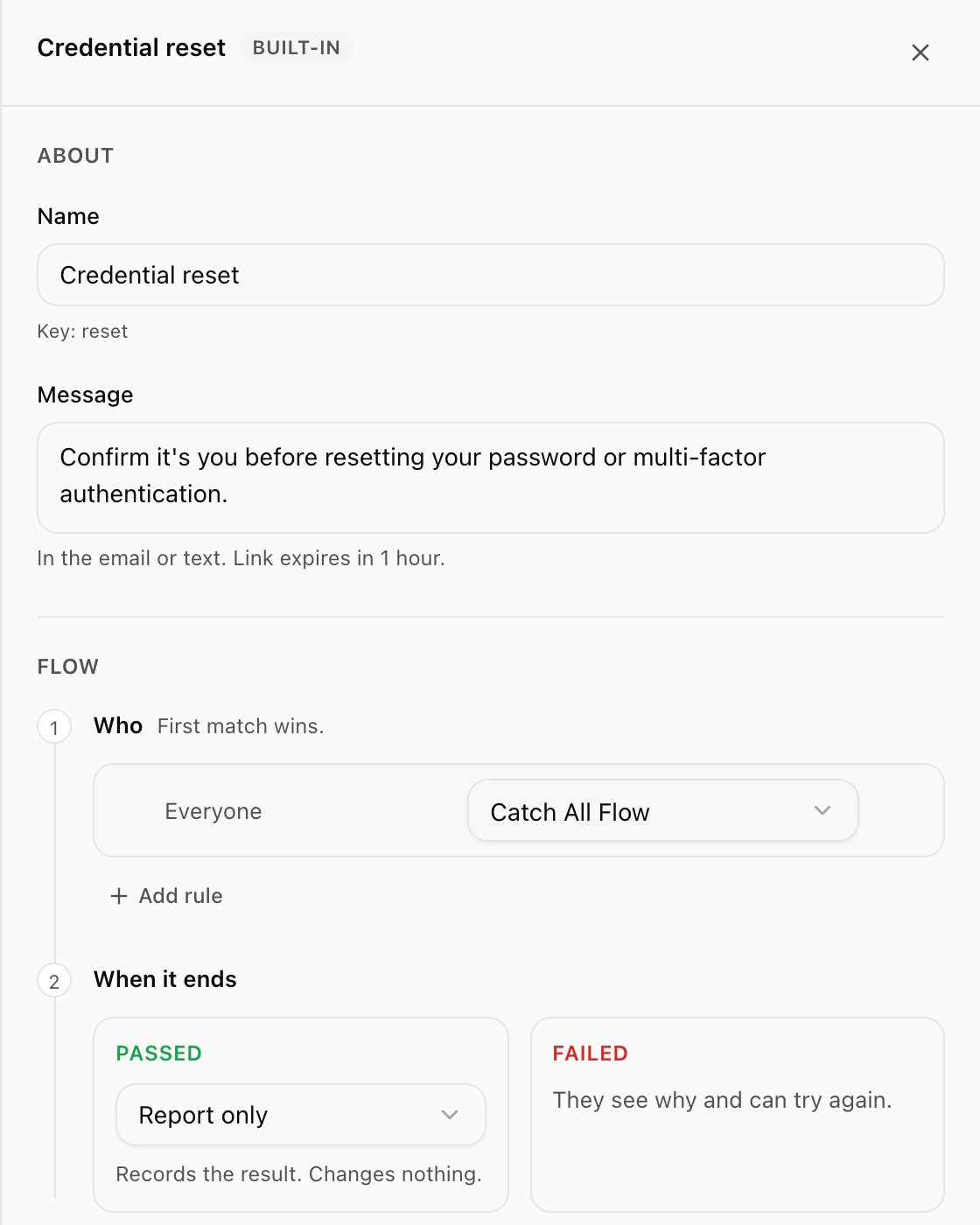
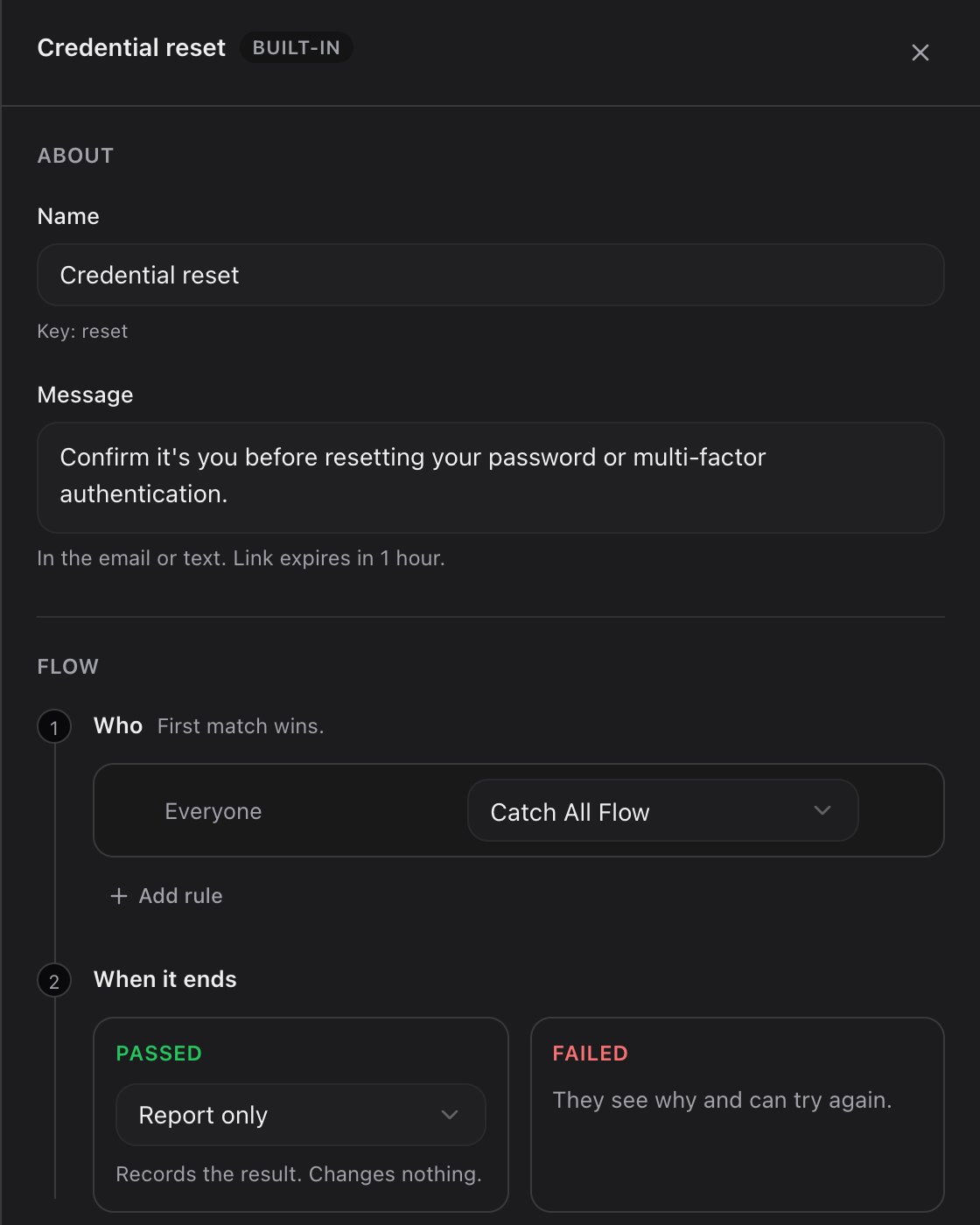
The Credential reset use case: its wording, one routing rule, and what happens when the employee passes or fails.
Built-in use cases
Every workspace has four. You can change their wording, routing and outcome, but not delete them.
The link lifetime is shown under the message (“Link expires in 1 hour”). To restore a built-in’s original wording, use Reset to standard wording.
Custom use cases
Choose Add Use Case for a situation the built-ins don’t cover, for example “Badge reissue”. Give it a name and a message; it gets its own routing and outcome. Custom use cases can be disabled or deleted. Each use case also has a key (shown under its name), which is what the API and connectors send.Routing: who gets which flow
Under Who, each rule maps one or more directory groups to a flow. Rules are evaluated top to bottom and the first match wins, so put narrower groups above broader ones. The last rule, Everyone else, always exists and catches anyone no rule above matched. When it is the only rule it reads Everyone.- Add rule adds a rule above Everyone else. Choose groups, then a flow.
- Move up and Move down reorder rules.
- Changes save as you make them.
- To limit a use case to certain groups, set Everyone else to Can’t use this (under Or block). Anyone outside the groups above is then refused for this use case.
Outcome: what happens after
Under When it ends:-
Passed: choose what TruU does after a successful verification.
An option is only selectable once its connector is set up.
- Failed: the employee sees why and can try again, up to the workspace’s attempt limit.
How a verification gets its use case
Each person can have one active link per use case. Sending another for the same person and use case reuses the existing request and refreshes its expiry, so the employee never has two live links for the same thing. The self-service portal is the exception: a new portal request replaces the previous link, which stops working.
Related
Flows and templates
Build the flows your rules point at.
Verification requests and links
Request statuses and what happens to a link.