

How end users consent
A verification message is only ever sent in response to a deliberate, user-initiated action. During a verification, the end user lands on the verification page, enters the last four digits of the mobile number on file to confirm it, and taps Send code (or Send link) to request the message. No SMS is sent unless the user takes this step.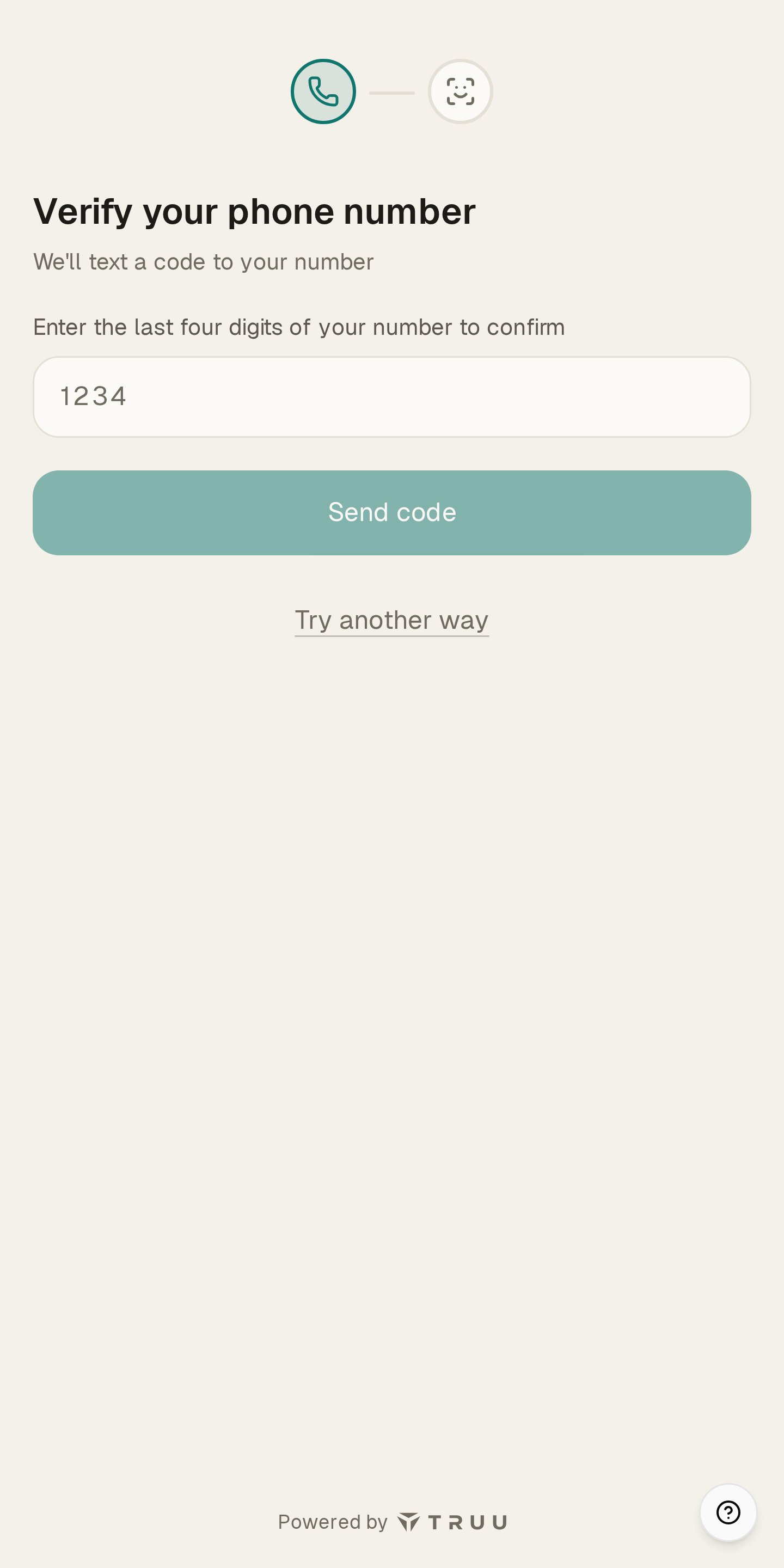
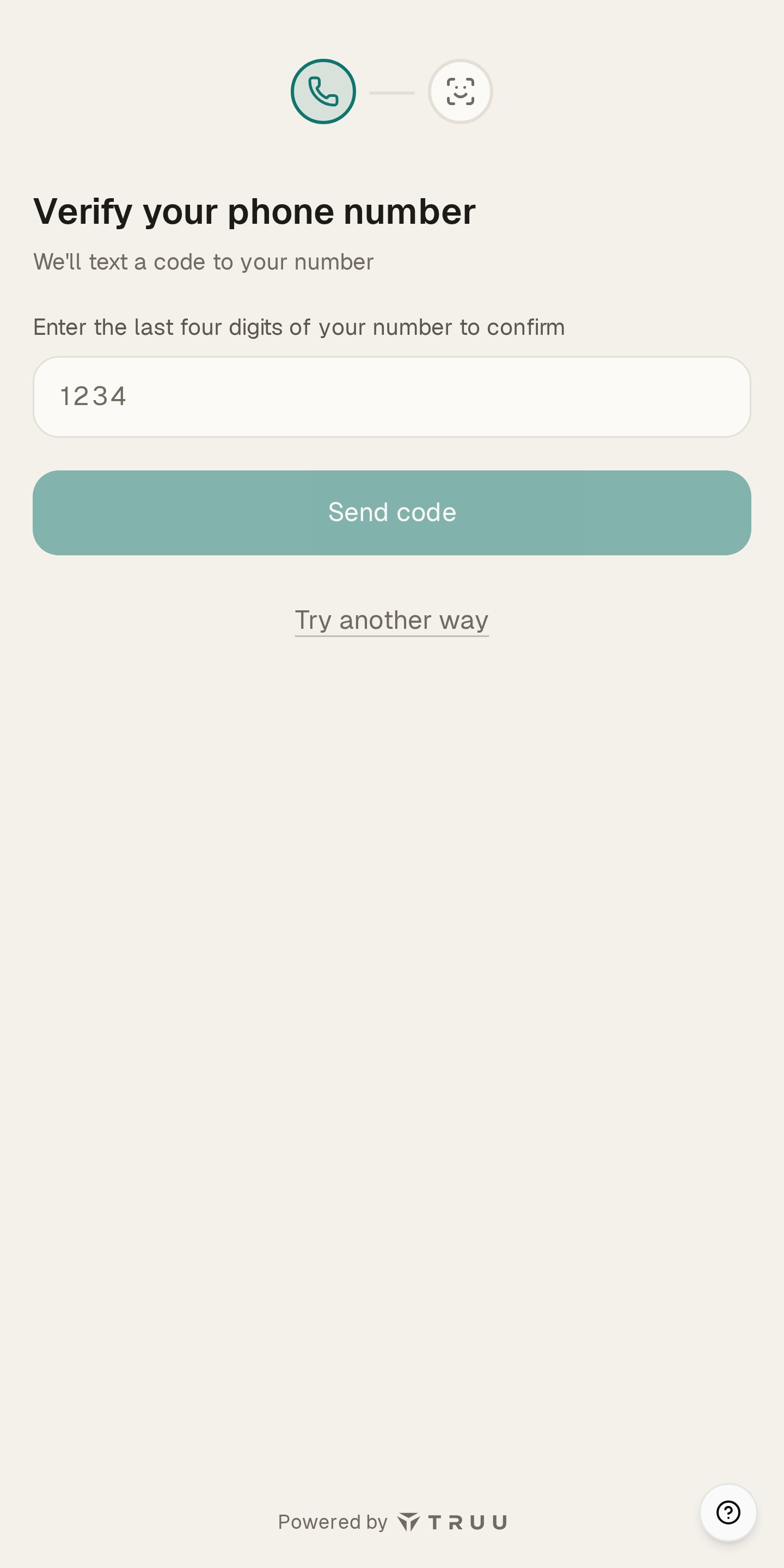
The user confirms their mobile number by entering its last four digits and taps Send code to request a verification message. This is the point at which consent is given.
What the messages look like
One-time passcode
Your TruU verification code is 123456. This code expires in 10 minutes. Don’t share it with anyone. Reply STOP to opt out.
Verification link
TruU: [Employer Name] requires identity verification to complete your request. Verify here: https://verify.truu.ai/abc123def. Reply STOP to opt out.
Program disclosures
These messages are transactional and tied to a user’s own verification activity.- Program name: TruU Identity Verification Messaging.
- Message frequency: varies with each user’s verification activity.
- Cost: message and data rates may apply.
- Opt out: reply STOP to any message to stop receiving texts. You will receive one confirmation message and nothing further unless you re-enroll.
- Help: reply HELP to any message, or contact support@truu.ai.
- Privacy: mobile numbers and SMS opt-in data are used only to deliver the messages a user requests, and are never shared with third parties for marketing or promotional purposes. See the Privacy Statement and Terms of Service.