

A computer entitlement group is created by default in TruU as shown below. We recommend creating a separate entitlement group for Shared Workstations.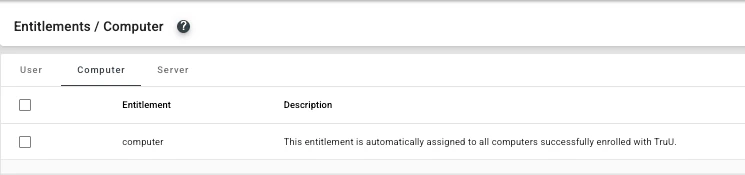
Computer Entitlement Groups
- In the TruU admin console, navigate to Entitlements > Computer
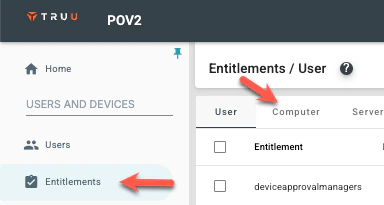
- Click on the blue plus (+) icon

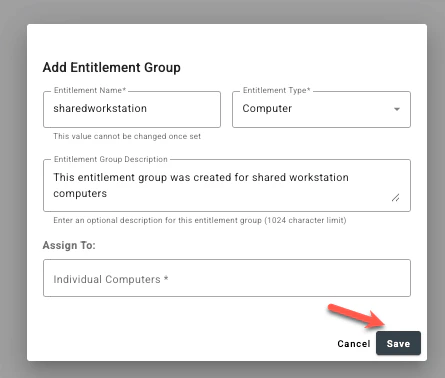
- Create a Computer Entitlement Group by giving it a name and a short description.
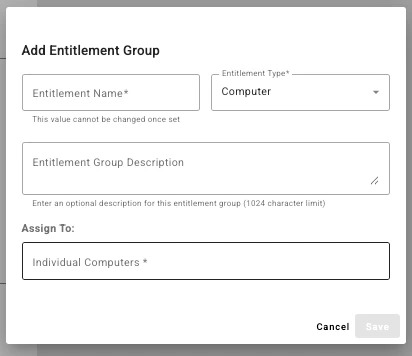
- Under Assign to, add Directory groups or computers by their registered computer names. Computers can also be automatically assigned to entitlement groups during registration by specifying the group in the configuration file.
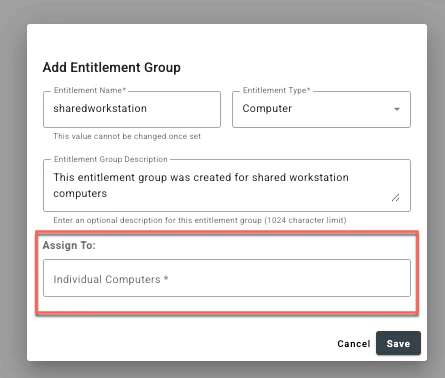
- Click Save once the entitlement group is completed.
Enabling Shared Workstation Creating Policies for Shared Workstation Login