

-
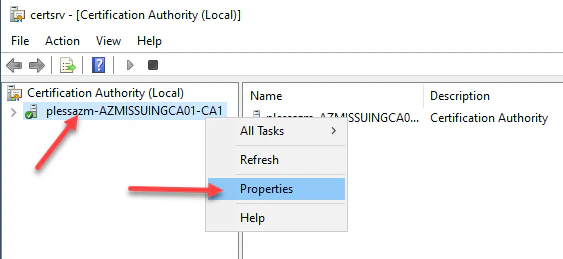
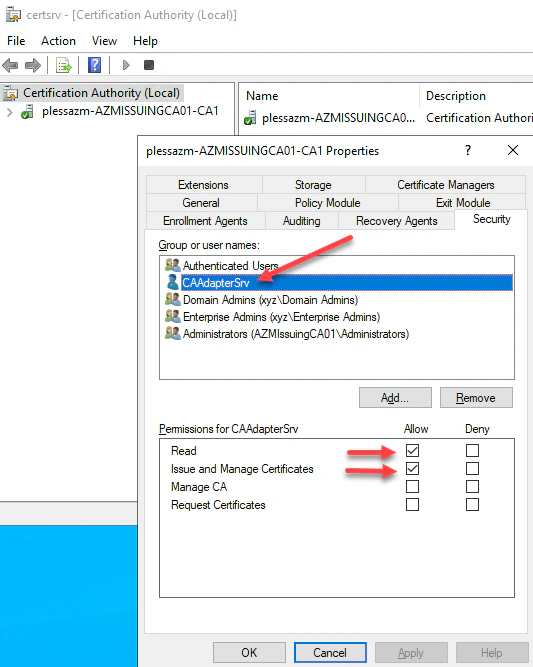
Log into the Certificate Authority and right-click the CA and select Propertiesthen navigate to the Security menu. Add the same service account created above. Then select Read and Issue and Manage Certificates permissions, then click Apply and OK. This will delegate permissions to the services account to Read and Issue and Manage Certificates on behalf of users.
Create Enrollment Agent Certificate Add CA Adapter to TruU Admin Console