

TruU Smartcard Logon Template Recommendation
This configuration differs from the standard TruU passwordless smartcard logon template used for dedicated user devices. For shared workstation deployments, TruU recommends using shorter certificate lifetimes to better align with user sessions and reduce credential persistence across multiple users. This approach is specifically designed to:- Support multi-user device scenarios
- Minimize authentication certificate reuse
- Reduce security risk on shared endpoints
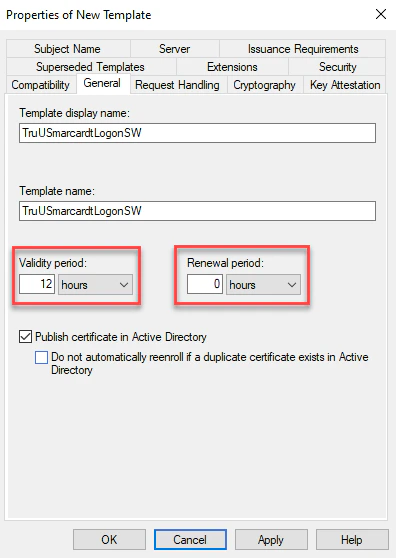
- In the General tab, specify the template validity and renewal period. TruU recommends:
- Validity Period: 12 hours
- Renewal Period: 0 hours
Add to TruU Admin Console
After creating the above Smartcard Logon Template, follow the guide in the link below to add the template to the TruU Admin console.Add CA Adapter to TruU Admin Console