

- Download the TruU Authenticator .dmg package from the TruU Admin Console
-
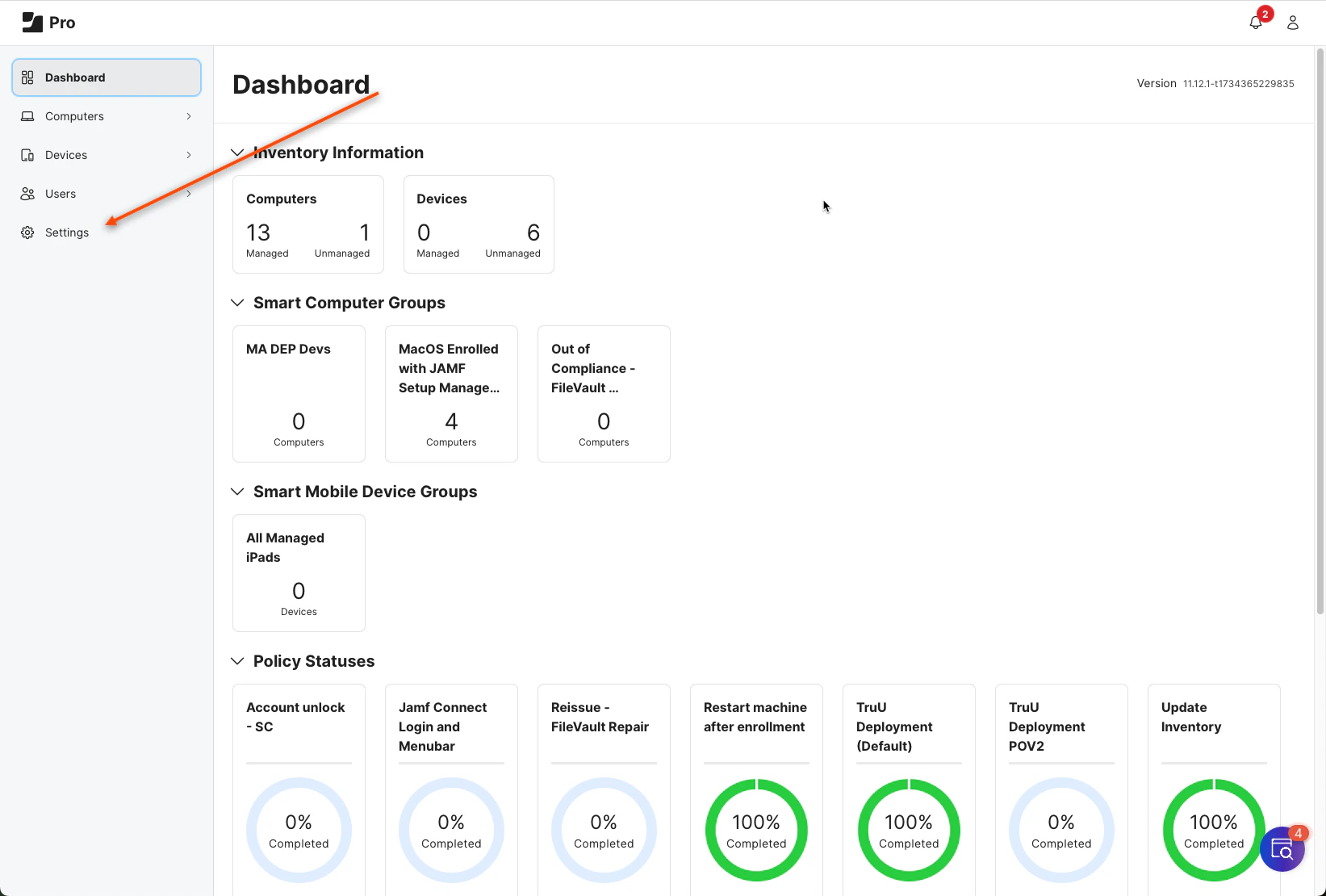
Open your JAMF Pro Admin Dashboard and click Settings
-
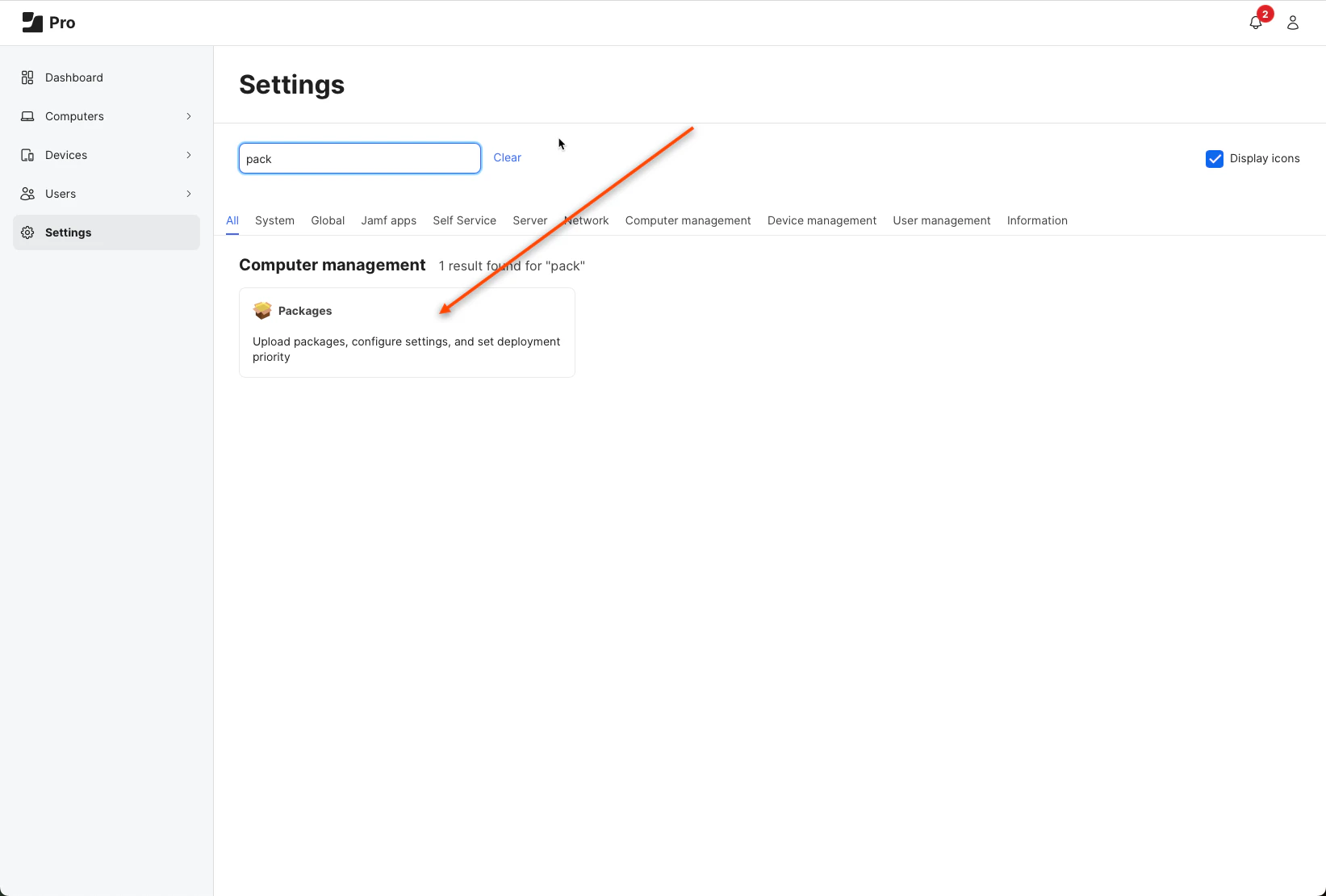
Search for packages and click the button presented in your window
-
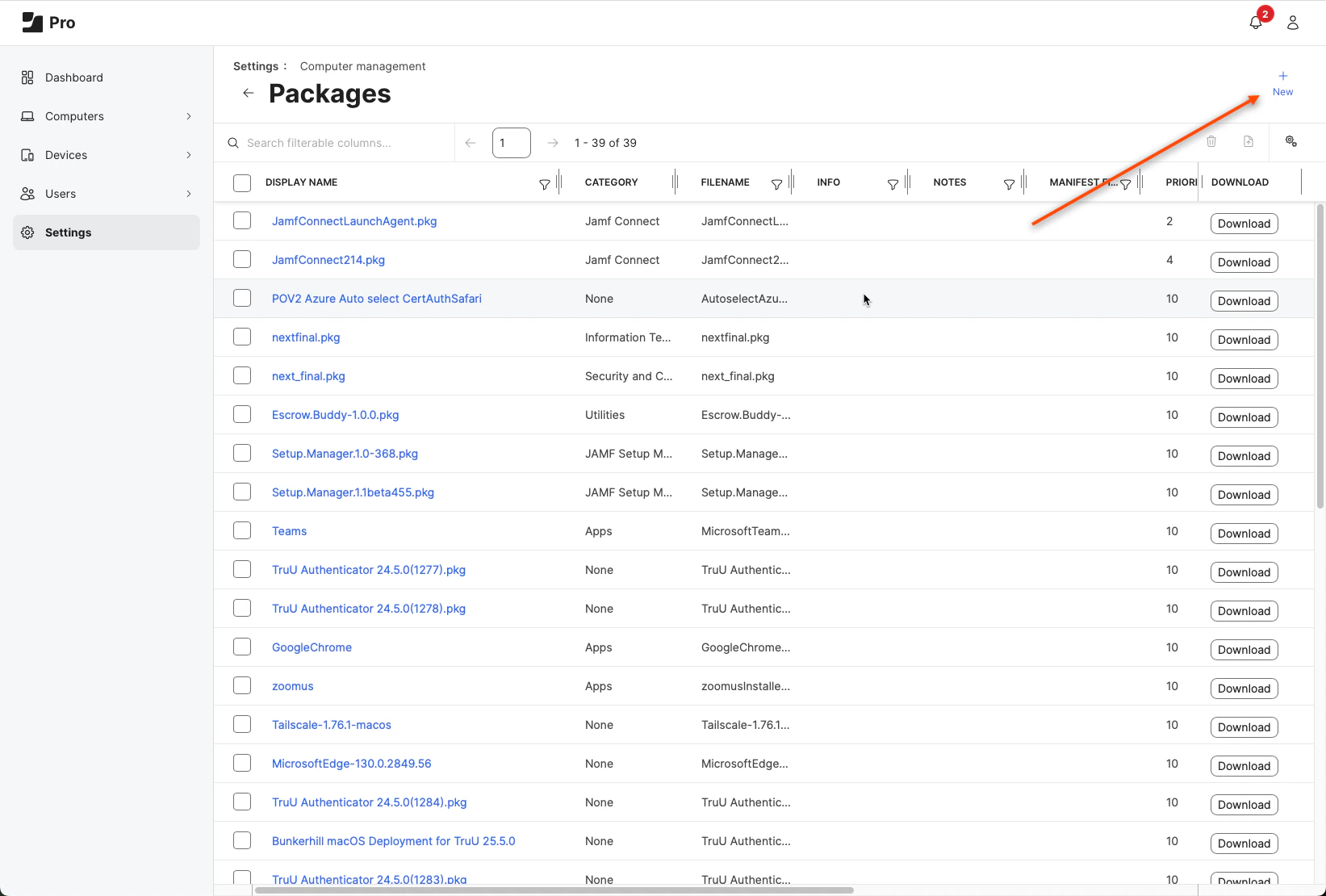
Click New
-
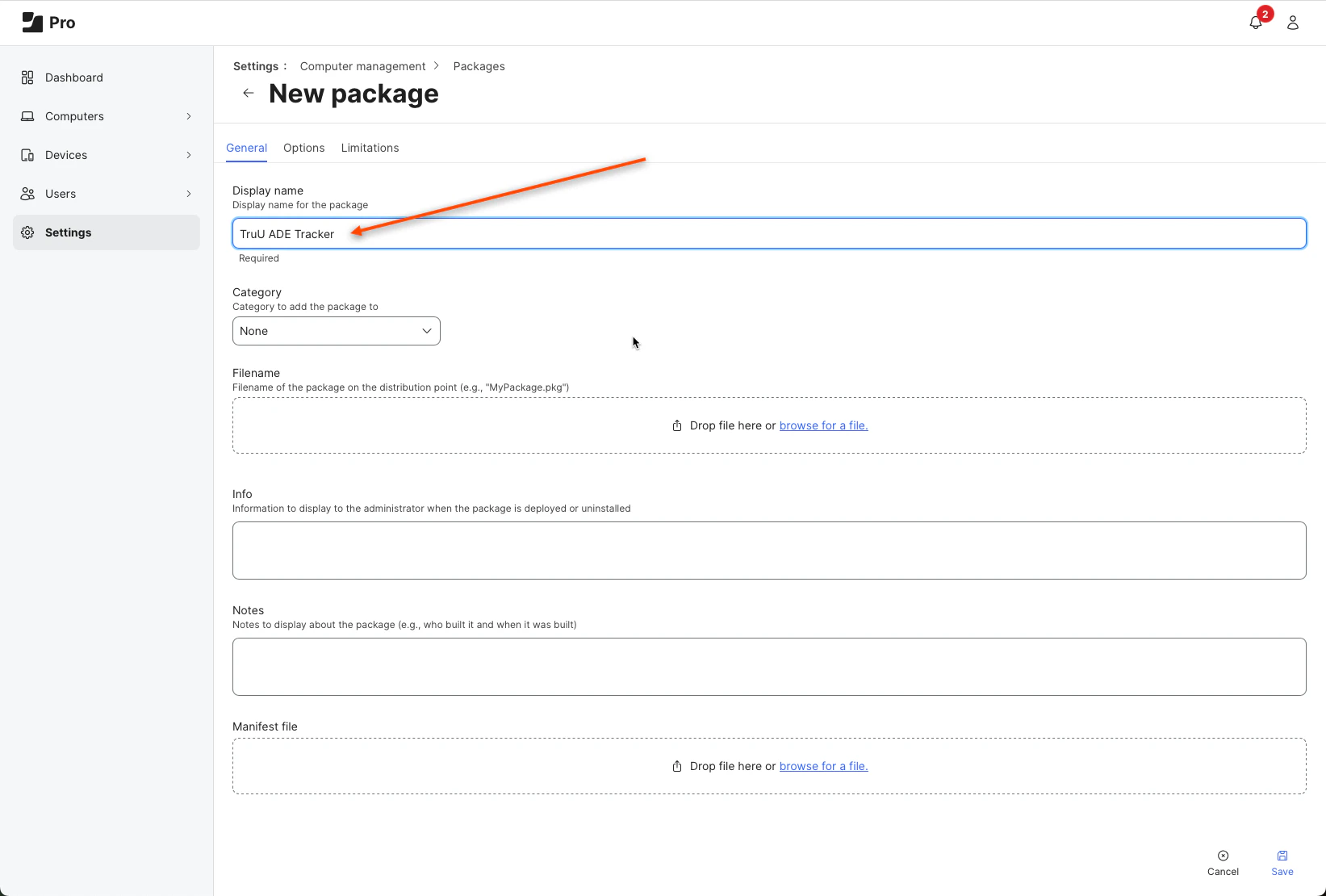
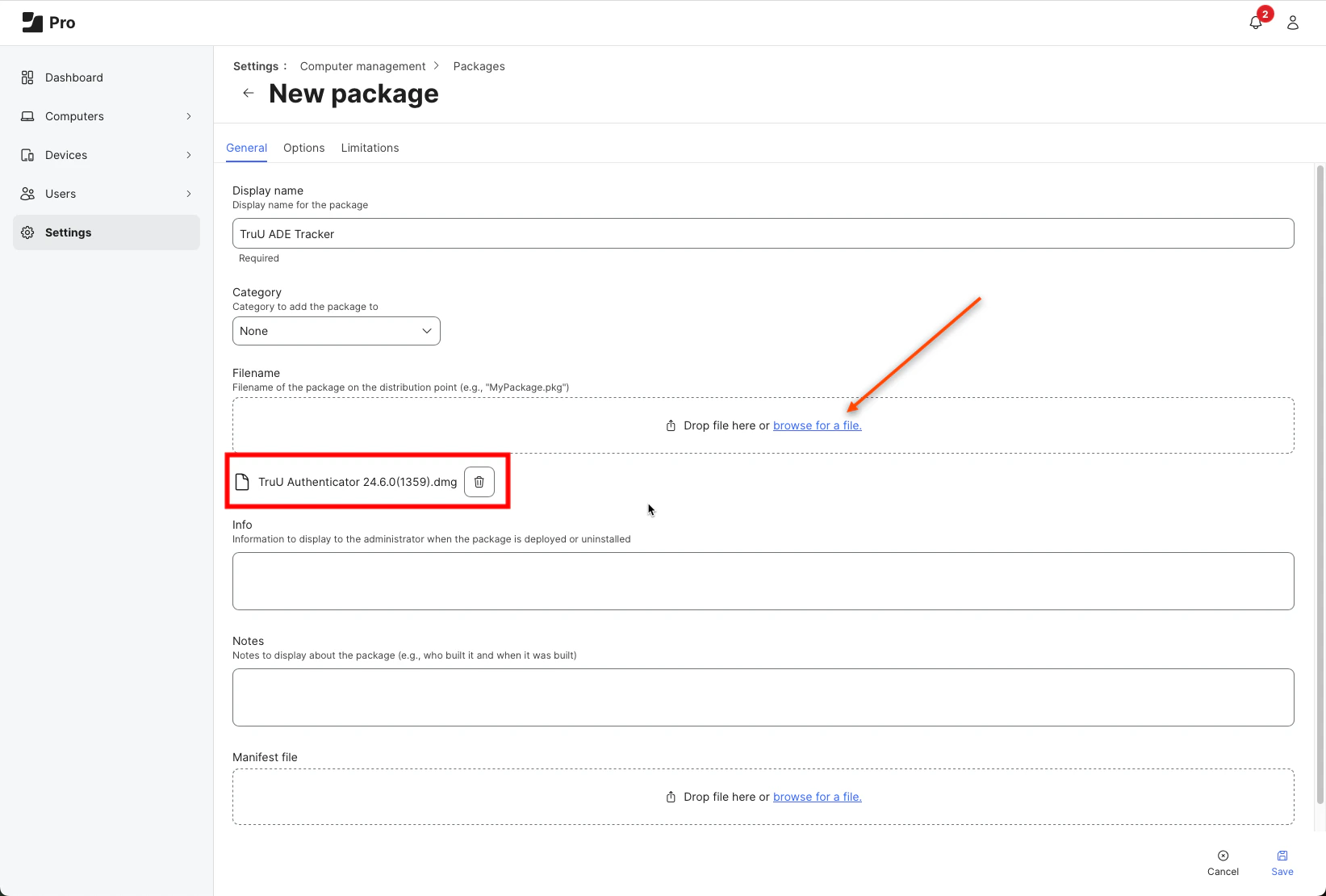
Name this package TruU ADE Tracker
-
Browse and select the downloaded .dmg file for the FileName
-
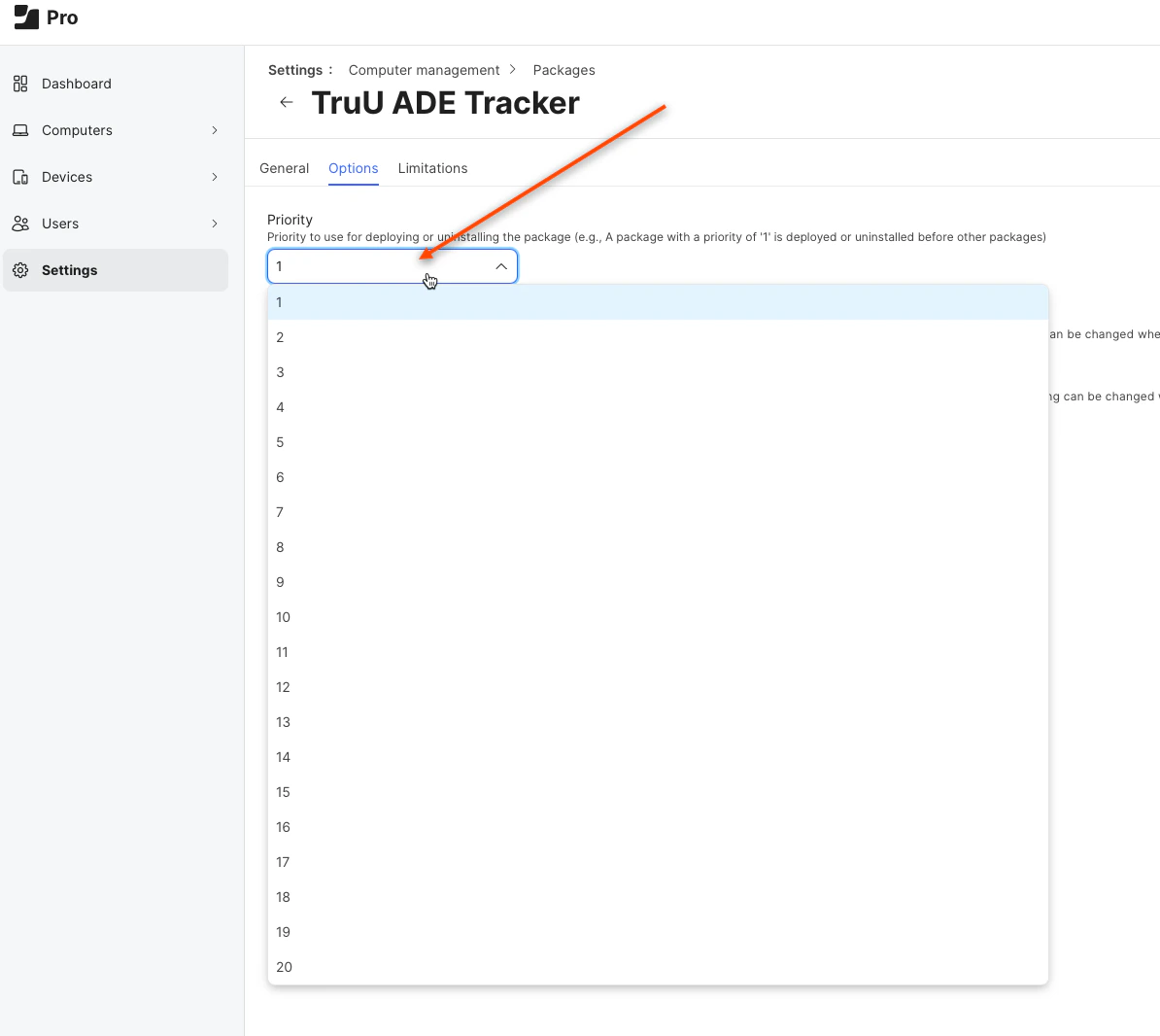
Click the Options tab at the top of the page and change the priority of the package to 1. NOTE: You MUST make sure that the priority of the ADE Tracker is higher than the TruU Authenticator pkg. Always set it to 1.
-
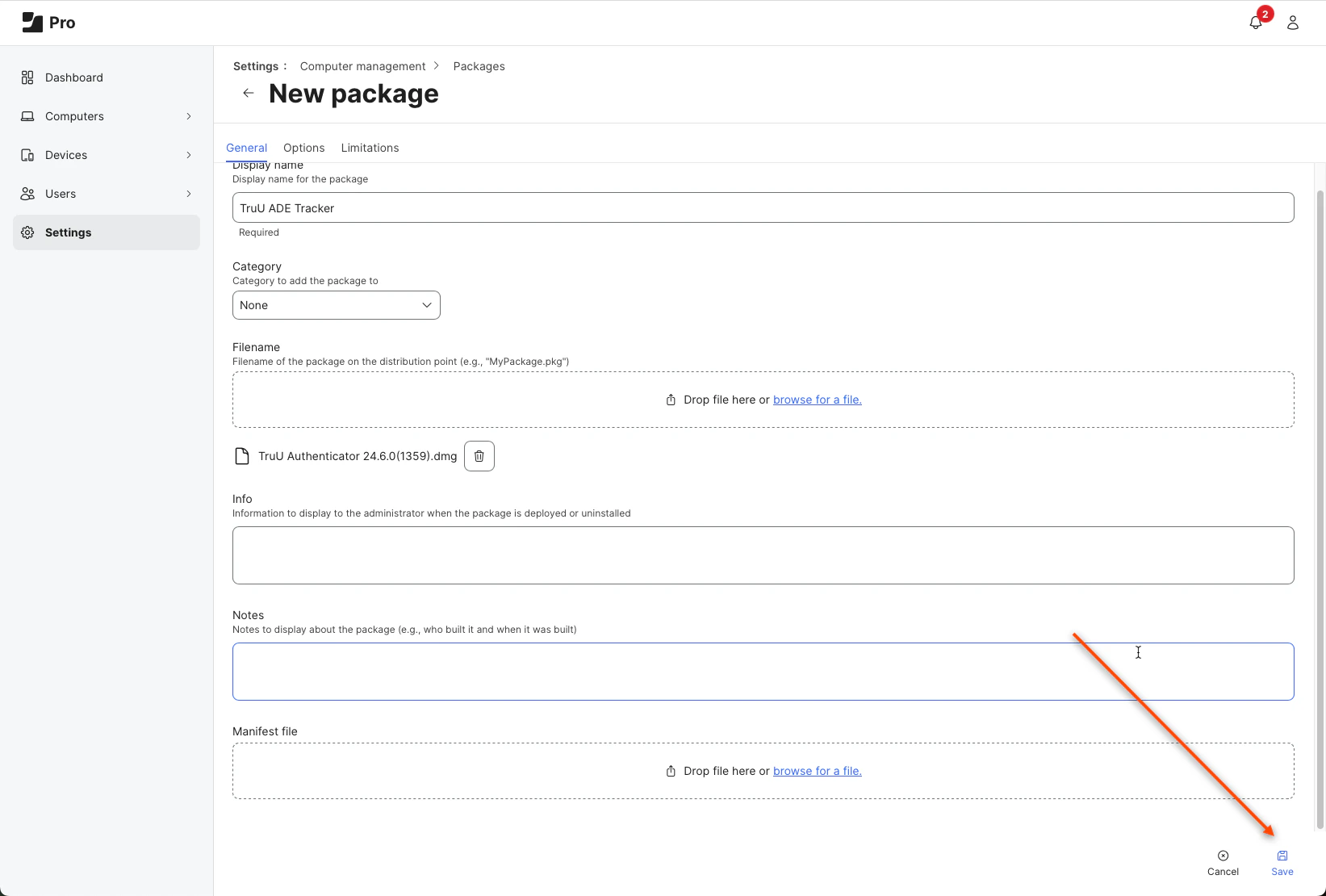
Click Save
TruU JAMF Pre-Stage Deployment using JAMF Setup Manager ADE/DEP JAMF Setup