Overview

  • Apple Business Manager setup
  • Create MDM Server
  • Apple Configurator setup

Apple Business Manager Setup

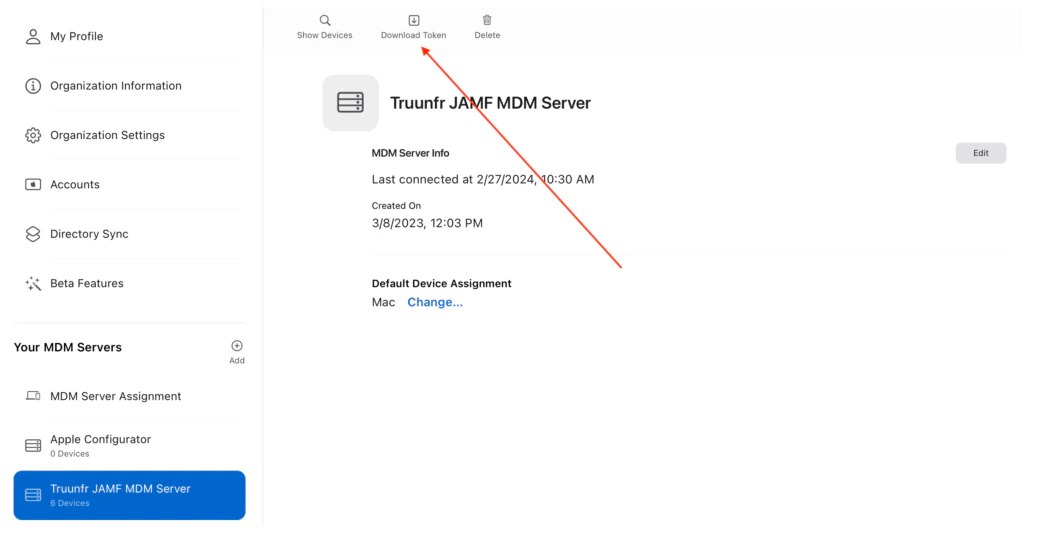
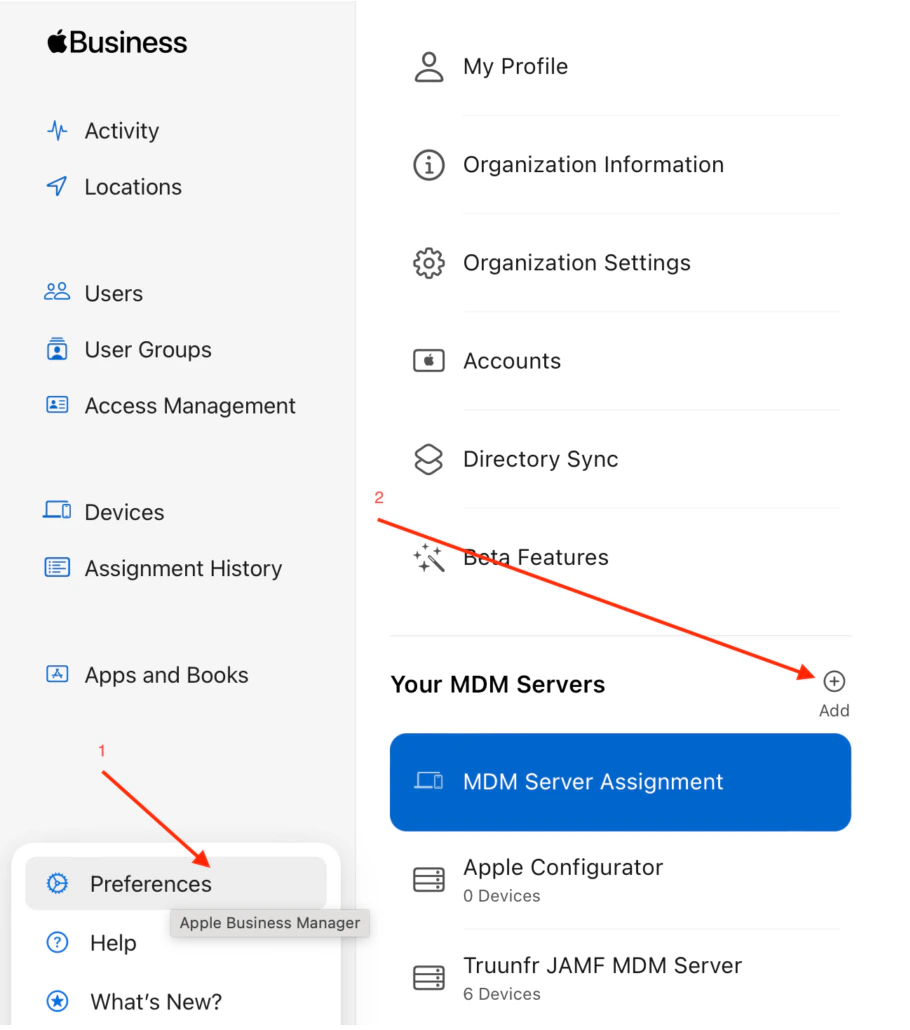
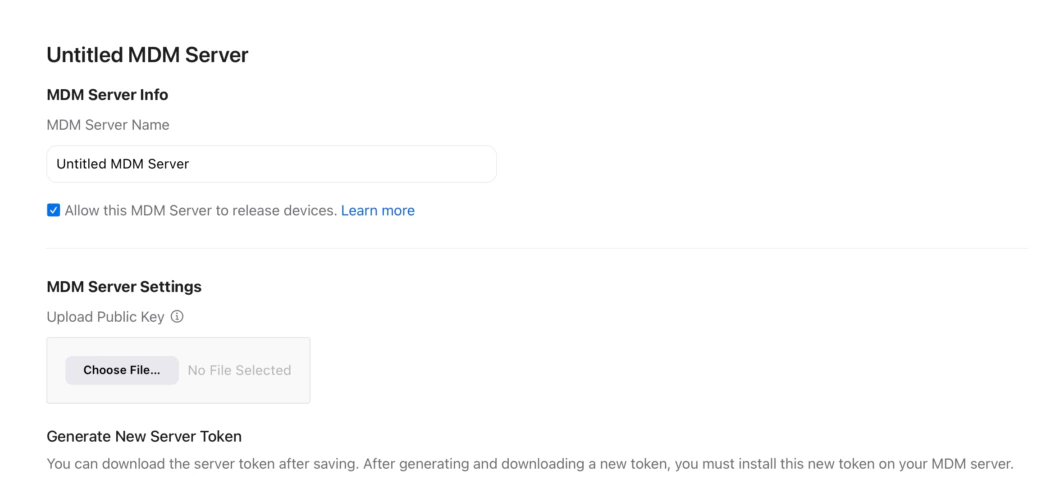
Step 1: Sign In https://business.apple.com Step 2: Go to Preferences to add New MDM Server Step 3: Setup MDM Server 3-a: Provide a name for the MDM Server 3-B: Check the box to “Allow this MDM Server to release devices” Step 4: Download token for newly created MDM Server (This token needs to be set on the MDM, e.g., Jamf) Step 5: Go to App Store and download Apple Configurator iOS app (this is required for the Admin to configure provisioning through the MDM) 5-a: Sign in using Apple Business Manager account 5-B: Pick newly created MDM Server as default assigned for provisioned machines
ADE/DEP Intune Setup TruU plist JAMF Install