

- You cannot uninstall TruU application from your laptop. However, you can uninstall the TruU application from your mobile devices due to which you will lose access to company resources from your phone
- Cybersecurity teams recommend all users use biometrics as the primary means of access and PIN as the backup in case your biometric hardware is not functioning properly. Please be assured that biometrics is safe and secure. All biometric data is fully encrypted, and no one can access your data and it is under your control. You can also unenroll biometrics if you choose to do it at any time
- No, you can only enroll with a company email ID
- TruU can send the code via email or SMS as long as it is in the directory. Additionally, admins can provide end users a code after verification
- You should receive the code within 2 minutes and if you don’t get the code, please click resend
- You need to start over and complete enrollment
- Yes, you can enroll multiple devices with TruU unless your admin has set a limit
- You are only required to change your PIN if it has been compromised
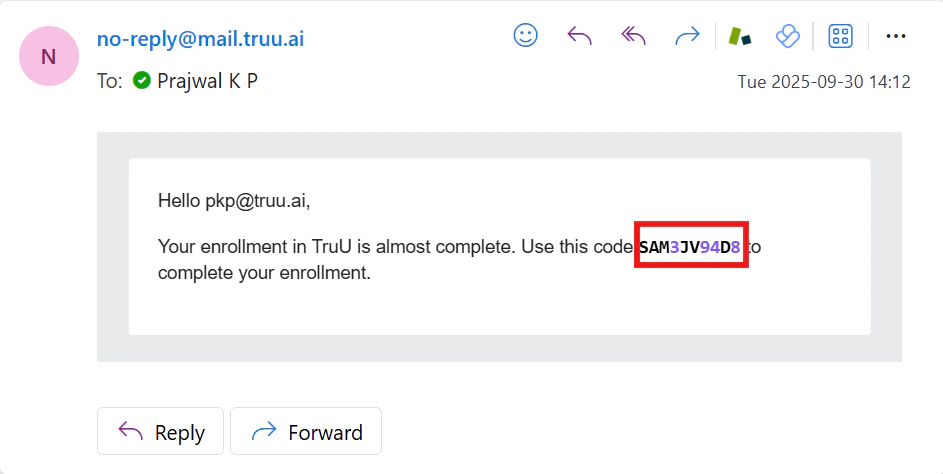
- Please look for an email from [email protected]. Sample screen capture is shown below
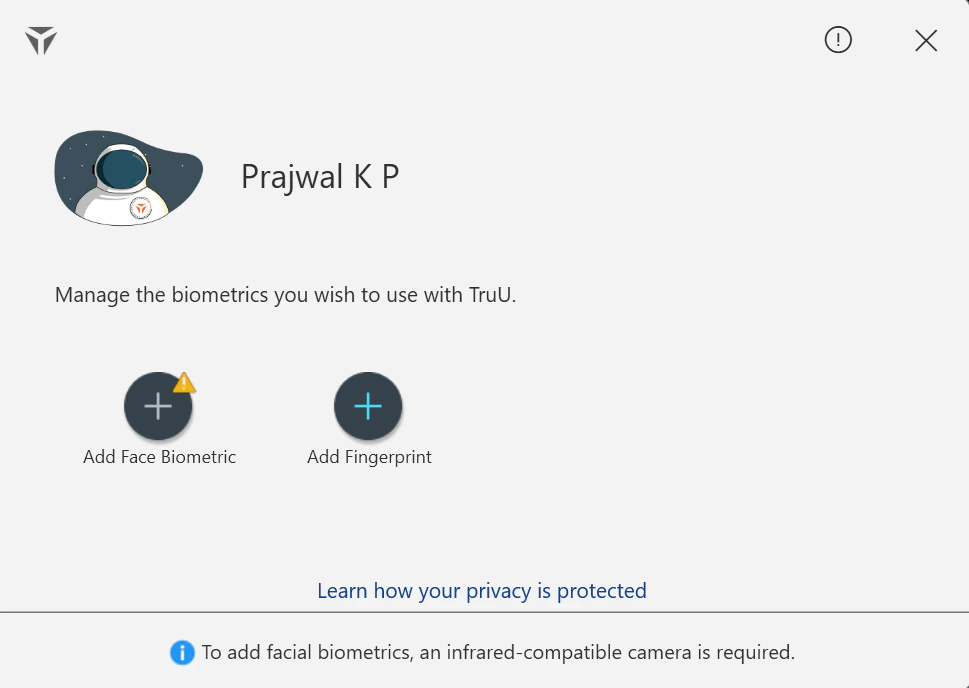
- A yellow warning sign on either of the biometrics indicates that your hardware is not compatible with TruU
General User FAQs Windows FAQs