

Microsoft Edge on macOS Required Configuration
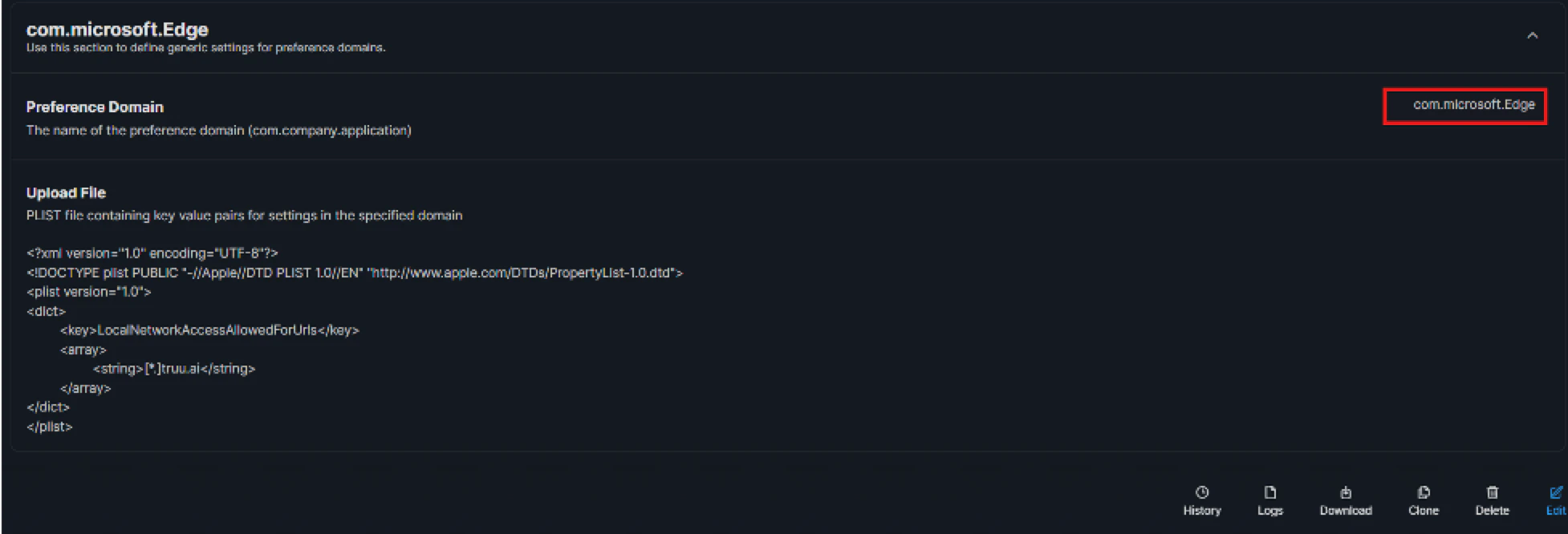
- Preference domain: com.microsoft.Edge
- Policy key: LocalNetworkAccessAllowedForUrls
- Entry: [*.]truu.ai
JAMF
- Navigate to the Computers tab, then to Configuration Profiles → macOS → Click New
- Use Application & Custom Settings to then upload the plist
- Set Domain to com.microsoft.Edge and add the following plist:
- Scope to devices/users that run TruU in MSedge.
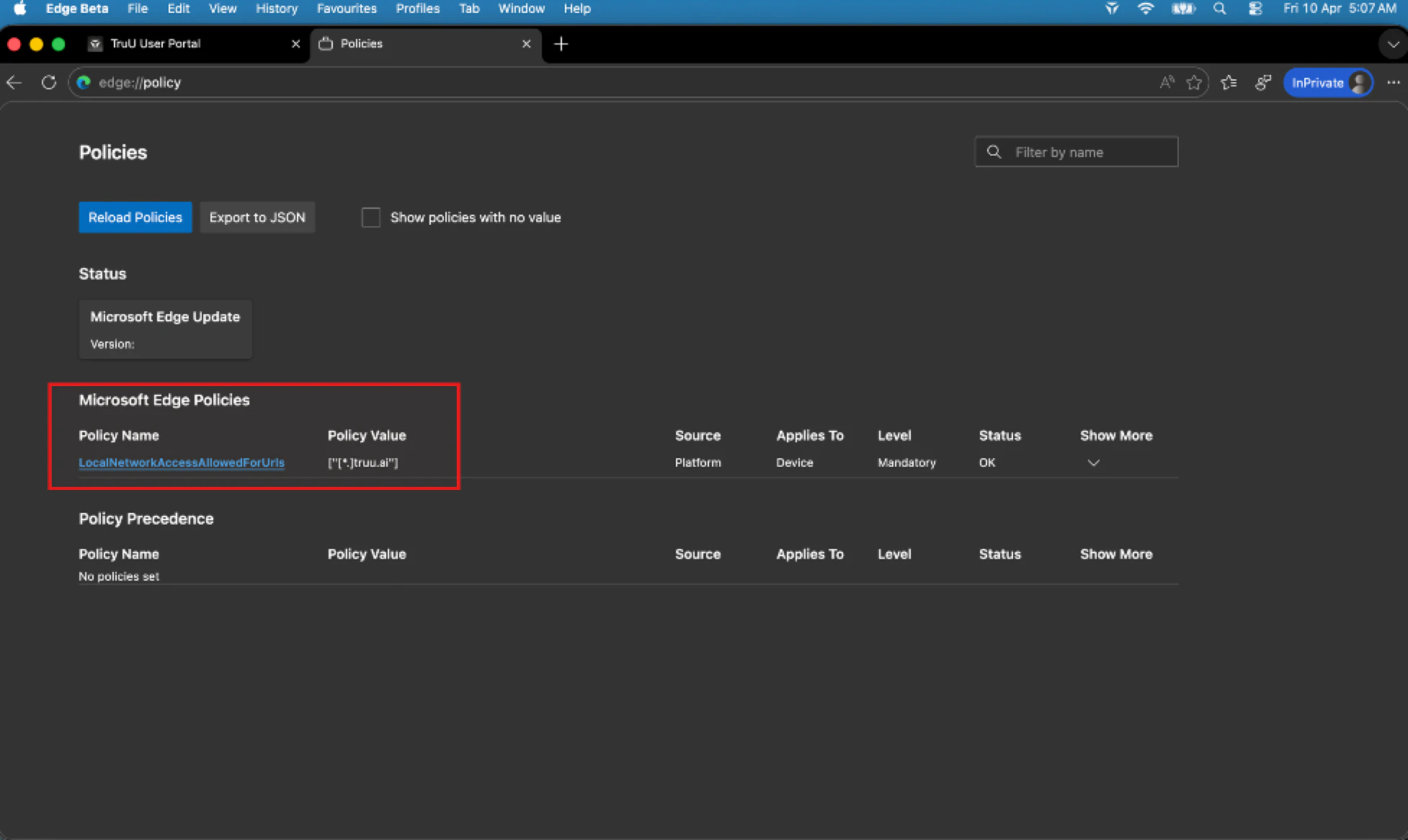
- After deploying, on a test Mac verify “edge://policy” shows LocalNetworkAccessAllowedForUrls, and _edge://settings/privacy/sitePermissions/allPermissions/localNetwork _
Google Chrome on macOS Required Configuration
- Preference domain: com.google.Chrome
- Policy key: LoopbackNetworkAllowedForUrls
- Entry: [*.]truu.ai
JAMF
- Navigate to the Computers tab, then to Configuration Profiles → macOS → Click New
- Use Application & Custom Settings to then upload the plist
- Set Domain to com.google.Chrome and add the following plist:

- Scope to devices/users that run TruU in Chrome.
- After deploying, on a test Mac open chrome://policy, confirm LoopbackNetworkAllowedForUrls lists [*.]truu.ai, and check chrome://settings/content/loopbackNetwork (aligned with your Windows validation).

