

Highlights
- Improved Security Key Migration to Resident Key
- Passkey Support on Mobile
- Simpler SSO Management for TruU Improved “Gear Icon” Menus
Enhancements
Improved Security Key Migration to Resident Key
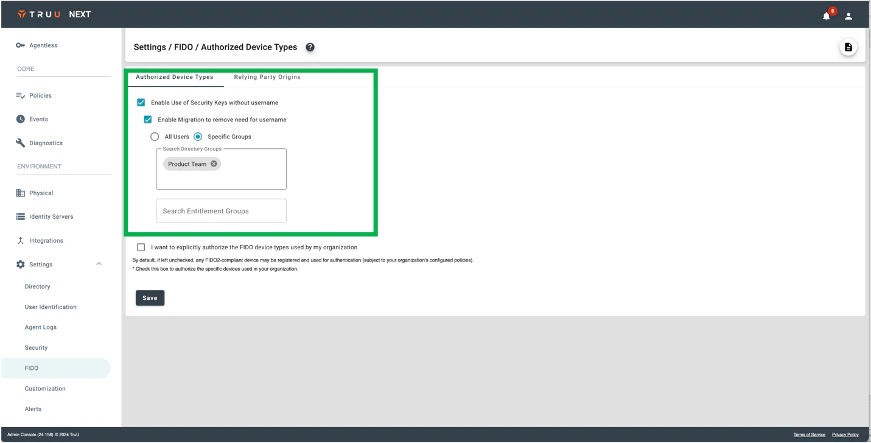
- We’ve made two enhancements to better support migration of security keys from non-resident keys to resident keys. First, we’ve added support to migrate keys by groups of users (from the underlying directory and/or entitlement groups).
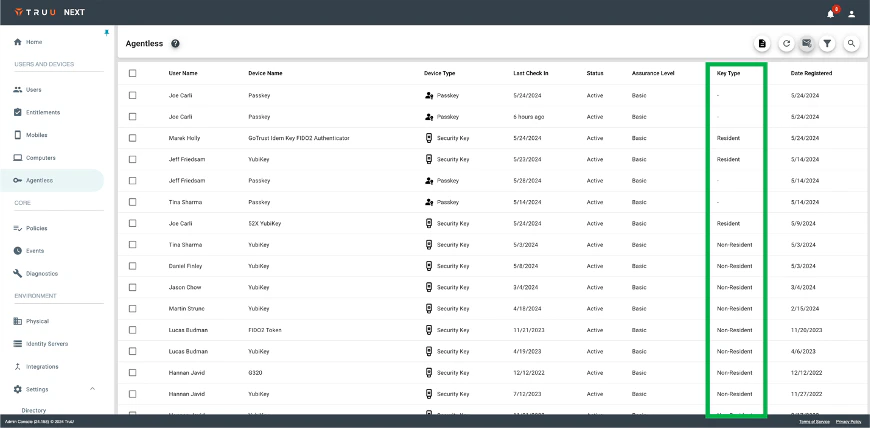
- In addition, regardless how you choose to migrate keys, when migration is enabled the Agentless table includes a new column for “Key Type” showing which keys are “Resident” and which are “Non-Resident”. This provides the visibility needed to help Admins decide at which point to disable the migration and always use the resident key authentication flow where users do not need to provide a user identifier to authenticate with a security key. Agentless data can be sent to Admins for sorting and analysis.
Passkey Support on Mobile
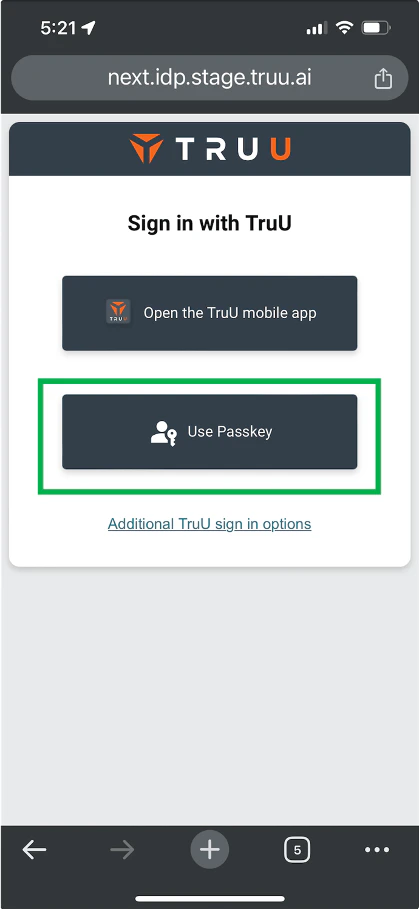
- We’ve improved our Agentless offering by adding passkey support for SSO on mobile. Now, when using a mobile device to SSO to an app, TruU gives users the option to use either the mobile app or a passkey.
- NOTE: this option will only appear for tenants where passkey usage has been enabled and at least one passkey has been enrolled.
Simpler SSO Management for TruU
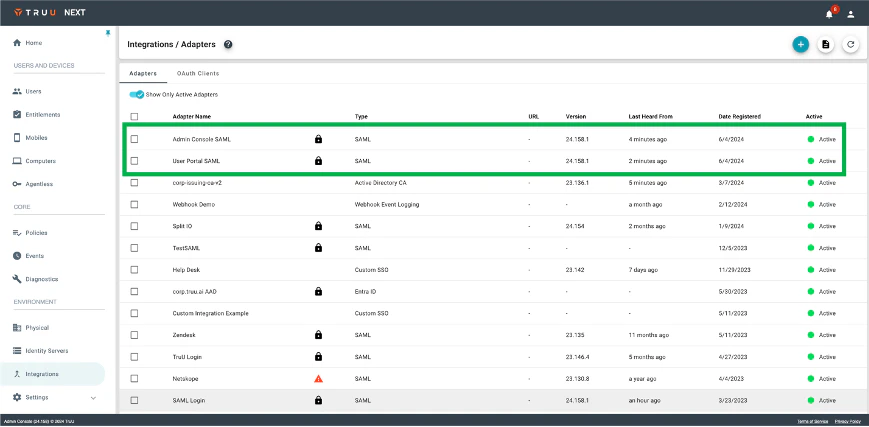
- With this release, we have added an option to federate the TruU web apps (Admin Console and User Portal) to TruU without using an external IdP. For existing customers, this can be enabled from the “Security” menu in “Settings”. This will automatically be configured for new tenants created going forward.
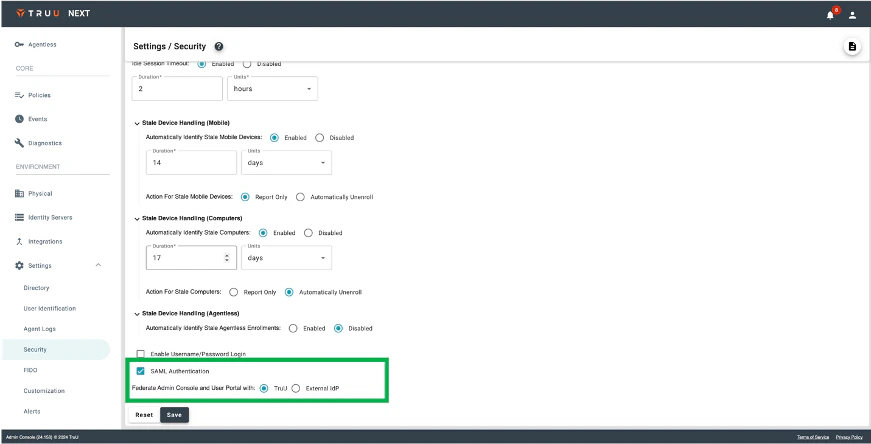
- With this feature enabled we create 2 new SAML adapters: one for the User Portal and a second for the Admin Console. These adapters have limited configuration options – only the FIDO origin and the default view can be set as all other configurations are handled by TruU.
Improved “Gear Icon” Menus
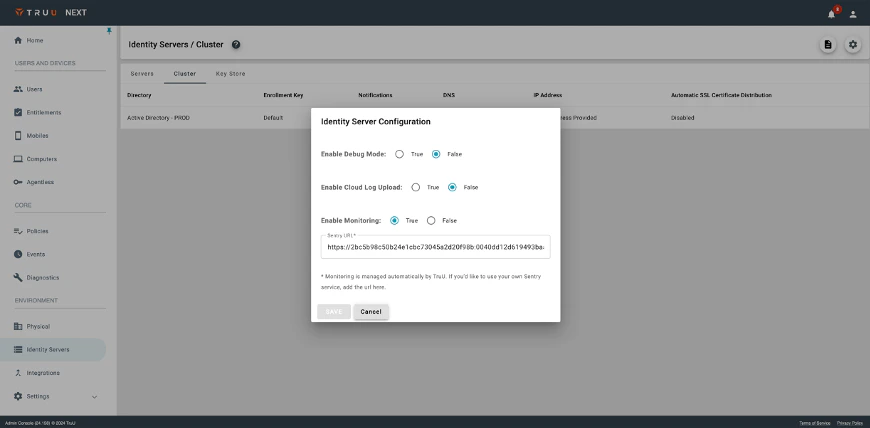
- Finally, we’ve improved the user experience around the “gear icon” menus found throughout the product (in the Readers, Global Attributes, and Identity Server Cluster pages). Specifically, clicking the gear icon brings up the menu as a dialog with clear buttons to cancel or save. In addition, the dialog can be dismissed by clicking outside of the dialog box.
Bug Fixes
- We have fixed an issue where failed policy evaluation events from iOS devices appear twice in the Events table.
- We have fixed an issue where failed security key login did not generate an event in the Events table.
- We have fixed an issue where migration of security key from non-resident key to resident key would result in an Internal Server Error if the user waited more than two minutes to click the button to upgrade the key.
Known Issues
PLAT 24.159 Release Notes PLAT 24.157 Release Notes