

Highlights
- Improved Management of “FIDO Keys” in Entra ID
Enhancements
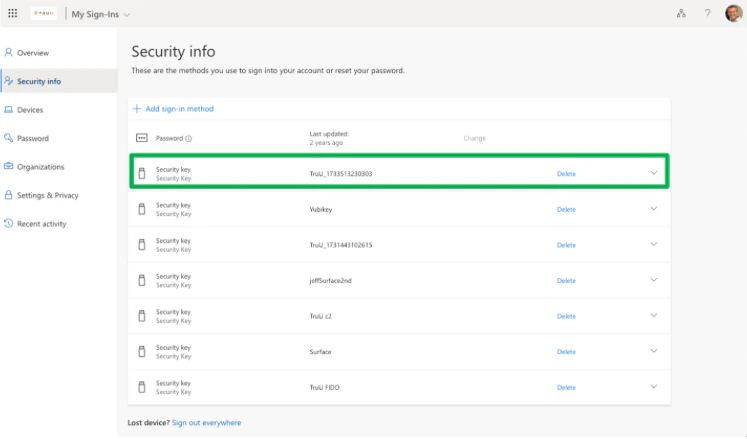
Improved Management of “FIDO Keys” in Entra ID
- This is an extension to the improvement that was announced with PLAT 25.184. As a reminder, when using the Windows Authenticator for Entra-joined Windows machines, TruU enrolls the device as a FIDO Security Key in Entra ID on behalf of the user in order to use TruU to authenticate to Windows.
- With the PLAT 25.184 release, we improved our management of the registered device such that when a user re-enrolls the same device, we would delete the old key in Entra ID. In this release, we now delete keys from Entra ID when a computer is unenrolled from TruU.
Bug Fixes
- We have updated the “Notifications” feature introduced in the last release to support showing email status for emails sent as part of a workflow (for authentication or enrollment) and user invites.
- We have fixed an issue where adding or removing users from an entitlement group could take in excess of 15 minutes to be honored by the policy engine.
- We have fixed an issue where users being added to a directory group were not getting policies applied to that directory group.
- We have removed the OS version from the “originating source” field in the events table (the user agent string, which is used to determine the source, does not distinguish the version).
- We have extended the display name character limits to better support users with long display names throughout the product.
Known Issues
PLAT 25.190 Release Notes PLAT 25.186 Release Notes