

Highlights
- Cloud RADIUS Support
- Improved Error Handling for Incorrect Username in Enrollment
- Improved Event Search
- Encrypted OAuth Credentials in Config Files
- Improved Error Handling for Authentication with Unenrolled Agentless Devices
Enhancements
Cloud RADIUS Support
-
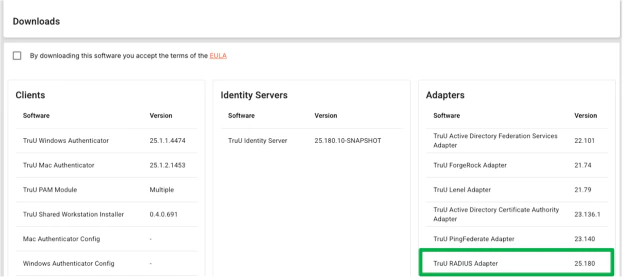
In the past, we had offered RADIUS support to customers using customer-managed Identity Servers, where the servers run on the customer’s network. With this release, we are extending RADIUS support to customers using TruU-managed infrastructure as well. Admins can now add an integration for RADIUS and then download the TruU RADIUS Adapter to deploy in their environment as an RPM.
Improved Error Handling for Incorrect Username in Enrollment
-
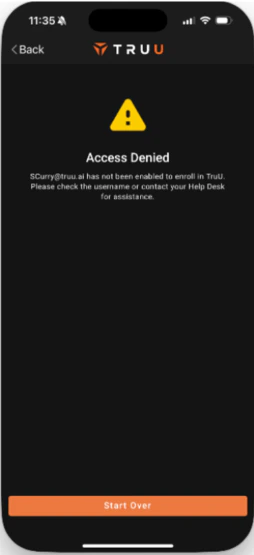
We intentionally do not include information that would give a bad actor information that could help them determine if a user exists in the directory. Now, if a user enters their username incorrectly, the error message includes the name that was entered. While this additional information does not give a bad actor information that they could use to distinguish an invalid account from a valid one, it is very helpful for a user who enters their user identifier (e.g. username) incorrectly.
Improved Event Search
-
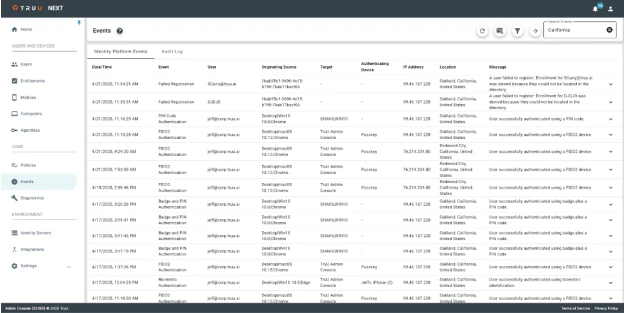
We have improved the event search to search across all the columns and expanded data in the tables aside from the Date / Time and Event columns. If you want to search by Date / Time or Event, use the ‘Filter’ menu for that (Filter and Search can be used in tandem). Previously, search was limited to the Events and the Messages columns.
Encrypted OAuth Credentials in Config Files
-
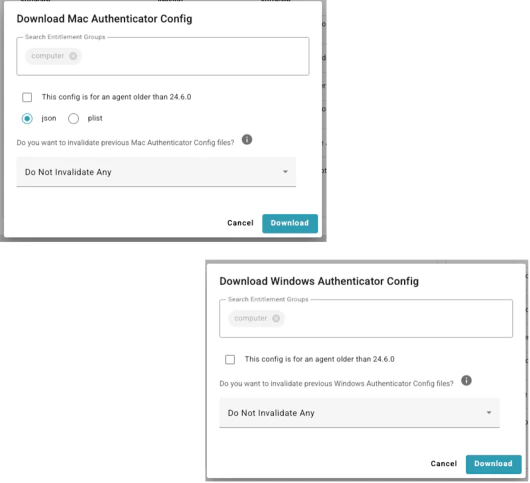
The Windows and Mac Authenticators require OAuth credentials to register with TruU. Those credentials are provided through the configuration files that are download from the tenant. We now encrypt the OAuth credentials in the config files and the latest authenticators (version 24.6 or higher) can properly decrypt the credentials for use. For customers using authenticators older than version 24.6, there is an option to download a config file with unencrypted credentials, otherwise all config files downloaded from TruU will contain encrypted credentials.
Improved Error Handling for Authentication with Unenrolled Agentless Devices
-
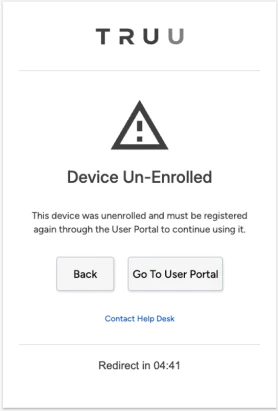
We have improved the error handling and messaging for when a user tries to authenticate using an agentless device (security key or a passkey) that has been deleted (e.g. due to stale device cleanup, or an explicit removal by an Admin or the end-user) or locked by an Admin. If a user tries to use a device that has been deleted or locked, the error message will inform them why they can’t use the device and how to proceed.
Bug Fixes
- We have fixed an issue where audit logs for customization changes were not getting updated.
- We have fixed an issue where the “Submit” button would not function when users re-enter an enrollment code to enroll a device.
- We have fixed an issue where cropping of the background image used for SSO / User Portal would not work correctly.
- We have fixed an issue where the custom background image for SSO would be replaced with a gray background color at certain screen resolutions.
Known Issues
PLAT 25.184 Release Notes PLAT 25.179 Release Notes