

Highlights
- Granular Passkey Policies
- Export for Events Beta
- Log Retrieval by Admins
- Bug Fixes
Enhancements
Granular Passkey Policies
Admins can now allow Passkeys, but block users from registering syncable passkeys (ensuring that the user can only use the originally registered passkey and not a copy).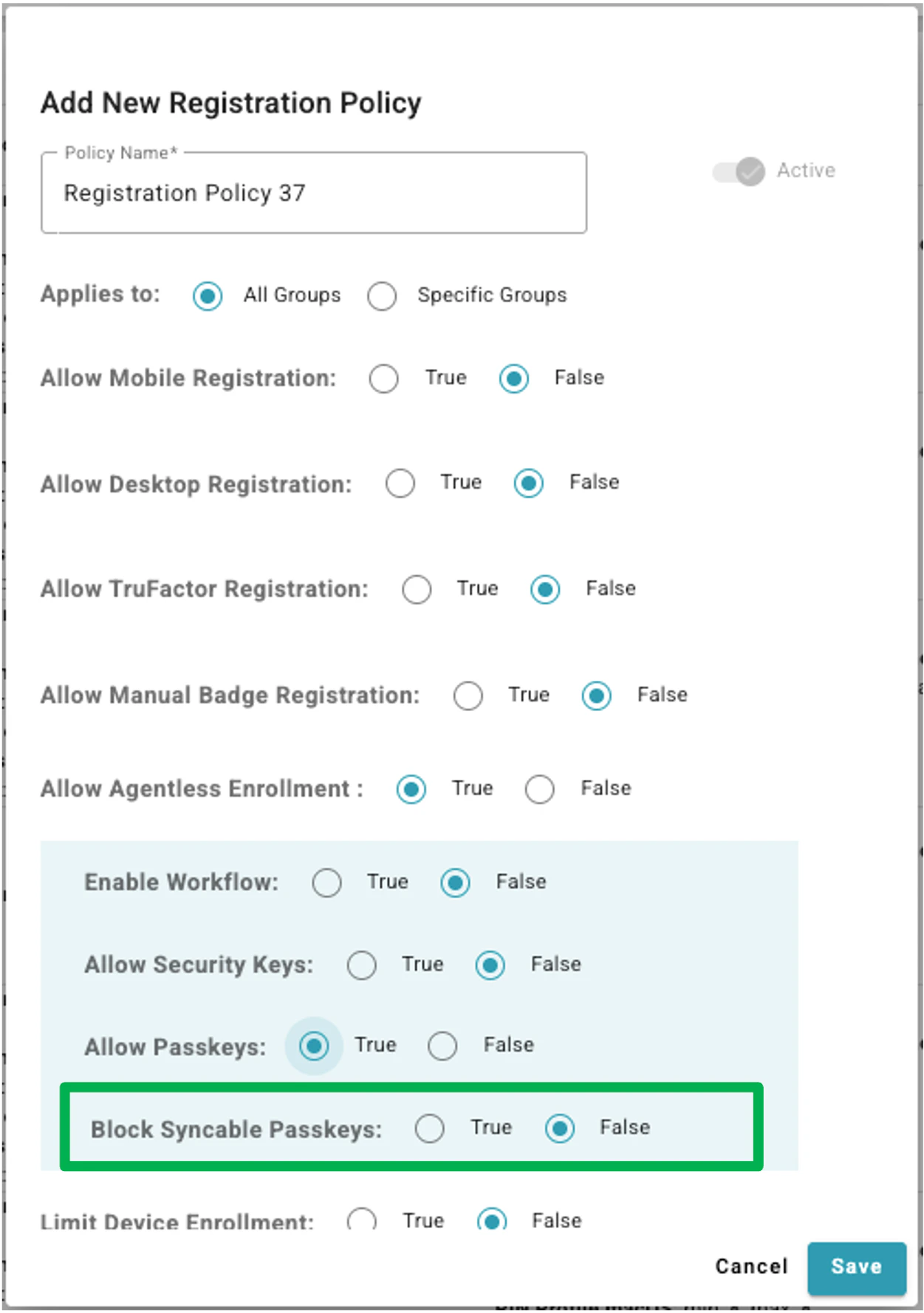
Export for Events Beta
The new Events page with natural language search and filtering that was released as a public beta earlier this month now supports exporting data. The confirmation menu and the CSV file that is generated have been updated to show the query that was entered in the search and the resulting filters.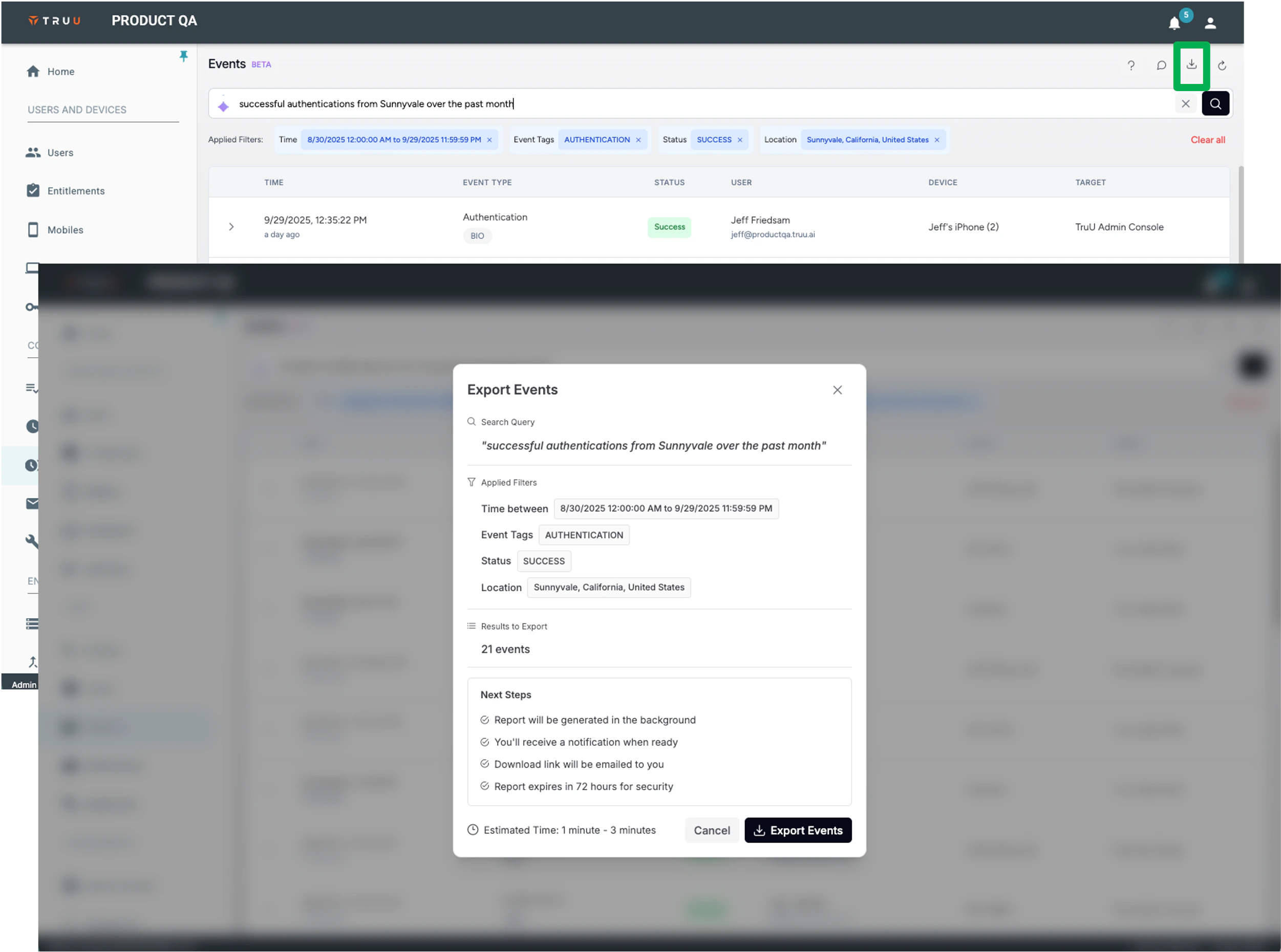
Log Retrieval by Admins
We are also happy to introduce a new capability for Admins to retrieve TruU logs from devices without requiring an action from the end user. To do so, as seen below, click the new “Action” button, then click “Get Logs” available on the “Computers” tab, then navigate to either the “Workstations” or “Mobiles” pages.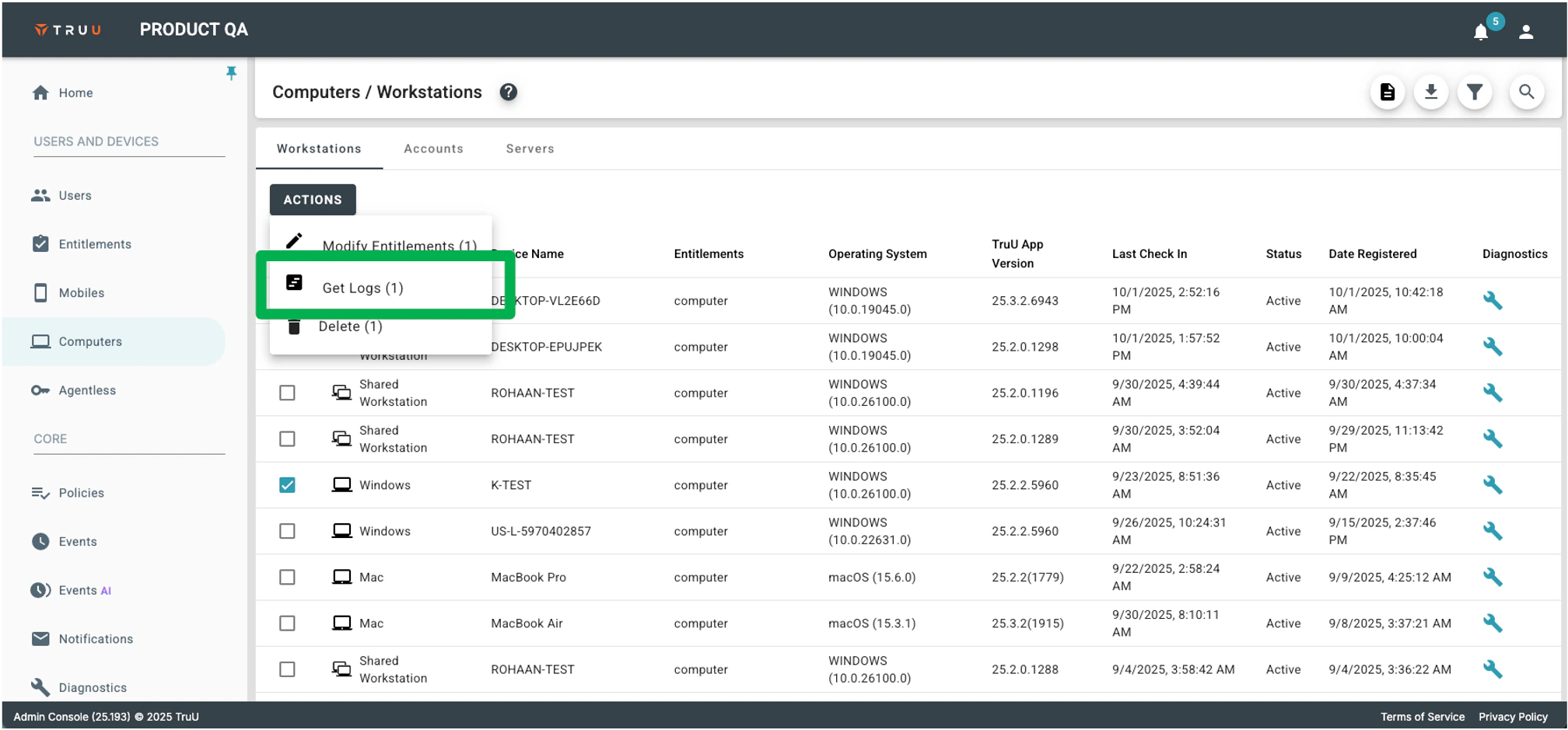
Bug Fixes
- We have added missing translations in some error messages when using TruU in a non-English language.
- We have fixed our error event reporting to include an event when a someone attempts to login with a user name that is not found in the directory.
- We have fixed an issue that prevented large biometric use policies from being displayed in full from the User Portal or the Admin Console.
Known Issues
PLAT 25.194 Release Notes PLAT 25.190 Release Notes