

Highlights
- Biometric Permission
- Improved Data Export
- Notifications (Mail Delivery Status)
- Diagnostic and System Event Reporting
- Traditional Chinese and Malay Support
Enhancements
Biometric Permission
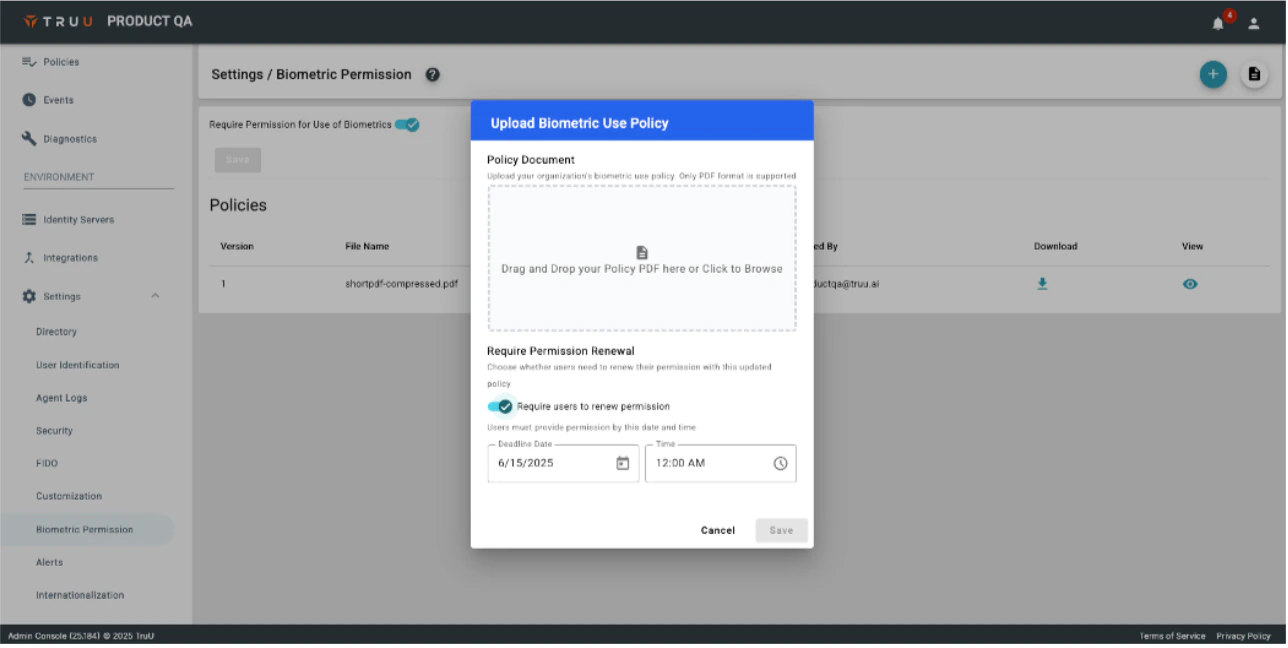
This feature is disabled by default. Please contact your account team If you would like to have it enabled in your environment.- Customers have often expressed a desire to manage permissions to use biometrics with the TruU products. This way, they can allow their end users to benefit from the simplicity and security provided by biometrics, all the while protecting the organization. With this release, we are introducing biometric permission management and enforcement across the entire platform. From the Admin Console, Admins can upload a biometric use policy that end users must agree to in order to use their biometrics. When uploading the policy, you can define a date by which users must accept the policy for existing users to continue using biometrics. Permission “renewal” is required for existing users when the policy is first enabled, and can be enabled on an ad hoc basis when new policies are uploaded (either because the policy has changed substantially, or to support regular policy renewals for compliance reasons).
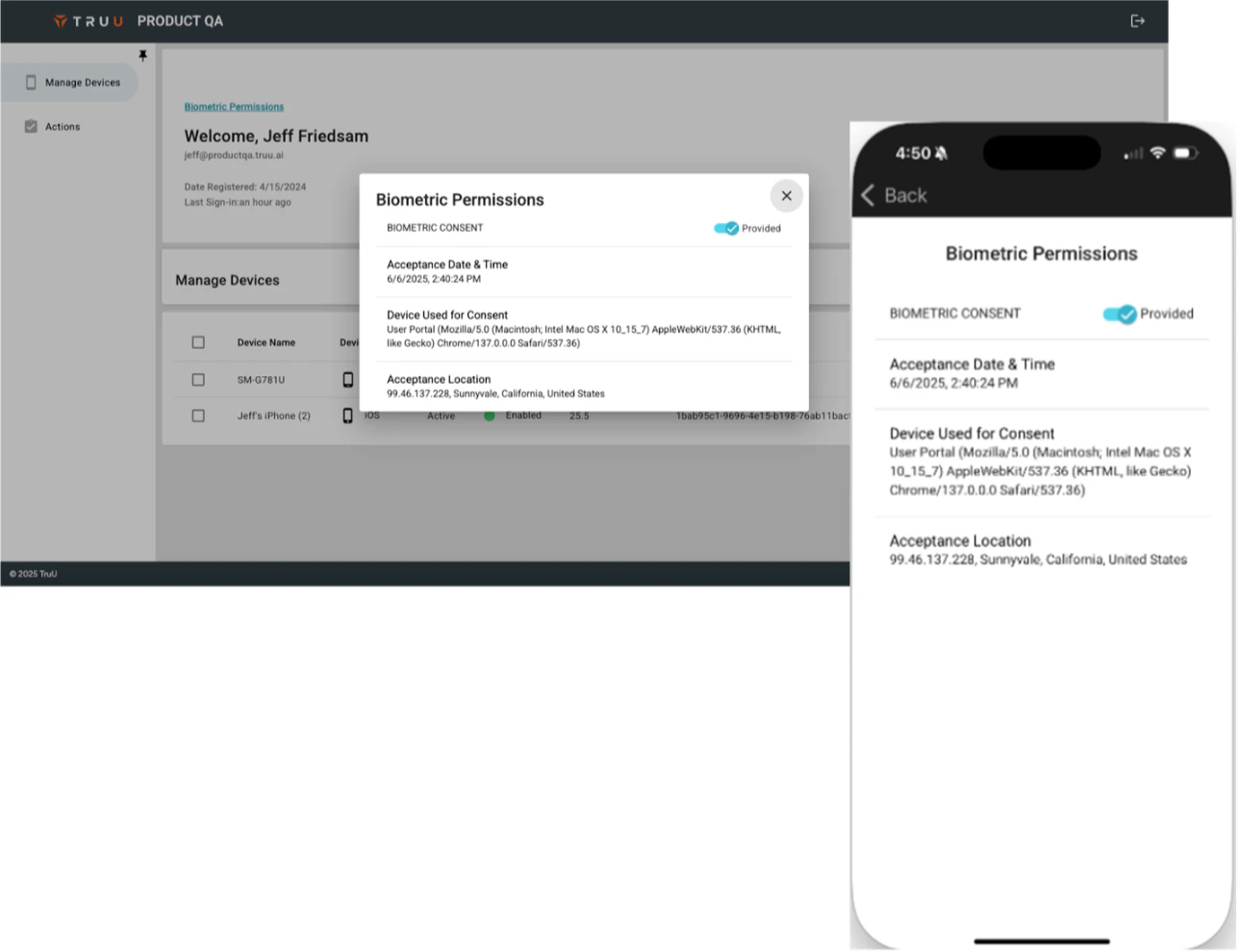
- When the feature is enabled, the clients (desktop agents, mobile apps and the User Portal) provide users with the means to manage their permissions.
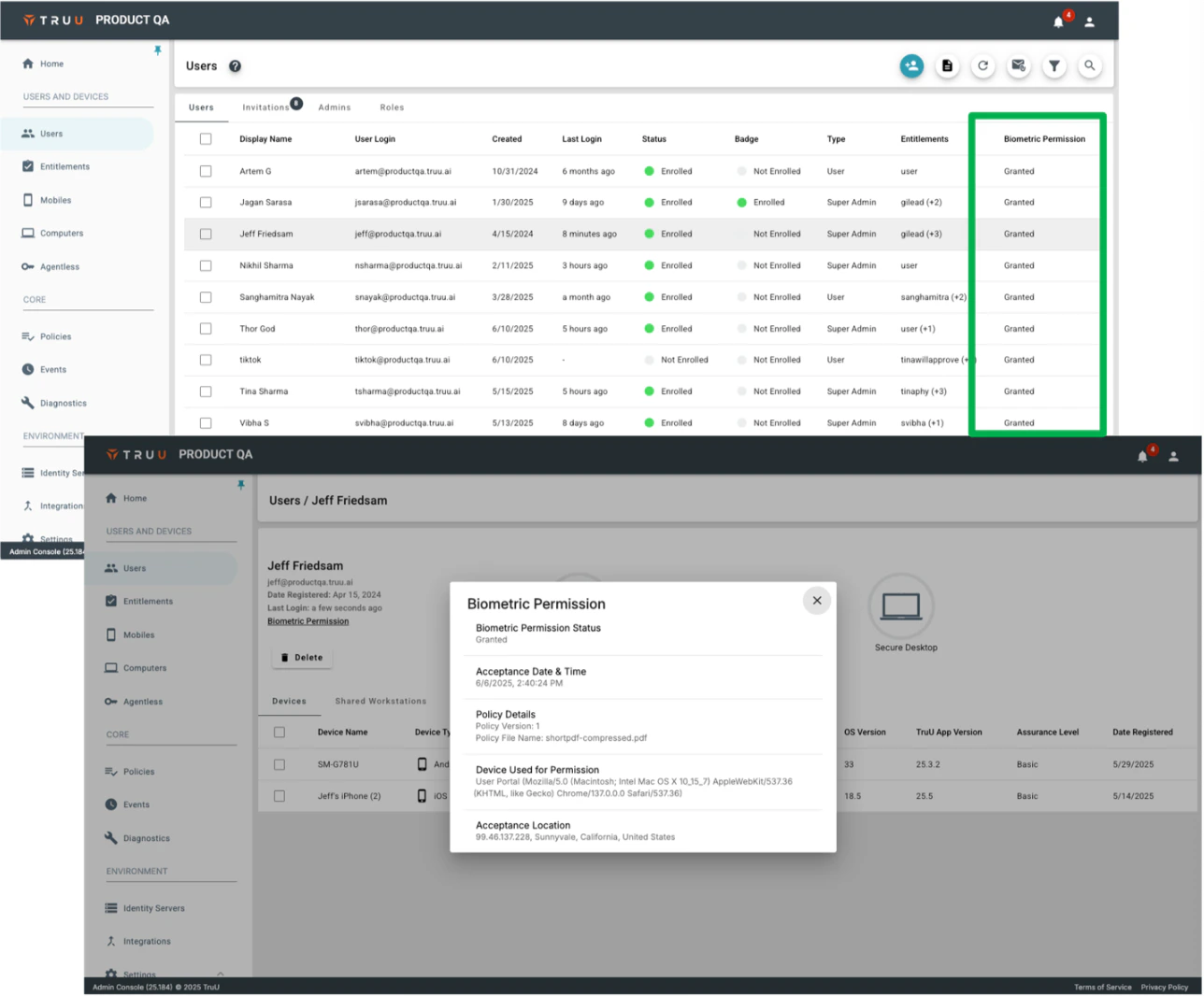
- Biometric permission status is maintained in the Admin Console and is enforced across the clients so that only users who have accepted your policy can use biometrics with TruU. Biometric permission status, and policy acceptance / rejection events can be viewed in the Admin Console and can easily be exported.
- Windows Authenticator: Version 25.3
- iOS/Android Mobile App: Version 25.6
- Mac Authenticator: Does not currently support this feature
Improved Data Export
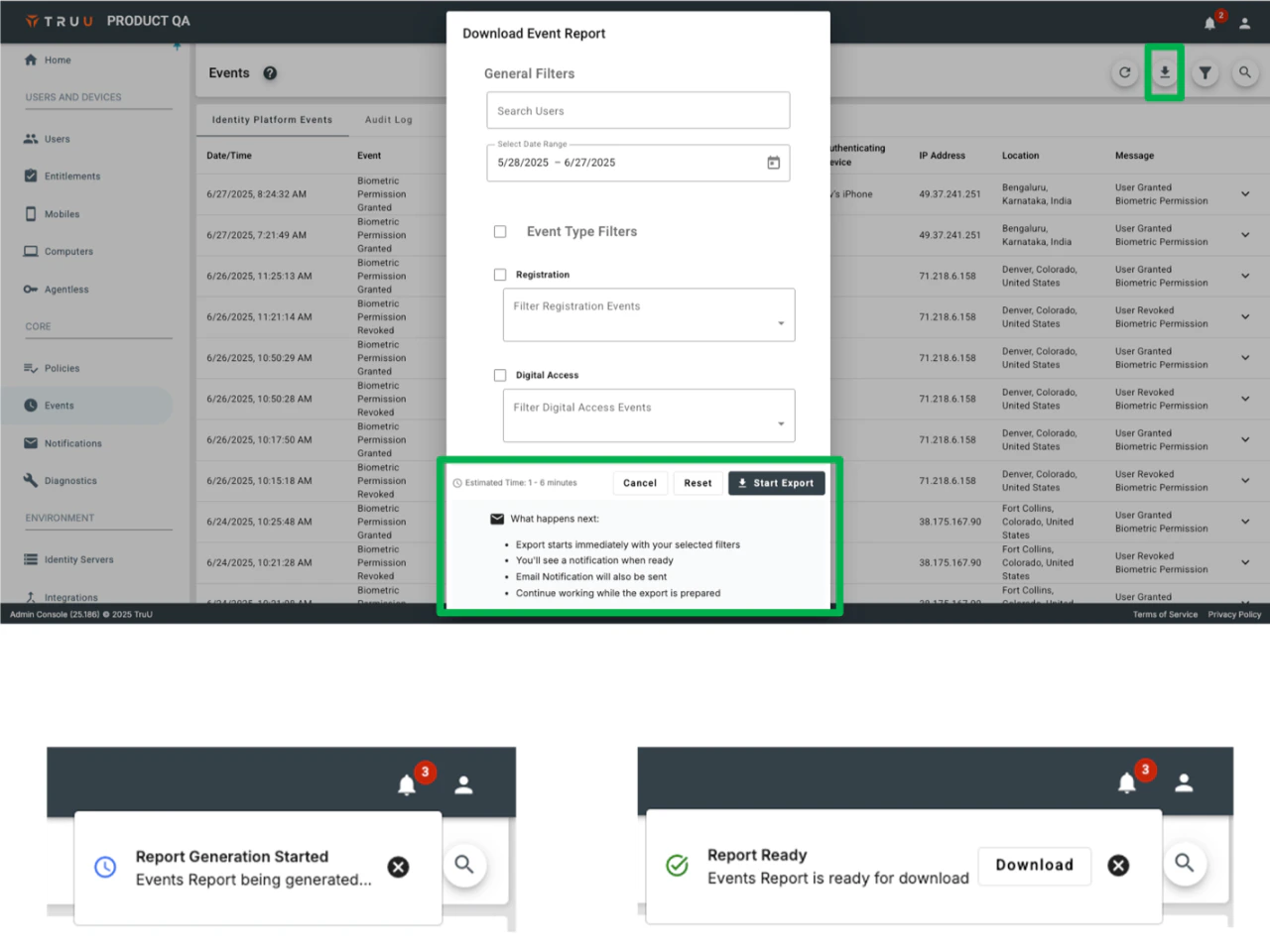
- We have greatly improved our data export capabilities in the platform by enabling a direct export from the Admin Console (as opposed to requiring Admins to send themselves files via email). In addition, when an email is sent upon completion of report generation, the email now contains a link to download a single file (in the past we would split the file up when it was too big). For security reasons, the download link is only available for 72 hours, but the file can be downloaded from the Admin Console at any time.
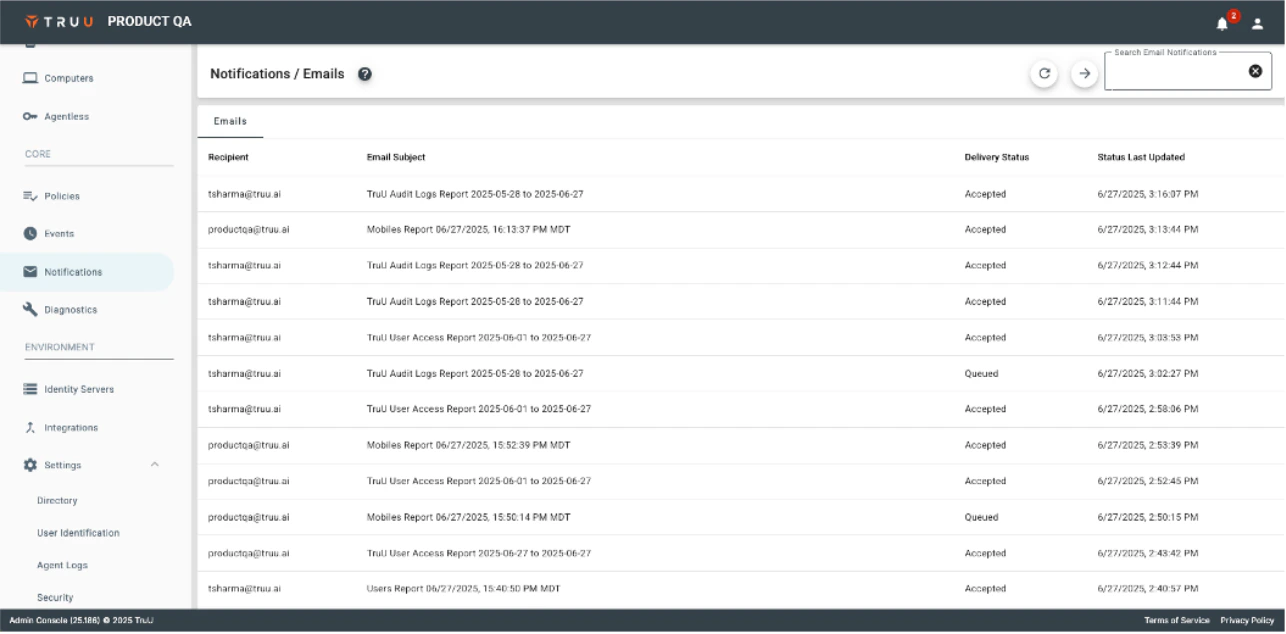
Notifications (Mail Delivery Status)
- We have added better visibility for Admins to see the status of emails that are sent from the system (currently showing emails for data exports, we will update in the future to include emails sent as part of a workflow). The new “Notifications” page shows the mail server status for all messages.
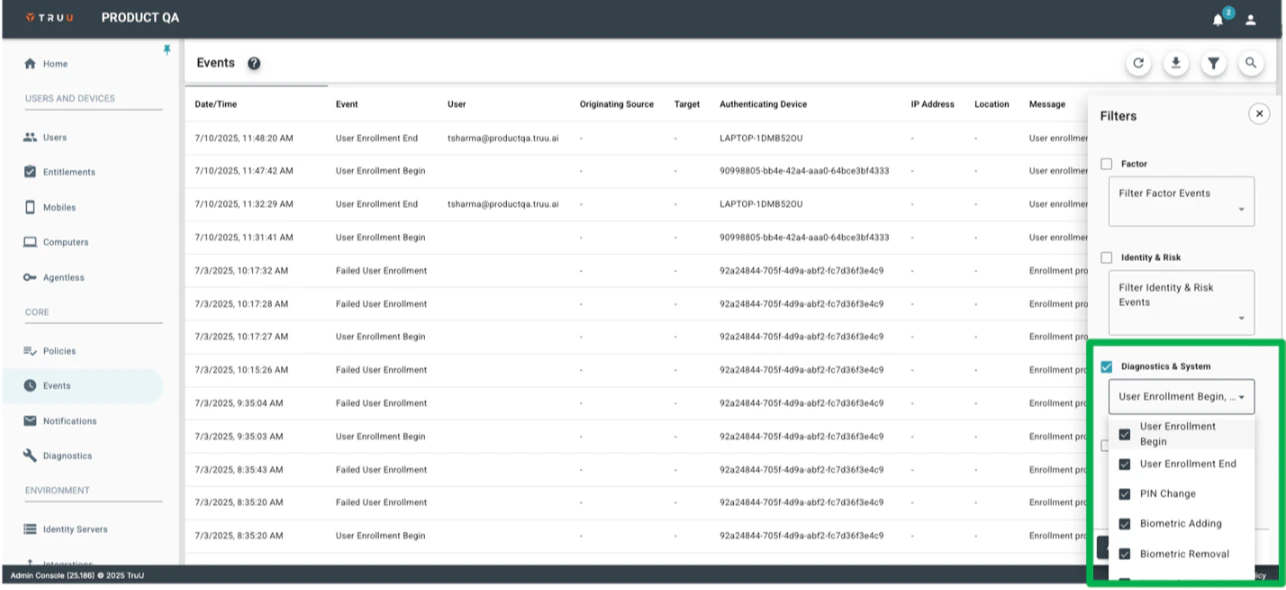
Diagnostic and System Event Reporting
- With this release, we are also providing better visibility to diagnostic and system events from clients. This new section in the “Events” table will provide details on when an enrollment starts and ends, and when users add or change biometrics and PINs.
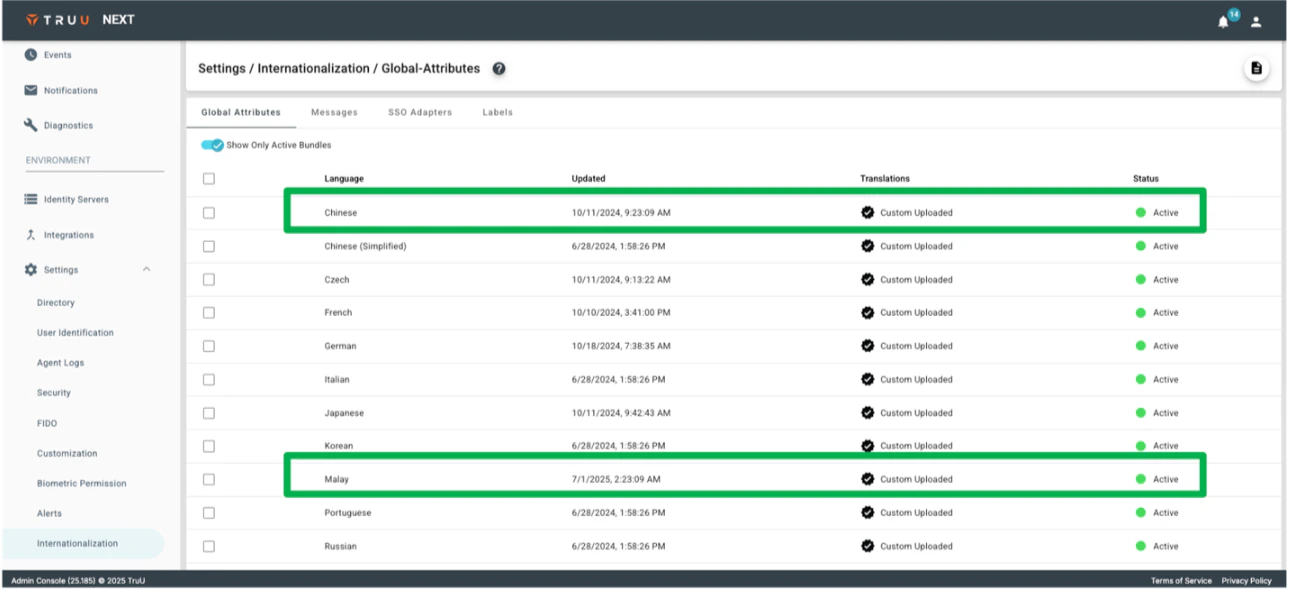
Traditional Chinese and Malay Support
- We have updated our Internationalization support from the platform (workflows, User Portal, and SSO pages) to include Malay and Traditional Chinese (shown in the Admin Console as “Chinese”).
Bug Fixes
- We have fixed an issue where sending magic links would not appear in a local language when using a non-English workflow.
- We have fixed event reporting for failed authentication to properly reflect the type of authentication (PIN code vs biometric) that failed.
- We have fixed an issue where some SSO authentications would fail when authenticating in an embedded browser.
- We have fixed some UI bugs in the Admin Console preventing field labels from appearing properly.
- We have fixed an issue where workflows configured to prevent enrollment if a user could not receive a magic link would include a help link when the workflow was configured to not include the link.
- We have fixed an issue where Usage Reports run from the Admin Console would return no data.
- We have fixed an issue where failed authentications due to a device not meeting a minimum required assurance level would not appear in the Admin Console Events.
Known Issues
PLAT 25.188 Release Notes PLAT 25.184 Release Notes