

Highlights
- Support for Microsoft 365 Groups
- Updated Branding Preview
- Improved Alerting
- Improved User Portal Experience for Users with no Devices
- Improved CSV Upload for Internationalization
- Bug Fixes
Enhancements
Support for Microsoft 365 Groups
- With this latest version of the Platform (and the updated Identity Server), Admins can now define groups using Microsoft 365 Groups in addition to the standard directory security groups. Microsoft 365 Groups can now be used to define Entitlement Group membership, target policies to users, and invite groups of users to TruU (wherever “Search Directory Groups” appears in the UI).

Updated Branding Preview
PREREQUISITE: In order to enable these new features, you must upgrade your tenant. All user portals will be automatically upgraded on April 27, 2025. Please refer to PLAT 24.170 Release Notes for details.- The preview page for Branding (in the “settings”, then “Customization” menu) has been updated as follows:
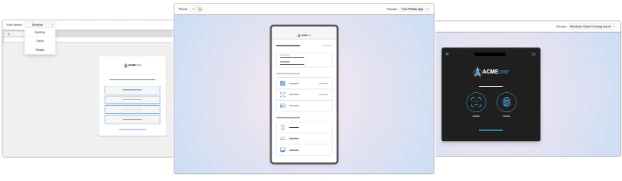
- The SSO preview now has options to view the customizations as they would appear on a tablet or a mobile device.
- We’ve added a preview for customizations applied to the mobile apps, and can toggle between light and dark themes. NOTE: customizations are applied to the 25.2 (or higher) iOS app and will be available for Android soon.
- We’ve consolidated the light/dark mode preview for Windows into a single page with an option to toggle between light and dark themes.
Improved Alerting
-
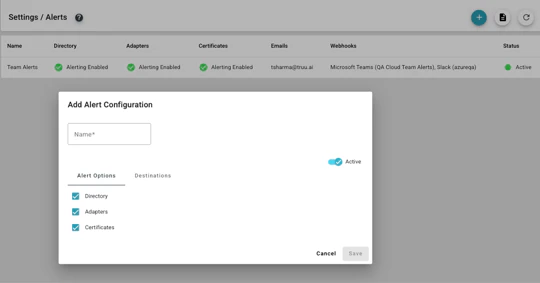
We have revamped the Alerts page to both simplify our interface, as well as extend our alerting capabilities. We have simplified the page as follows:
- We no longer show “Identity Servers” as an alert option for environments where customers are using TruU-managed Identity Servers.
- We have created a separate option for setting up alerts on the Directory in regards to the removal of Identity Servers.
- We have removed the sub-options for selecting specific adapters.
- We have also extended the alerting capabilities to enable alerts for certificate expiration (e.g. certificates used for connecting to IdPs) and when enabling for directories (e.g. Entra ID), we will alert when API tokens need to be refreshed. When enabled, alerts will be sent 60, 30 and 14 days prior to expiration. Alerts will be sent daily starting 7 days before expiration.

- The table on the alerts page has been updated to reflect this simpler alert structure.
Improved User Portal Experience for Users with no Devices
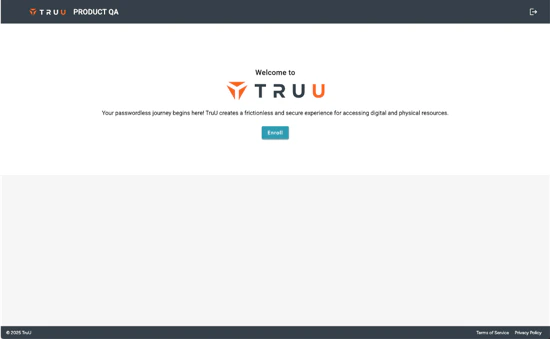
- We have updated the flow for users accessing the User Portal when they have no devices registered. Now, if a user has no devices enrolled (regardless if they had devices enrolled previously), we treat the user like they are coming to the User Portal for the first time with a singular call to action to enroll a device.
Improved CSV Upload for Internationalization
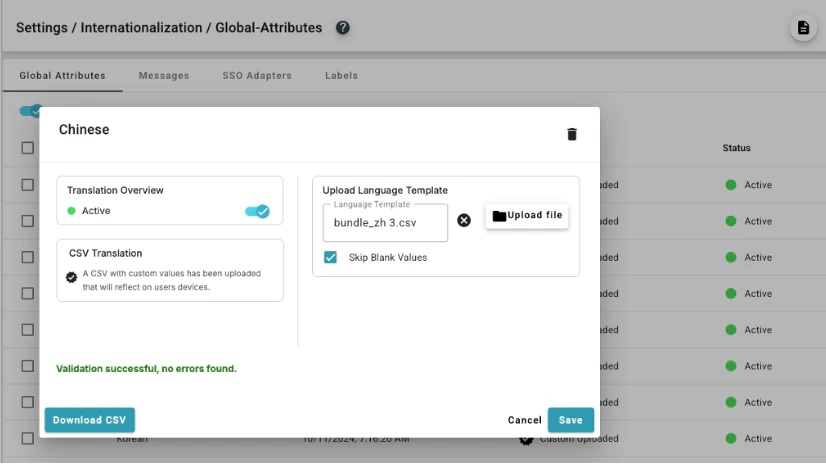
- We have also improved the usability of the CSV upload for internationalization. We now include an option when uploading a CSV to “Skip Blank Values” which allows optional text strings (e.g. help text for global attributes) to be left blank so that files can be uploaded without triggering validation errors.
Bug Fixes
- We have fixed a UI bug where SSO screens displayed within an embedded browser did not have proper spacing between form fields, labels and button.
- We have fixed an issue where the “Remember Me” toggle option under a QR code would not be visible if the browser zoom level is above 100 percent.
- We have fixed an issue where Admins could set a customization color that is too dark for dark mode and too light for light mode. Now, if the Admin tries to set a color that does not provide enough contrast, we will automatically change the color to a higher contrast color.
- We have fixed an issue where the “Computers” page would occasionally fail to load.
- We have fixed an issue where a computer would appear as having an old entitlement group, if a computer is re-enrolled with a configuration file assigning the computer to a different entitlement group.
Known Issues
PLAT 25.179 Release Notes PLAT 25.176 Release Notes