

Highlights
- TruPIN Lock-Out After Too Many Failed Attempts (Shared Workstation Only)
- Removal of Identity Servers Page from Admin Console
- Improved CA Adapter Health
- Workflow Diagnostics
- Native styling for enrollment
Enhancements
TruPIN Lock-Out After Too Many Failed Attempts (Shared Workstation Only)
We have improved security with this release to prevent brute-force attacks by imposing a lock-out period for use of the TruPIN after too many failed authentication attempts from a Shared Workstation or PIN changes from the User Portal.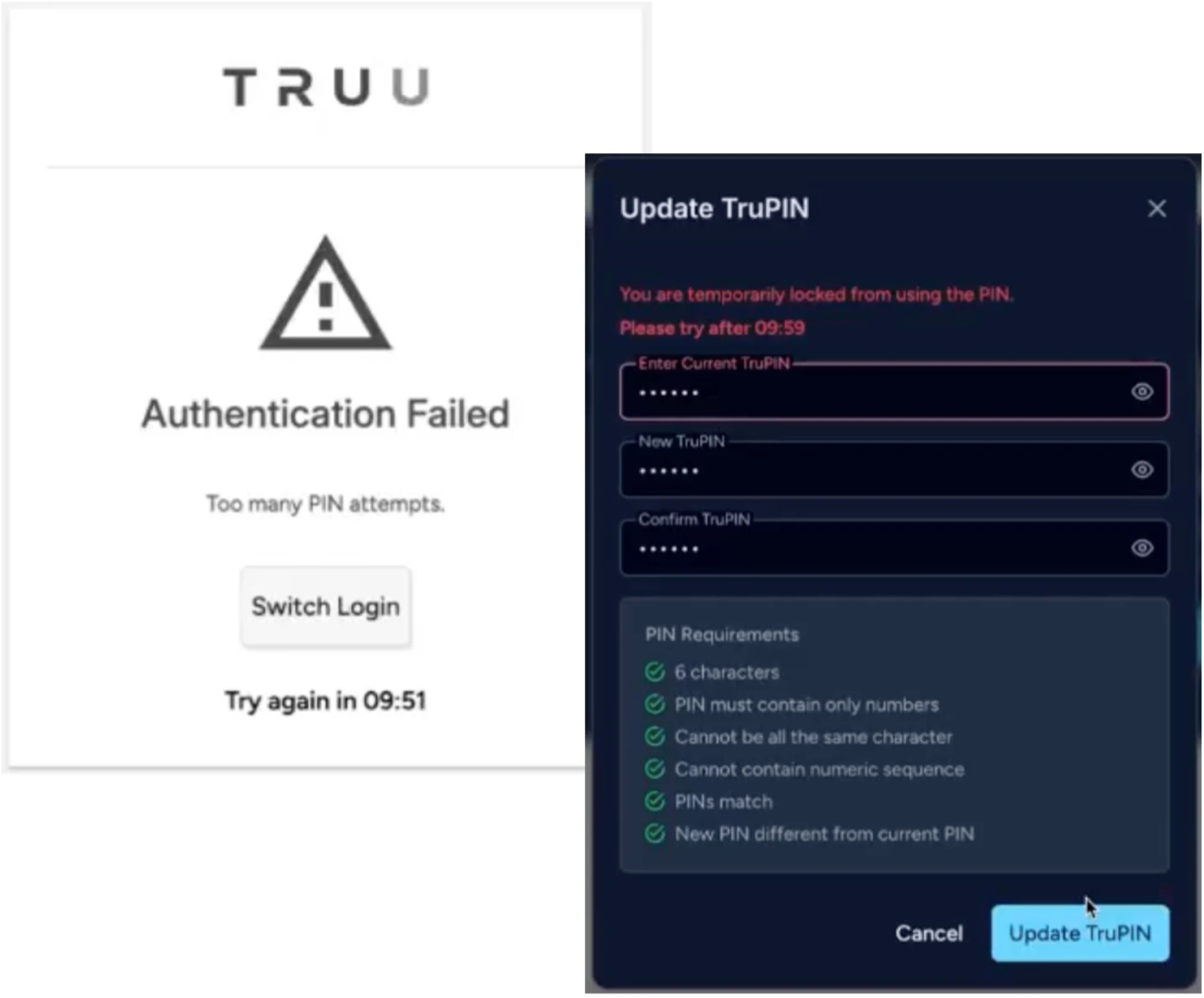
Improved CA Adapter Health
We have improved our CA Adapter health to include metrics on revocation queue depth in addition to service availability. CA Adapters will now show as having “Issues Detected” if the service is not available, or if the revocation queue is too large.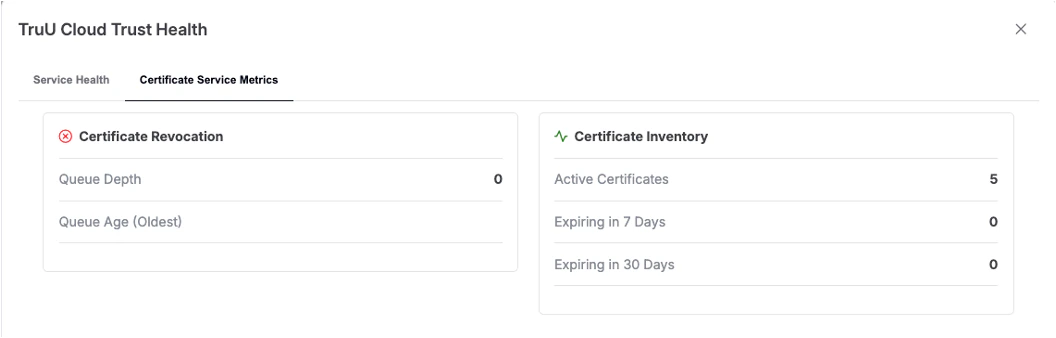
- Warning: queue has 50+ certificates for more than 15 minutes.
- Critical: queue has 200+ certificates for more than 5 minutes.
Workflow Diagnostics
Administrators can now perform targeted diagnostics on user-specific workflow executions. This capability enables verification of whether a user has the necessary directory attributes to successfully complete a workflow and provides visibility into the actual attribute values being evaluated.- Added diagnostics functionality on the Settings > User Identification > Workflows page)
- Alternative access via multi-select checkbox + Actions dropdown menu → Diagnostics option
- To use, search for and select a target user and then chooses a workflow version to diagnose
- The result will indicate Success or Failure and list every attribute referenced in the workflow (Password-type attributes are never displayed)
Native styling for enrollment
The TruU enrollment process has received an interface update and now the enrollment views will be styled according to the client operating system. The functionality remains the same, but enrollment will now offer a native experience on all supported platforms (Windows, macOS, iOS, and Android).Bug Fixes
- We have improved the error message shown to a user when attempting to authenticate with a mobile device but not completing the authentication request within the allowed time.
- We have fixed an issue where certain Admins with limited rights to delete devices were only able to delete devices from the Mobiles, Computers and/or Agentless pages, but were unable to perform the same action when attempting to delete a device from a User’s drill-down page.
- We have fixed an issue where a duplicate admin record would be created if Admin rights are adjusted from the Users page when there is a case mis-match between the UPN associated with the User and the Admin.
- We have fixed an issue where offline devices that are removed through “Stale Device Cleanup” were not properly removed on the computer when the device comes back online (device cannot be used for authentication, but appears to be still enrolled to the user).
- We have fixed an issue where an SSO error presented when trying to use a security key that had not yet been registered appeared in English when using a browser in another language.
- We have fixed an issue that prevented users from being able to enroll a passkey when an authorized FIDO device type list had been created.
- While this is not a bug fix, we have updated the naming format for downloaded agents to include their hash as part of the filename (e.g. truu-shared-workstation-25.2.0.1365+sha256.3923e59bded46a258282293d31567f6c354077eaca15e41df60ee748d4708ab8.zip).
- Fixed and issue where devices were not being removed from the Admin Console when a user’s account was deleted or disabled in the Directory.
Known Issues
MA 24.1 Release Notes PLAT 26.198 Release Notes