

Highlights
- Redesigned User Portal Sign-in Page
- Support for Background Image for SSO Pages
- Improved Error Handling for SSO Failure Due to Blocked JavaScript
- Bug Fixes
Enhancements
Redesigned User Portal Sign-in Page
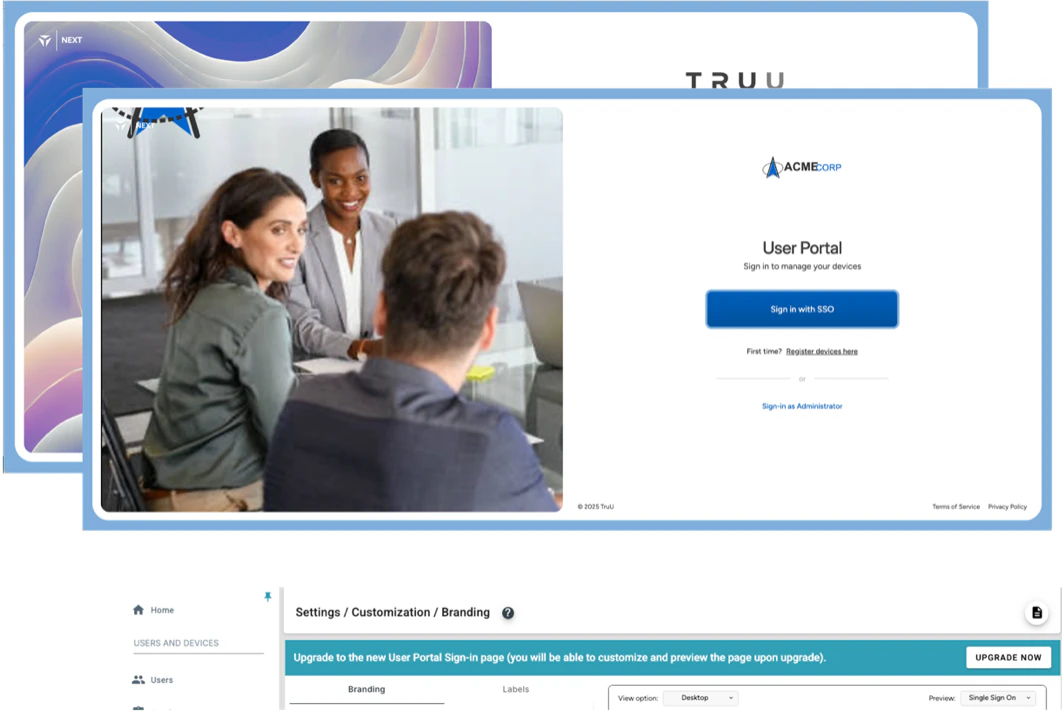
- We have redesigned the User Portal sign-in page to give it a more modern look and to better support our customer’s branding. The portal now features an image on the left side of the page. The default image is an abstract design based on the accent color set for your environment. The image can be replaced with a custom image that better aligns with your brand. There is also a border on the page that is based on the accent color.
- We understand that our customers like to communicate end-user facing changes to their users in advance of the changes. For this reason, we have given you the control to upgrade the User Portal at your convenience (you will see an “Upgrade Now” banner in the “Settings”, then “Customization” menu).
Support for Background Image for SSO Pages
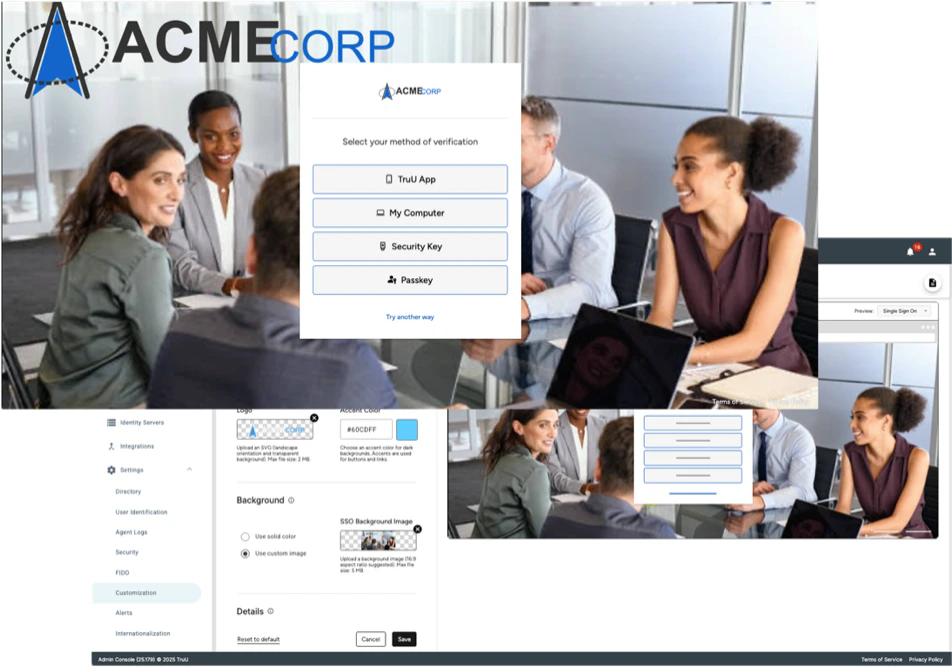
- We have also updated the customization options for the SSO pages. In the past, you have been able to set a background color to be displayed on the SSO pages. With this release, you can choose between using a background color on an image.
Improved Error Handling for SSO Failure Due to Blocked JavaScript
We recently had an issue where a customer’s DLP software was blocking JavaScript on our authentication pages preventing users from being able to authenticate. When this happened, the user was stuck on a blank page and the user and the customer were unable to identify the issue. After seeing this, we realized we could improve our error handling to communicate this problem to the user so that they or their IT team could resolve the issue.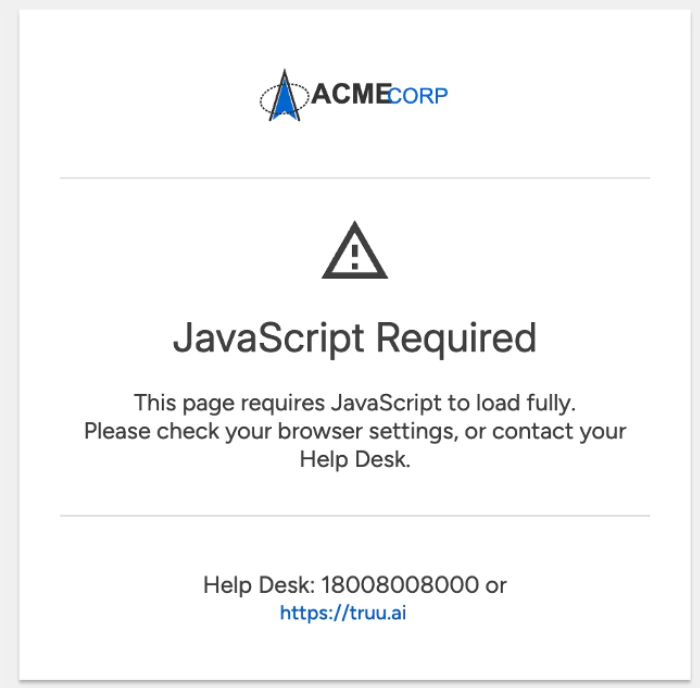
Bug Fixes
- We have fixed an issue where the hover text and part of the registration policy UI did not appear when trying to add a policy in a newly provisioned tenant.
- We have fixed an issue where the enrollment UI would appear in dark mode on Android devices set for light mode.
Known Issues
PLAT 25.180 Release Notes PLAT 25.178 Release Notes