

Highlights
- User-Aware SSO for OIDC / Entra ID (Primary Identifier Flow)
- Improved Config File Download
- New Location for Agent Logs
Enhancements
User-Aware SSO for OIDC / Entra ID (Primary Identifier Flow)
- In this release, we’ve added a new option for the Open ID Connect and Entra ID SSO adapters for the default view to show a page asking the user to provide their primary identifier (e.g. email address).
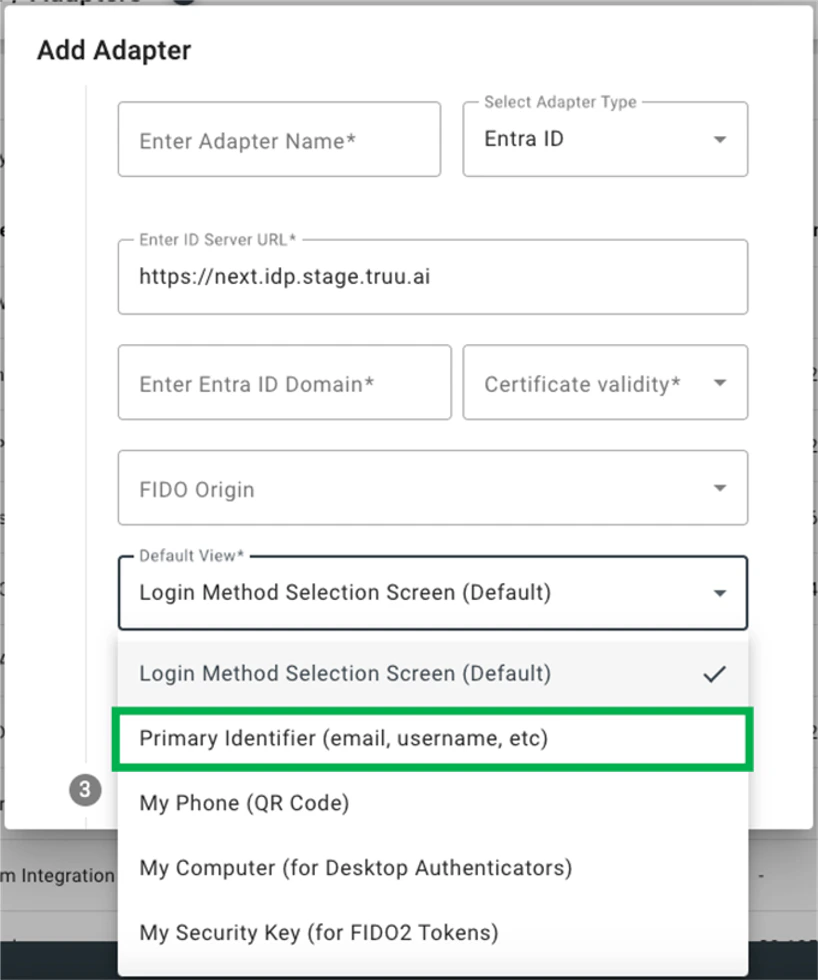
- This feature enables user-aware login flows as follows:
- If the user only has a single registered TruU Authenticator (desktop, mobile, passkey / security key or workflow), we immediately start the login process for that device type.
- If the user has multiple options, we will show the account picker, but the picker will be a curated list only showing the options applicable to that user.
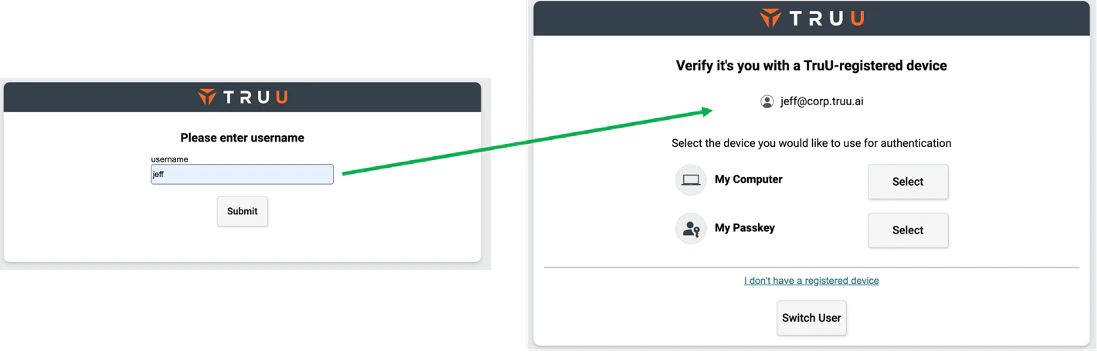
- Upon a successful authentication with a device (non-workflow), the last authentication method will be remembered. That authentication flow will appear as the primary authentication method.
- NOTE: this feature was introduced for the SAML Adapter in the 24.161 release. However, with Open ID Connect and Entra ID, the feature also supports honoring a login hint. For example, if the user enters their user identifier in Entra ID or Okta - and is redirected to TruU for authentication - that identifier is passed to the TruU adapter and the user will not be prompted by TruU to enter the identifier again.
Improved Config File Download
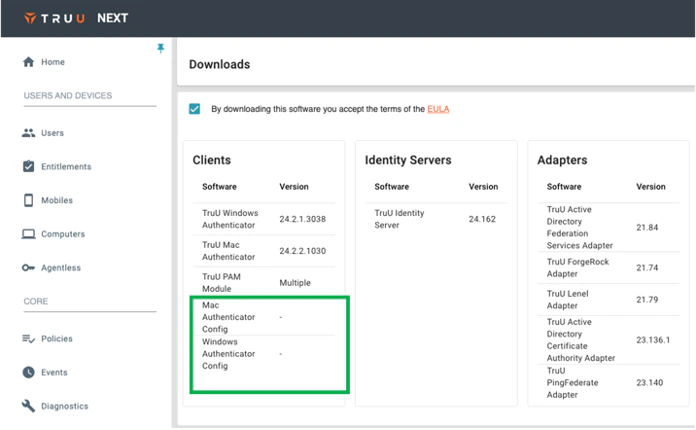
- In addition to bundling the config file with the agent download, Admins now have an option to download config files for the desktop authenticators without having to download the installers as well.
New Location for Agent Logs
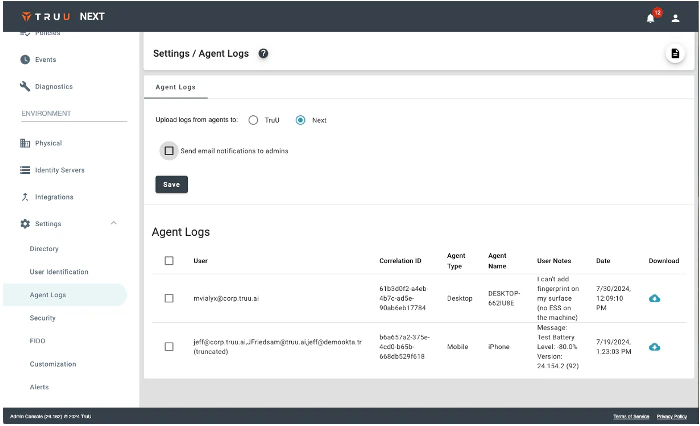
- If you configure your environment to have agent logs uploaded to the tenant, we now show the logs on the same page within “Settings” where that configuration is made.
Bug Fixes
- We have fixed an issue that prevented diagnostics and user enrollment from working when a user’s email address contains an apostrophe.
- We have fixed a UI issue where text would overlap in enrollment screens on Android when device font is set to large.
Known Issues
PLAT 24.165 Release Notes PLAT 24.160 Release Notes