

Highlights
- New User Portal
- Natural Language Event Search (Beta)
- CA Adapter Support for Venafi Zero Touch PKI
- Deprecated Support for HID Origo
- Bug Fixes
Enhancements
New User Portal
-
We have completely redesigned the User Portal to have a cleaner, more modern look and have made it much more intuitive for new and returning users. The new User Portal features:
- Branding: your logo (what you are using for SSO and client customization) appears at the top left corner, your background color or image (what you are using for SSO) is used for the background of the User Portal, and your accent colors (what you are using for SSO and client customization) are also utilized.
- Onboarding Wizard: first-time users are walked through the setup of factors and/or devices based on their registration policies. Wizard can be relaunched at any point from the menu.
- Themes: light or dark mode can be set from the menu.
- Help: while the User Portal is very intuitive, we’ve also added online help that can be accessed from the menu.
-
Actions: we’ve removed the persistent “Actions” menu and have replaced it with a banner that appears if/when there are pending actions for the user such as onboarding approvals configured in an Identify Verification Workflow.
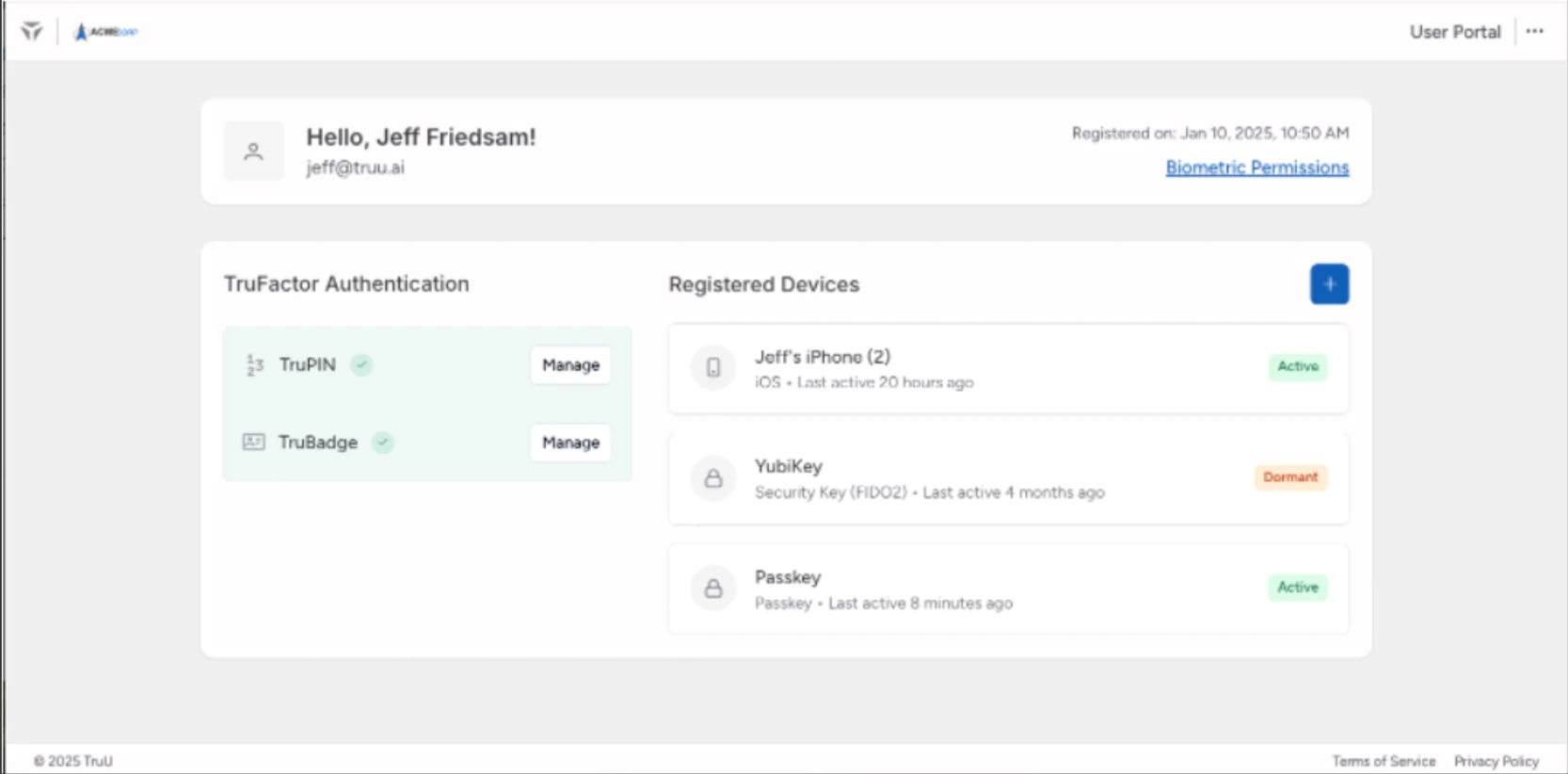
- As this feature is a significant change in User Experience, we have not enabled the new User Portal for our customers by default. You can enable the new User Portal when you are ready from the Settings > Customization page in the Admin Console. We intend to deprecate support for the old User Portal by December 31, 2025, please plan your upgrade accordingly.
- When you choose to upgrade, our workflow engine which is used for authentication and enrollment will move to a new URL ([tenant name].workflow.id.truu.ai) for better performance (it’s currently part of the User Portal). If your organization restricts outbound traffic to specific URLs, you may need to update your firewall or web filtering rules to include this new URL before upgrading.
- If you are managing your own Identity Servers, you will need to upgrade to version 25.188 (or higher) in order to upgrade to the new user portal.
Natural Language Event Search (Beta)
-
We are very excited about our new AI-powered natural language search and updated Event UI. This feature is being made available for all customers as a beta and will be available alongside the existing Events interface. There are still a few features missing from the new event search such as reports download. These missing features will be included in future releases.
-
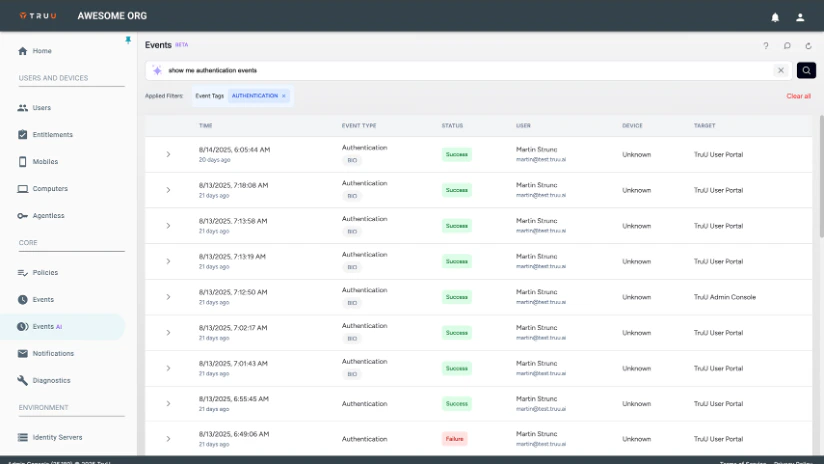
Search and Filtering: can be done using a combination of natural language search (e.g. “how many authentication failures were there in San Jose today?”, “Show me any time a user used biometrics”, or “show me all Registrations in the past week“, etc.), and clicking on “filter” links that are displayed in the table (e.g. user names, statuses, etc.).
- Obvious Filters: Whatever filters are applied are clearly shown in the UI.
-
Search and Filtering: can be done using a combination of natural language search (e.g. “how many authentication failures were there in San Jose today?”, “Show me any time a user used biometrics”, or “show me all Registrations in the past week“, etc.), and clicking on “filter” links that are displayed in the table (e.g. user names, statuses, etc.).
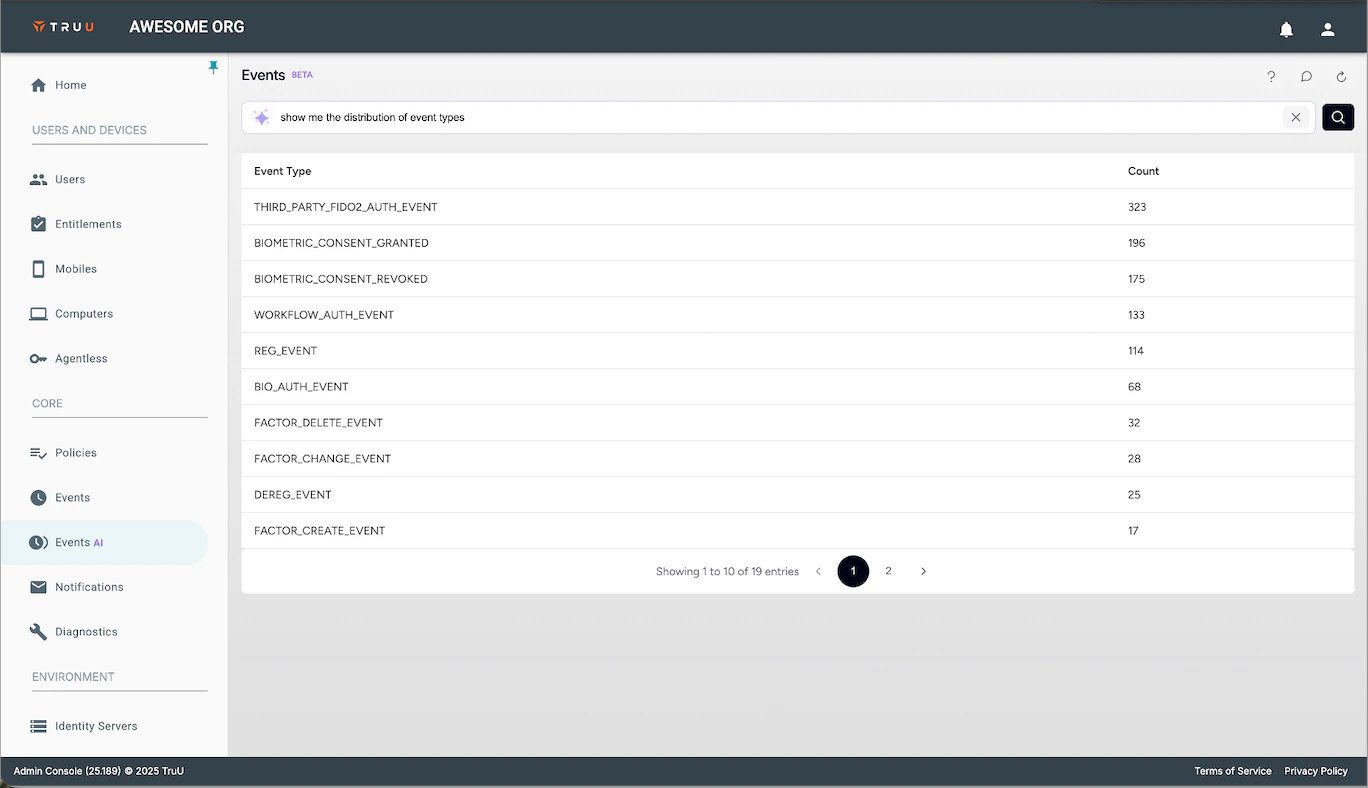
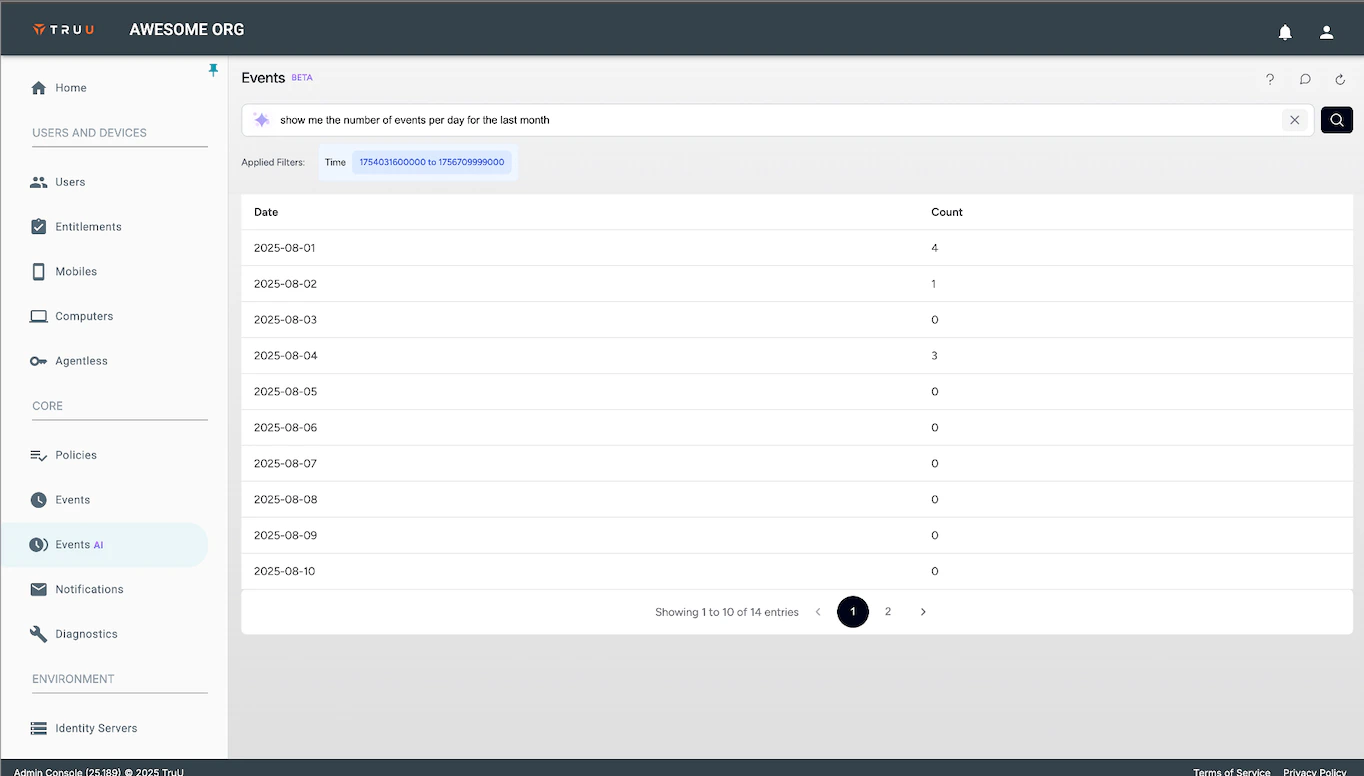
- Advanced Search: In addition to basic filtering of event data, you can also search for event distribution (e.g. “show me the distribution of event types”) and time series reporting (e.g. “show me the number of events per day for the last month”).
- New Table Structure: the event data table UI has been updated to show the data in a simpler and cleaner way. The Events are now grouped into larger categories (e.g. Authentication instead of Biometric Authentication), with tags (e.g. Biometric, PIN).
- The underlying data structure of our event data has been changed to support this new interface and search capabilities. We did not migrate historical data; instead, we are using the new structure for events starting on September 11, 2025.
- Export is not currently available for events from this page (not to worry, it will be available in the future, and the legacy Events page (and event logging) is not affected by this limitation).
- We are making this available as a beta for all customers to get as much feedback as possible. Please share your thoughts by clicking the comment icon at the top of the page (the comments are sent to TruU so we can incorporate your feedback in future releases).
- Our new natural language event search feature is designed with your data security as the top priority. Here’s how we protect your data:
- The AI system only learns our data structure and field names. It never has access to your data i.e. it does not see, process, or store your actual event data.
- All your sensitive event data remains within our secure backend systems, following the same data protection standards you trust today.
- Our enterprise-grade LLM is trained solely on data schemas and query patterns, not customer content or data.
- The AI acts as a translation layer, converting your natural language into structured queries.
- Your actual event data is only accessed by our existing, proven backend systems after the query translation is complete.
- We use an enterprise LLM service with strict data isolation and zero data retention policies.
- No customer queries or data are used to train or improve the AI model.
- All AI processing follows the same encryption, access controls, and compliance standards as our core platform.
CA Adapter Support for Venafi Zero Touch PKI
-
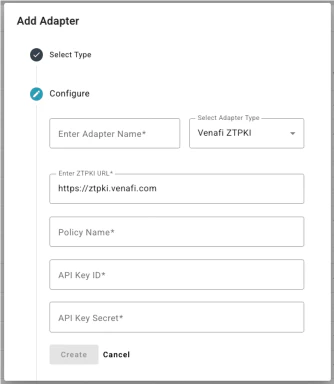
We have added support for Venafi Zero Touch PKI as a Certificate Authority for certificate-based authentication for Desktop Authenticators and Shared Workstations. The new Venafi Zero Touch PKI Adapter does not require software installation, as it is built into the TruU Identity Cloud. Like all CA adapters, the Venafi adapter supports all certificate lifecycle events: issuance, renewal and revocation. In the near future, we will add these lifecycle events to the Events table in the Admin Console.
Deprecated Support for HID Origo
- For customers using TruU for physical access, we have removed the native HID Origo Adapter from our product offering. Customers who wish to use TruU for physical access can continue to do so using our Soloinsight Adapter.
Bug Fixes
- Improved the enrollment experience on iPad to automatically start enrollment of the iPad when a user clicks the Enroll button in the User Portal.
- We have fixed a UI issue where the enrollment UI would include both the “user identification” and the “enrollment code” text entry boxes simultaneously if the user clicks “I have an enrollment code” while submitting a user identifier.
- We have fixed an issue where emails with authentication codes sent in languages other than English did not include a space between the words and the code.
- We have fixed an issue where event would not be generated for users logging in to the User Portal using the “Register a Device” link to login with a workflow.
- We have fixed an issue where Read-Only Admins could not clear their notifications for reports they had run in the Admin Console.
- We have added error handling for use of an expired SMS enrollment link.
- We have fixed an issue where logo files added for customization would not appear in the Windows Authenticator if the file name included spaces.
- We have fixed an issue that prevented the “Enroll New Device” button from appearing in a User Portal when the browser language was set to Chinese.
Known Issues
PLAT 25.192 Release Notes PLAT 25.188 Release Notes