

Highlights
- Prevention of Duplicate Badge Registration
- Improved Events AI
- Keyfactor / ADCS Support for Shared Workstations
- Email Notifications for Unenrollment
Enhancements
Prevention of Duplicate Badge Registration
For customers who are using physical access badges as a possession factor for access to a shared workstation with manual badge registration enabled, we have added a feature to prevent multiple users from registering the same badge. This is helpful for users registering a temporary badge (e.g. one given to them if they have forgotten their badge). In this case, if a user attempts to register a badge that is already registered to another user, they will see a warning message indicating that the badge has already been registered. If they choose to proceed, the badge will be removed from the previous user so there are no conflicts in use.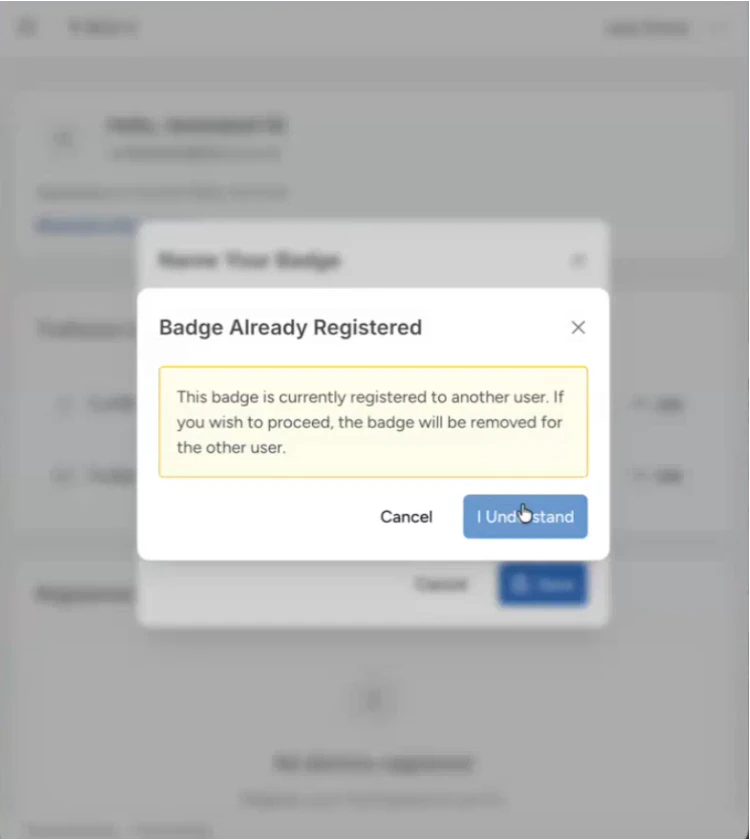
Improved Events AI
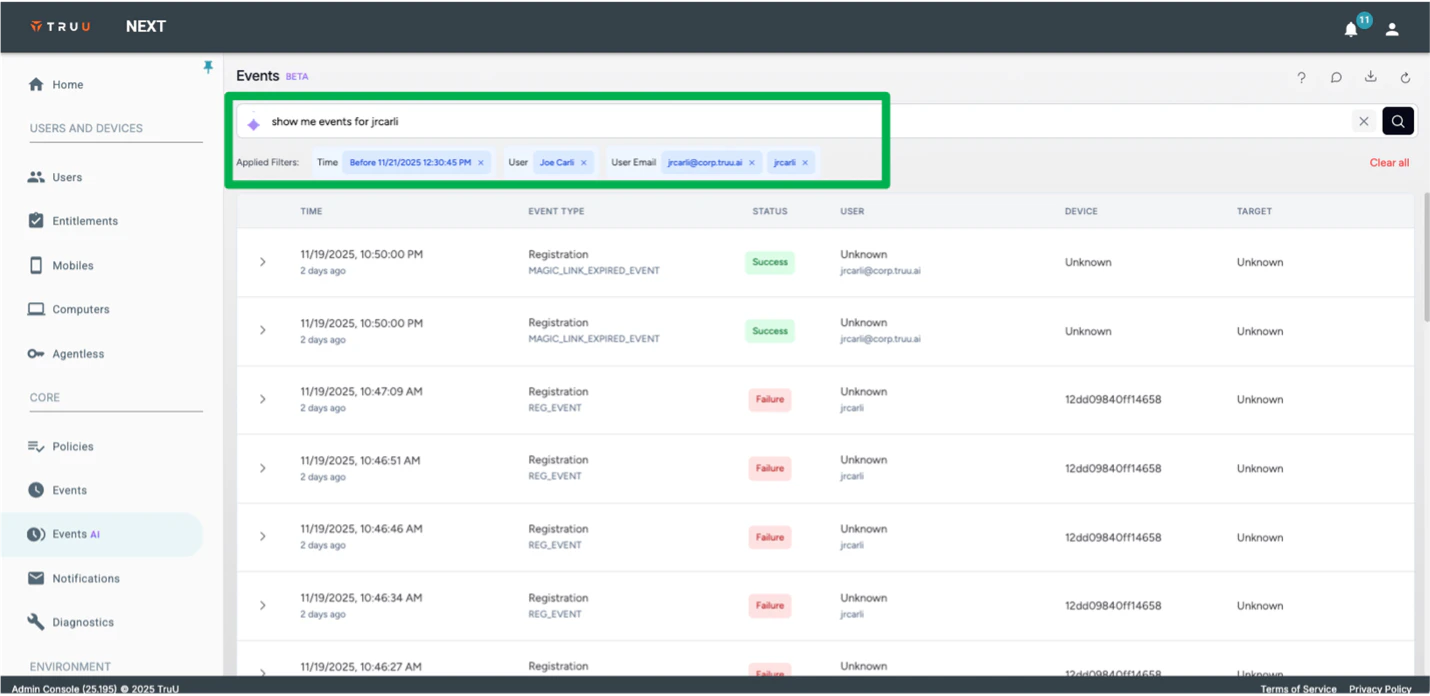
We have improved the Events AI (Beta) feature as follows:- We now support searching for events for specific users by Display Name, Email Address, and/or UPN/Account Name.
- We have improved the way we interact with the clickable elements in the Events table (the links and “chips” (the little tiles that can be clicked to add filters to the search)) to improve the speed and accuracy of those searches.
Keyfactor/AD CS Support for Shared Workstations
We have improved our CA Adapters for both Keyfactor and Active Directory Certificate Services by enabling Admins to specify the use cases that they are issuing certificates for, and which certificates to use for each. This change allows a single adapter to be used for both standard Windows Authenticators and Shared Workstations with different certificate validity periods for both. Please note, in the past, we referred to the adapter for Microsoft’s product as the Active Directory CA. The proper name for this product is Active Directory Certificate Services and the adapter name has been changed to the ADCS adapter.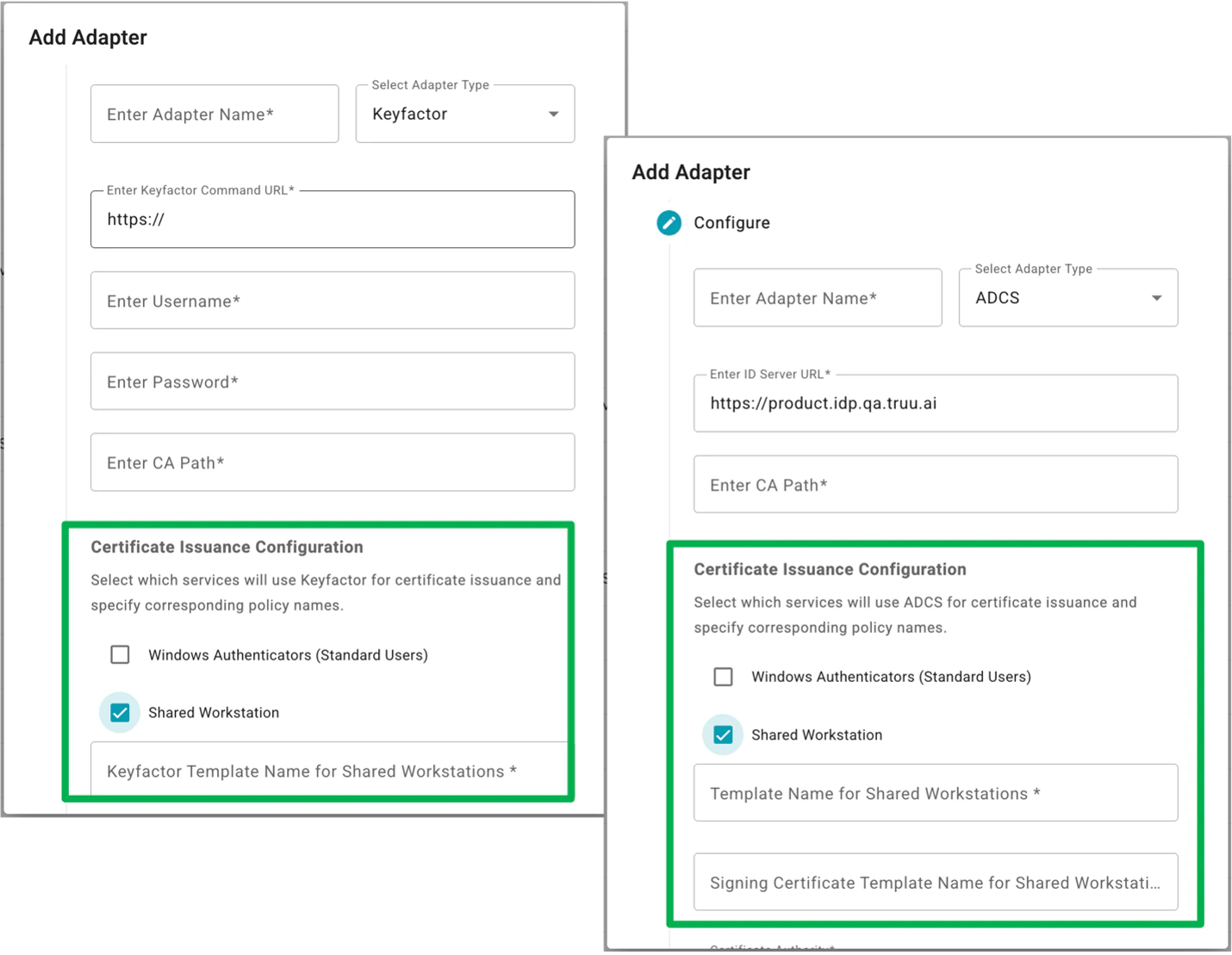
Email Notifications for Unenrollment
We have also added a security feature to send email notifications to users whenever their devices are unenrolled. Just like the alerts that are sent during enrollment, these messages are sent to the email address in the user directory for the user when the device is unenrolled. Also like the security alert, the email message can be customized in the Admin Console; however, the explanation of why the device was unenrolled (e.g. if it was removed due to inactivity per an Admin setting for “Stale Device Cleanup”, or if the user removed the device) is not customizable.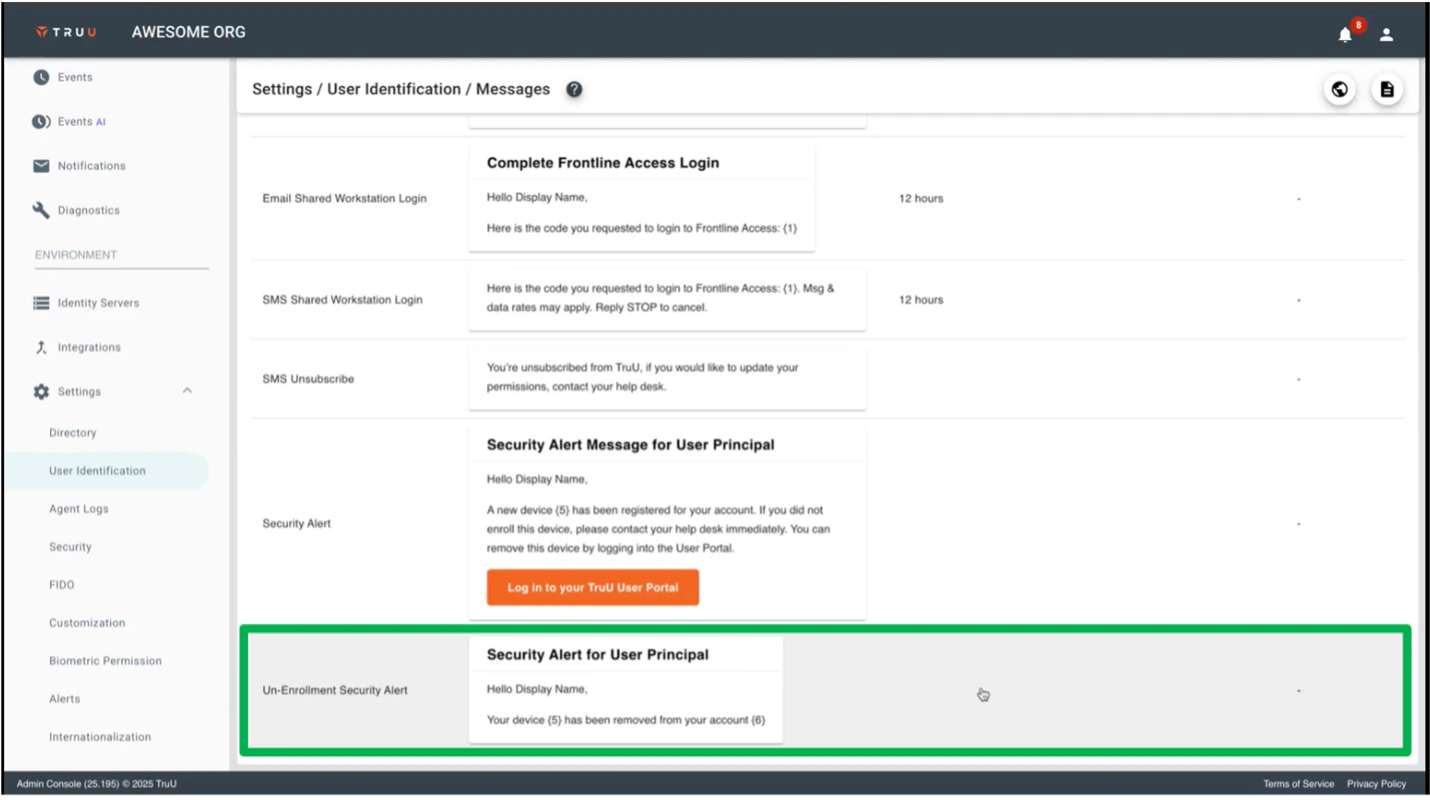
Bug Fixes
- We have fixed a UI issue when enrolling a device through Autopilot where the UPN entry field would get cut off.
- We have fixed an issue where scanning a badge for Shared Workstation authentication would fail intermittently.
- We have fixed an issue where event data was being reported for incorrect (future) dates.
- We have fixed an issue when entering incorrect information for an authentication workflow where the spinner would simply go away and bring the user back to the start of the authentication without presenting an error message.
- We have fixed an issue where a downloaded events report would not include all of the data selected for download.
- We have fixed an issue where a user who has no devices enrolled, would be presented with a “re-enrollment” workflow when registering devices if the user had previously logged into the User Portal.
Known Issues
PLAT 26.202 Release Notes PLAT 25.194 Release Notes